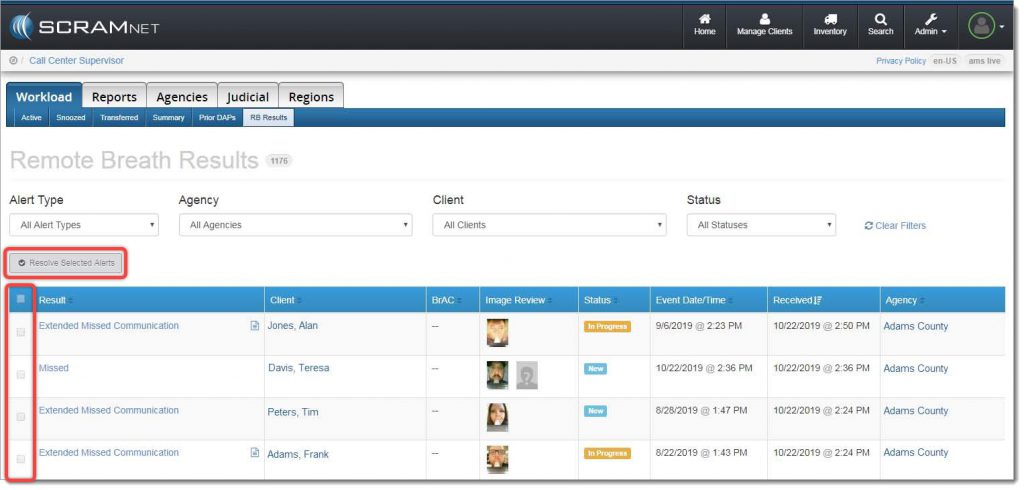
With the October 24, 2019 release, SCRAMNET® offers you a simple way to resolve multiple SCRAM Remote Breath® alerts in one action. A real time-saver when you are managing a heavy client caseload! To accomplish this, navigate to the RB Results page (shown below), and locate the new Resolve Selected Alerts button and checkbox column.
Next, select the specific type of alert you wish to bulk resolve from the Alert Type dropdown menu:
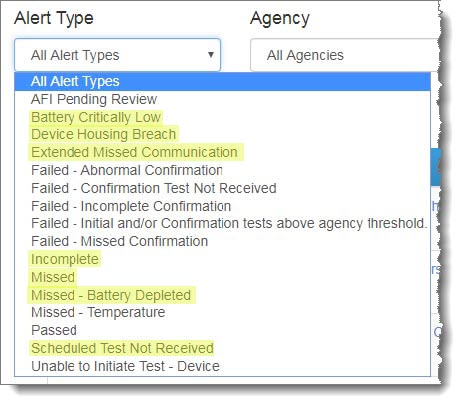
 | IMPORTANT: Bulk Resolve is only available for the following Alert Types:
|
The alert list will be filtered to display only the selected alert type:
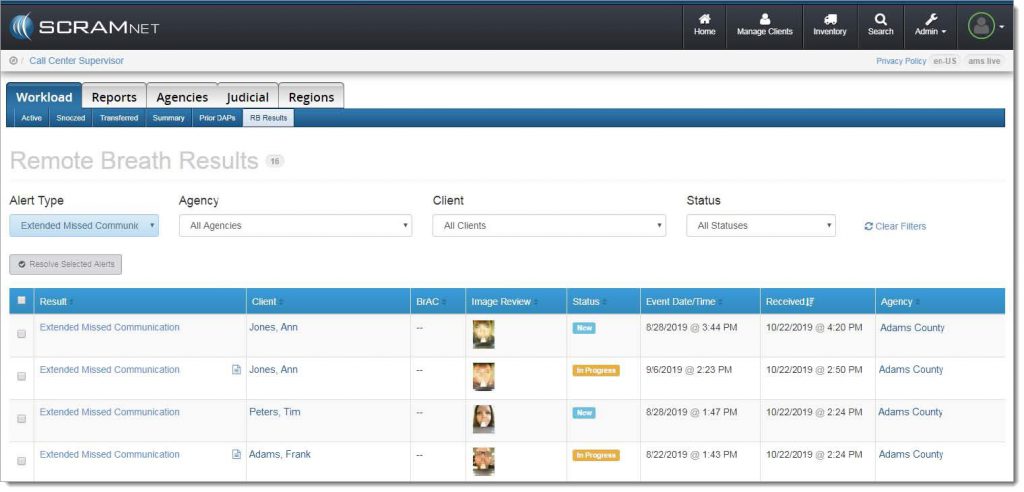
Select the checkbox for each individual alert to be resolved, or select the checkbox in the blue table header at the top of the list to select all alerts listed, and then click the Resolve Selected Alerts button.
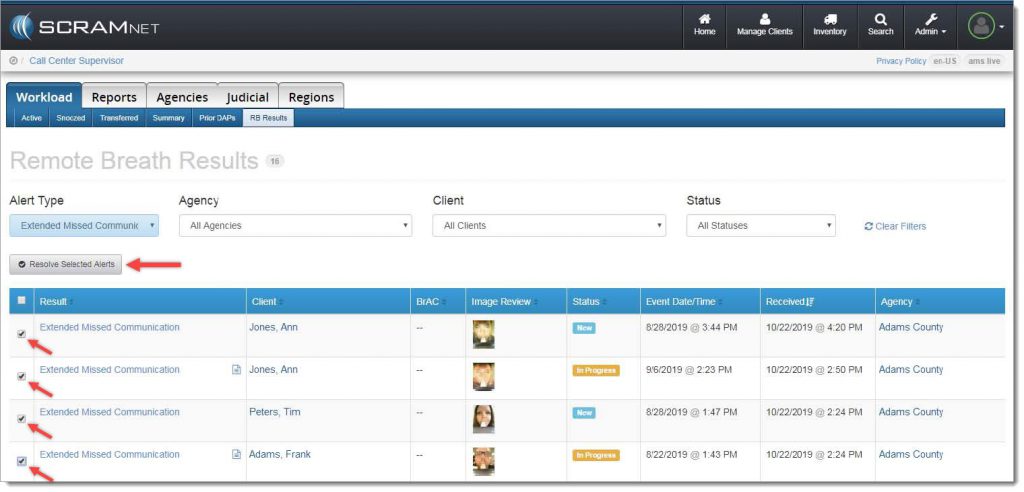
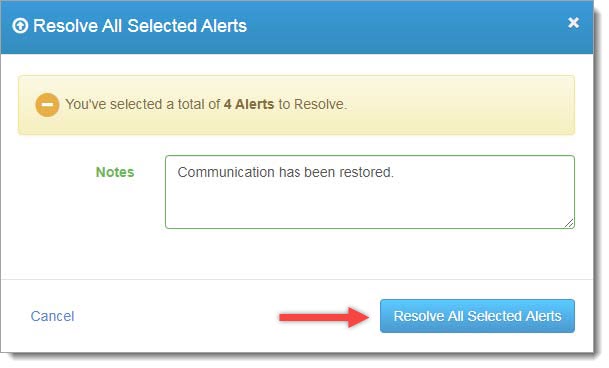
A confirmation pop-up window will appear as shown below. To complete the process, enter a note (required), and then click the Resolve All Selected Alerts button.
The resolved alerts will no longer appear on the RB Results page.
Feedback
As always, please contact SCRAM Systems Customer Service at 1-303-785-7879 with any recommendations for system improvements.