On September 23, 2021, SCRAM Systems released two enhancements for SCRAMNET.
- Access Multiple Regions/Locations or Caseloads. This enhancement allows a user to access multiple SCRAMNET Sub Accounts (Regions and Locations), or multiple Caseloads with a single sign-on.
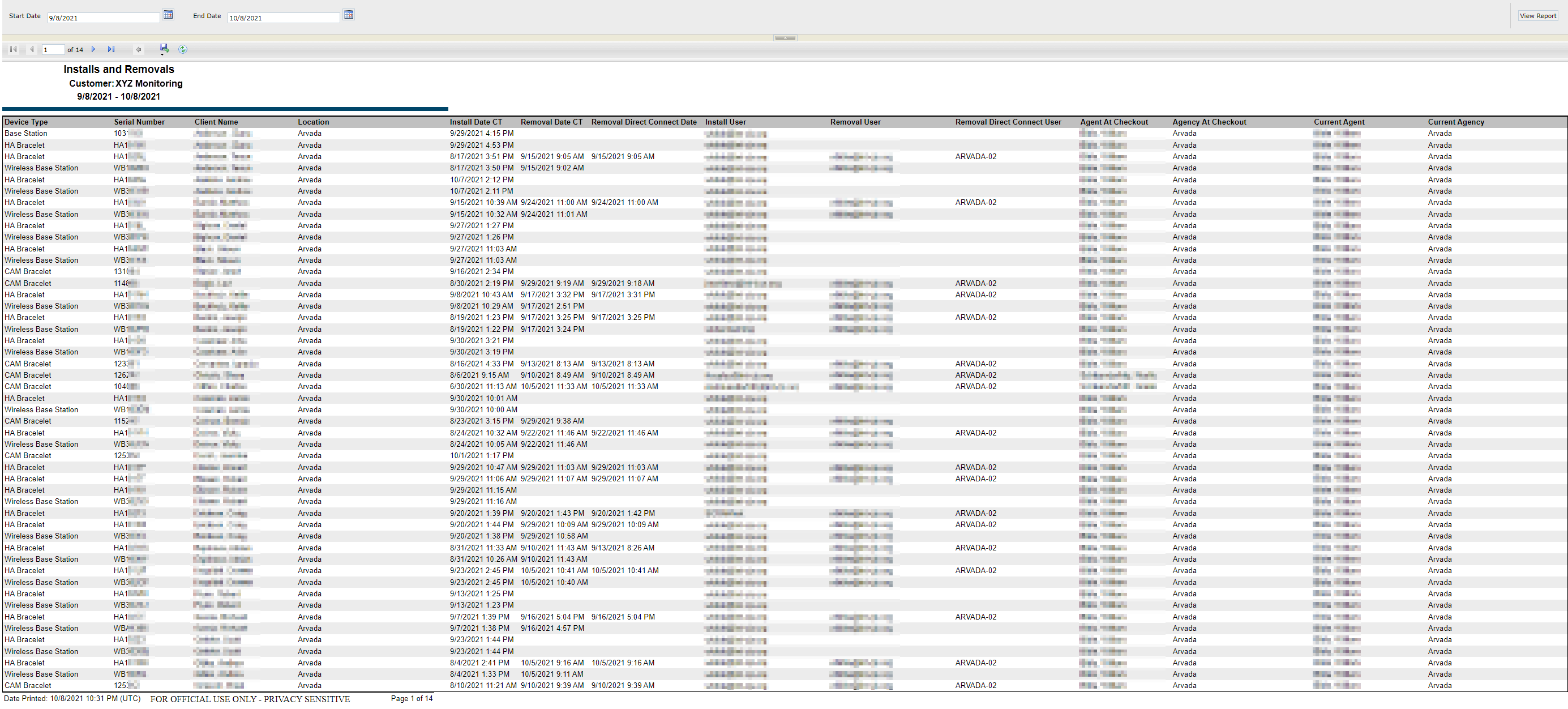
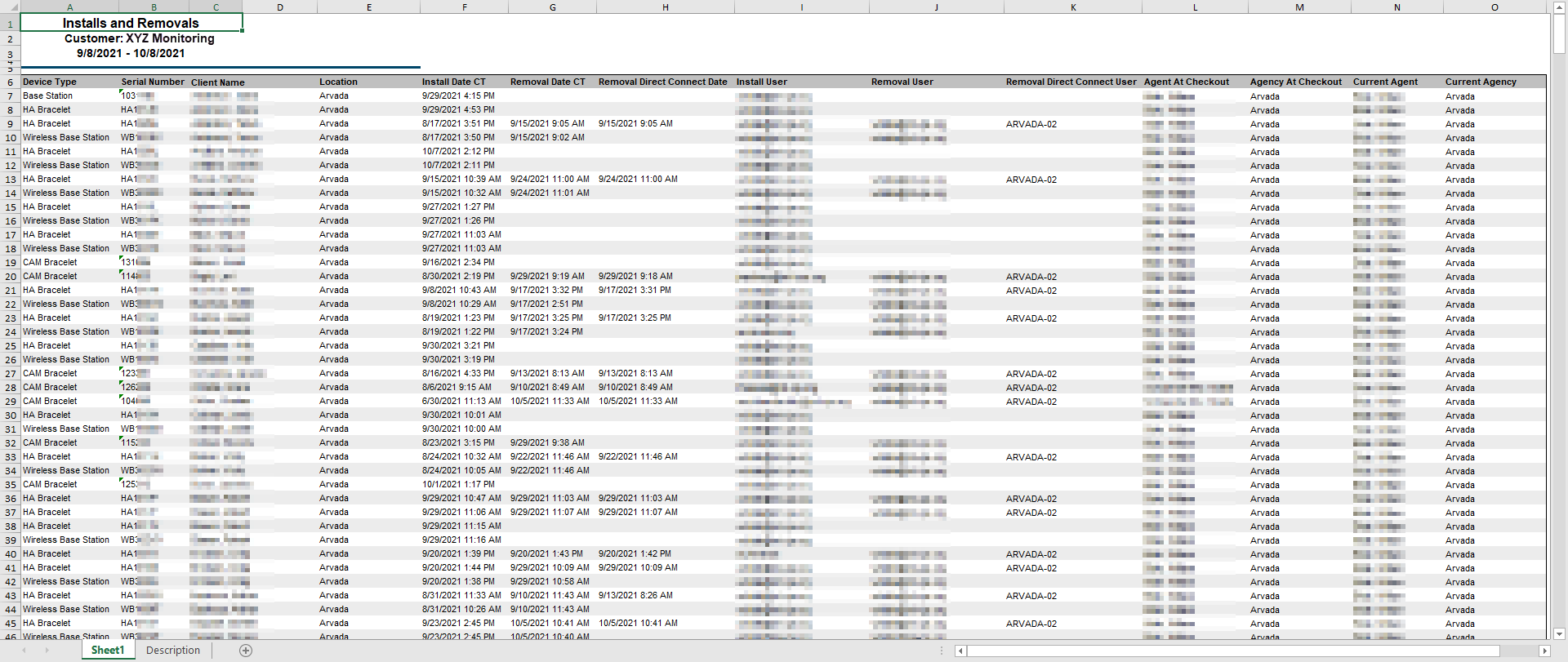
- New Installs & Removals Inventory Report. The report displays a detailed history of your inventory’s installations and removals for the last 30 days.
Access Multiple Regions/Locations or Caseloads
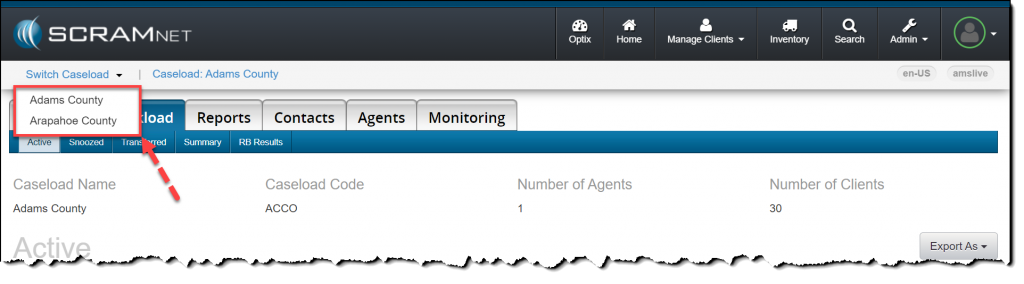
Users with access to multiple Regions/Locations or Caseloads may navigate within SCRAMNET using the Switch Caseload menu accessed within the quick access ribbon.
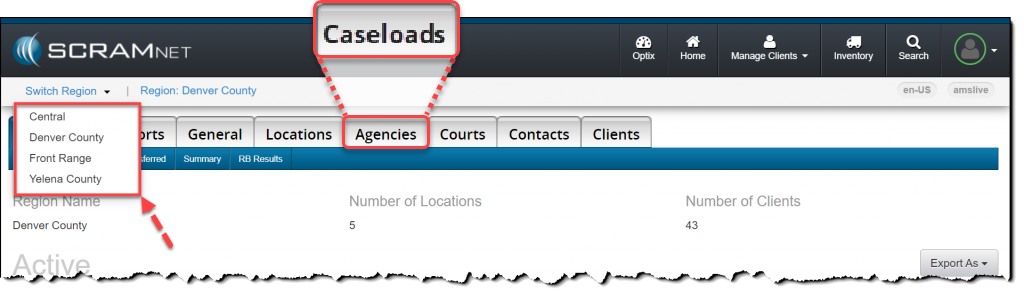
 | Effective October 28, 2021, “Agencies” will be referred to as “Caseloads” in the SCRAMNET monitoring system. This change brings SCRAMNET up-to-date with current terminology. |
Add Multiple Caseloads to a Current User
For a current user:
- Access the Manage Users page and click the user’s name hyperlink.
- Select the SCRAMNET Edit Account hyperlink.
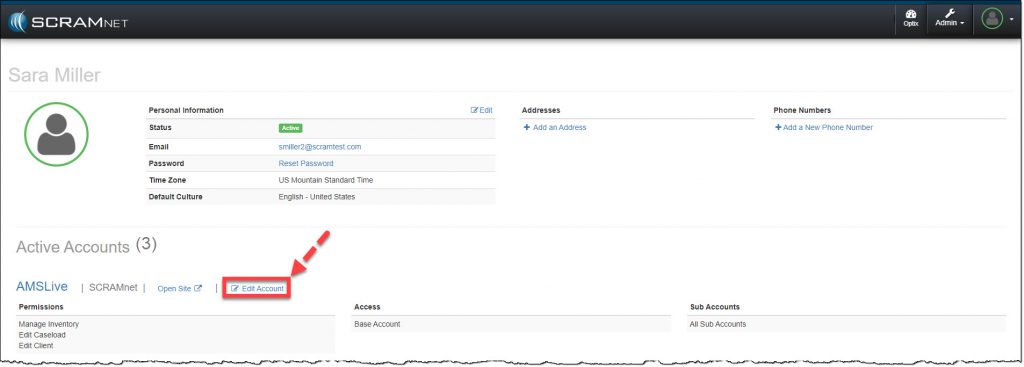
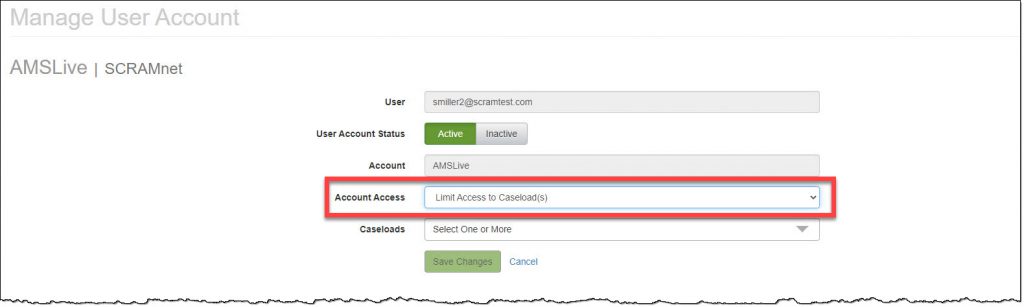
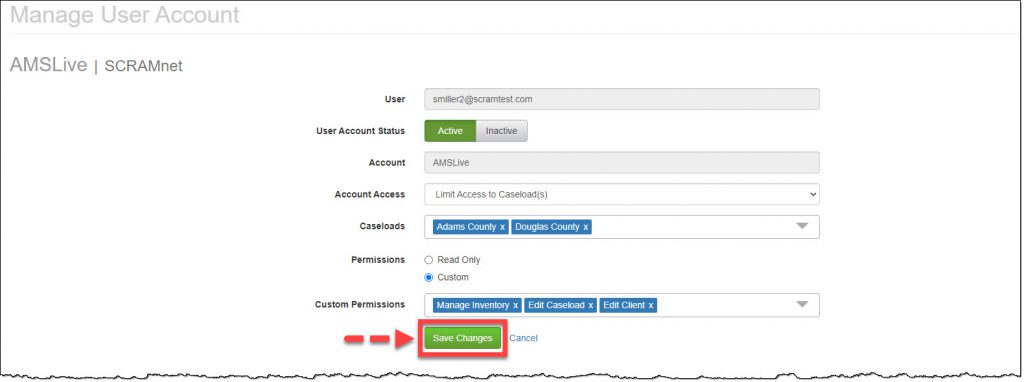
- Open the Account Access menu and select the option of Limit Access to Sub Account(s) or Limit Access to Caseload(s). (Example shown)
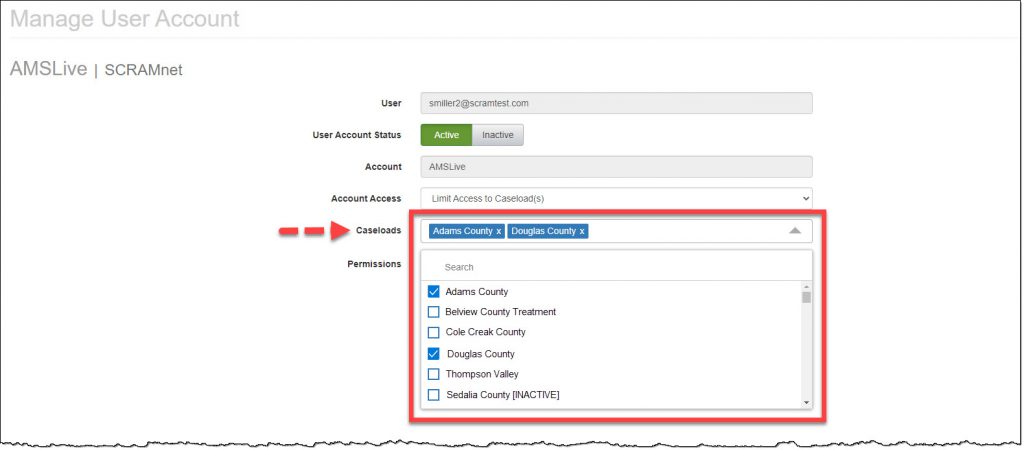
- Open the Caseloads menu and mark the Caseload(s) to which the user will require access by checking the box to the left of the caseload name. There is no limit on the number of caseloads a user may access. (The first caseload selected from the menu will be the default landing page for the user in SCRAMNET)
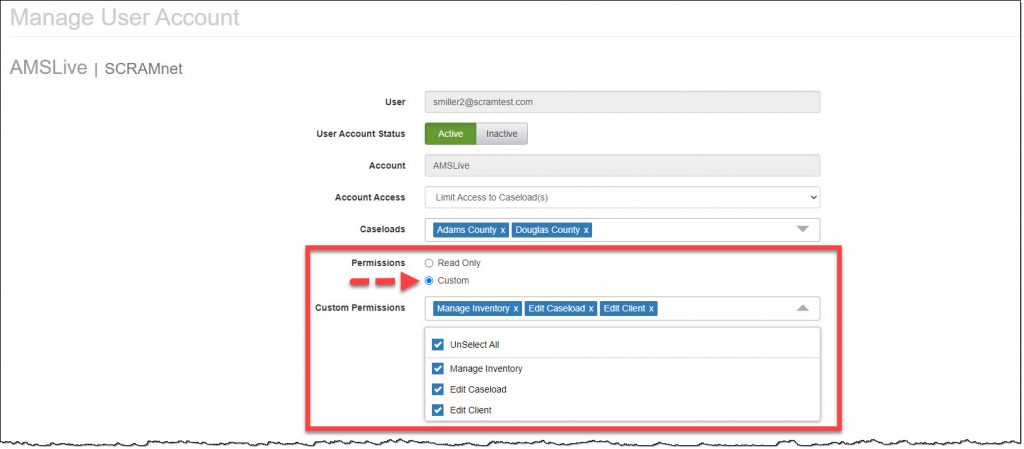
- Verify or update the Permissions settings for the user. (The permissions apply to each caseload associated to the user)
- Click the Save Changes button.
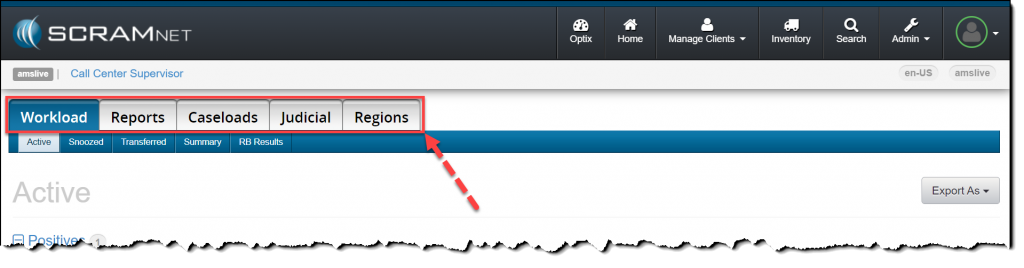
Users with “Access to the Entire Account” Account Access, will continue to navigate using the Regions and Caseloads tabs.
Users with access to a single Region, Location, or Caseload in SCRAMNET will continue to navigate the site in the traditional manner.
Installs & Removals Report
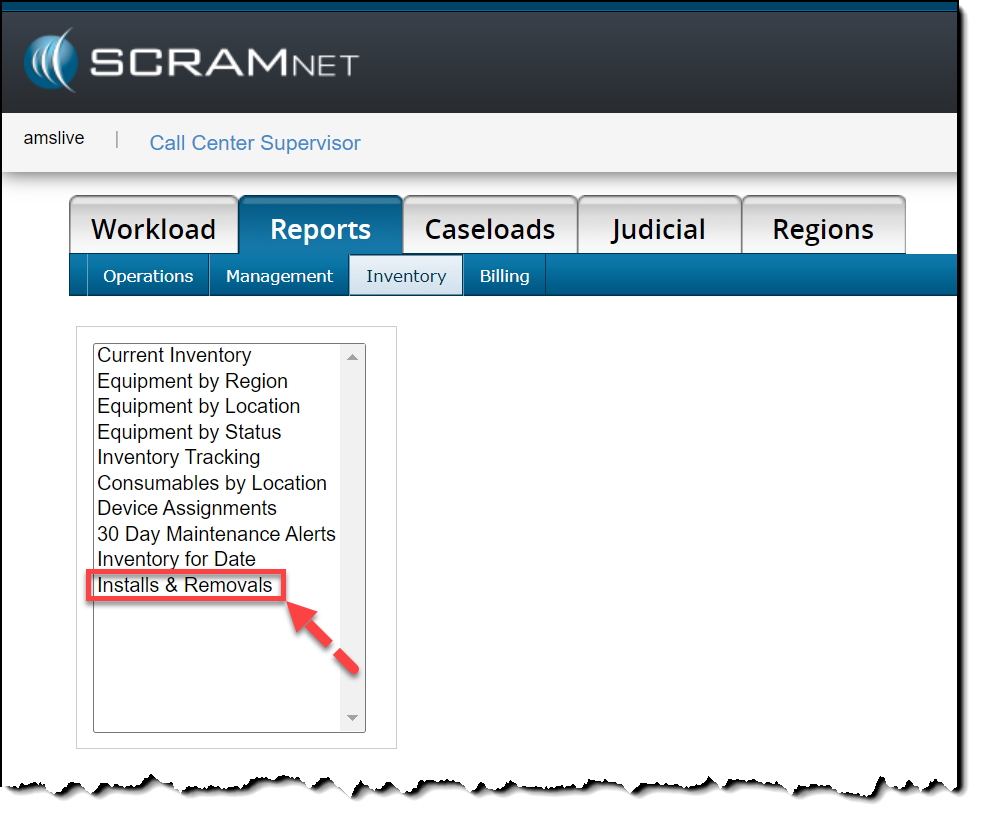
To locate the new Installs & Removals report available in SCRAMNET, navigate to the Reports tab and Inventory sub-tab. The report displays information for up to the past 30 days, including:
- Device Serial Number
- Client’s name
- Install Date
- Removal Date
- Removal Direct Connect Date
- Agent Name
- Caseload Name
| Because of its wide layout, it is highly recommended that you view the Installs & Removals report in Web format, or export it to Excel format only. |