On, August 31, 2023, SCRAM Systems will release two TouchPoint-related enhancements:
- TouchPoint mobile app “swipe down” to refresh functionality
- Client Check-In Follow-Up Question
 |
|
Swipe to Refresh
This enhancement focuses on improving the client’s experience within the SCRAM TouchPoint application on their smartphone. The client can now refresh the screen by “swiping” down on the screen.
Client Check-In Follow-Up Question
When you create a custom question, you may now include a follow-up question based on the client’s response to the original question. You may customize the response format of the follow-up question as either a Yes/No Question or Short Answer.
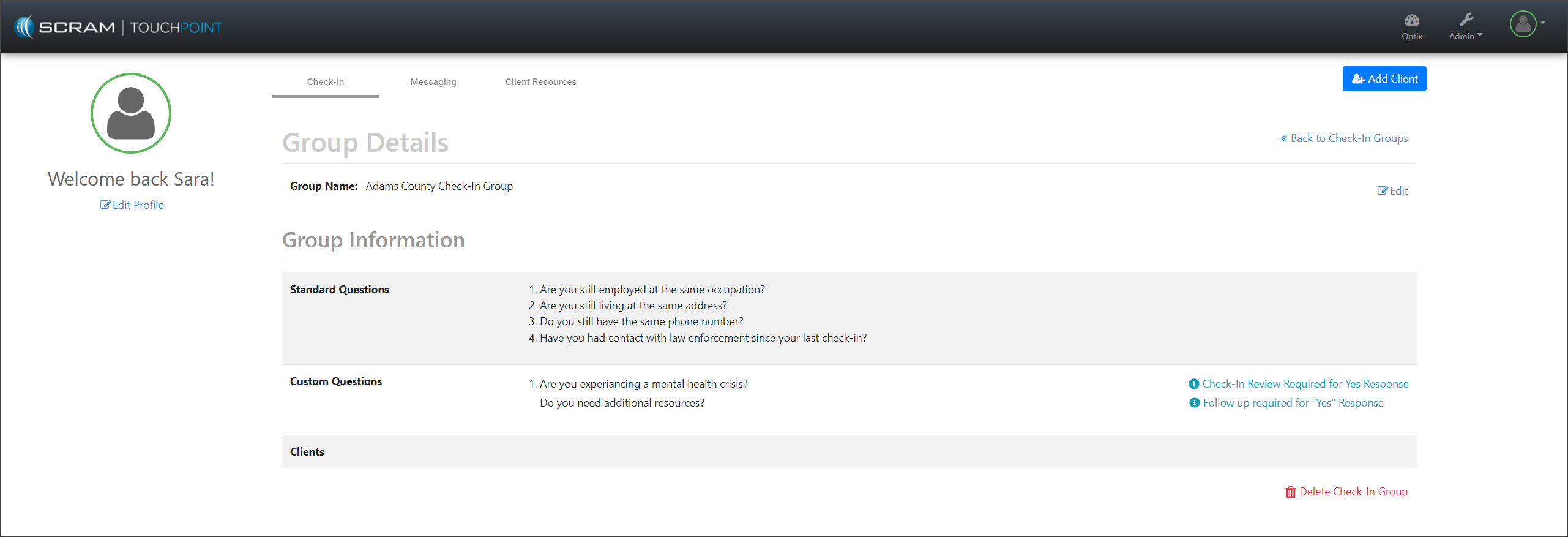
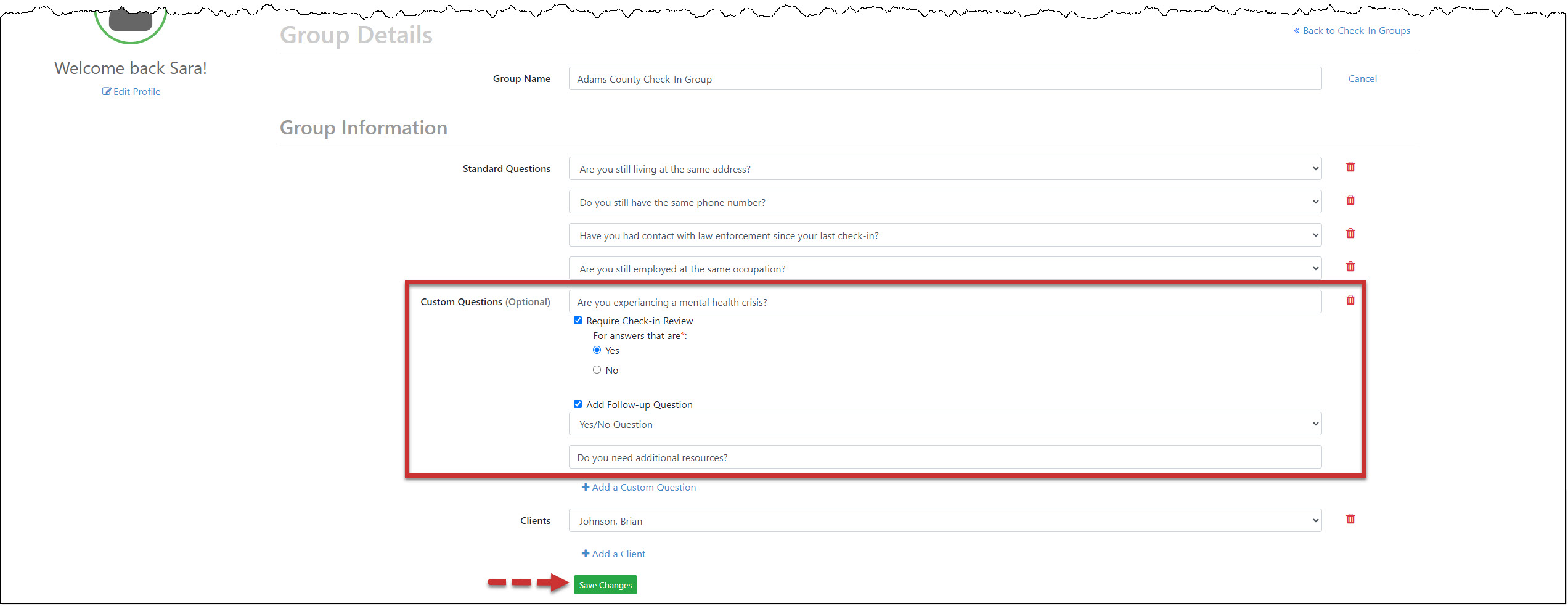
To create a new Custom Question with a follow-up question:
- For a new or current question group, select the +Add a Custom Question hyperlink on the Group Details page and enter your question.
- Select the Require Check-in Review checkbox and either the Yes or No option.
- Select the +Add Follow-up Question checkbox.
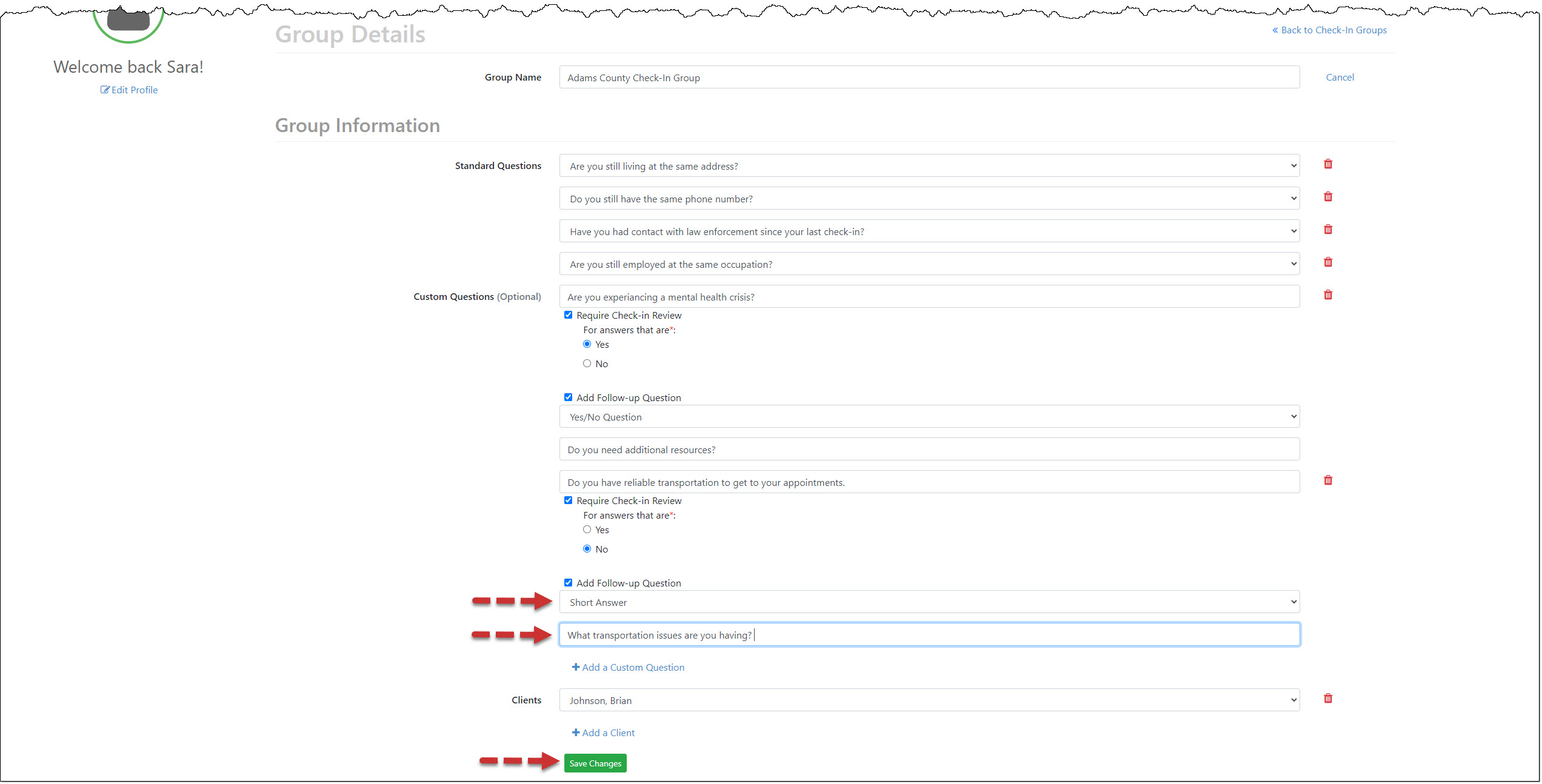
- Open the dropdown menu and select the format for the client’s response as either Yes/No Question or Short Answer.
- Enter your “follow-up question.”
- After entering all required questions, select the Save Changes button.
To add a follow-up question to an existing Custom Question:
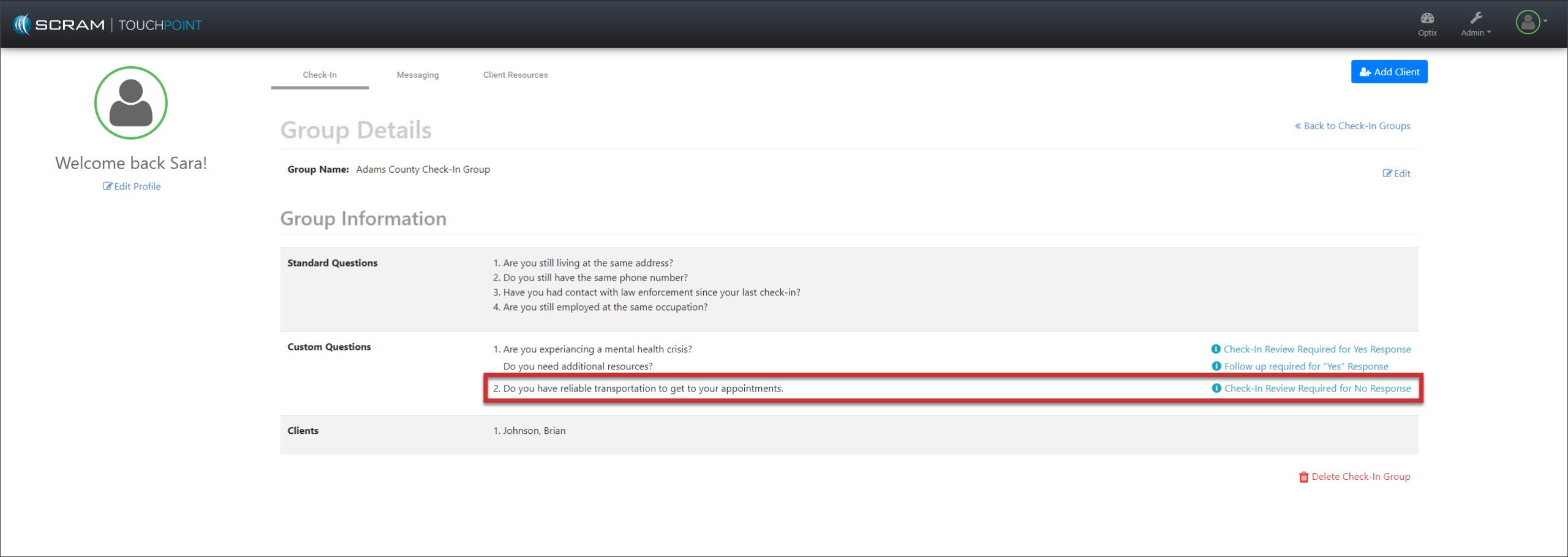
- For a current question group, select the Edit hyperlink and locate the custom question to which you wish to add the follow-up question. Select the +Add Follow-up Question checkbox.
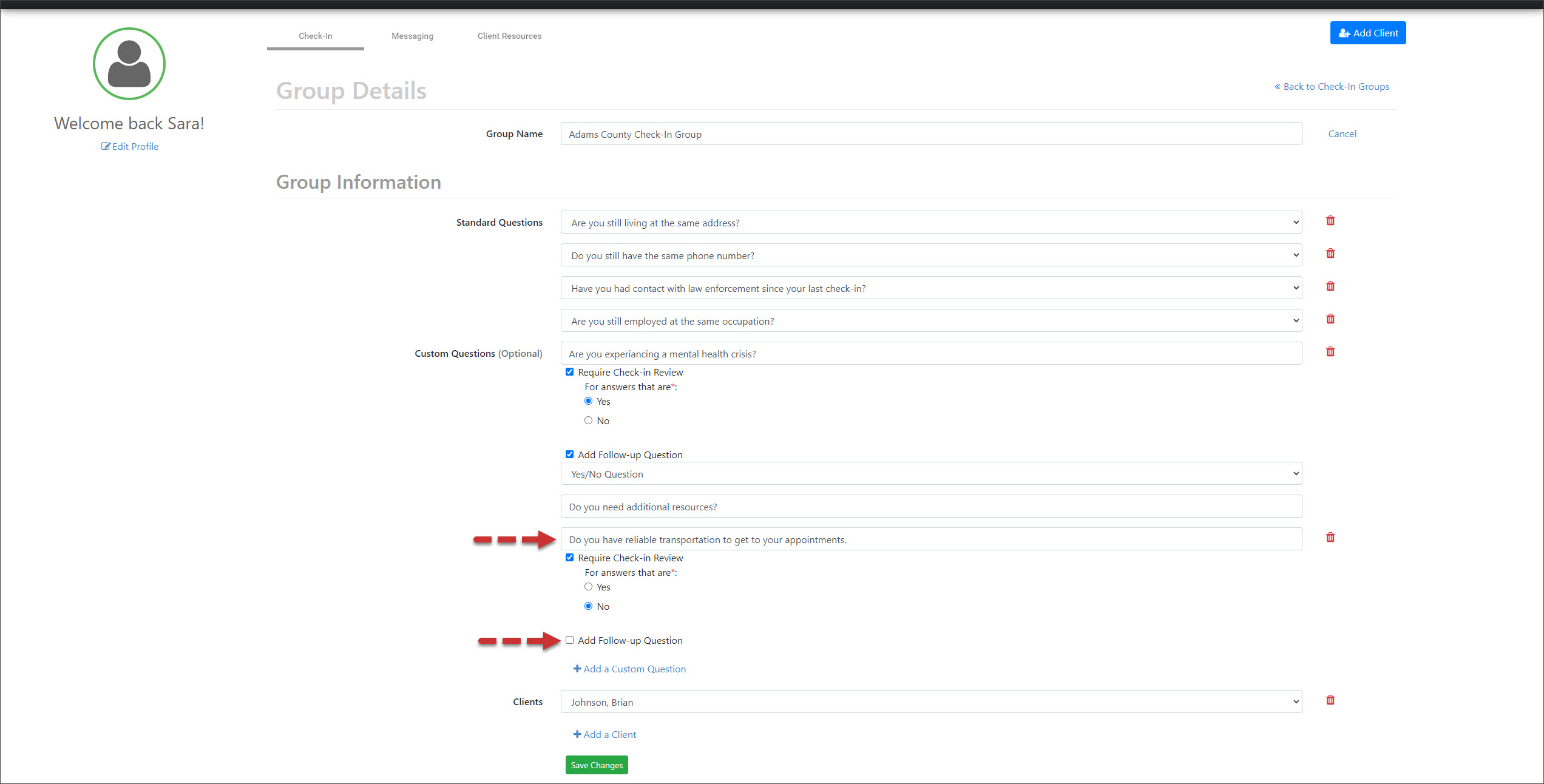
- Open the dropdown menu and select the format for the client’s response as either Yes/No Question or Short Answer.
- Enter your “follow-up question.”
- After entering all required questions, select the Save Changes button.
After the release and once the client has updated their application on their smartphone, when they respond to a customized question, based on their response, the follow-up question will populate on the screen.
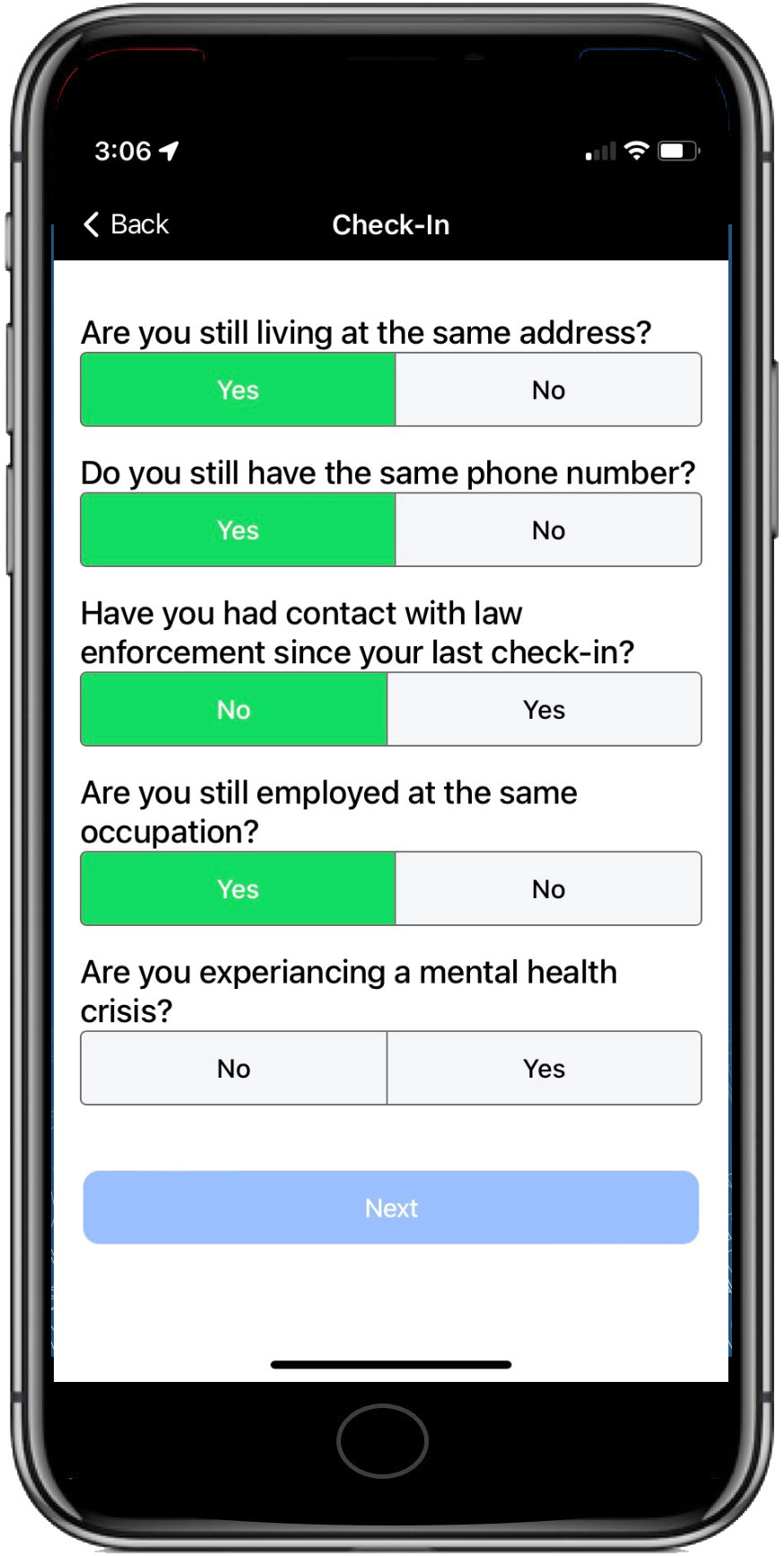
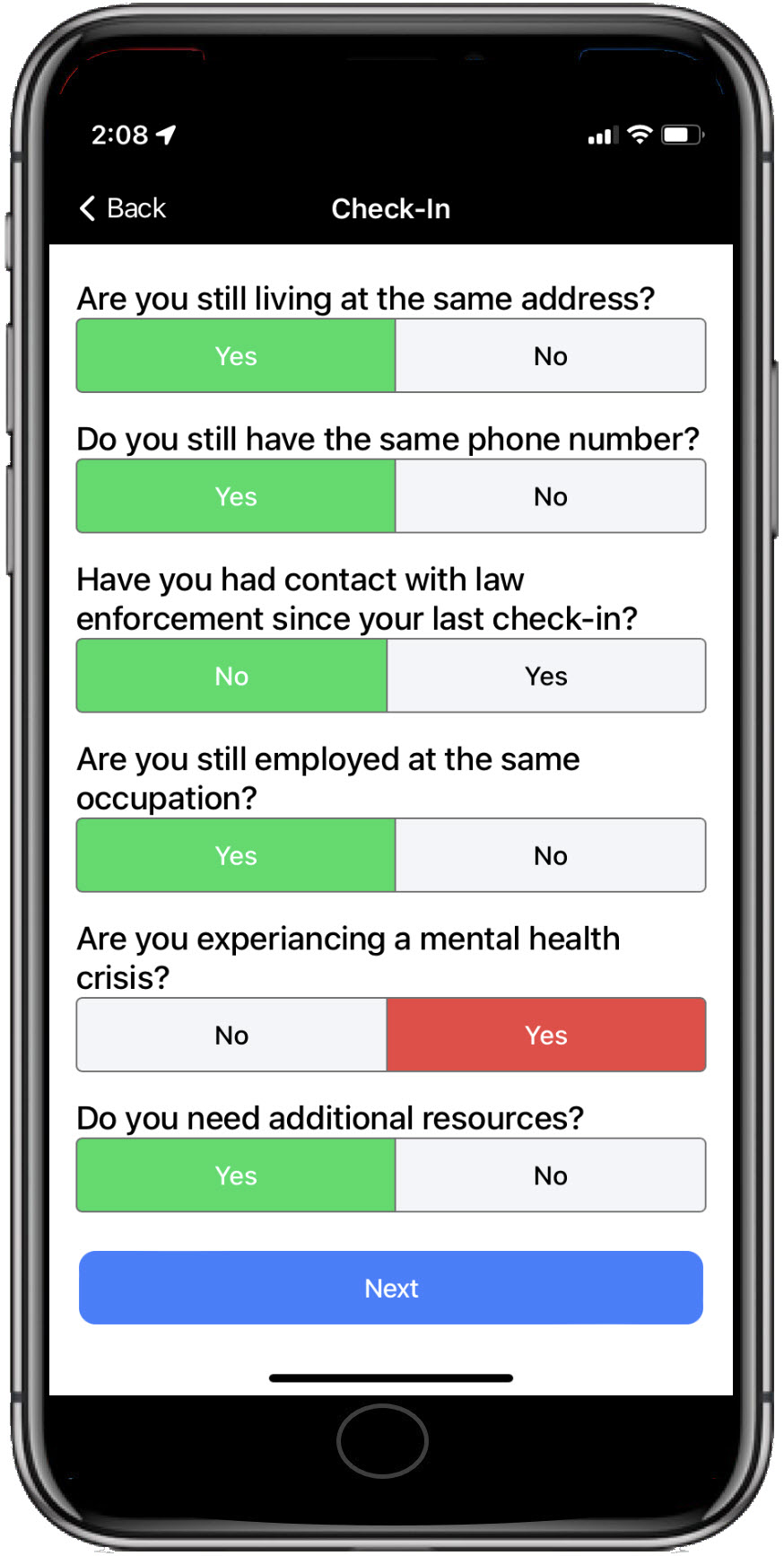
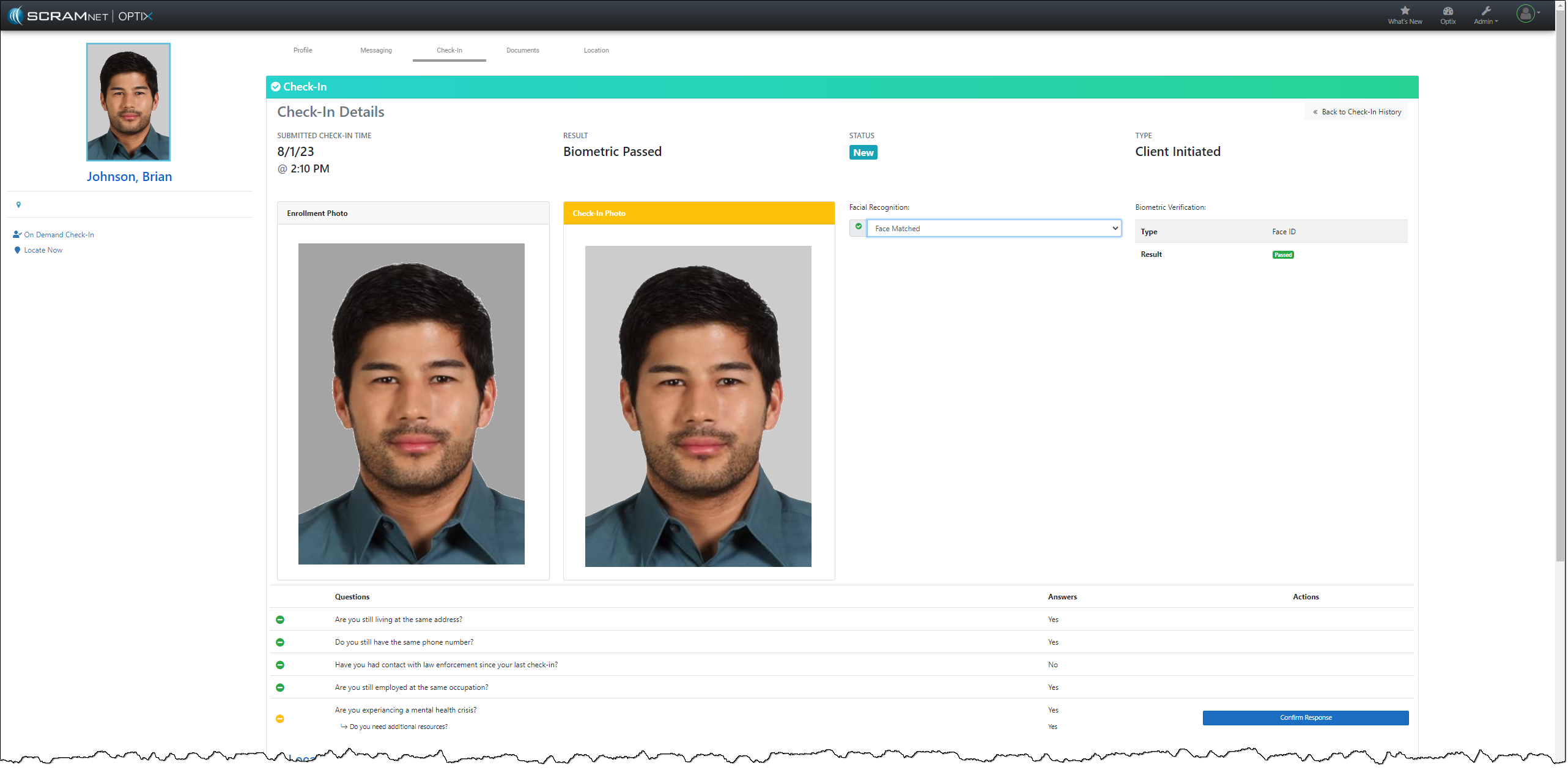
You may view the check-in results on the client Check-In History page.