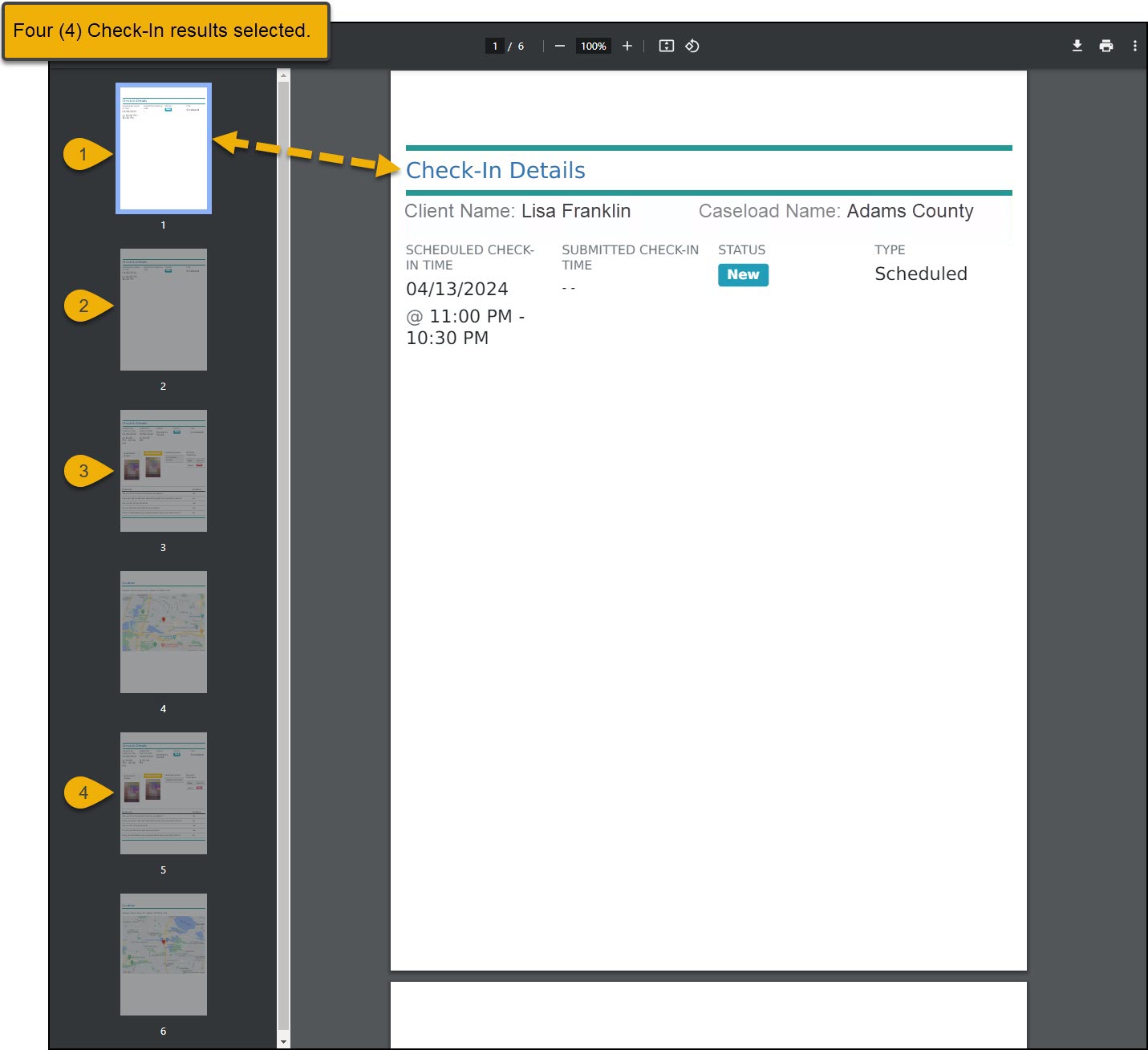
On May 16, 2024, SCRAM Systems will release an enhancement to the SCRAM TouchPoint client Check-In caseload. This enhancement allows you to select and create a PDF or print up to 25 Check-In results from the client’s Check-In History page simultaneously. This can be helpful when presenting the client’s Check-In history to the supervising authority.
Starting on the client’s Check-In History page for the client:
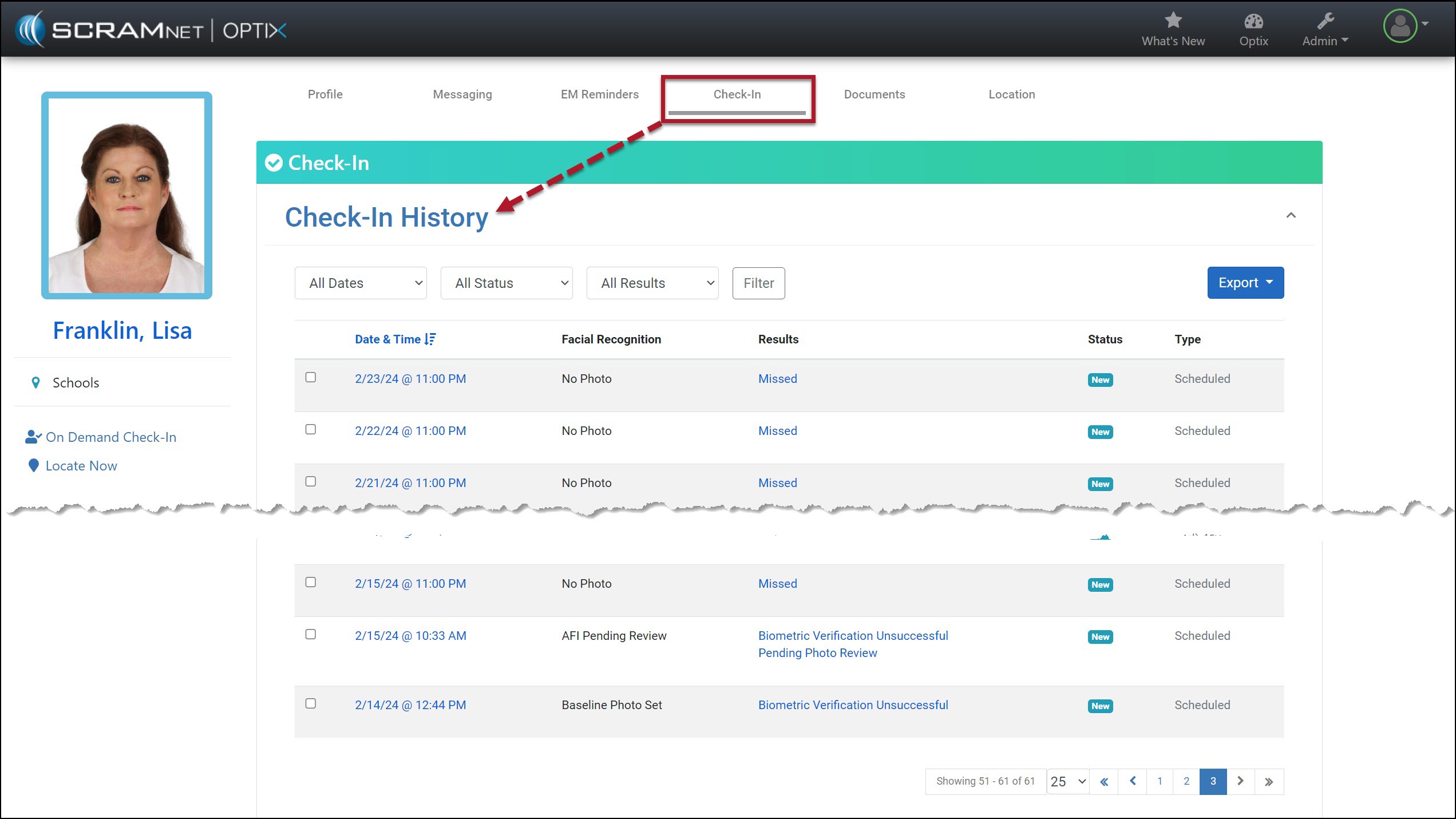
- Select the checkboxes next to each Check-In you wish to print or include in a PDF (limit of 25 results).
- Select the Export button and choose either the PDF or Print option.
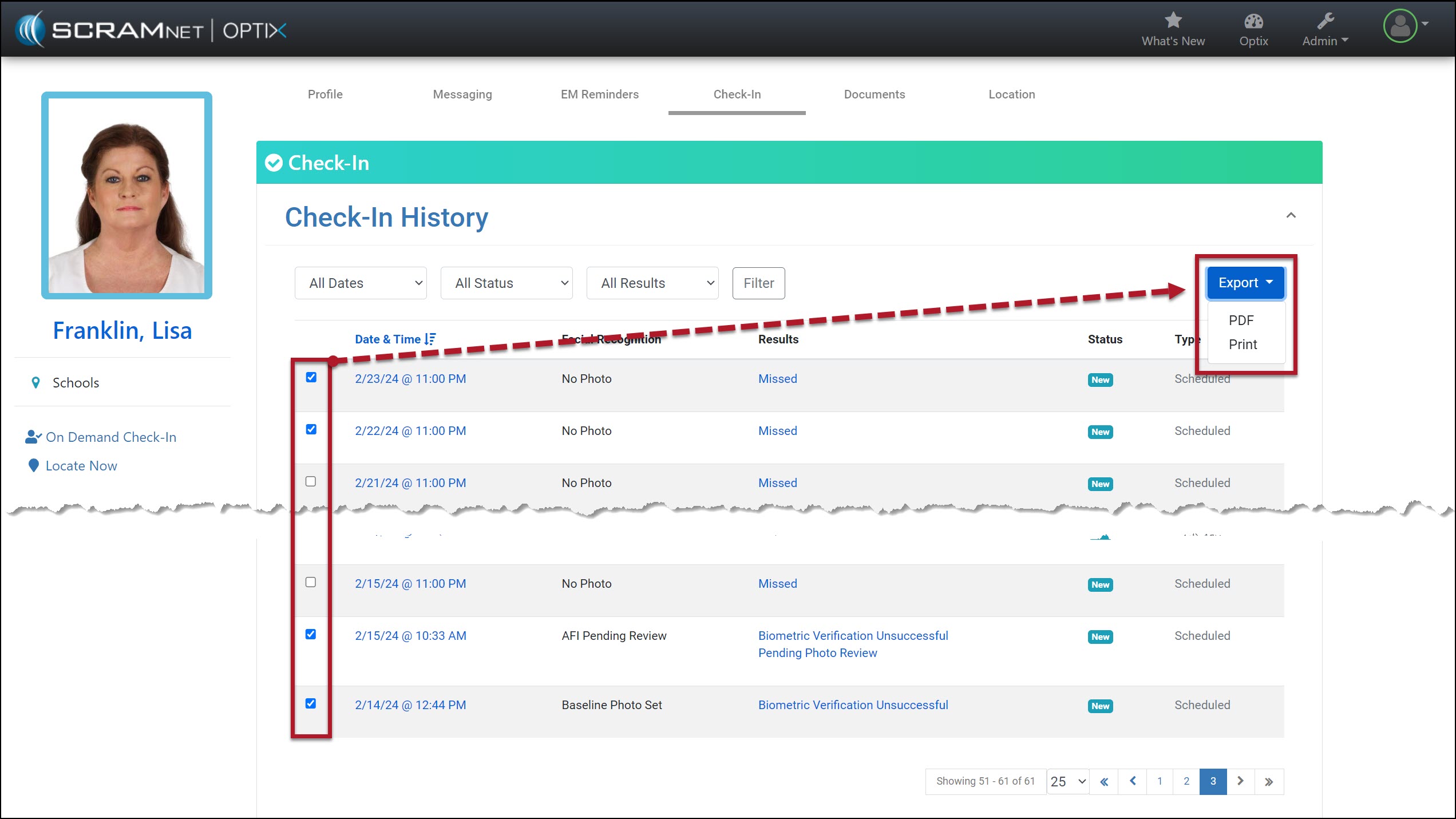
When selecting the Check-In results to print or create a PDF, you may select up to 25 results displayed on the current page. If the results you wish to include are on multiple pages, change the number of results displayed and then make your selections.

Alternatively, you may print or create a PDF for each page individually.
 | Each result is displayed on its own page when printing or creating a PDF. For example, if you choose 25 check-in results, the document will be at least 25 pages long. |