On 10/2/2025, SCRAM Systems will release an enhancement for your SCRAM Nexus caseload. This enhancement allows users to record a client’s Education and Military Experience directly within the Profile section.
 |
If you don’t see the enhancement in SCRAM Nexus, please clear your cache and cookies and refresh your browser window. |
Access the Client’s Profile Page
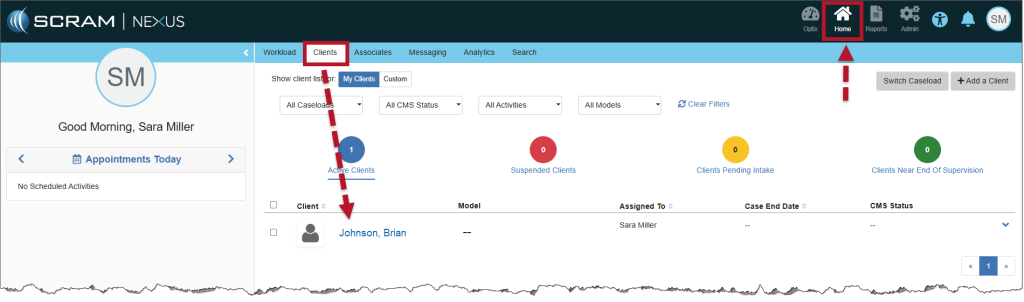
- Select the client’s name hyperlink from the Clients tab on the Home page.
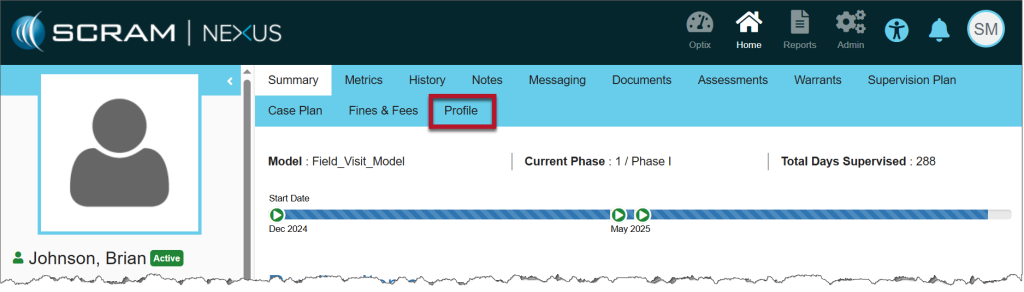
- From the client’s Summary page, open the Profile tab.
Add Education Information
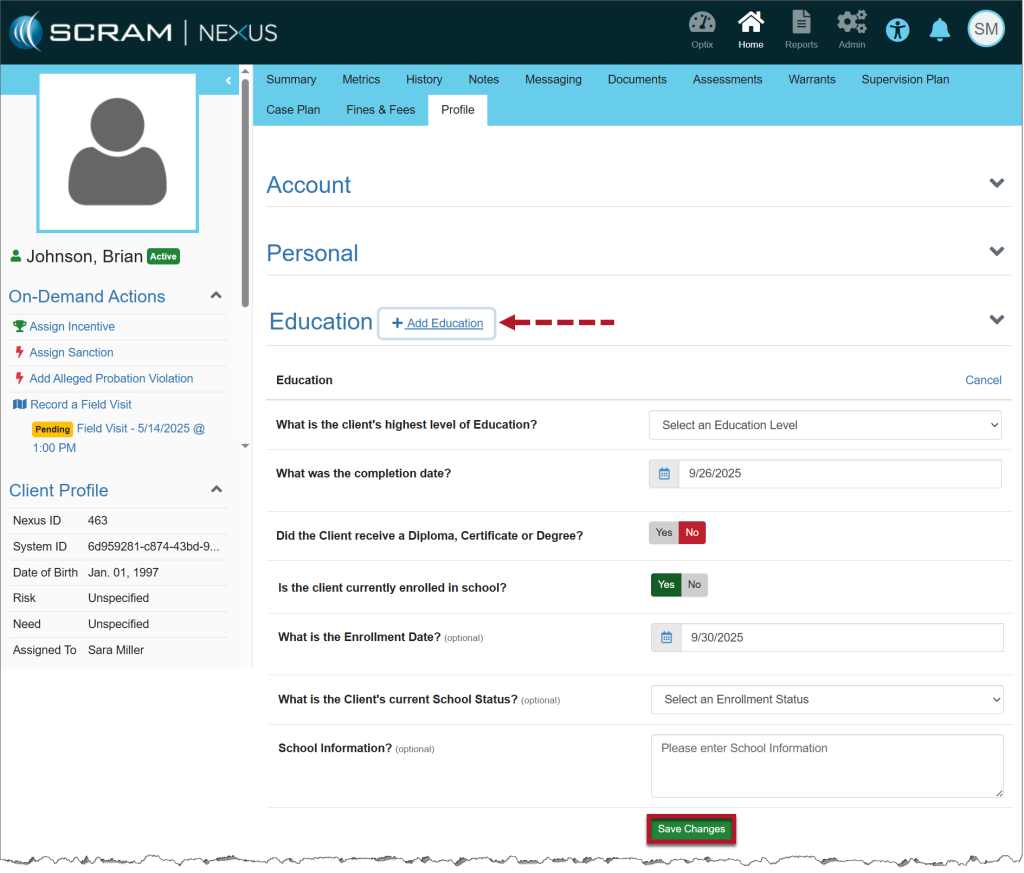
- On the Profile page, scroll to the Education section and select the Education heading to expand it.
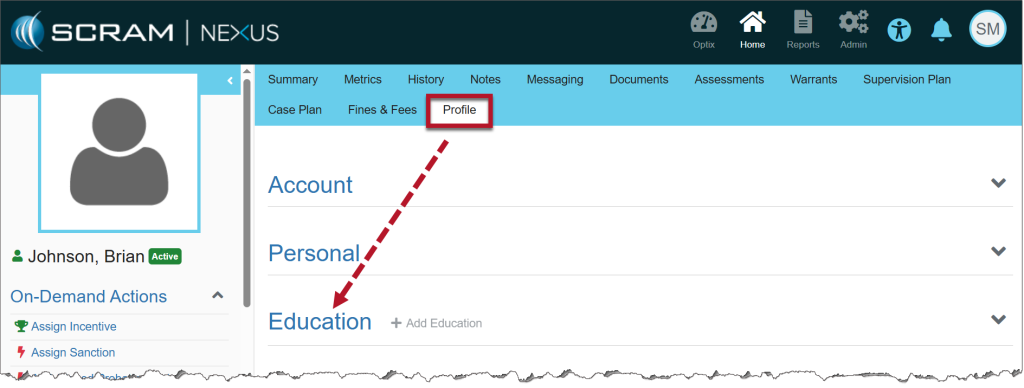
- Select the +Add Education link.
- The related question and answer options will display.
- Some questions will trigger additional fields. For example, toggling Yes for “Is the client currently enrolled in school?” reveals optional follow-up questions.
- Enter the relevant client information.
- Fields marked Optional may be left blank.
- Select Save Changes to add the information to the client’s Profile.
Add Military Education
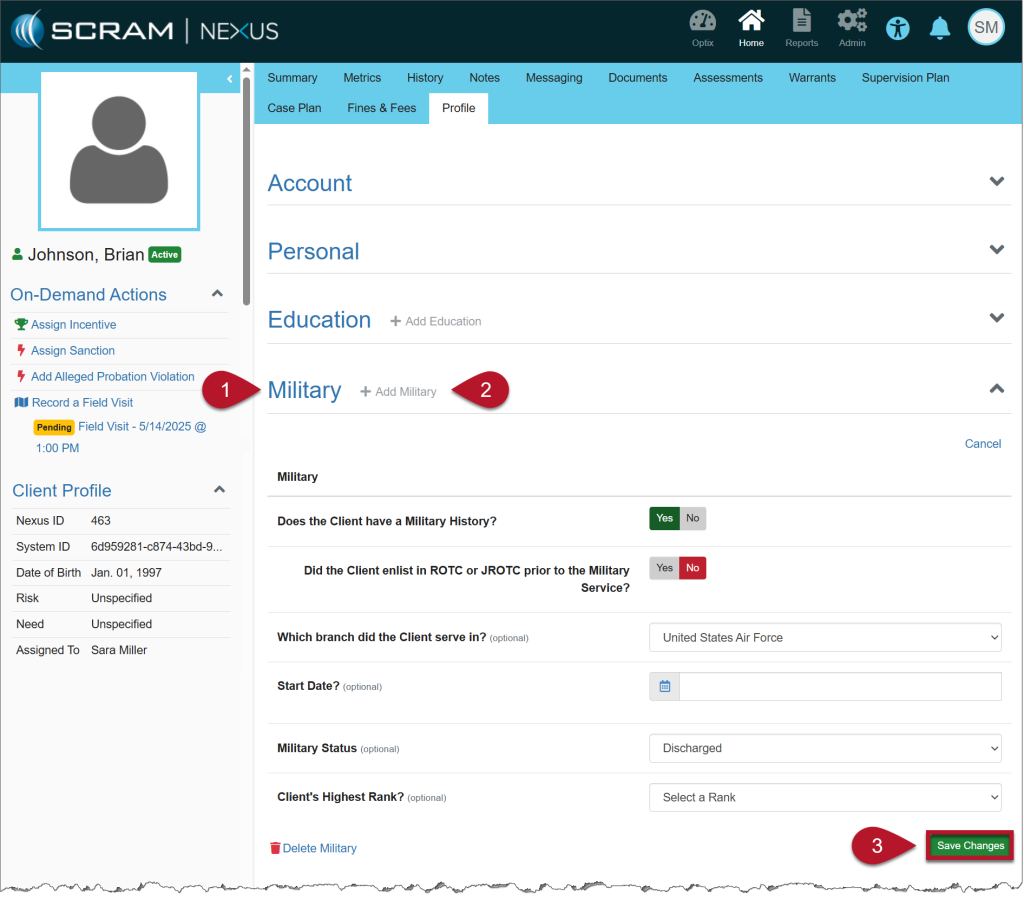
- Select the Military heading to expand it.
- Select the +Add Military link.
- The first question will display: Does the Client have a Military History?
- If Yes is selected, additional fields will appear for you to complete.
- If No is selected, choose Save Changes to record the response.
- Fields marked Optional may be left blank.
- Select Save Changes to add the information to the client’s Profile.
View Changes
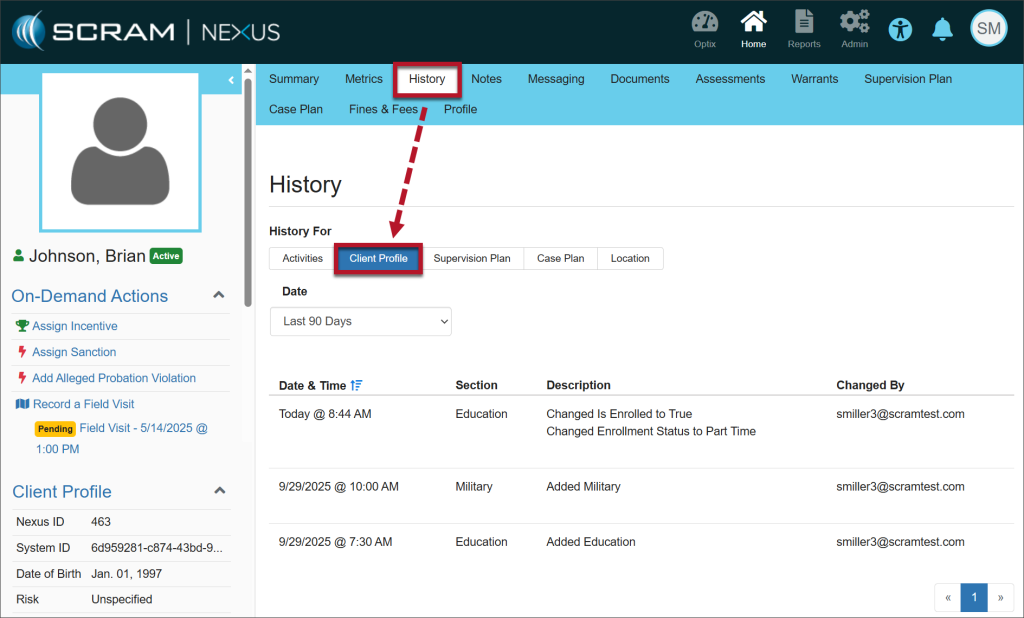
Any edits or additions will appear in the History tab, Client Profile.