On August 31, 2023, SCRAM Systems will release an enhancement to how scheduled activities are displayed on the client’s Activity Calendar in SCRAM Nexus.
 |
Not seeing the enhancement in Nexus? Clear your cache and cookies and refresh your browser window. |
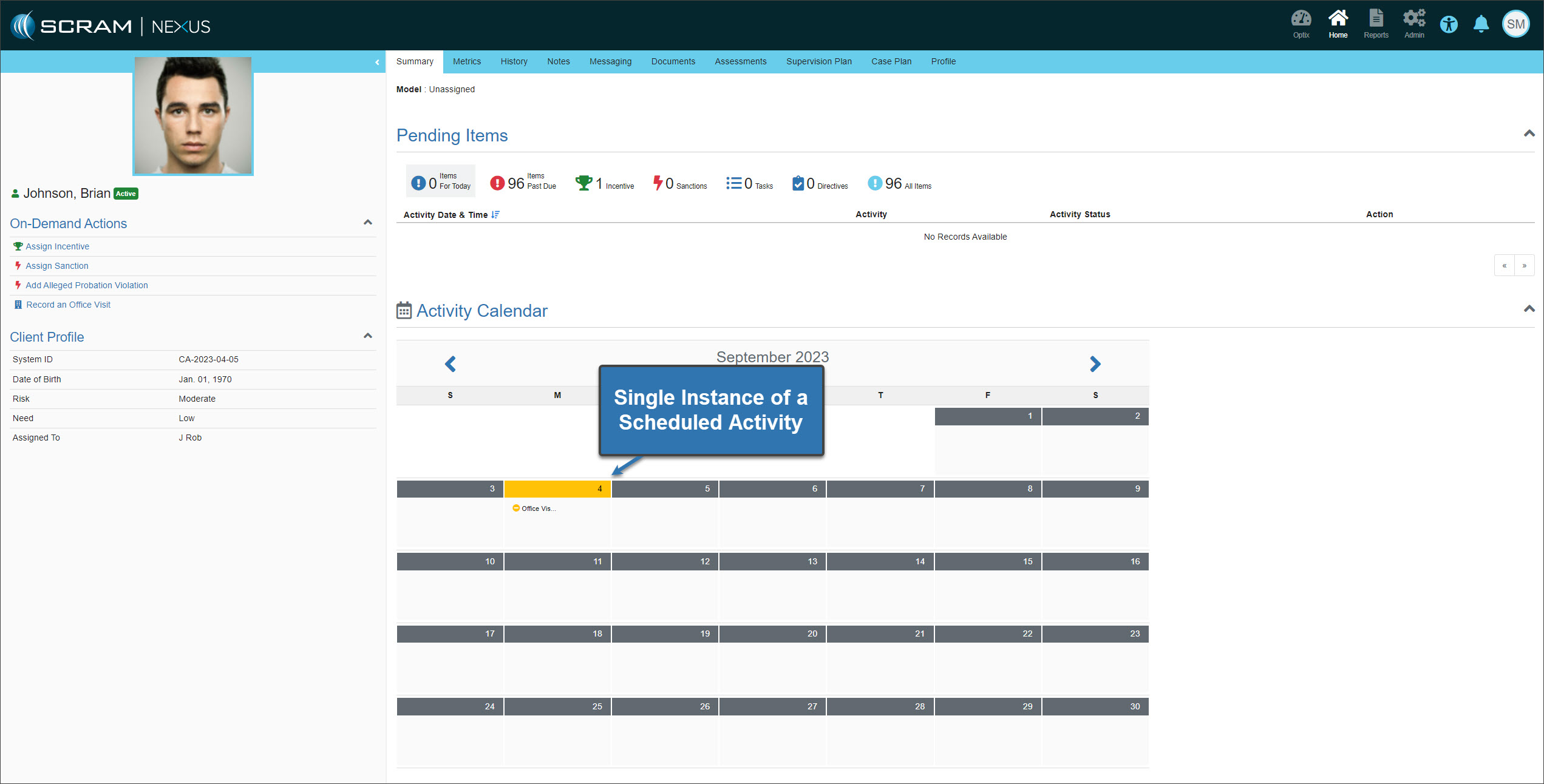
Currently, you may view only one instance of a scheduled activity on a client’s calendar. The next occurrence of the scheduled activity is not displayed until the current activity is recorded.
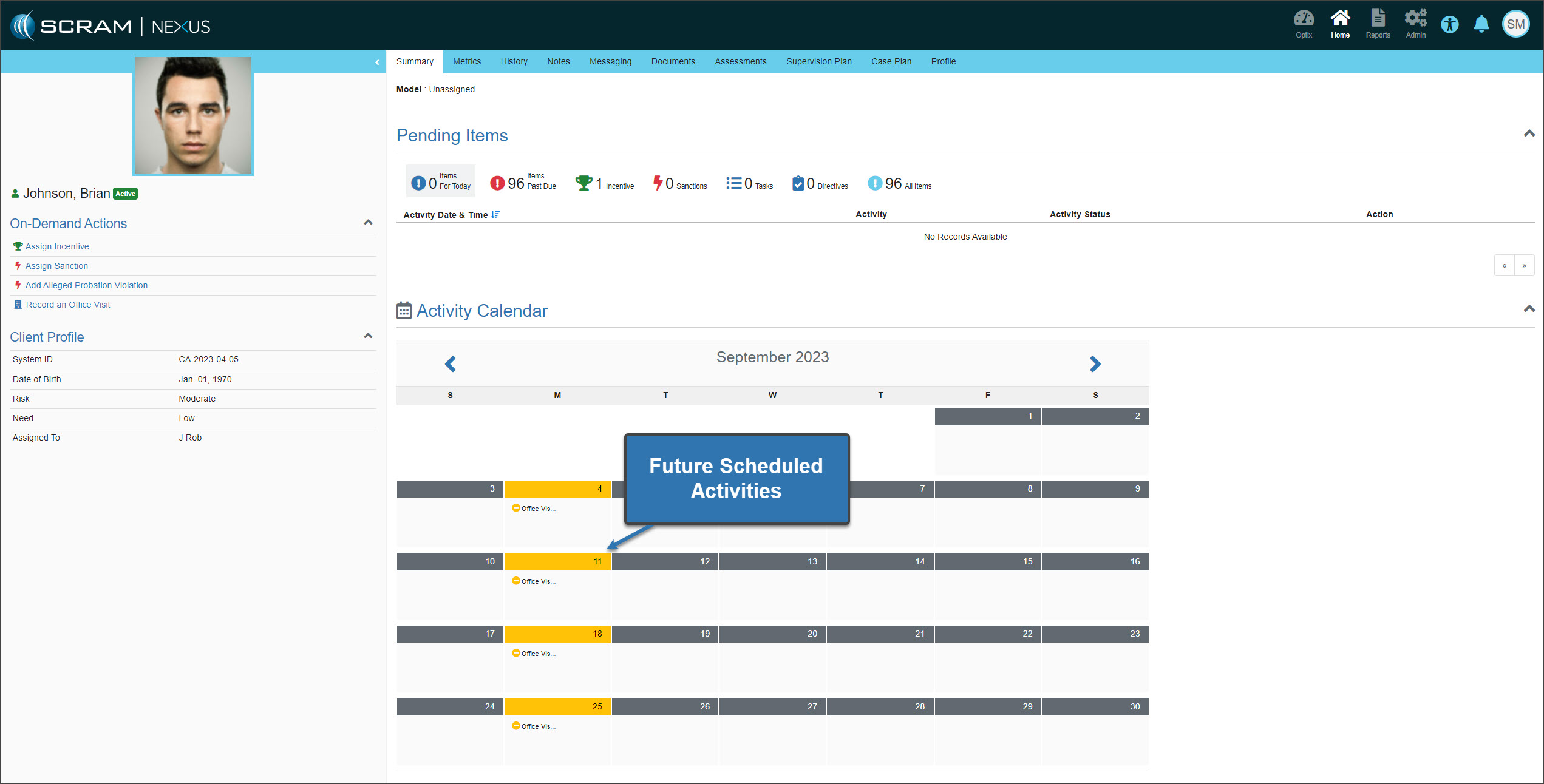
With this enhancement, you may view future scheduled activities on the calendar as well.
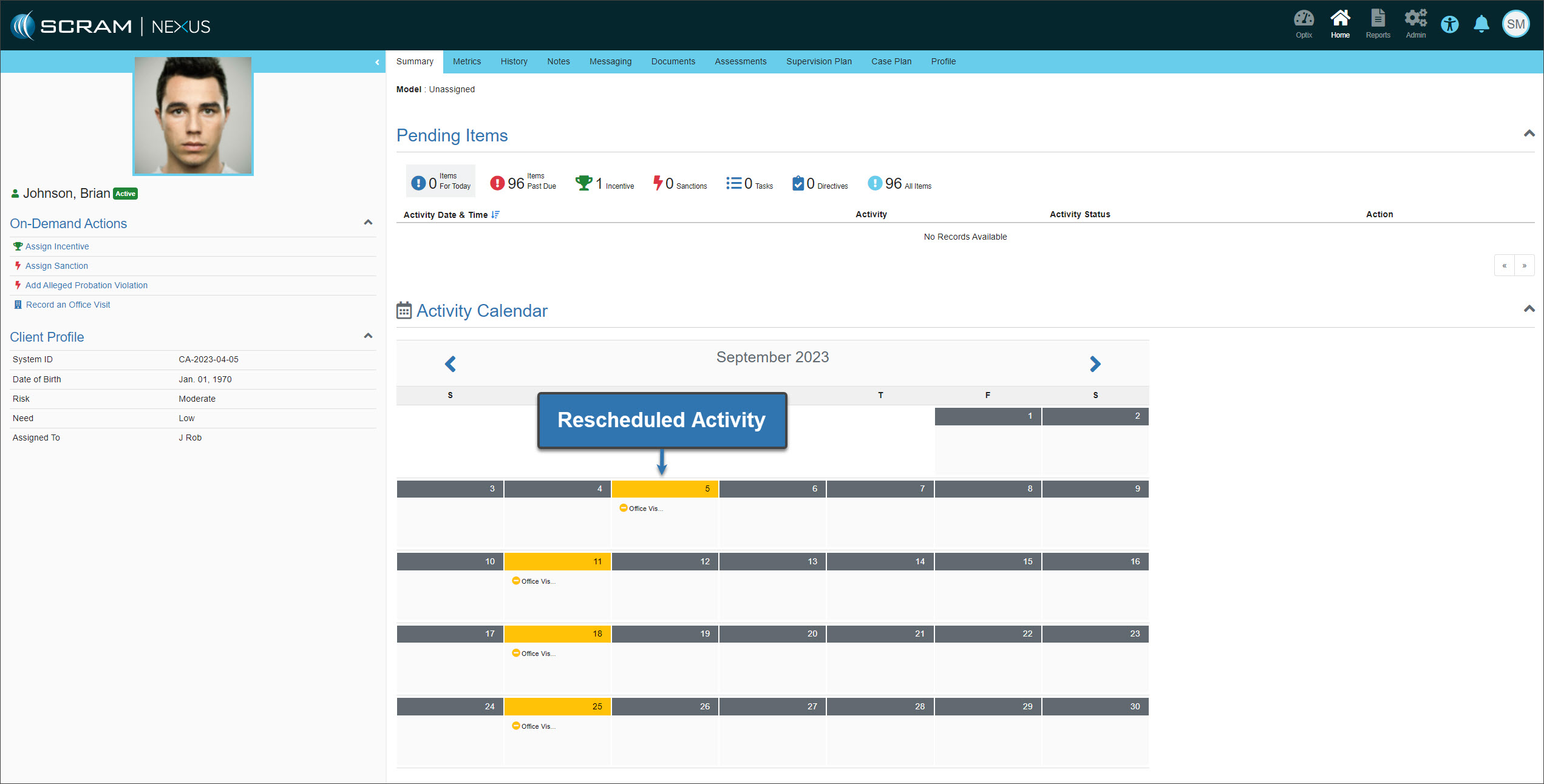
Reschedule a Scheduled Activity (Set Schedule or Set Frequency)
When you reschedule a scheduled activity, the calendar will only reflect that specific activity’s rescheduled date.
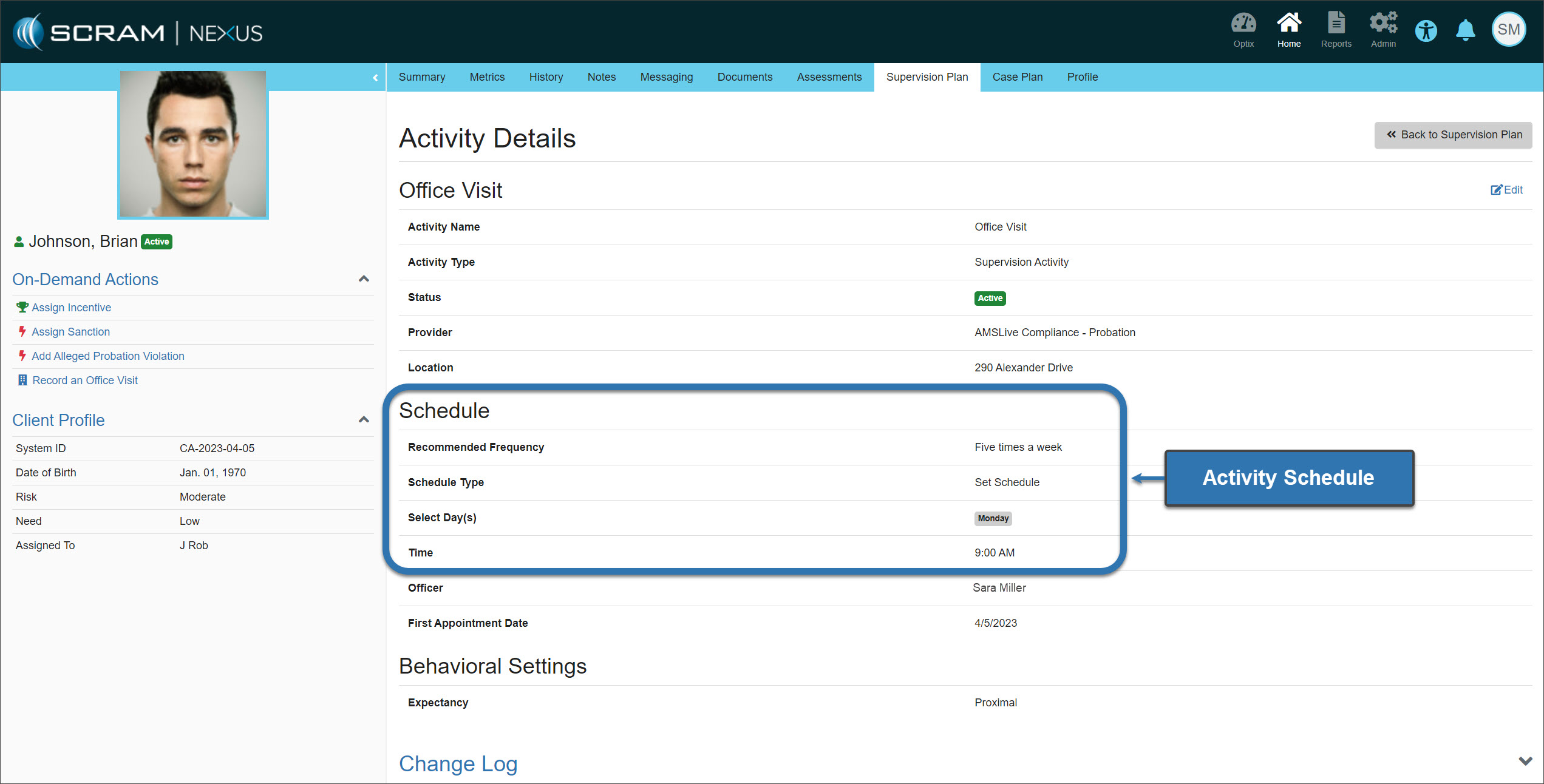
Future scheduled activities will reflect the frequency setup on the Supervision Plan’s Activity Details page.
Reschedule a Scheduled Activity (Set Interval)
In cases where the frequency for the scheduled activity is a “Set Interval,” for example, once every eight (8) days, only the rescheduled activity will update on the Activity Calendar.
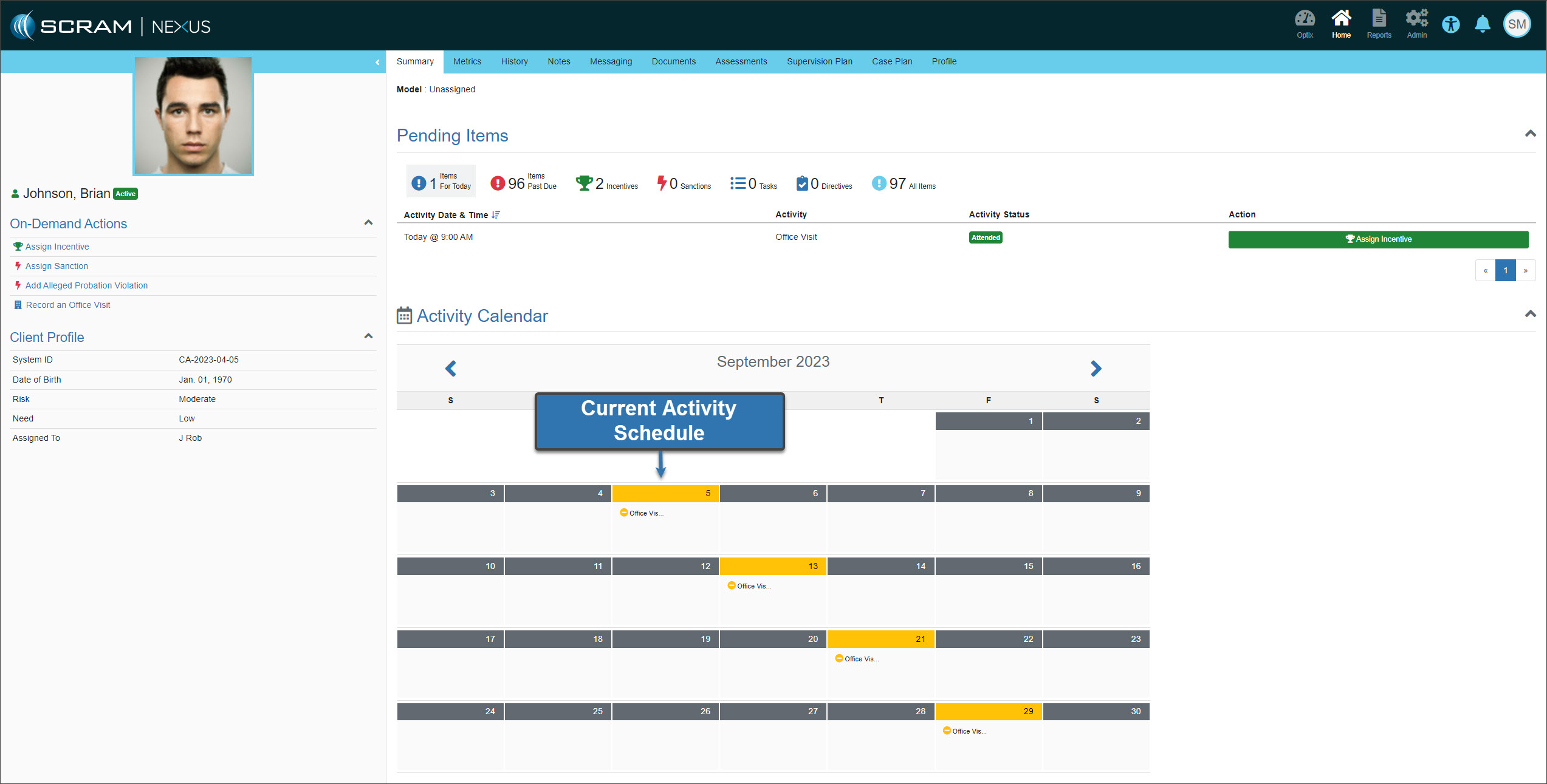
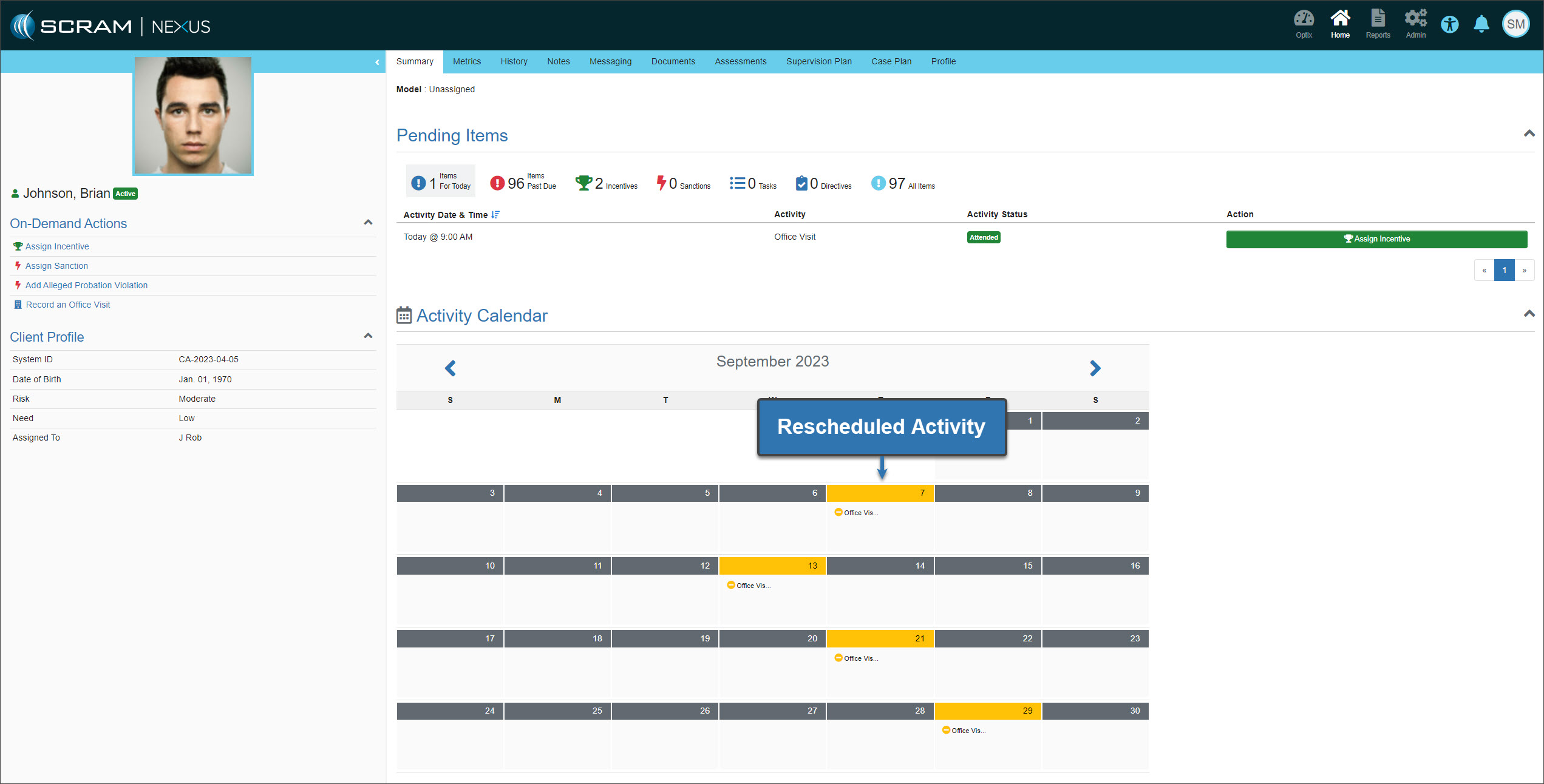
Once the rescheduled activity is recorded, future scheduled activities on the calendar will be updated based on the frequency of the set interval.
|
When a client progresses to the next phase of a supervision plan, all past scheduled activities for the completed phase must be recorded before the future scheduled activities for the new phase are displayed on the calendar. |