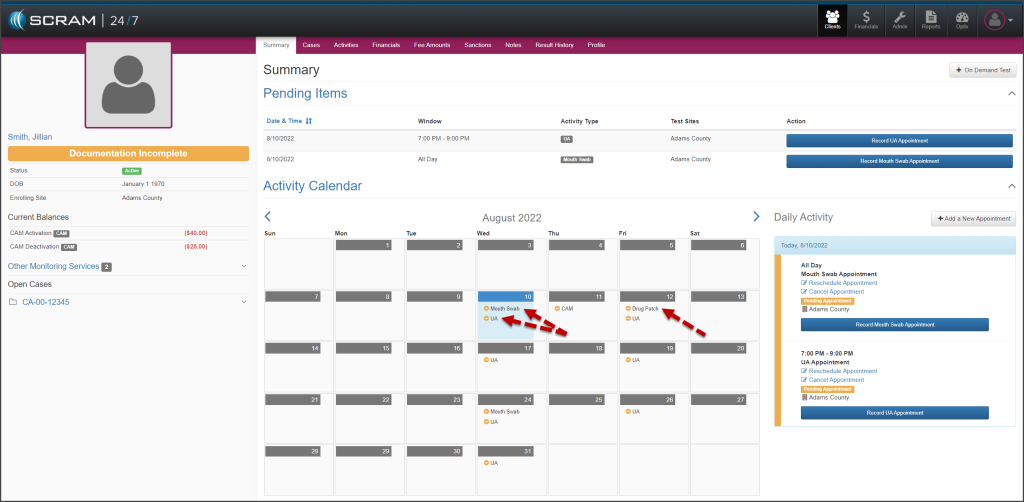
Effective, August 11, 2022, your SCRAM 24/7 clients who are active with the TouchPoint Activity will be able to view an Events calendar on their TouchPoint mobile application. The events listed on the calendar coincide with appointments associated to active Activities in SCRAM 24/7. This provides the client visibility into future appointments, which enables them to make plans to attend the appointments accordingly; thereby increasing client attendance and success on their monitoring program.
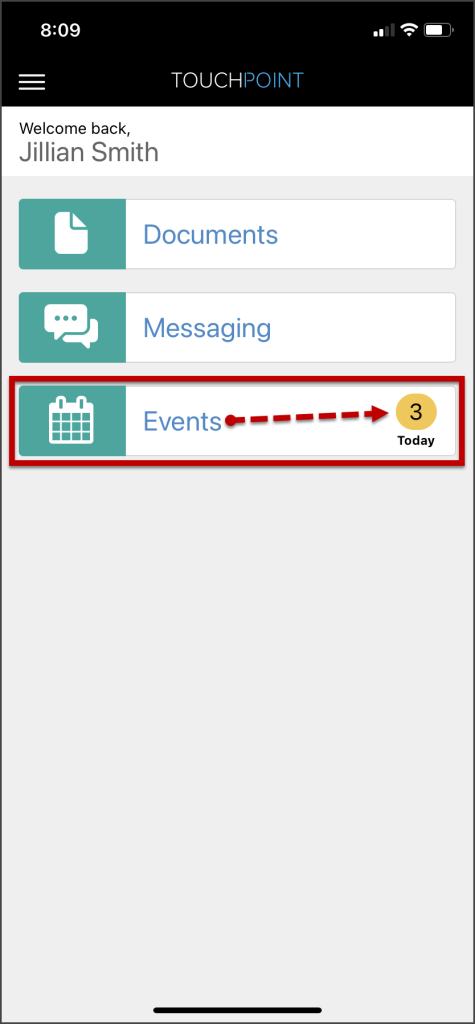
Once the client is active for the TouchPoint Activity and the mobile application has been downloaded to the client’s smartphone, an Events tile will be displayed on the TouchPoint app’s home screen. The Events tile will indicate the number of events for the current day.
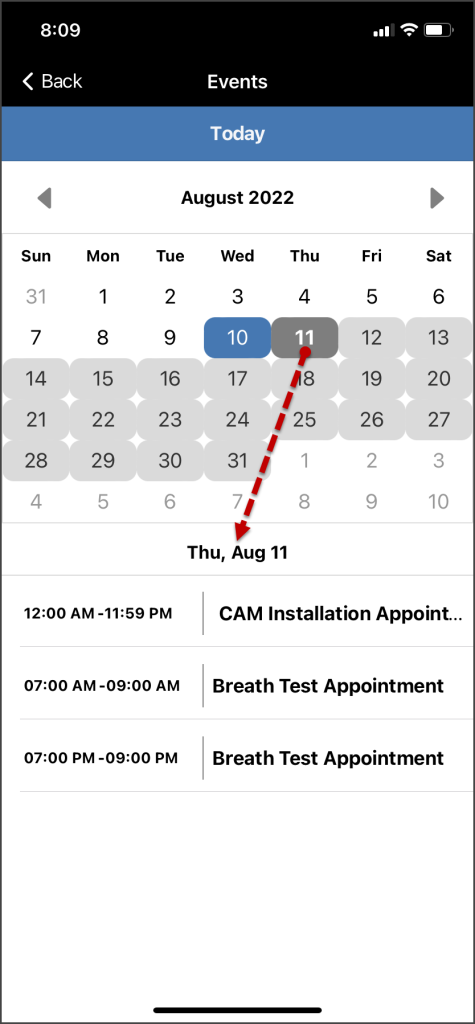
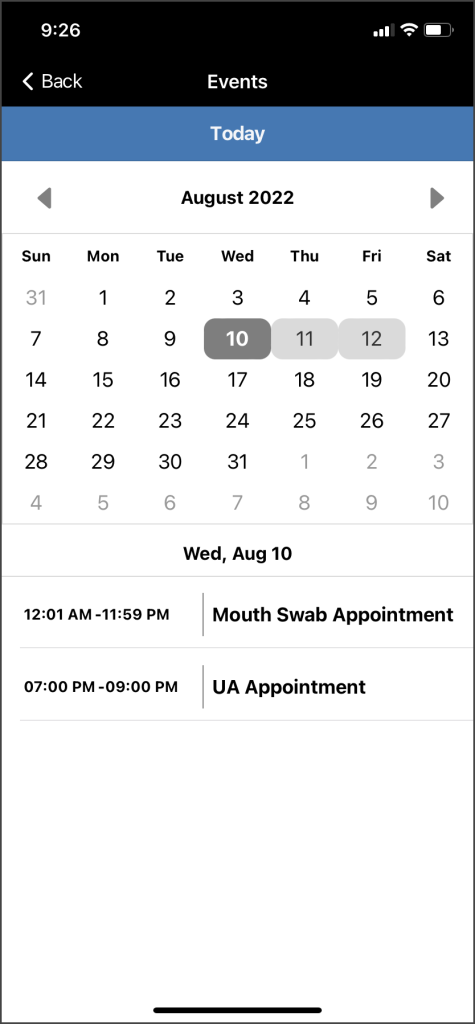
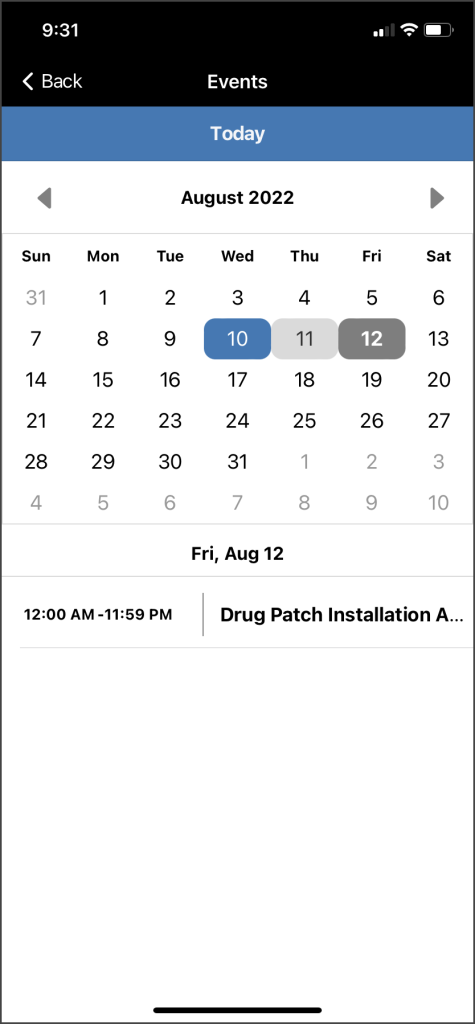
Tapping on the tile will open the calendar view. On the calendar view screen, dates with an event are identified with a colored background. Below the calendar, the details of the event are listed.
- Light Gray – Dates with events
- Dark Gray – Selected date
- Blue – The current calendar date when not selected
 |  |
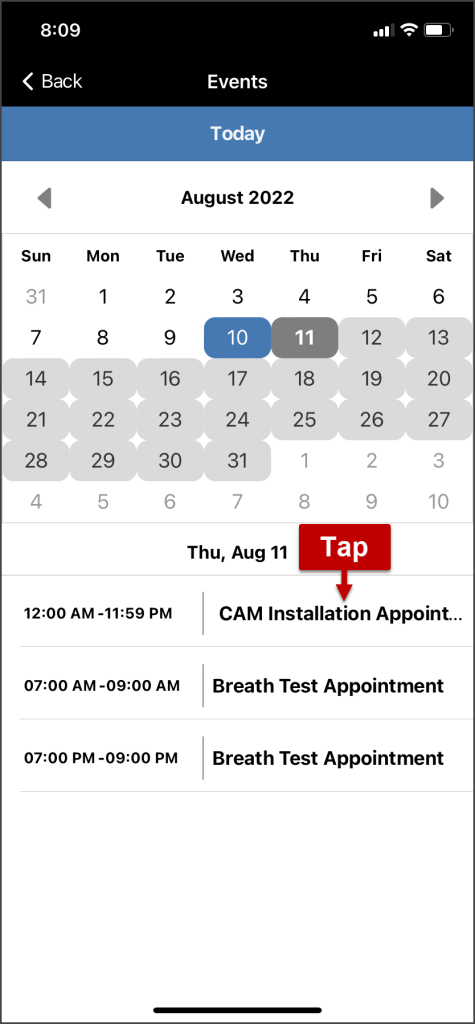
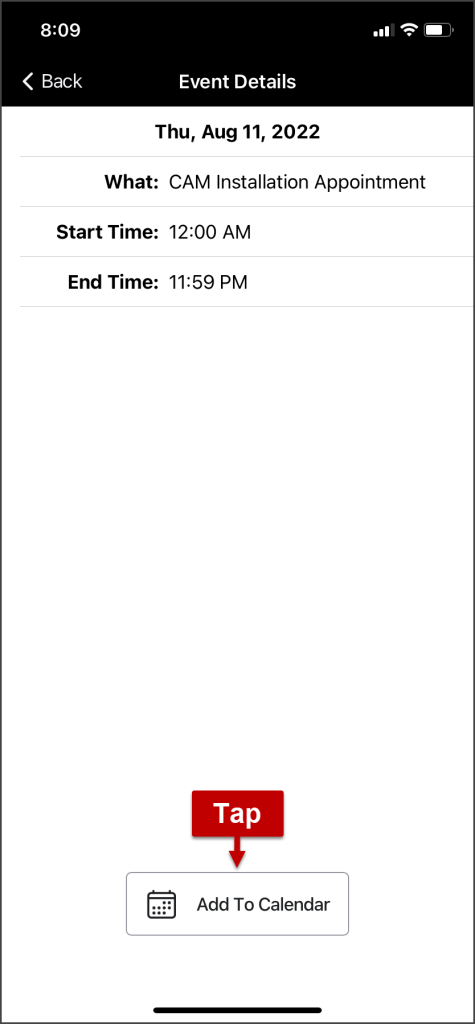
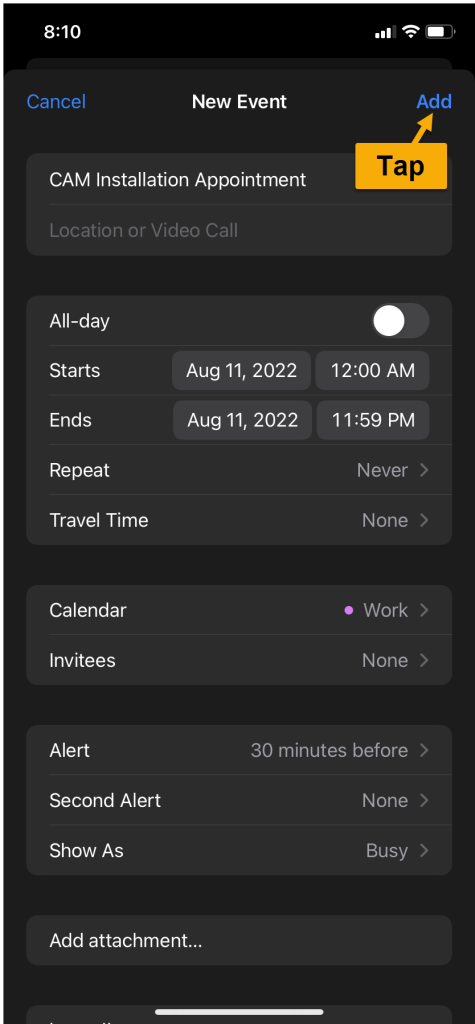
The new Events feature also allows a client to export an event to their personal calendar on their smartphone. To accomplish this, the client will tap the event and open the Event Details screen. Next, they will locate and tap the Add to Calendar button. The client is then able to add the event to their personal calendar by following their smartphone’s normal process.
 |  |  |
 |
Important Notes |
- Anytime there is an update made to an appointment or activity in SCRAM 24/7, the Events calendar is automatically updated.
- Appointments updated in SCRAM 24/7 (and thus in the TouchPoint Events calendar), it will not automatically update on the client’s personal smartphone calendar.
- A “random” test window is displayed on the Events calendar two (2) hours prior to the start of the random test window for that day.
- Drug Patch, UA, and Mouth Swab appointments display a single calendar instance at a time.
 |  |