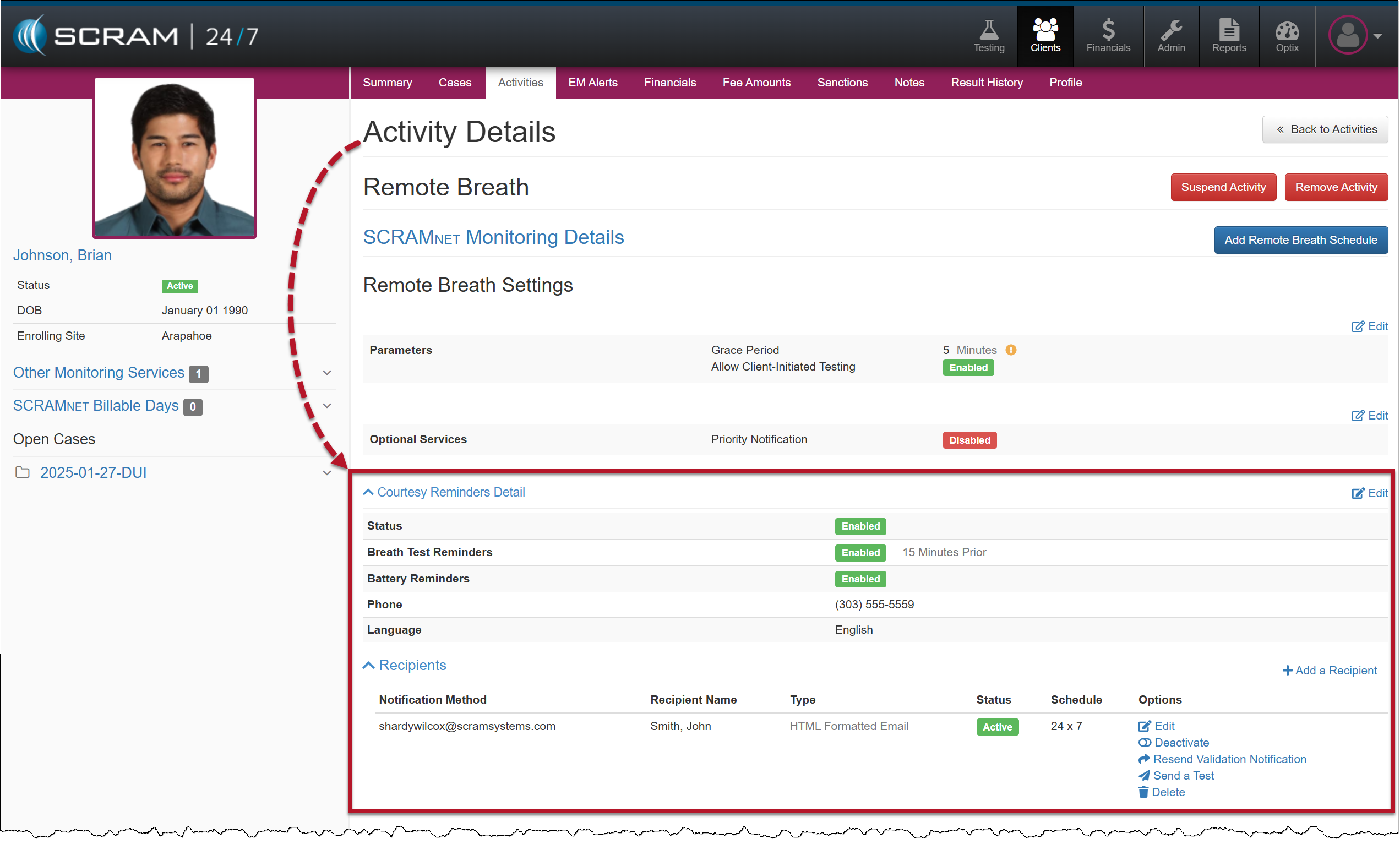
On January 29, 2025, SCRAM Systems will release an enhancement for your clients participating in a Remote Breath Activity. For current or new clients within your SCRAM 24/7 program, you may enable Remote Breath Courtesy Reminders, as well as enable notifications to be sent to third-party recipients.
 |
If you don’t see the enhancement in SCRAM 24/7, please clear your cache and cookies and refresh your browser window. |
New Client Setup
When adding a new Remote Breath Activity to your client:
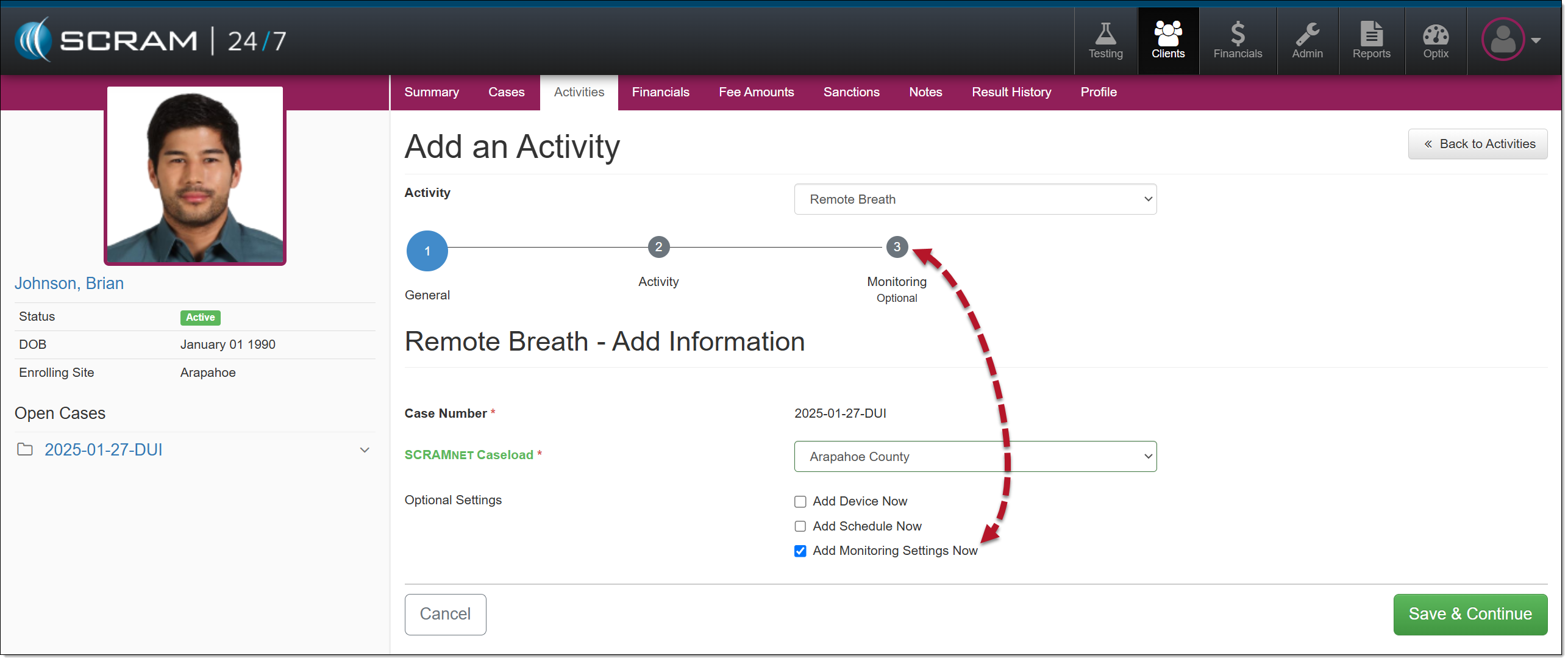
- To enable the monitoring settings for the client, select the checkbox next to the Add Monitoring Settings Now option and then the Save and Continue button.
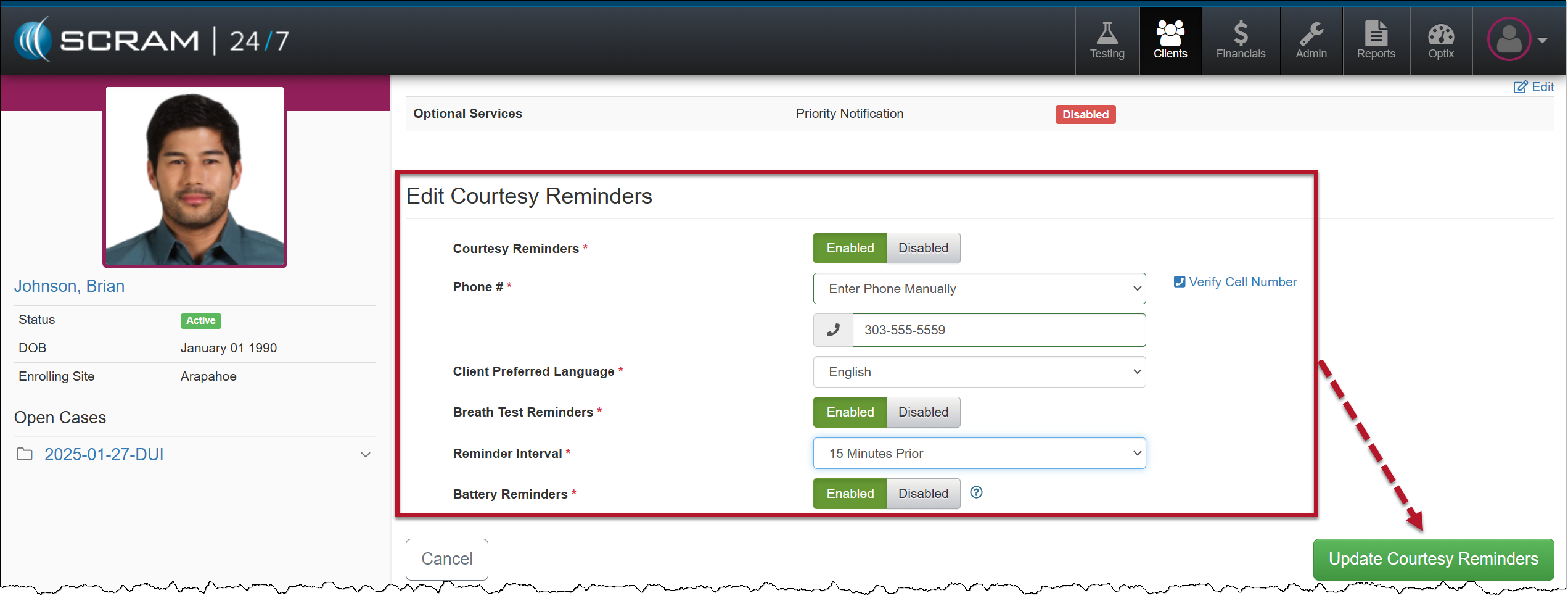
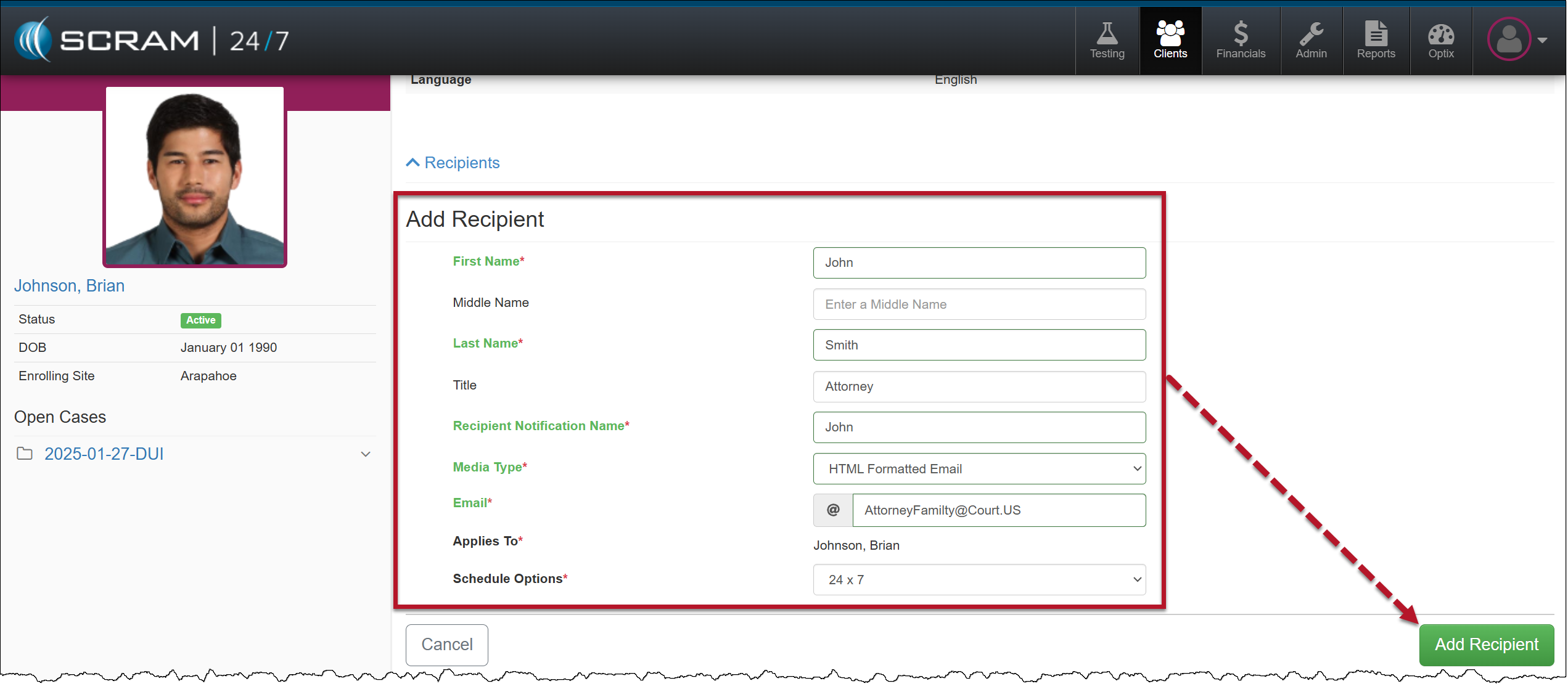
- On the Monitoring step, you will enable and enter the details for client Courtesy Reminders and third-party Recipients.
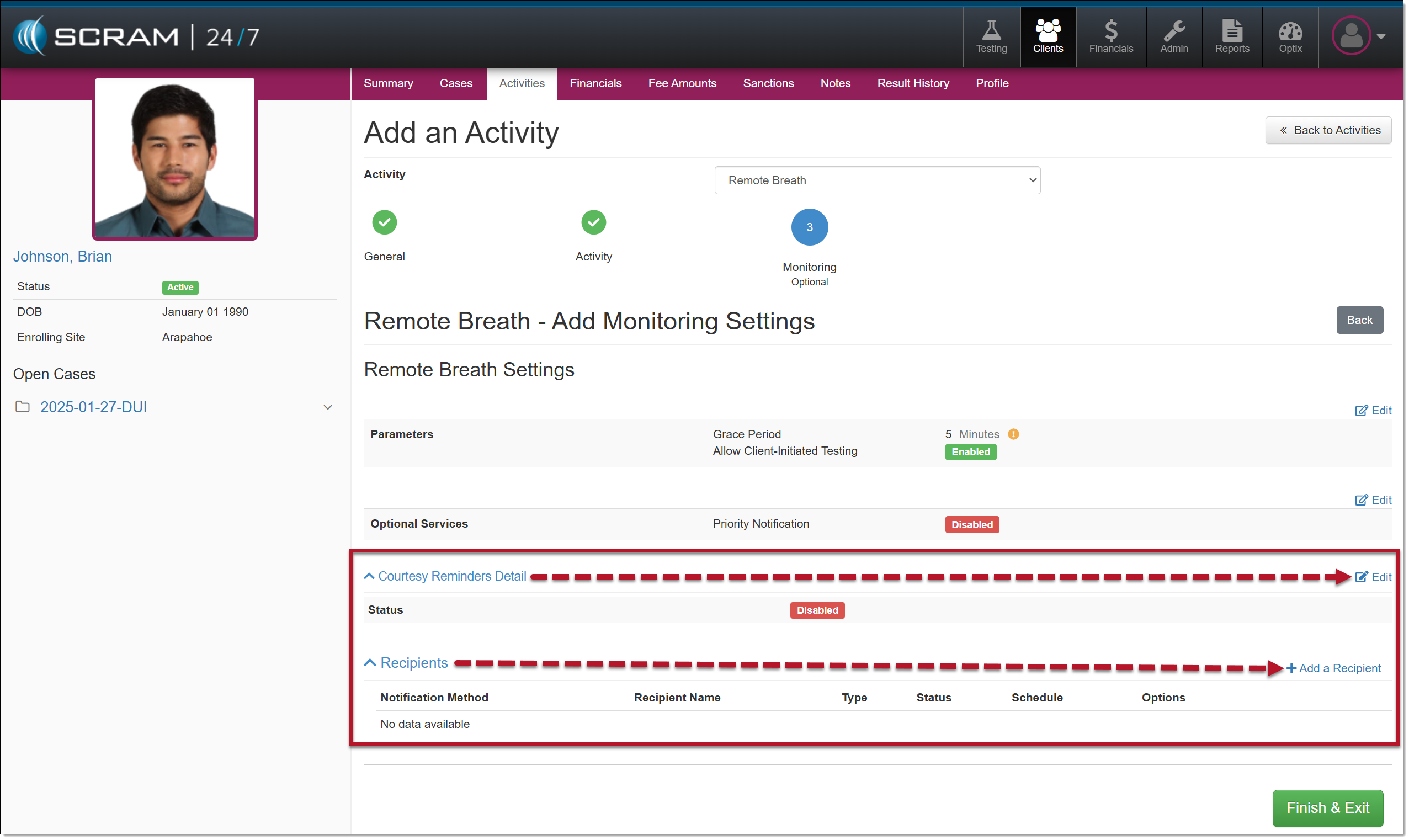
Courtesy Reminders
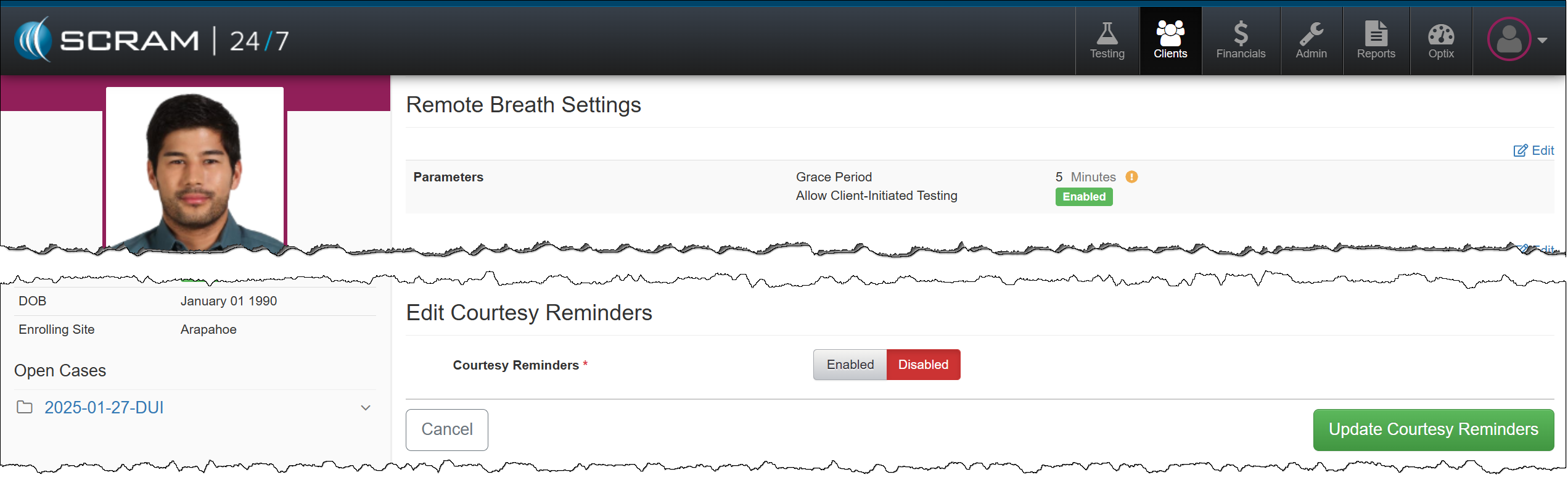
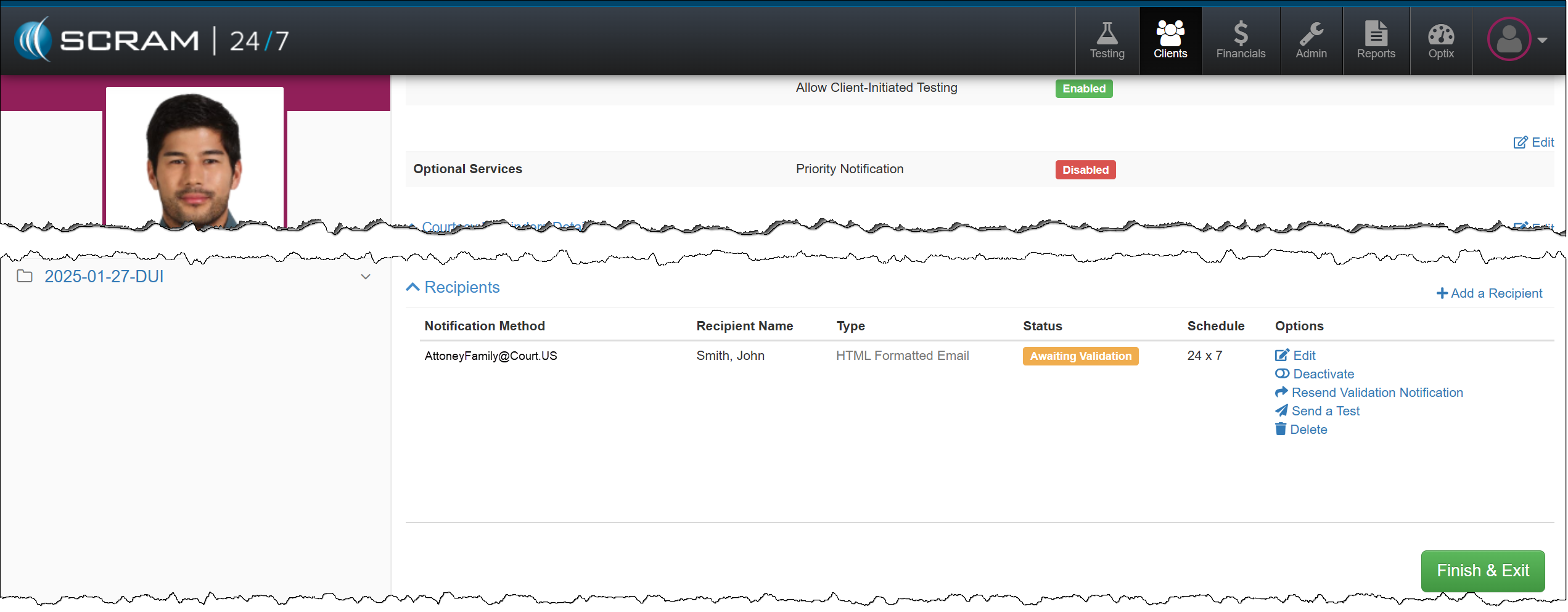
Third-Party Recipient Notifications
 | Tip: Third-party Recipient notifications are for non-SCRAM users only. To ensure other Officers and Agents in your Program receive appropriate alerts, enable and use “Priority Notifications” instead. |
Enable/Edit Active Remote Breath Activity
To add or edit the client’s Remote Breath Courtesy Reminders or third-party notification Recipients, select the Remote Breath Activity on the client’s Activities page, and then expand the Courtesy Reminders Detail or the Recipients heading.