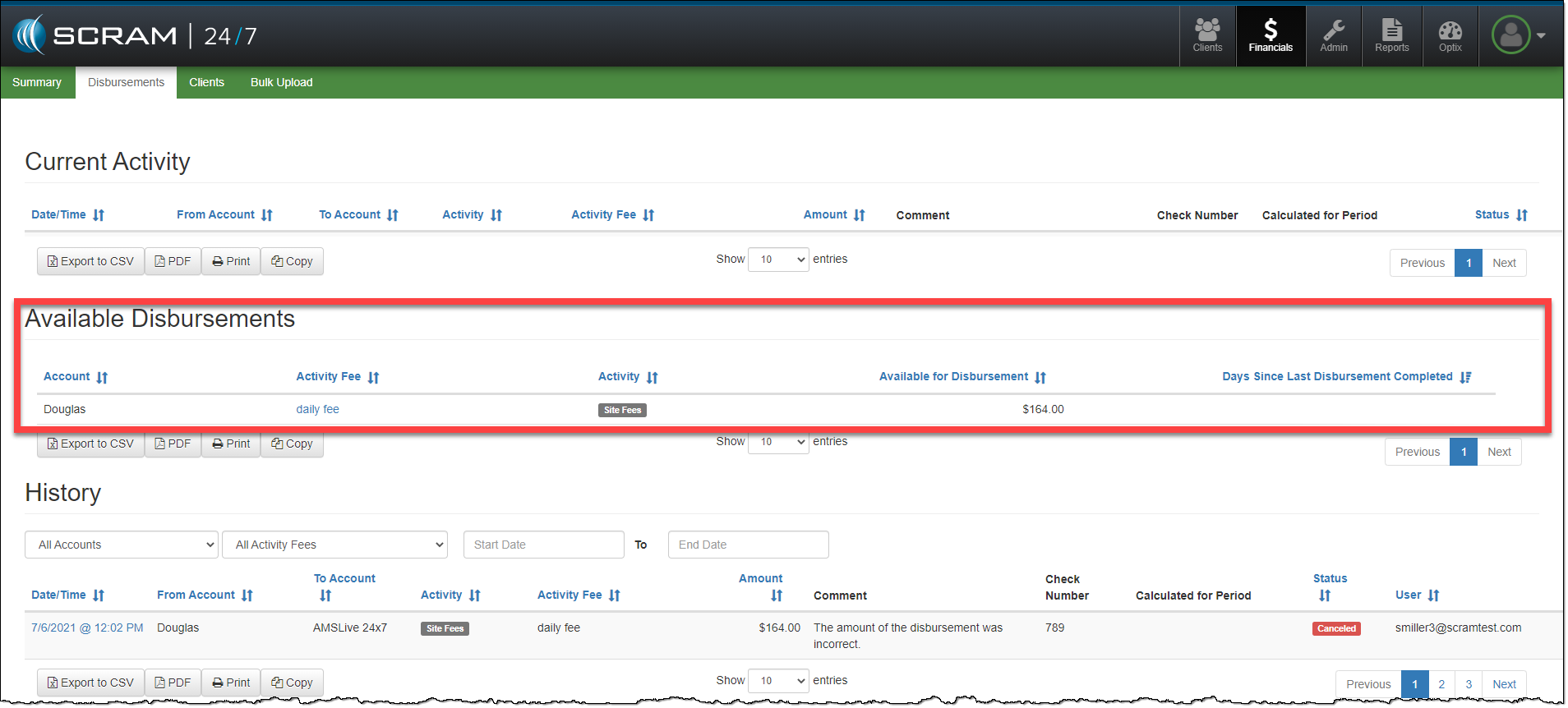
On July 21, 2021, SCRAM Systems will release a new enhancement that enables you to edit and cancel Received Disbursements in SCRAM 24/7.
Start by selecting the received disbursement with the error from the History section on the Disbursement Detail page.
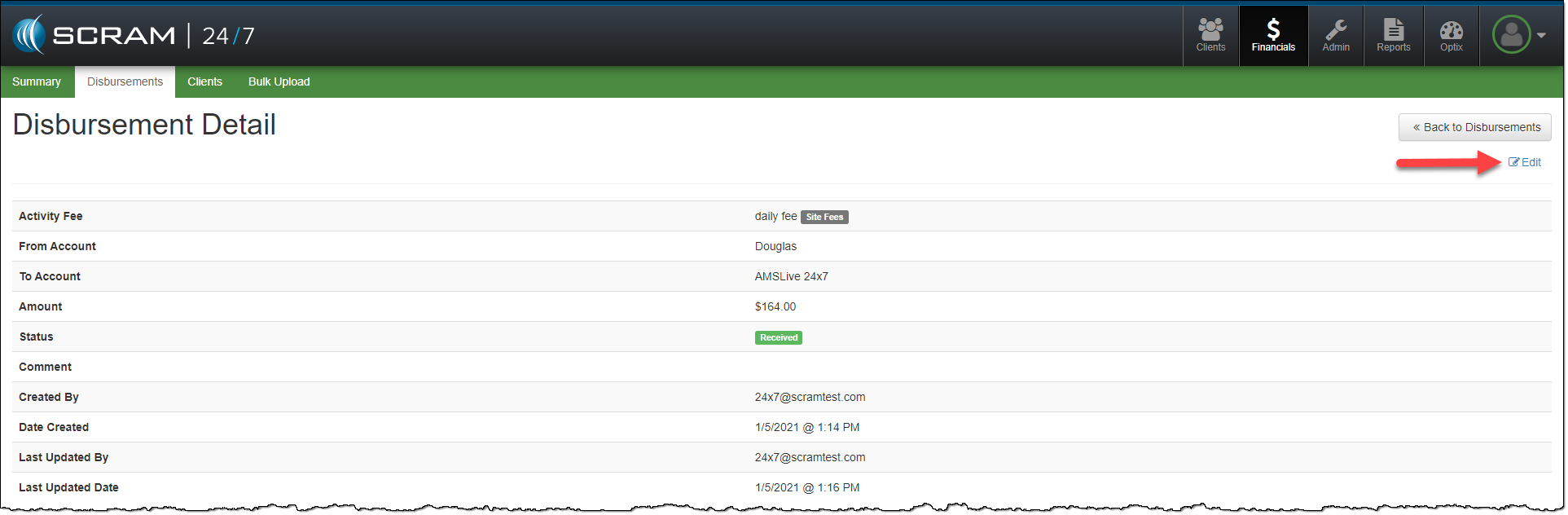
- Select the Edit hyperlink on the Disbursement Detail page.
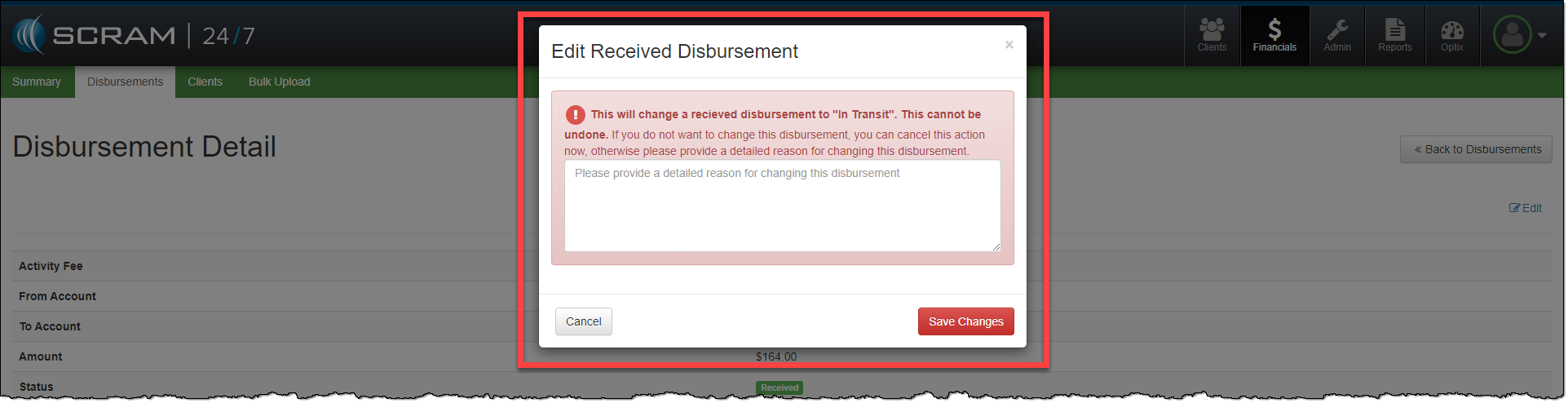
- On the Edit Received Disbursement pop-up, take note of the warning information.
- Provide a note detailing the reason for updating the disbursement.
- Click Save Changes button.
The disbursement will update to an In Transit status. This updated disbursement should be canceled, and a new disbursement created.
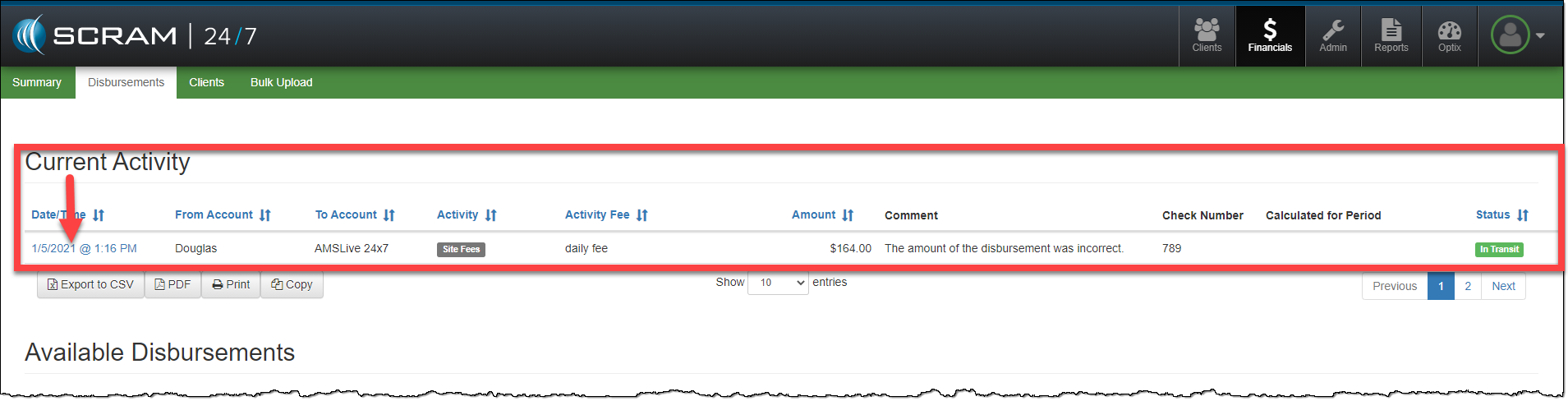
- Select the In Transit disbursement from the Current Activity list.
- Update the Status to Canceled.
- Add any additional comments.
- Click the Update Disbursement button.
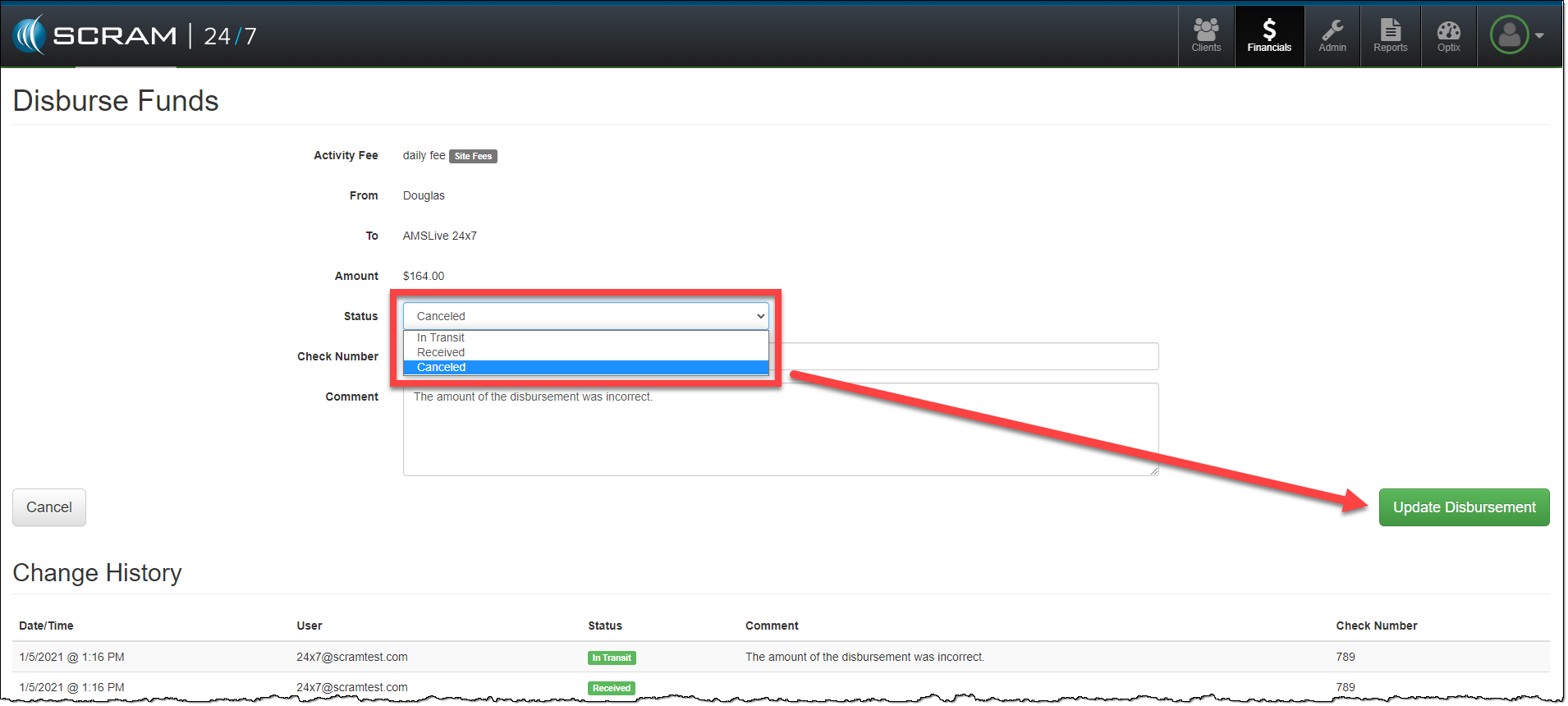
Once the original disbursement has been canceled, the funds are available for disbursement again, and you may process it as appropriate.