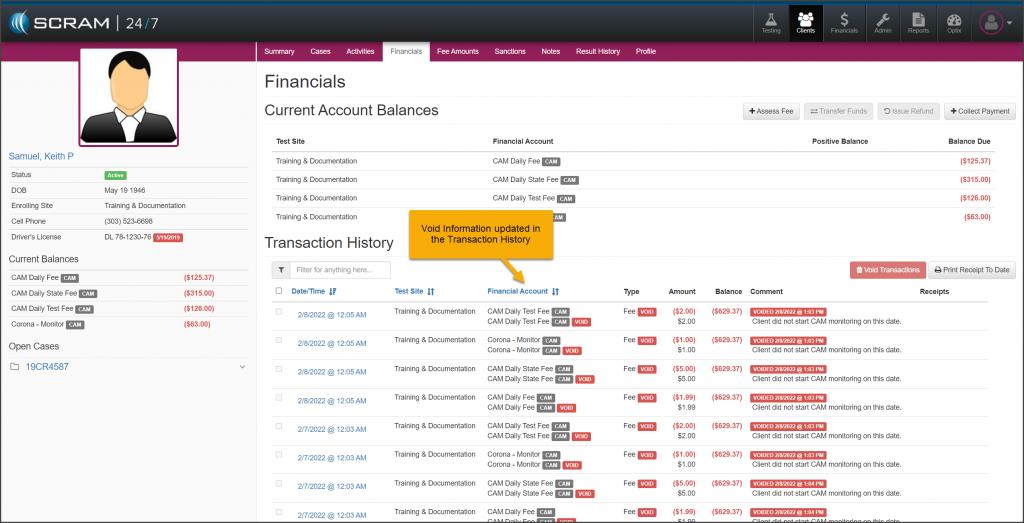
On, February 9, 2022, SCRAM Systems® will release an update to the client Financials page. With this update, you will be able to void multiple transactions on the client’s financials Transactions History section at one time. This new feature can be accessed from the individual client’s profile or the caseload’s Financials page.
To get started:
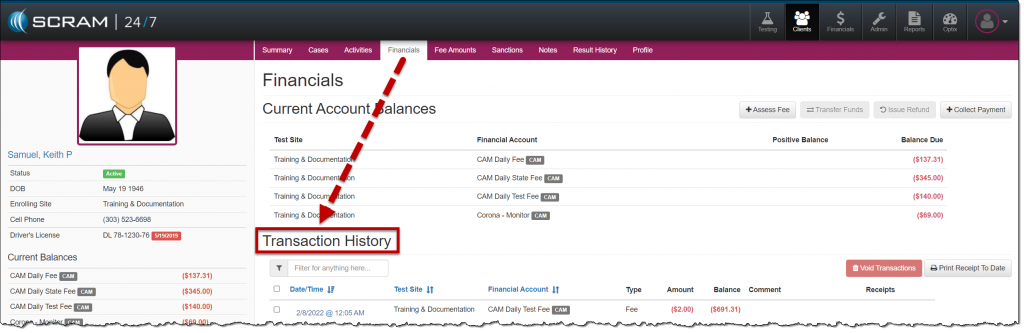
- Navigate to the client’s Financials tab and locate the Transaction History section.
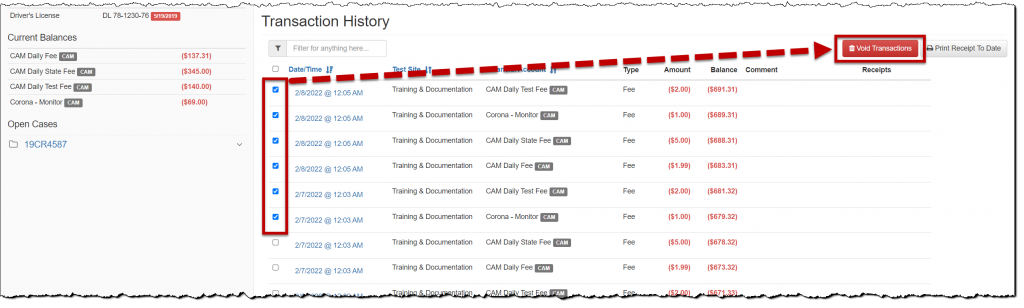
- Select the checkbox to the left of each transaction you wish to void.
- Click the Void Transactions button.
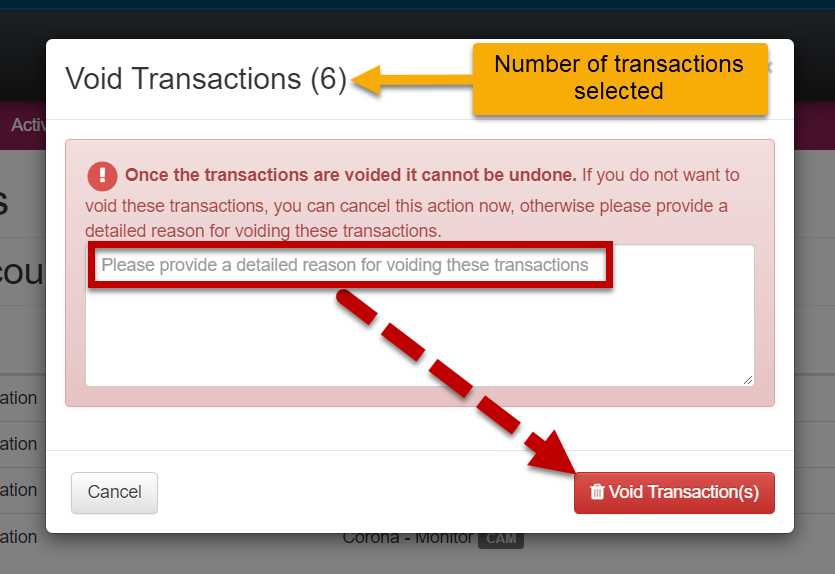
- In the Void Transactions pop-up box:
- Notate the reason for voiding the transaction(s).
- Click the Void Transaction(s) button.
The Transaction History section will reflect the activity.