SCRAM Systems® is committed to providing a website that is accessible to the widest possible audience, regardless of circumstance and ability.
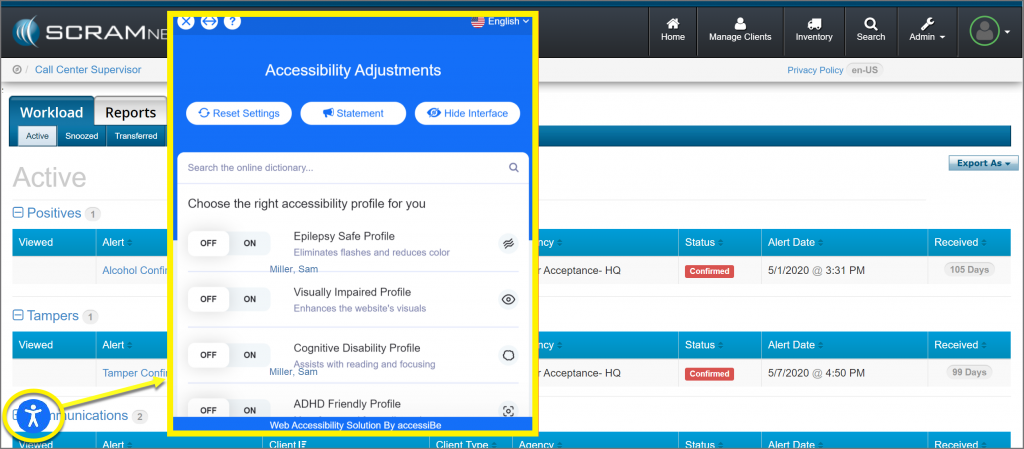
As our first step, SCRAM has added an Accessibility icon to the bottom left side of your screen in SCRAMNET®.
Select the Accessibility icon to view the Accessibility Adjustments menu. From here, select the appropriate Accessibility options to customize SCRAMNET to make it easier for you to use.
Remove the Accessibility Icon
To remove the icon from view, simply click on the icon and select the Hide Interface button. You will be prompted to Accept responsibility for hiding the interface. Once accepted, the screen will refresh and the icon will no longer appear. If you clear your internet browser’s browsing history, temporary files (cache), and cookies, then the Accessibility icon will reappear.
Feedback
As always, please feel free to contact SCRAM Systems Customer Services at 1-303-785-7879 with any recommendations for system improvements.