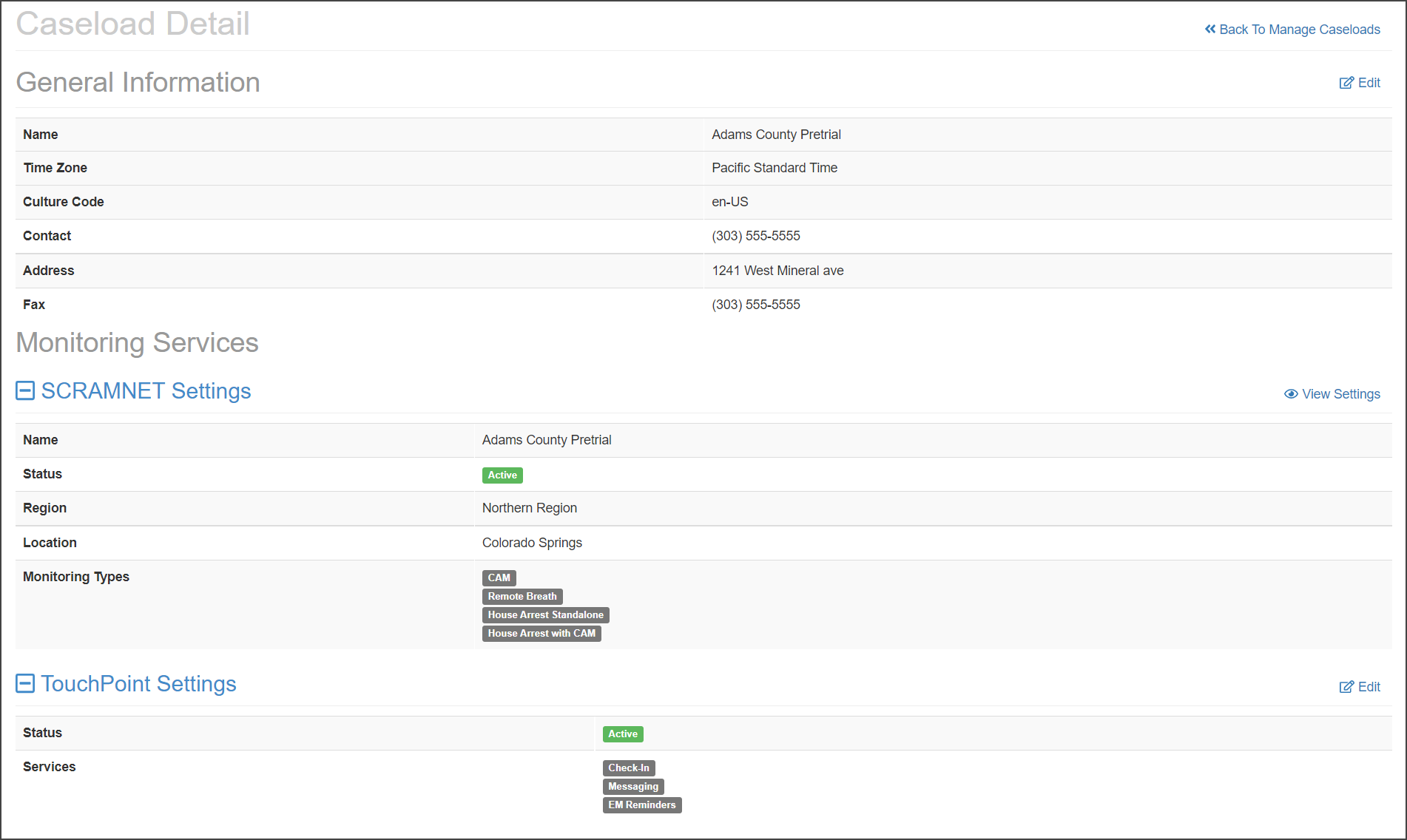
In conjunction with the “Agencies” to “Caseloads” terminology update, SCRAM Systems is also releasing a new Manage Caseloads facility for SCRAMNET Administrators on Thursday October 28, 2021.
On the new Manage Caseloads facility you now can add, view, and edit SCRAMNET and TouchPoint caseloads.
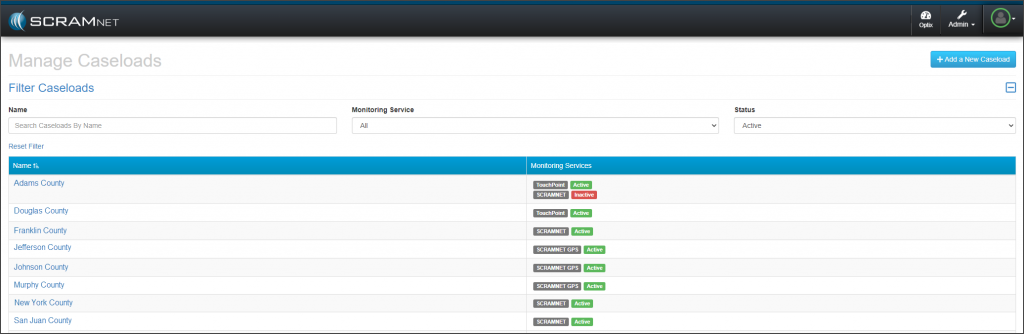
Access the Manage Caseloads Facility
From SCRAMNET:
- Click the Admin button in the main navigational bar.
- Click the Manage Caseloads option from the menu.
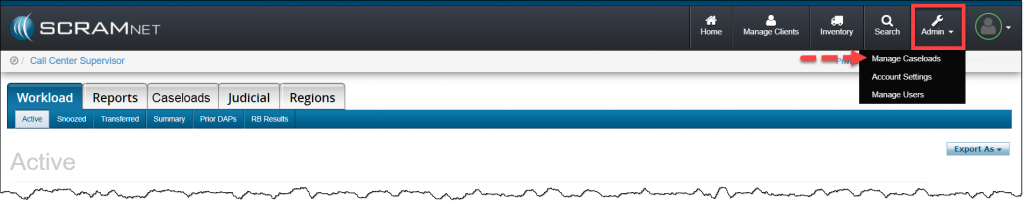
Manage Caseloads Page
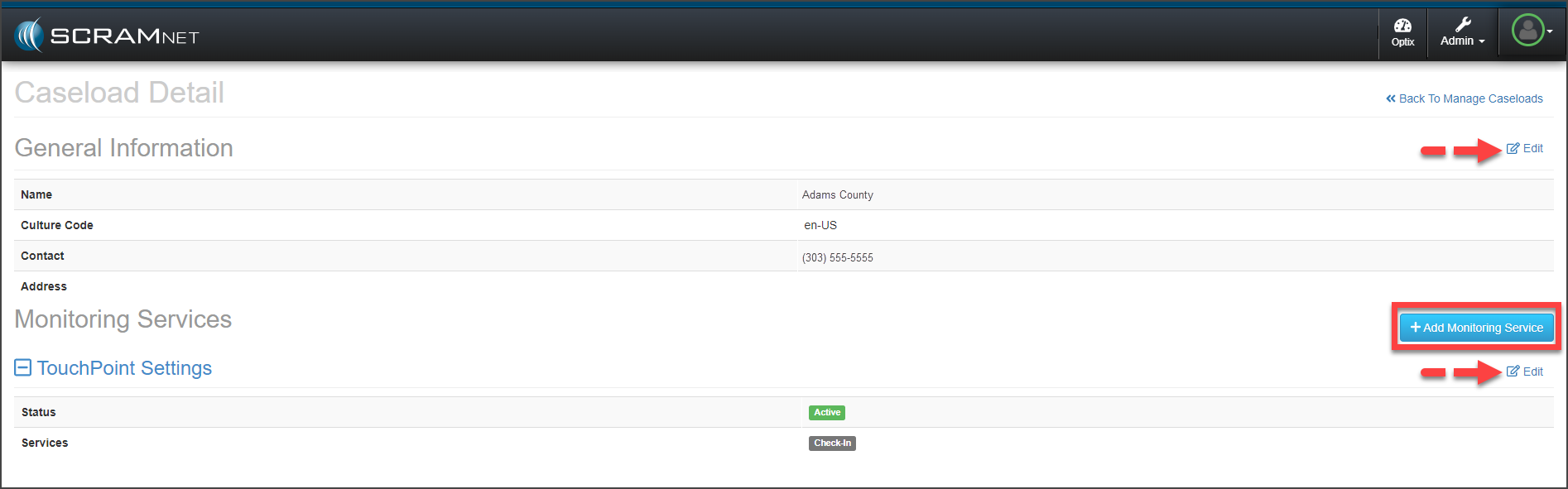
To edit or add a monitoring service (TouchPoint or SCRAMNET) to a current TouchPoint or SCRAMNET caseload, click the caseload’s name hyperlink.
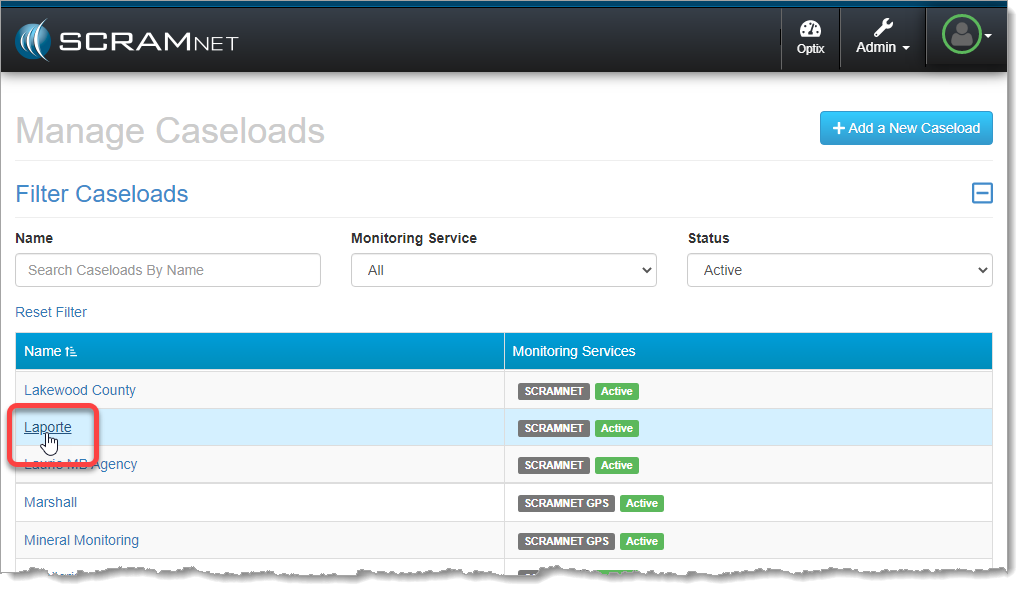
On the Caseload Detail page, use the Edit hyperlinks or +Add monitoring Service button (TouchPoint or SCRAMNET) to update the caseload as needed.
Add a New Caseload
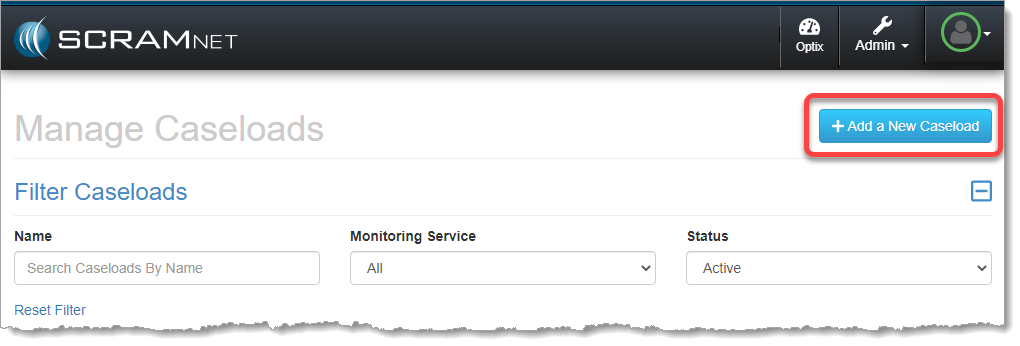
On the new Manage Caseloads page:
- Click the +Add a New Caseload button.
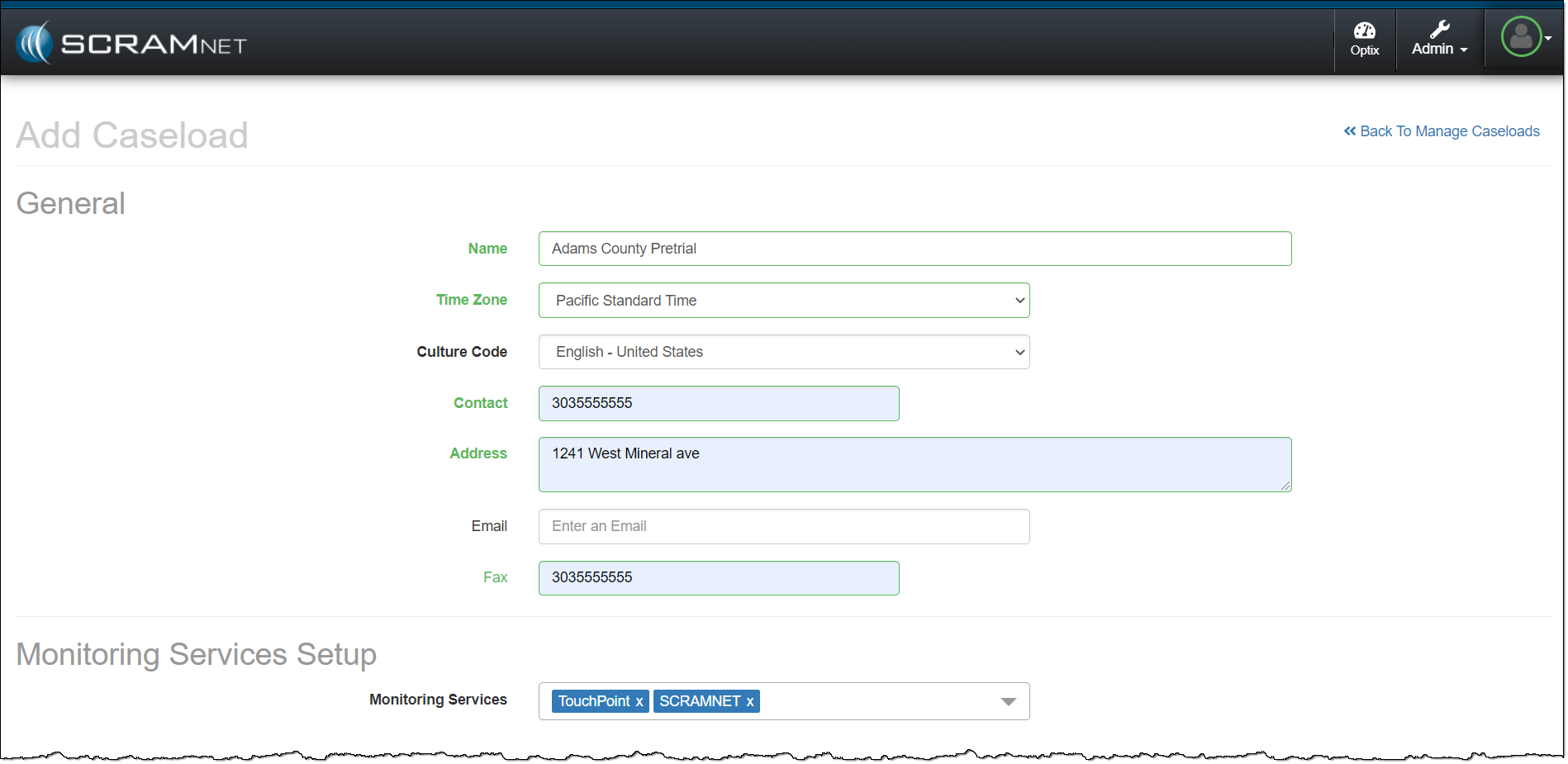
- Enter in the General information for the caseload. All fields with headings in bold print are required fields.
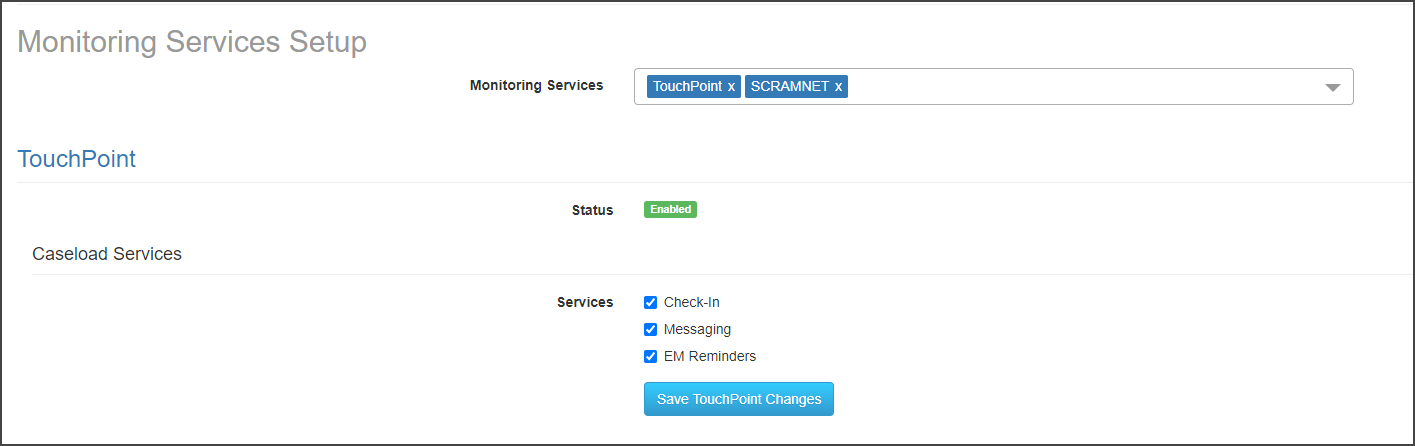
- Under the Monitoring Services Setup section, select all the Monitoring Service(s) required for the new caseload from the drop-down menu.
- Note: The monitoring services available from the drop-down menu will reflect the current access level and permissions for that user.
- Select the specific monitoring details for the Monitoring Services (TouchPoint) and Monitoring Types (SCRAMNET).
- Once all customizations are selected, click the Save TouchPoint Changes, and/or Save SCRAMNET Changes button.
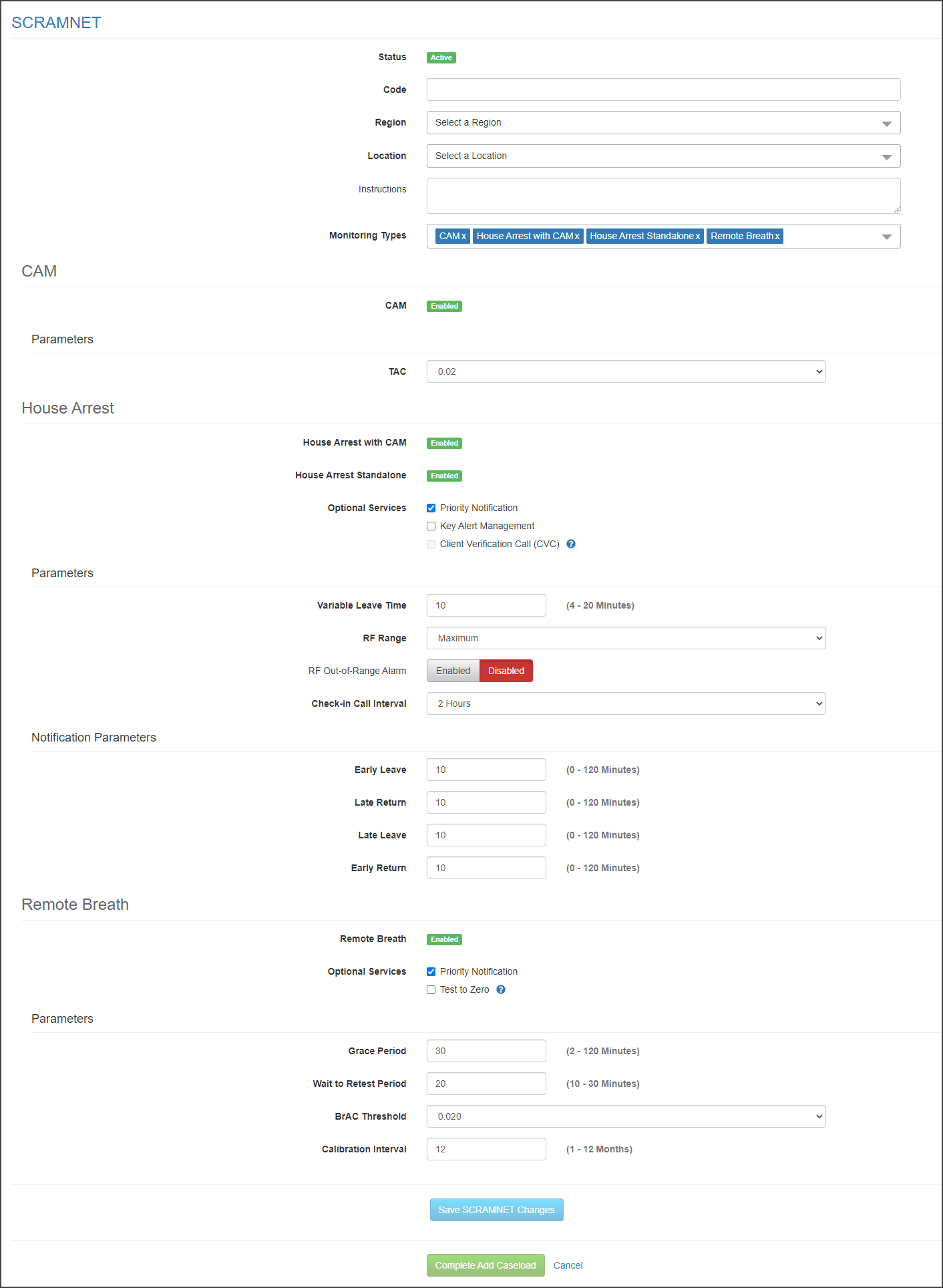
- To save all updates, click the Complete Add Caseload button.