During the evening of July 27, 2022, SCRAM Systems® will deploy a variety of Client Management and Supervisor-level enhancements to the SCRAM Nexus® system, including the ability to:
- Add an Associate to a Client
- Create Case Plans for a Client
- Send an On-Demand Check-In to a Client Who is Enabled for TouchPoint Check-Ins
- Approve Responses that Require Supervisor Approval (Supervisors and Administrators Only)
- Cancel a Session Series in the Nexus Treatment Provider Portal
Client Management Enhancements
Add Associates to a Client Profile
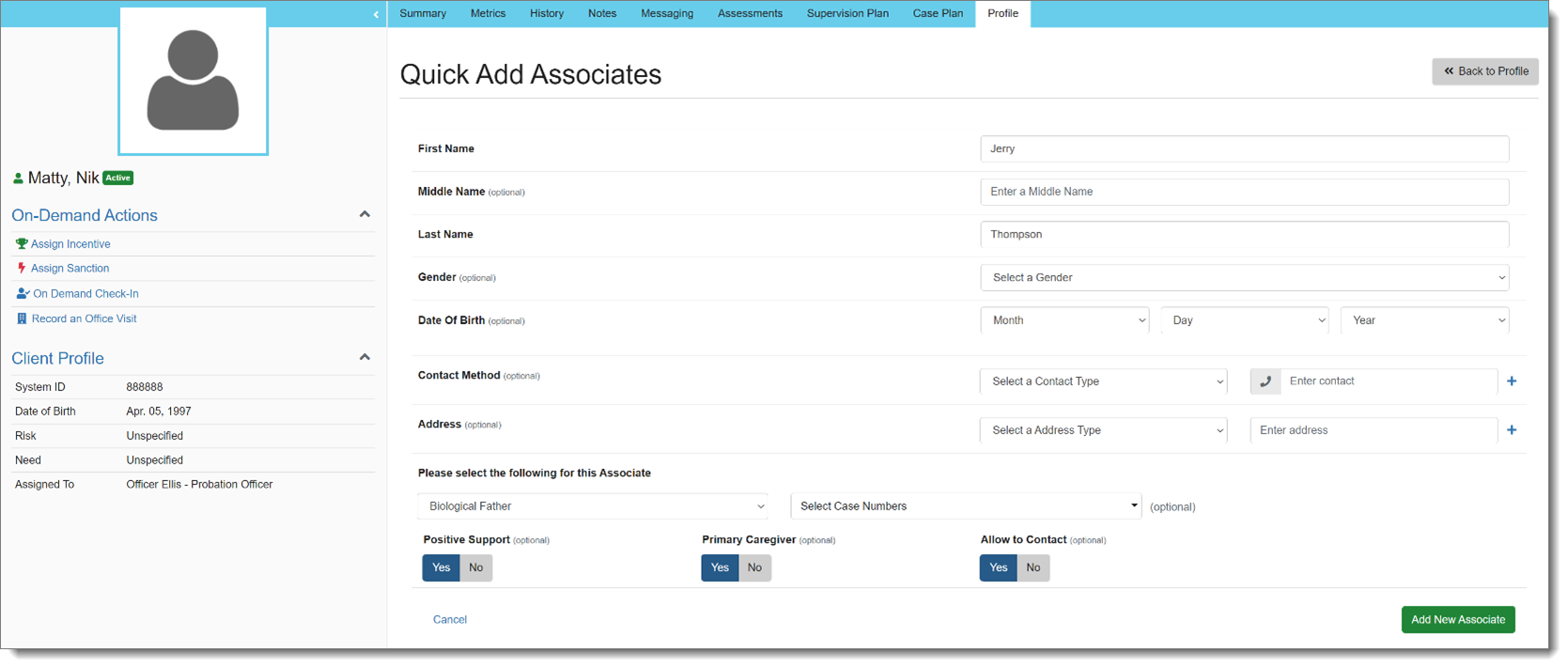
With this release, an Associate may be added to a client in Nexus. Associates are people who need to be added to the client for reference. Officers can search for existing Associates that have been added to other clients, or can quickly create a new Associate:
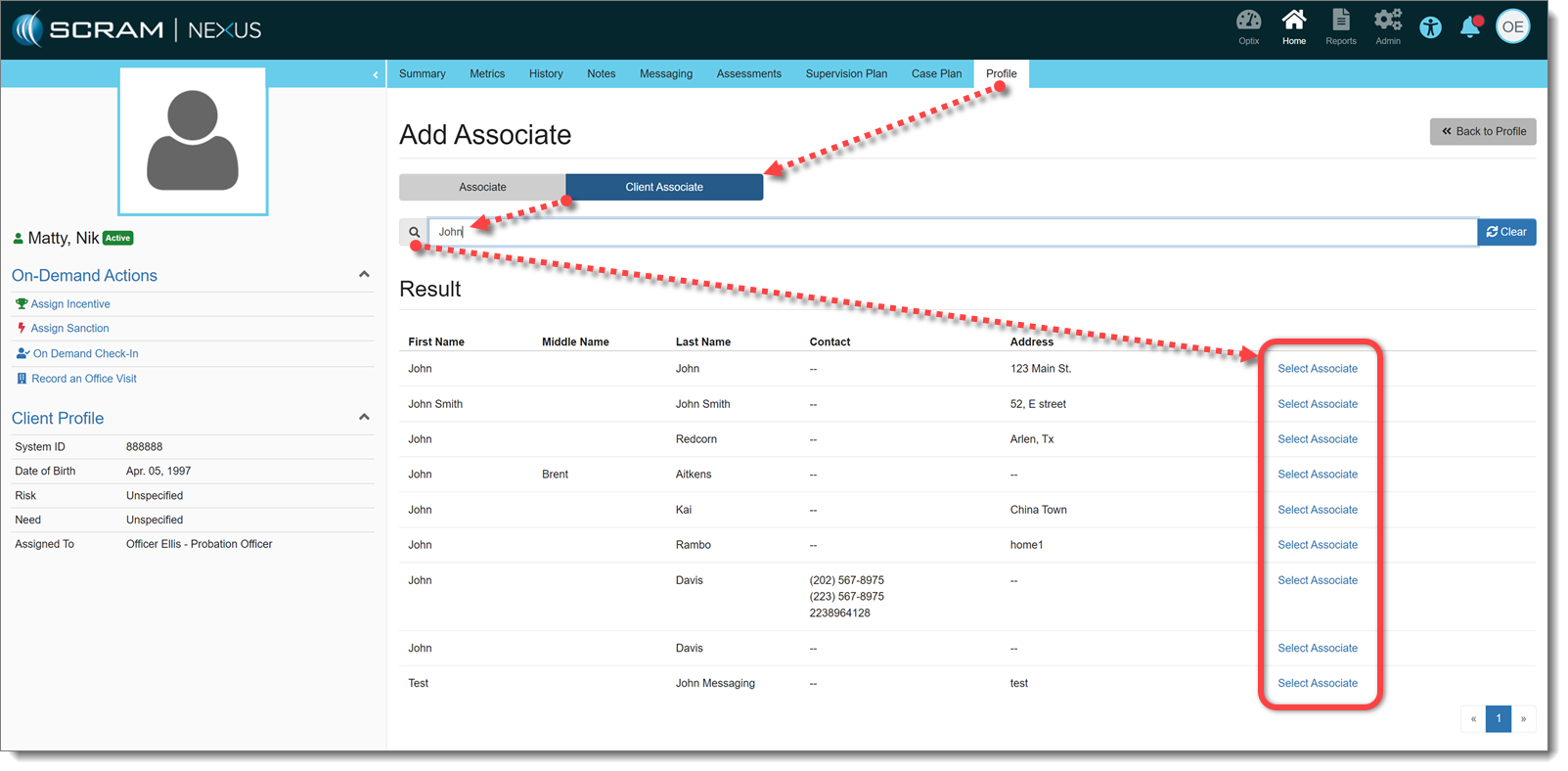
Other clients can also be added as Associates, if needed. This will not add those clients to the Associates database, but rather make an association between clients:
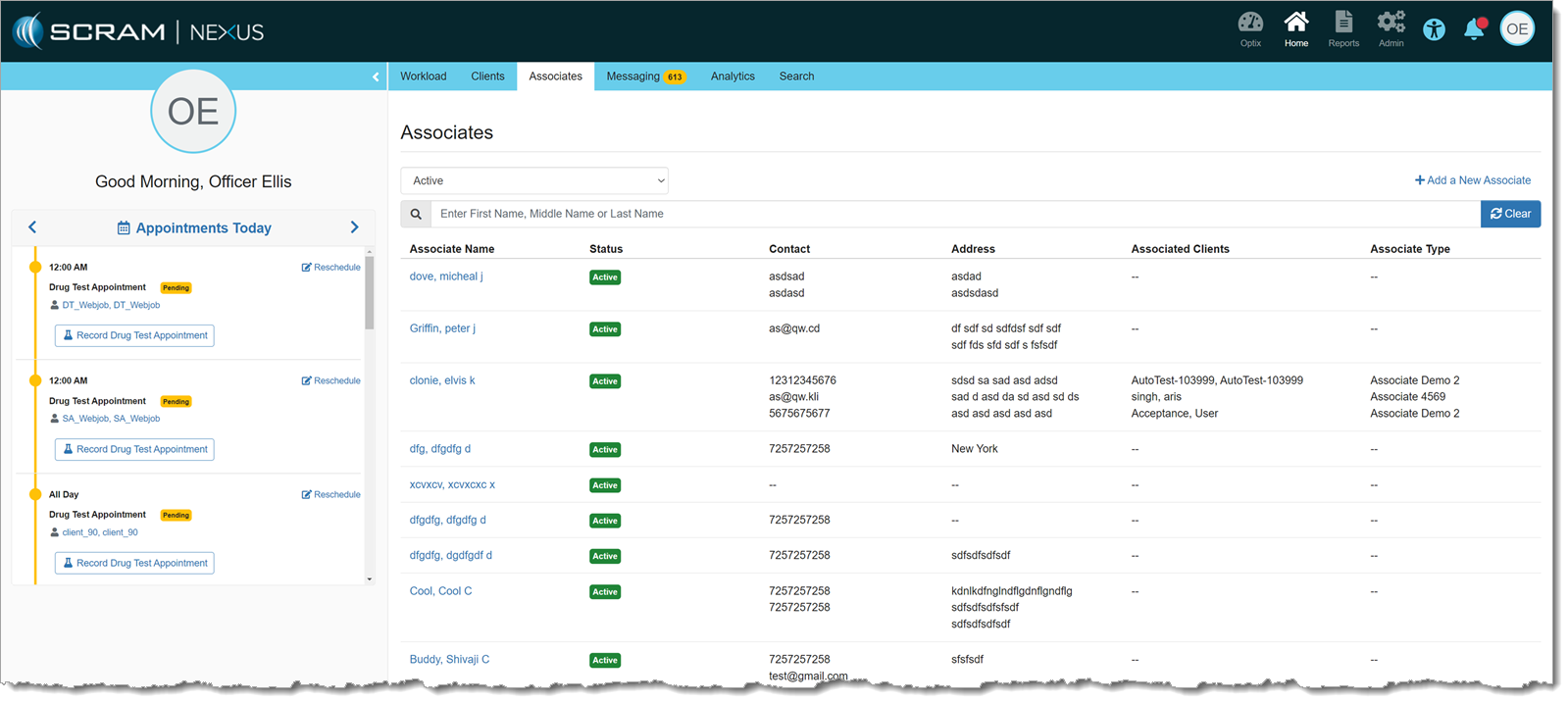
There is also a list of all Associates for a given customer on the main Officer page. Associates may be added and managed from this page as well. Clients cannot be added to an associate from this page, but clients can be removed from an associate, if needed:
Case Planning
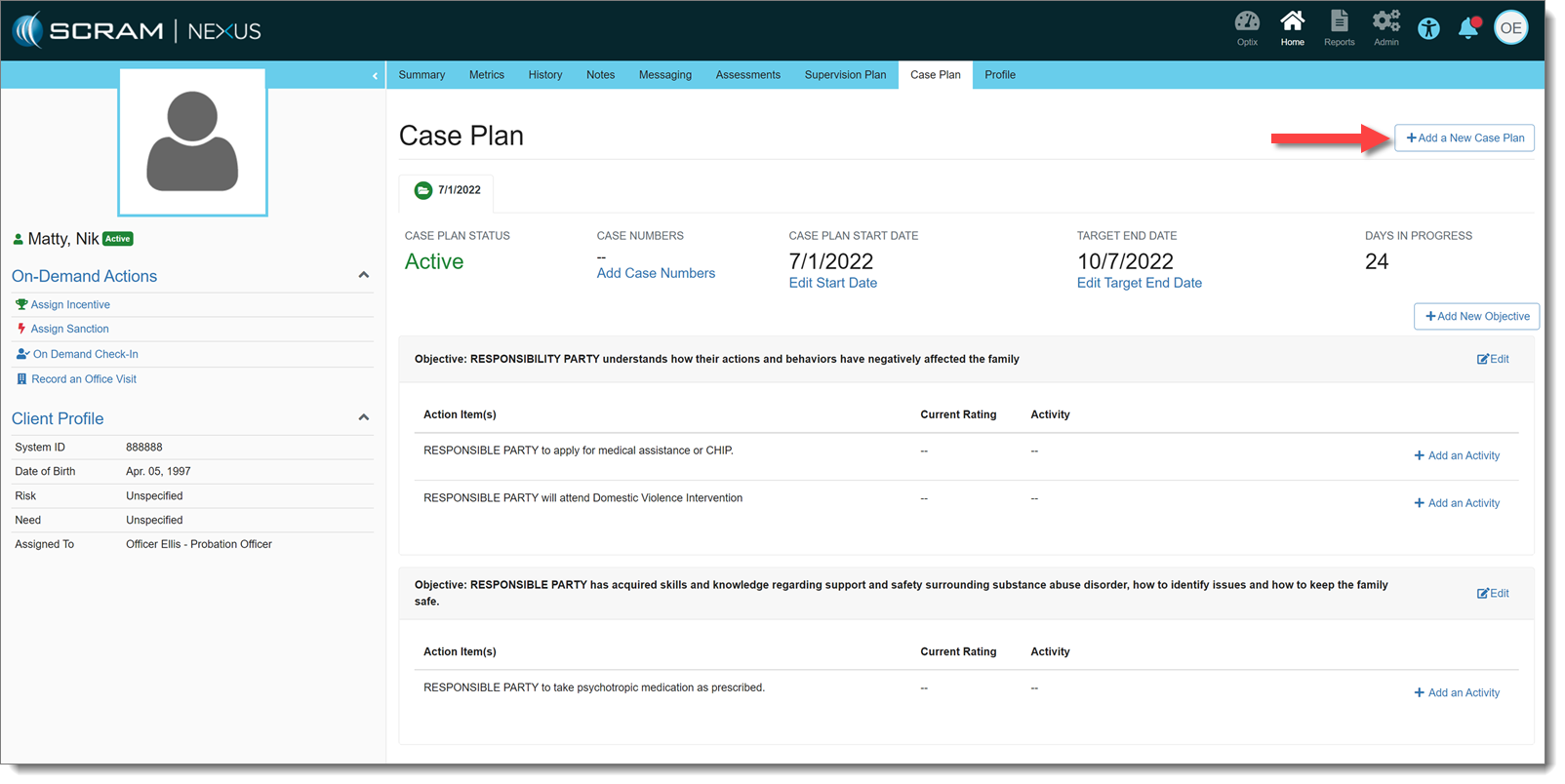
Also effective with this release, Officers may create Case Plans for a client. A Start Date and Target End Date may be entered for each Case Plan, individually. Objectives and Action Items to achieve those Objectives may be added to the Case Plan and, in turn, Activities may be added to Action Items to help track progress that the client is making on those items.
 |
There can only be one Active Case Plan at a time. |
Send On-demand TouchPoint Check-in
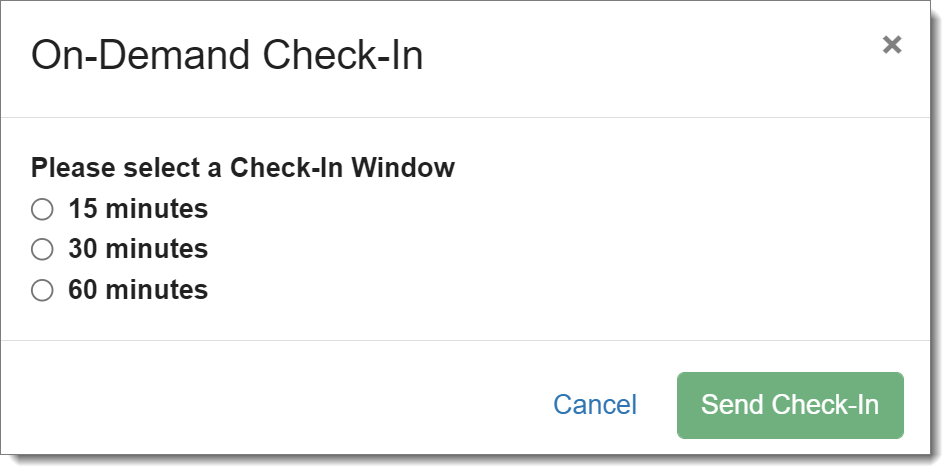
An officer can send an on-demand check-in to a client who is enabled for TouchPoint Check-Ins. There is a link on the client’s side profile that allows an officer to send a check-in to a client. The officer may select a 15-, 30- or 60-minute check-in window, during which the client must check-in before the check-in is marked as Missed.
|
If there is already a scheduled check-in within that on-demand window, it will be auto-resolved once the client completes the on-demand check-in. |
Supervisor Enhancement:
Approve Responses that Require Approval
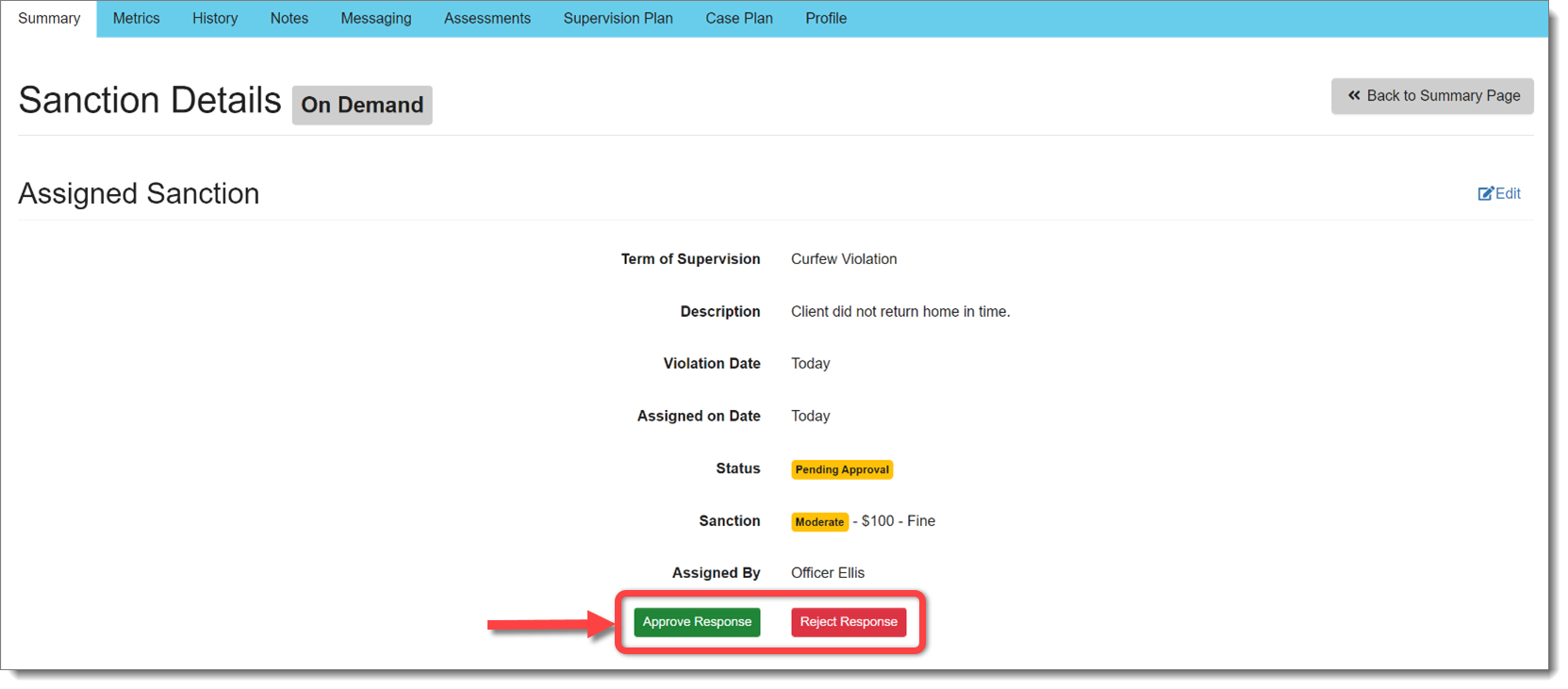
If a sanction or incentive response requires prior approval (as set forth in Admin Settings), Nexus will place that response in “Pending Approval” status.
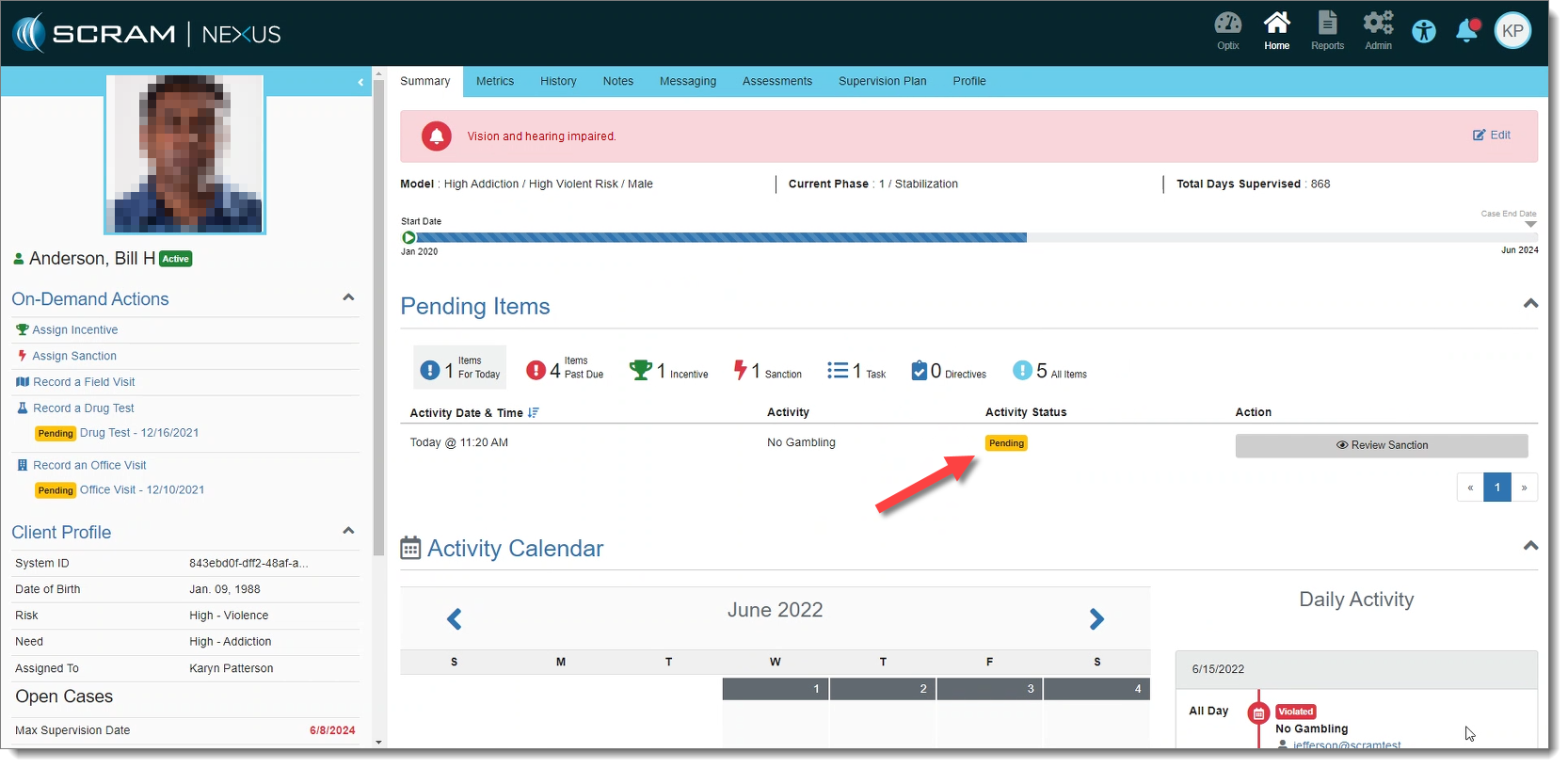
Supervisors and Administrators may Approve or Reject that response before it is assigned:
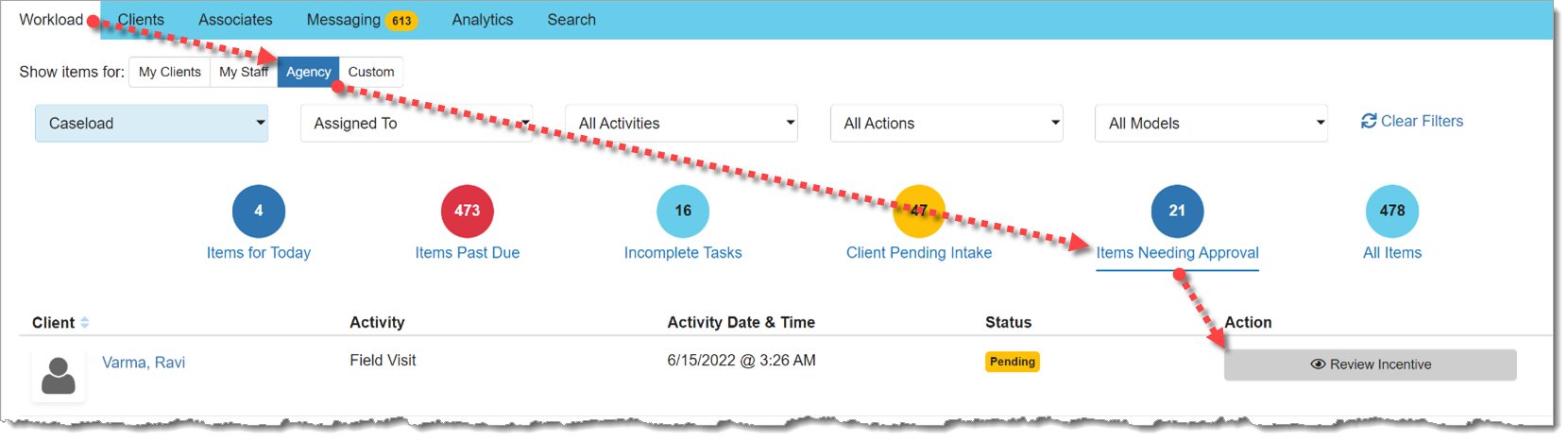
There is also a view for Supervisors on the Workload page that displays responses pending approval:
Nexus Treatment Provider: Cancel a Session Series
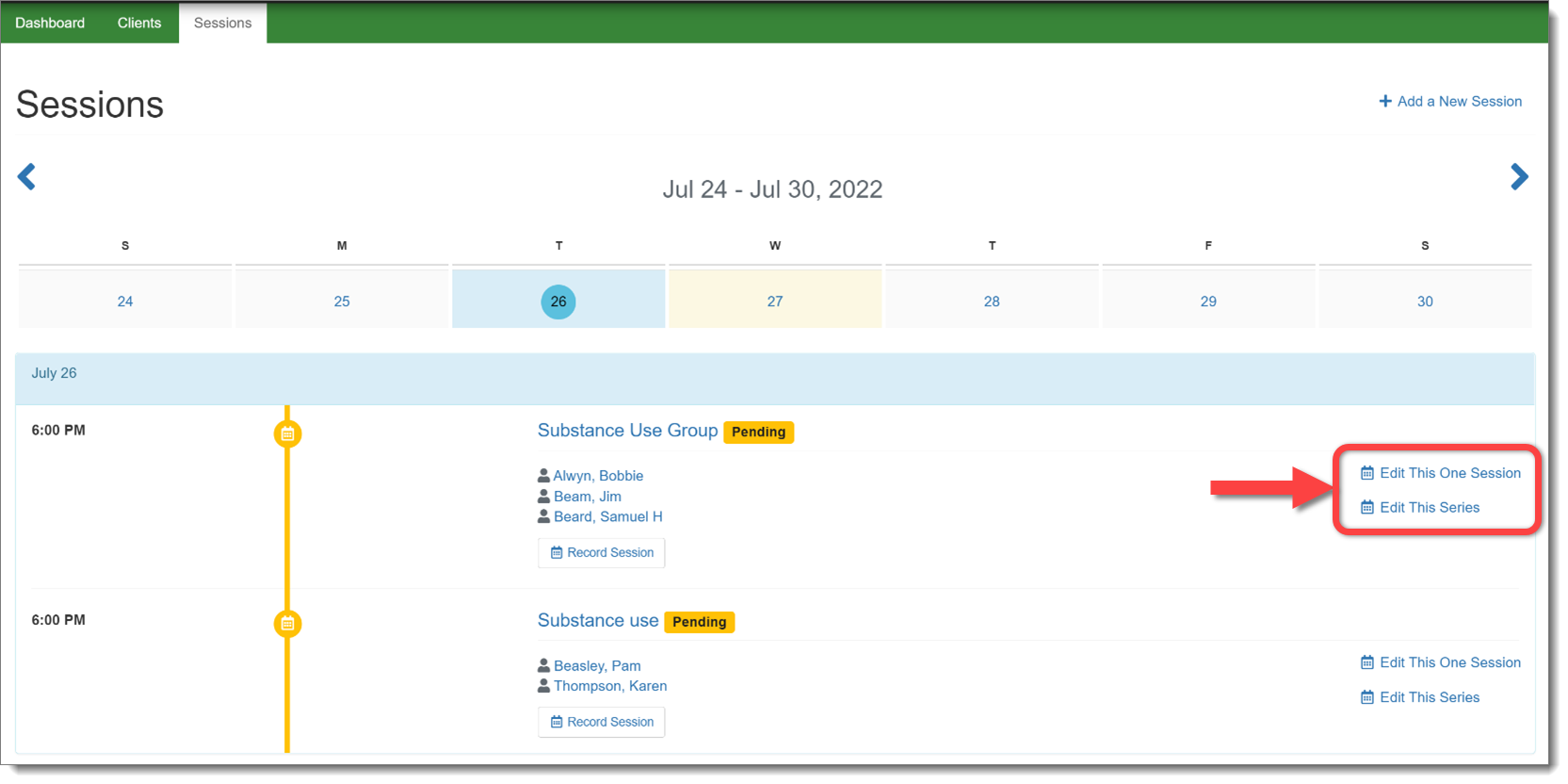
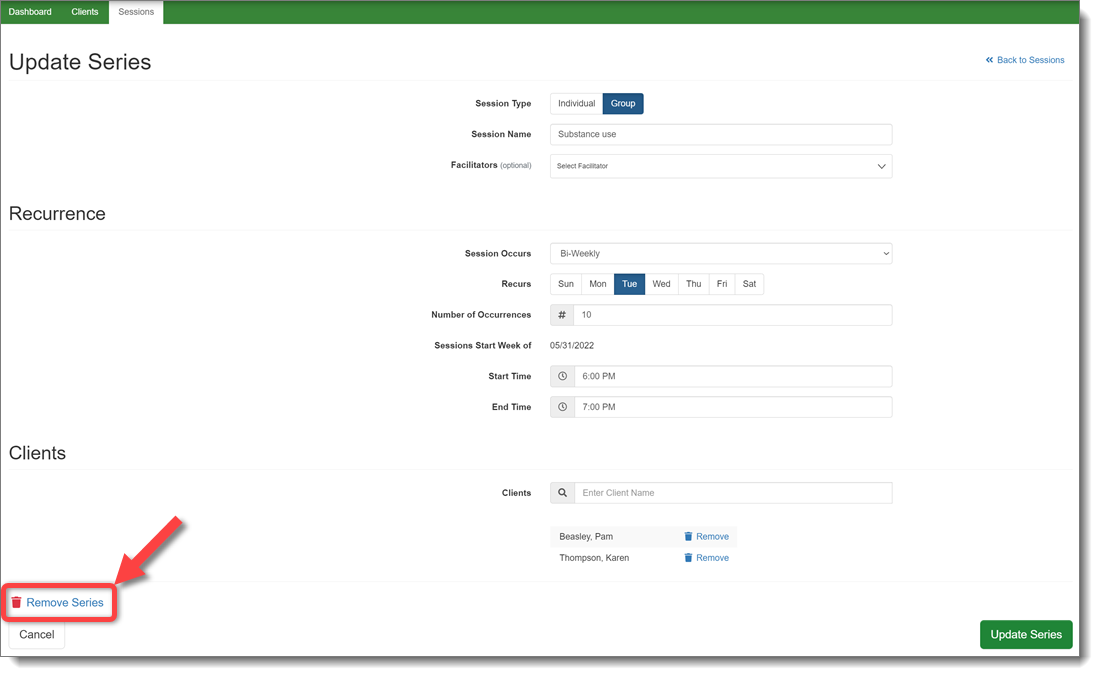
In the Nexus Treatment Provider portal, a provider will now have the ability to cancel an entire series of treatment sessions, rather than having to cancel individual sessions. This change will remove the session series from every client in the session.
|
Note the additional updates designed to make it clear if the provider is editing one session or an entire session series. |