During the evening of June 16, 2022, SCRAM Systems® will deploy a variety of Client and Treatment-related enhancements to the SCRAM Nexus® system, including the ability to:
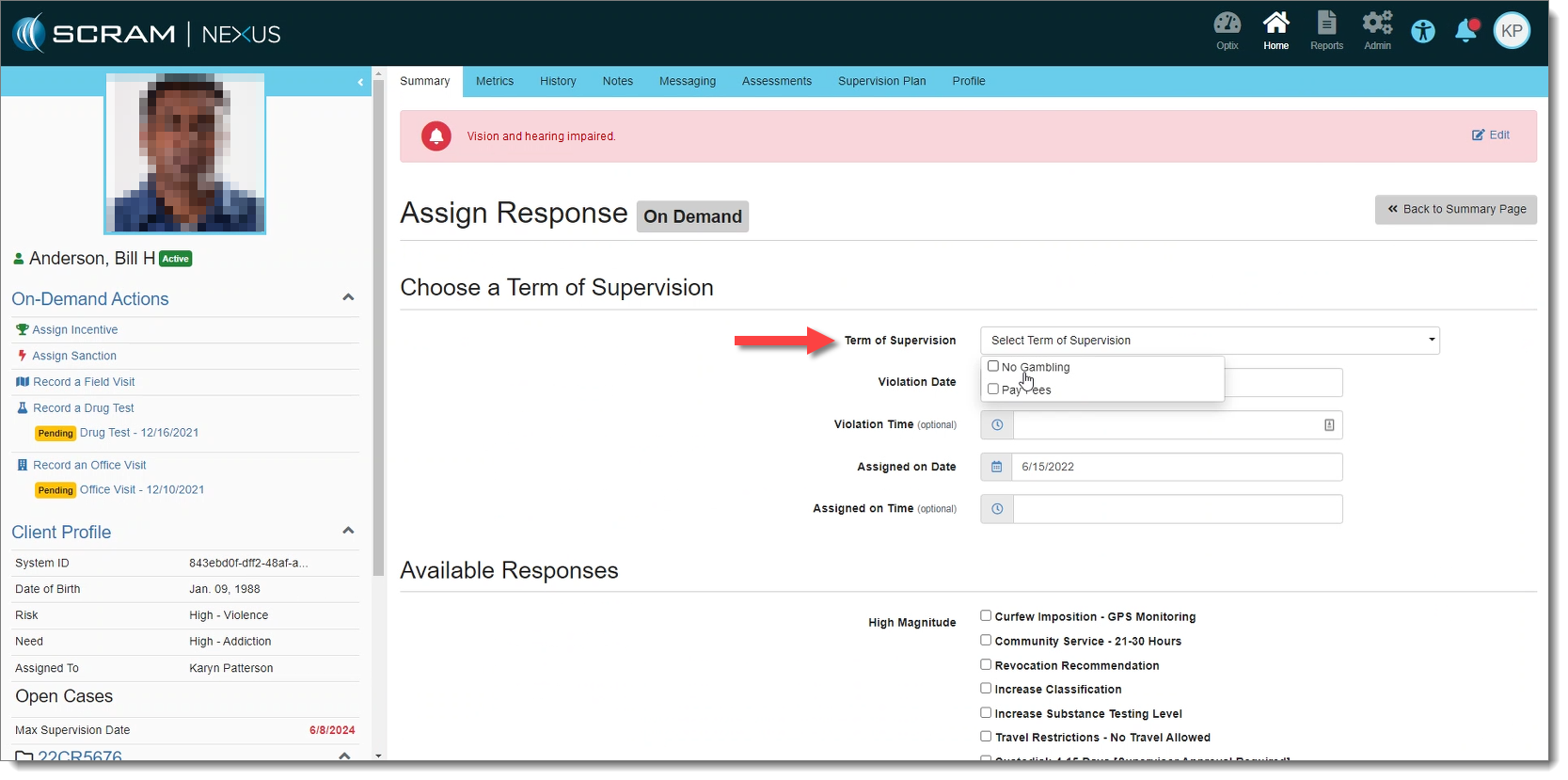
- Limit the number of On-Demand Sanctions available to only those in the client’s Terms of Supervision
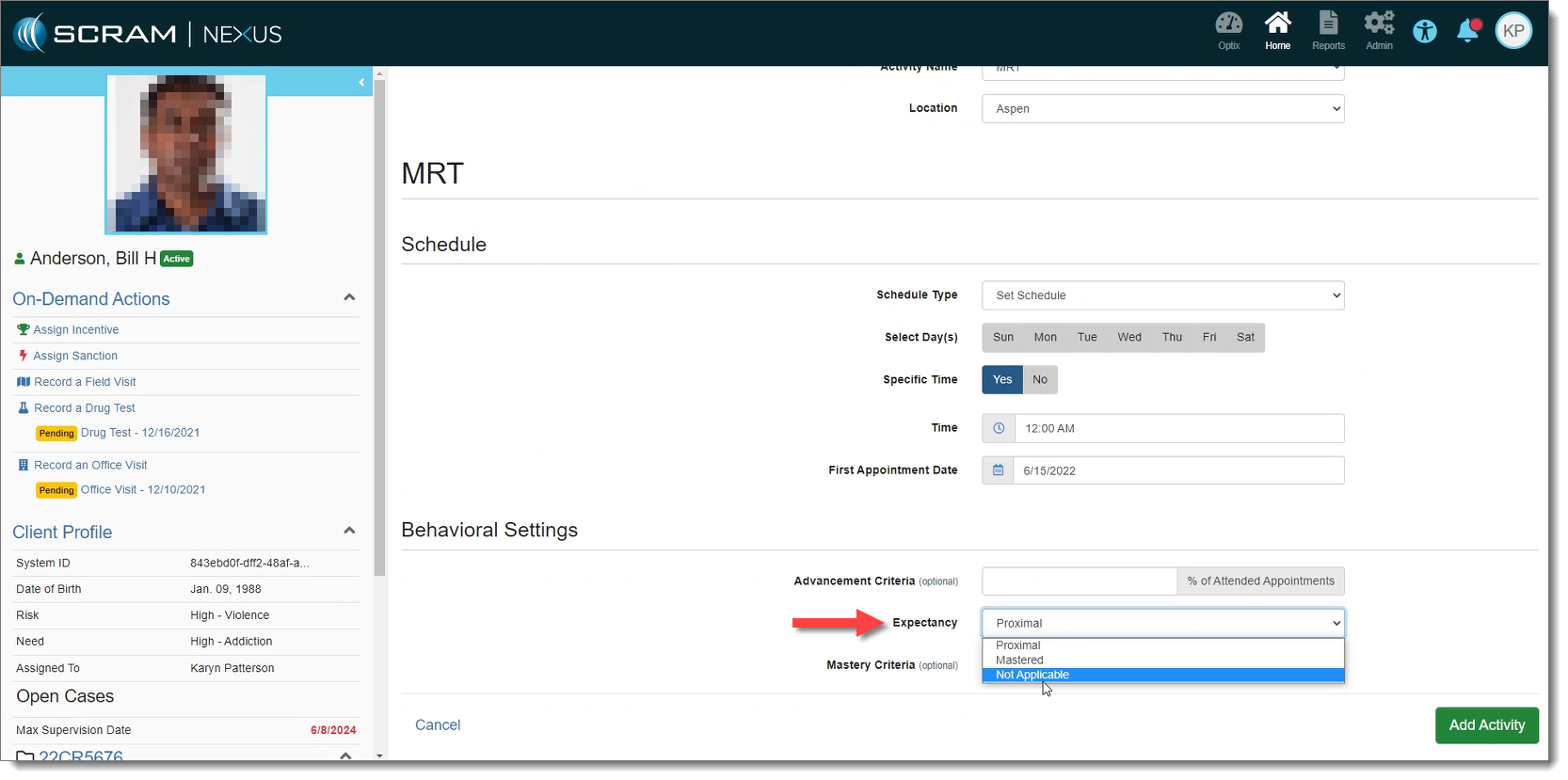
- Deactivate ‘Expectancy’ for Activities
- Require Supervisor approval on certain incentive or sanction responses
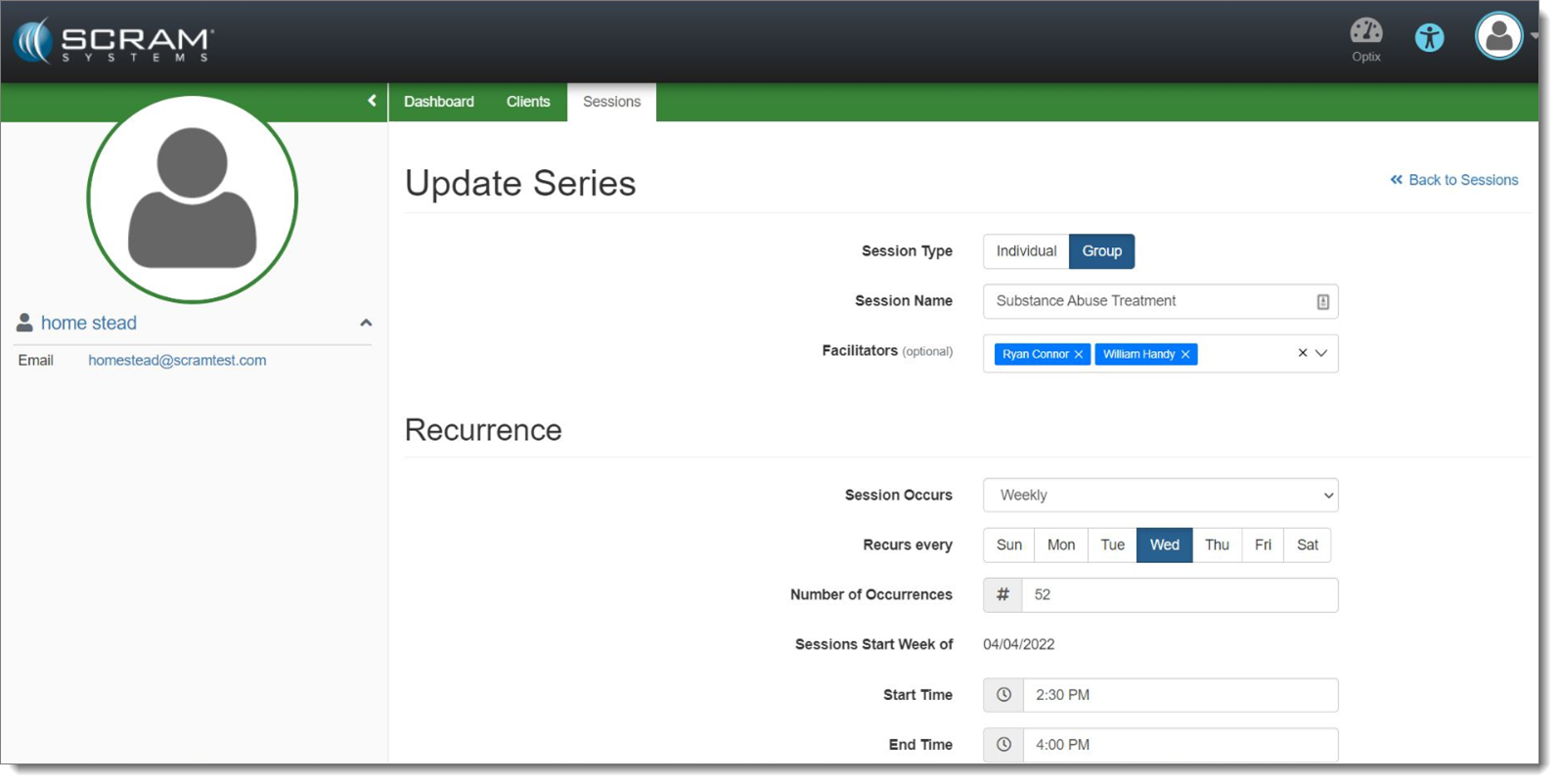
- Add session facilitators to SCRAM Nexus Treatment Sessions
On-Demand Sanctions
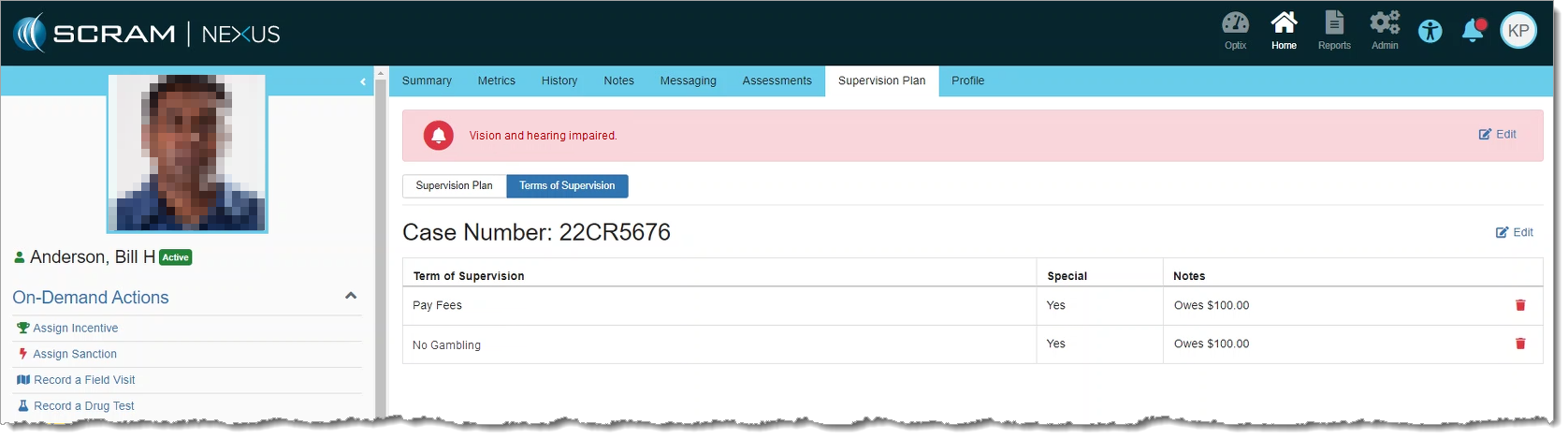
With this release, when a user initiates an on-demand sanction, Nexus will only display the terms of supervision that apply to the client’s individual cases.
These can be viewed from the Supervision Plan tab:
 |
If specific Terms of Supervision have not been selected for the client’s case, then all terms appear during an on-demand sanction, just as they did previously. |
Activity Expectancy
SCRAM Nexus includes a new “Not Applicable” option under Expectancy, for Conditions on the Model, and Activities on a client’s Supervision Plan. When selected, Nexus will not recommend a magnitude of response for that activity. This allows an agency to continue to use their own Response Matrix instead of the built-in SCRAM Nexus “Proximal / Distal / Mastered” logic.
Response Approval
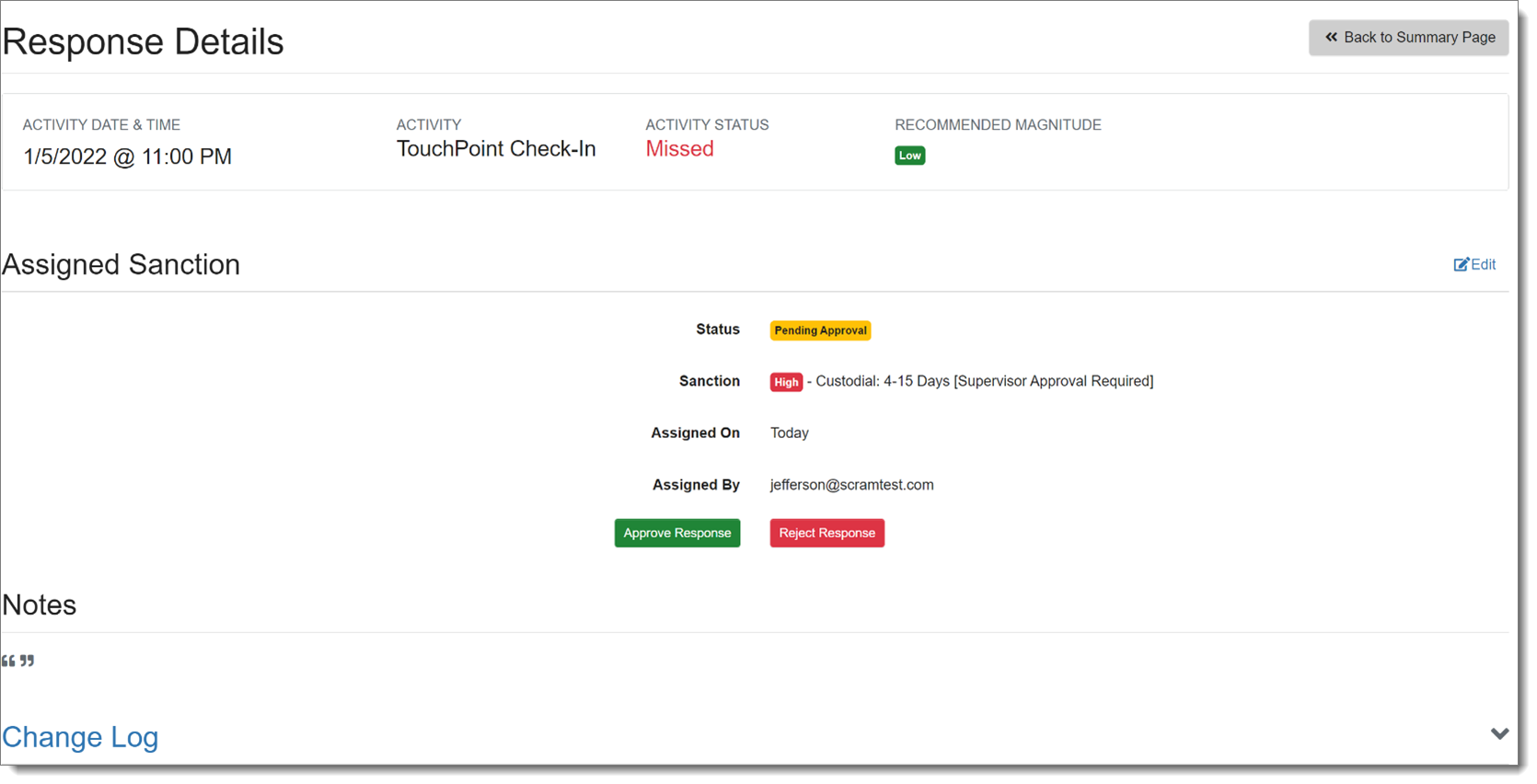
If a sanction or incentive response requires prior approval (as set forth in Admin Settings), Nexus will place that response in “Pending Approval” status if selected.
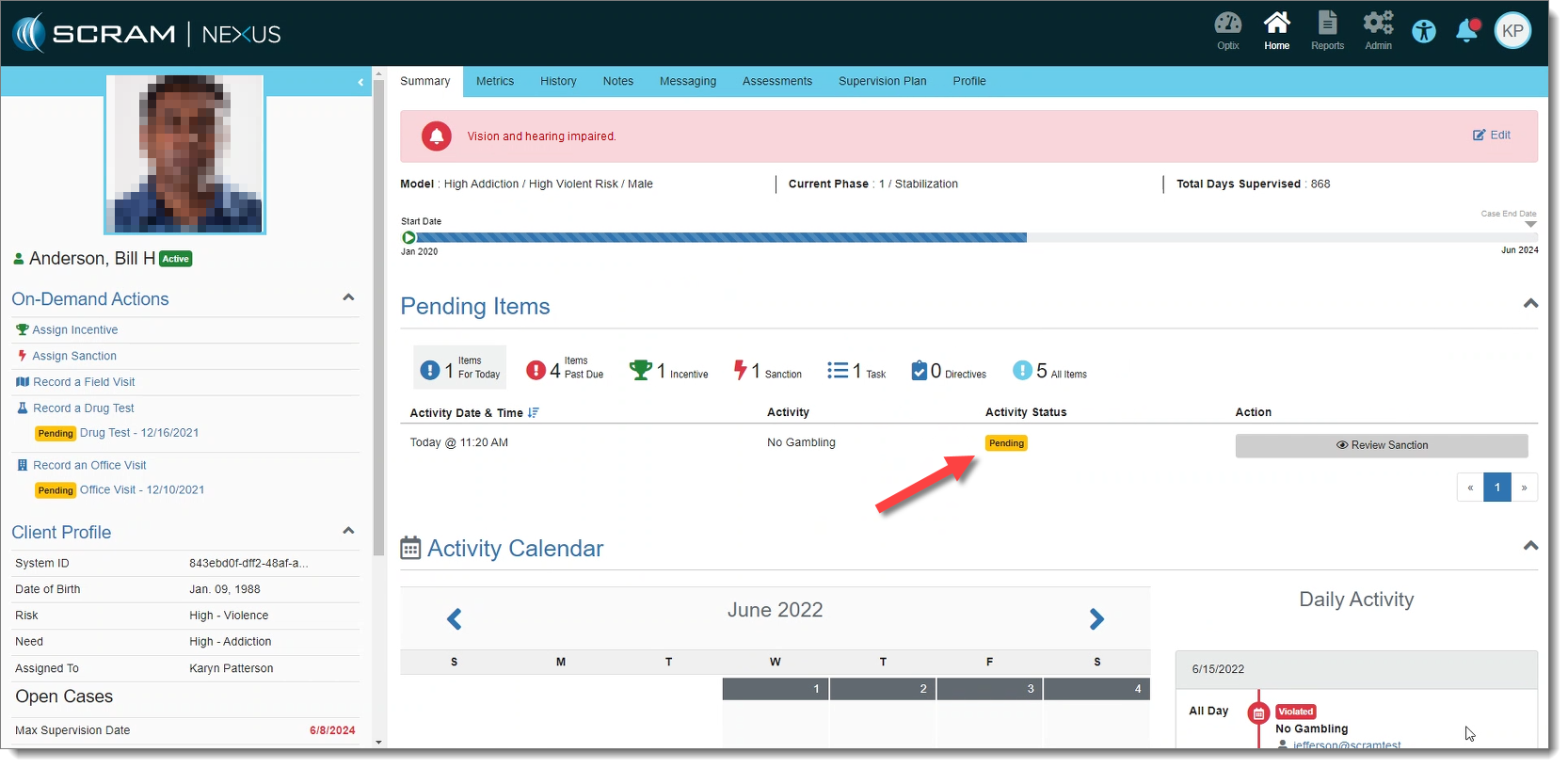
Only supervisors may approve these responses. Once the response is approved, the status is changed to “Assigned.” If the response is rejected, Nexus changes the status of the response back to “Pending.”
|
Coming Soon: A new view for Supervisors to see responses Pending Approval on the Workload page. |
Session Facilitators – Nexus Treatment
With this release, Facilitators may now be assigned to a treatment session. This gives Treatment Providers the ability to select themselves and/or a co-facilitator from a dropdown menu when recording a session. The list of available facilitators is limited to only those treatment providers associated with the account. The assignment of facilitators is specific to each session and may be edited within the Session Details page.