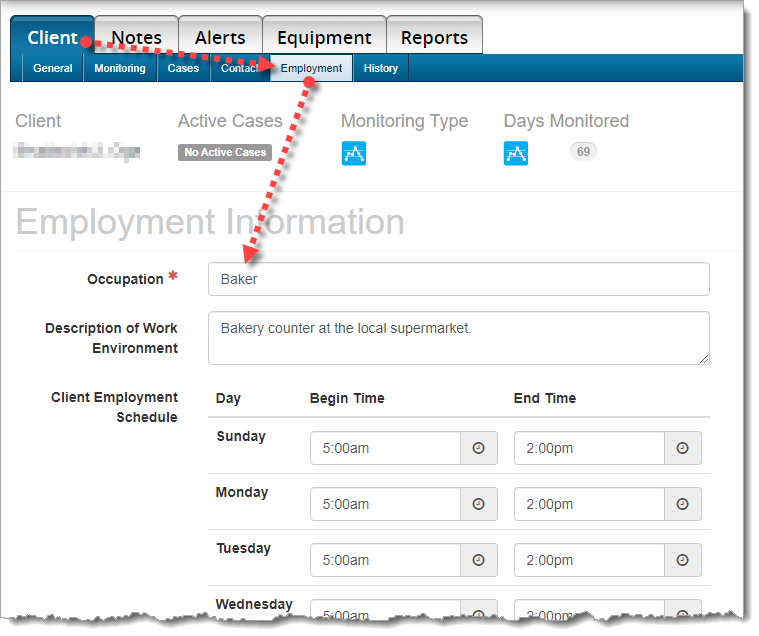
Update Client Employment Information in the ‘Occupation’ Field
When current employment information is entered in the Occupation field in SCRAMNET, we are able to better determine the client’s actions and environment during an alert. This will save time and frustration for both you, and your client by reducing the number of calls you make to question your client’s actions.
To Update Employment Information:
Choose the Client tab, then choose the Employment sub-tab. Please update the client’s occupation, description of the work environment, and most importantly, the client’s work schedule.