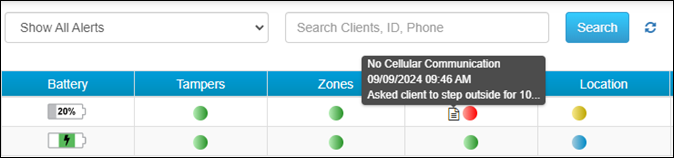
At 5:00 AM MDT on Tuesday, September 17, 2024, SCRAM Systems released an enhancement for SCRAMNET GPS. This enhancement allows you to view notes added to an active event on the Dashboard.
View Active Event Notes on the Dashboard
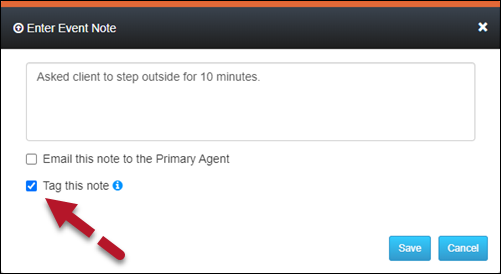
When adding an event note, you may “tag” it so it is visible on the Dashboard. This lets you quickly view the recorded actions taken to resolve the alert.
To tag an Event note:
- Select the Tag this note option in the Enter Event Note pop-up.
- Select the Save button.
Once saved, the active alert is tagged, and a note icon will appear next to the alert on the Dashboard. Mouse over the note icon to view the abbreviated text of the note.