Currently, when creating overlapping GPS schedules in SCRAMNET GPS, the user must prioritize one schedule over the other. Only the GPS schedule with the highest priority generates an alert when a violation occurs. Users can now choose to generate violations for all overlapping GPS schedules, independent of the assigned priority.
To enable this feature, a user with administrative permissions can navigate to the Admin -> Account Settings -> Accounts page and select the Generate Schedule Violations for lower priority schedules check box.
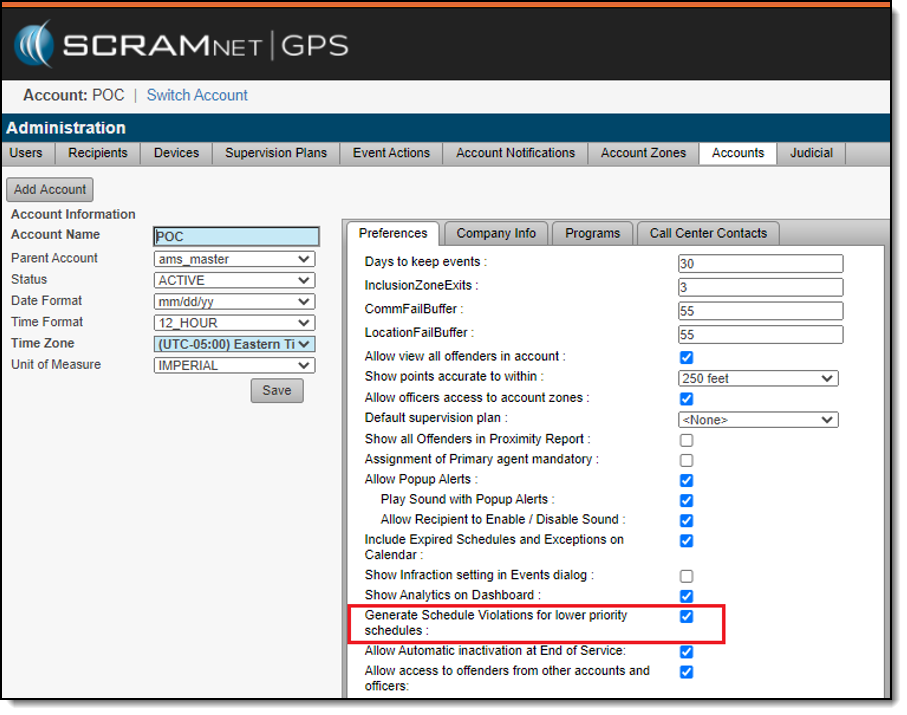
When the check box is selected, a Schedule Violation will be generated for all overlapping schedules for which the client is non-compliant.
Example
In the example below, the client has a 24/7 home schedule as well as an overlapping work schedule. The work schedule is the higher priority.
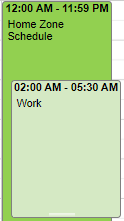
Now, if the client is not at work at the appropriate time, a violation is generated only for the work schedule. With this new feature enabled, if the client is also not at home, a Schedule Violation is also generated for the home schedule.