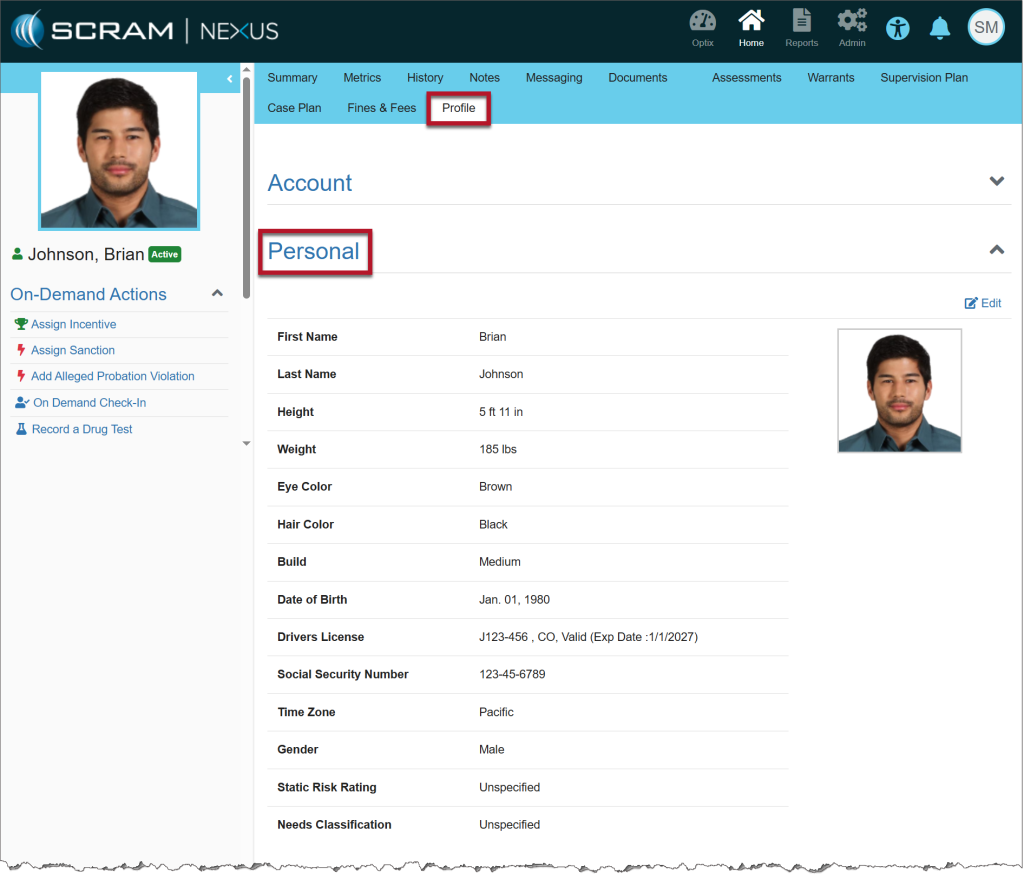
On August 21, 2025, SCRAM Systems will release an enhancement for your SCRAM Nexus Caseloads. With this improvement, the Personal section of the client’s Profile page has been expanded to include new optional identifying attributes, along with additional identification details.
To Edit the Client’s Profile
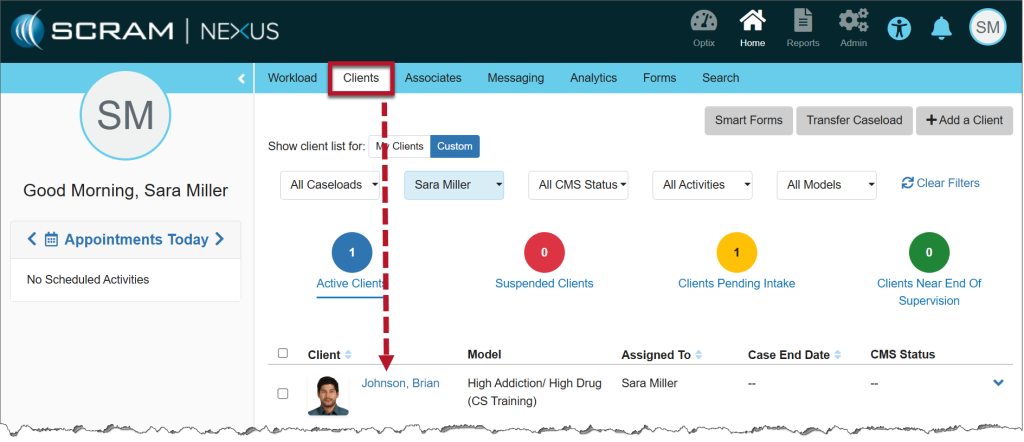
- From the Clients tab in Nexus, select the client’s name hyperlink.
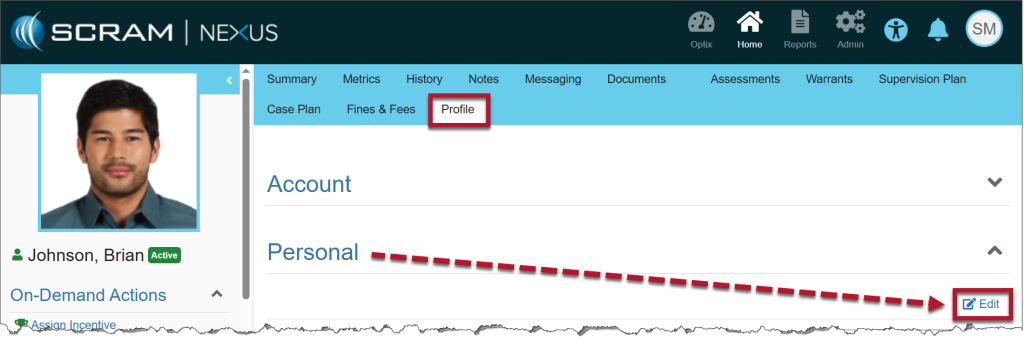
- Select the Profile tab and then select the Edit hyperlink in the Personal section.
- Add or edit all required fields, then enter any additional details in the new optional fields.
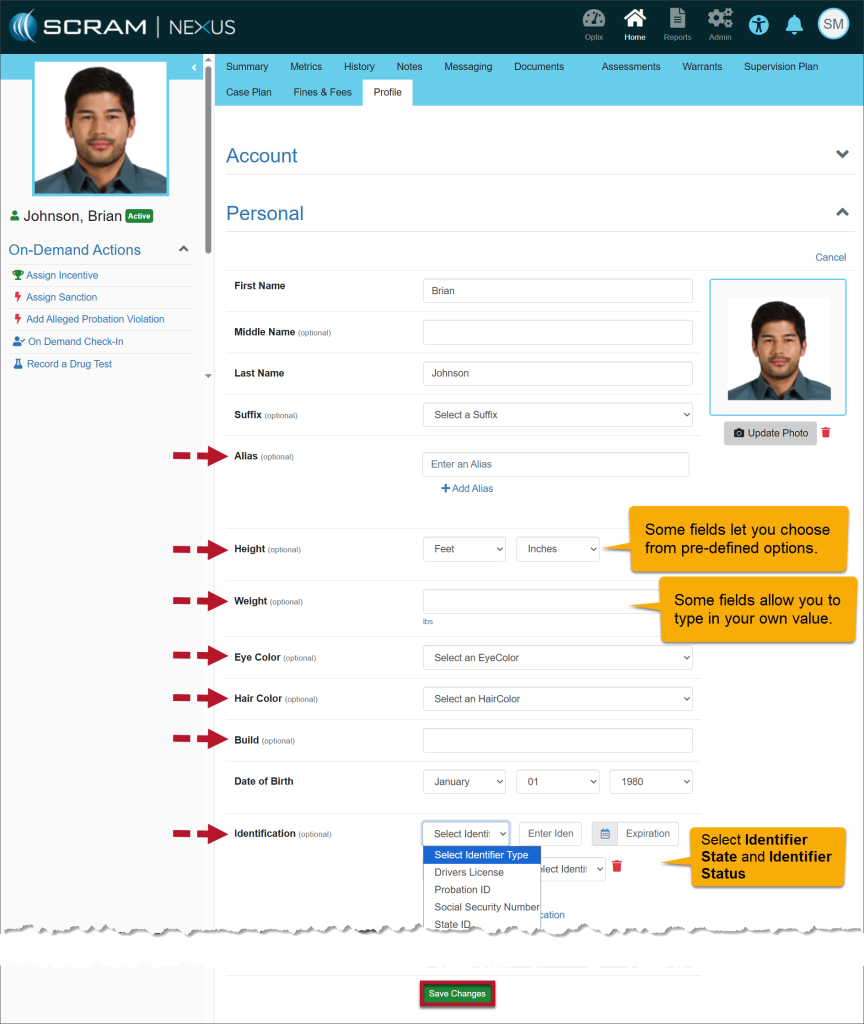
- After making any updates, select the Save Changes button.
- Once saved, the details entered are displayed under the Personal heading.
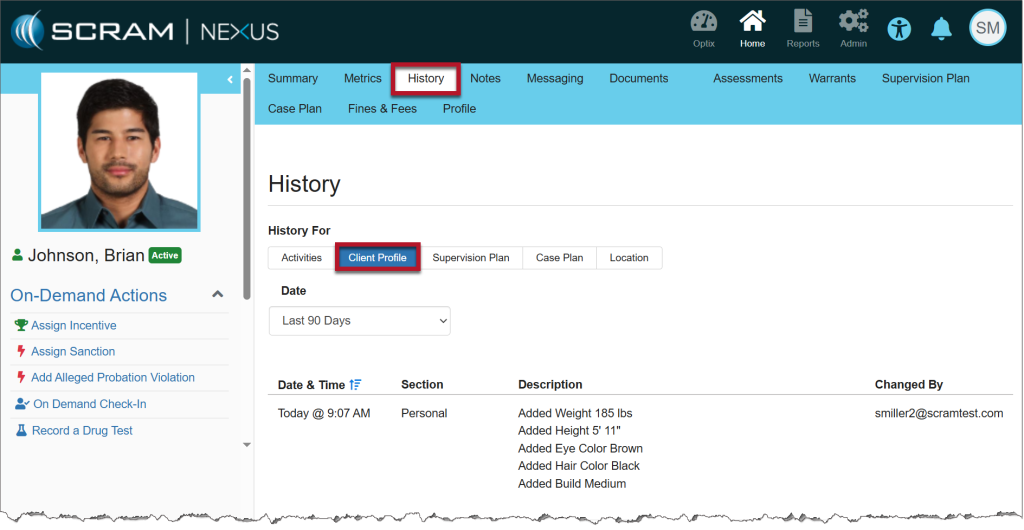
All updates made to the client’s profile may be viewed on their History page, Client Profile sub-tab.