On December 19, 2024, SCRAM Systems released an enhancement for your Nexus caseload. This enhancement will allow you to schedule randomized drug tests for your client.
 | The service for the randomized scheduling of drug tests must be enabled for your account before you may utilize it. For more information, contact your SCRAM Systems Account Representative. |
Once enabled, you may select the Random schedule option when adding a Drug Test Activity to your client’s supervision plan.
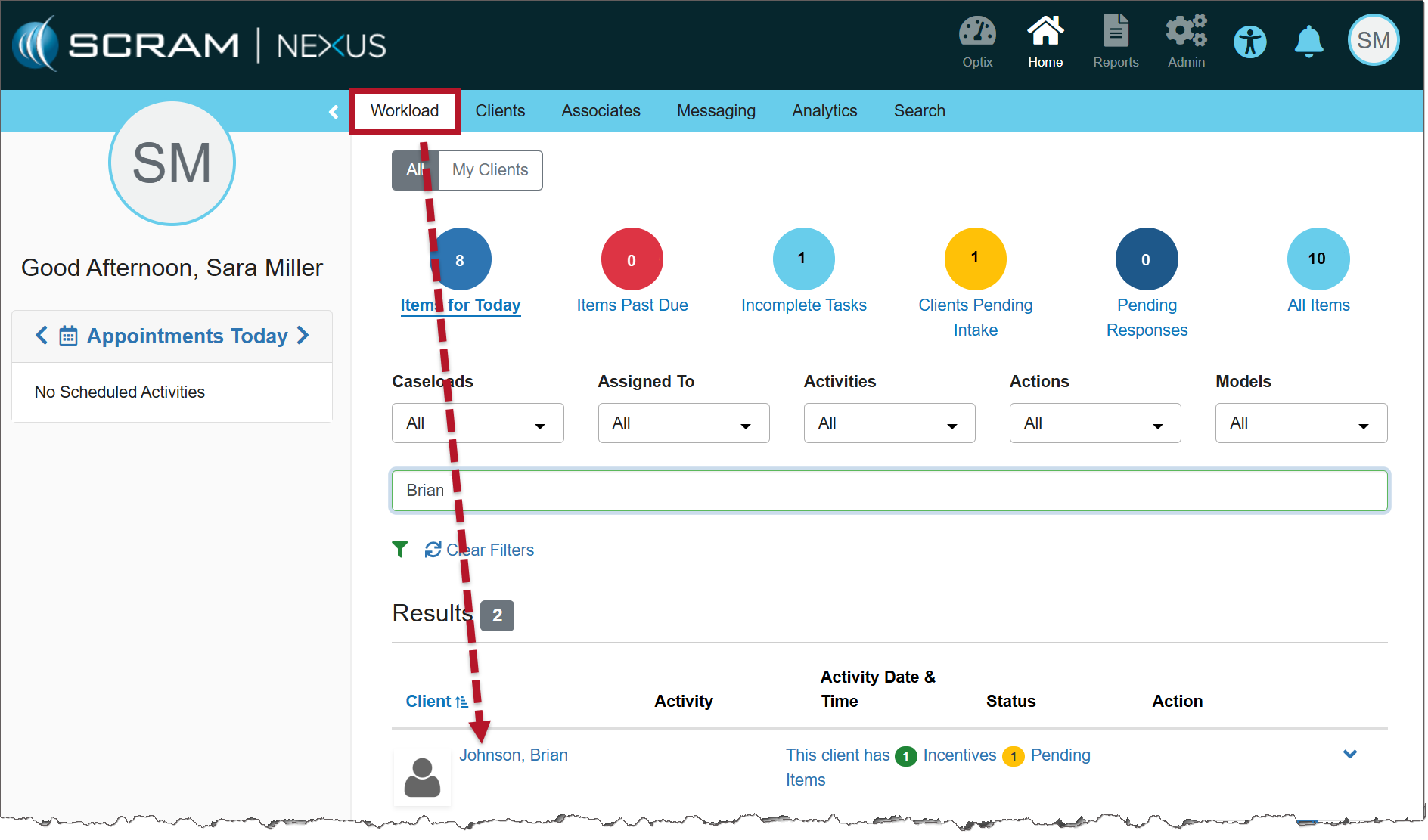
From the Nexus Workload page, select the client’s name hyperlink.
On the client’s Summary page, select the Supervision Plan tab.
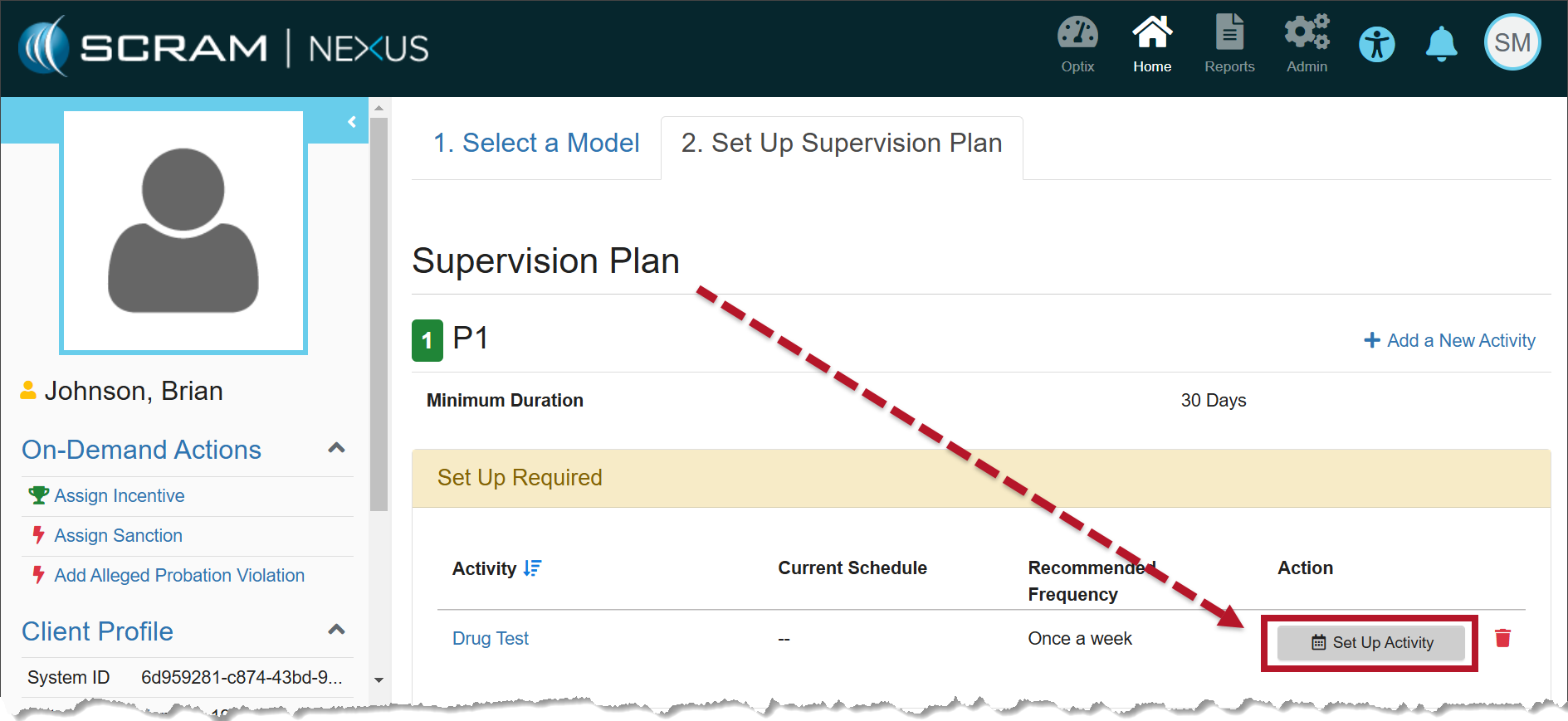
In the Supervision Plan section, select the Set Up Activity button.
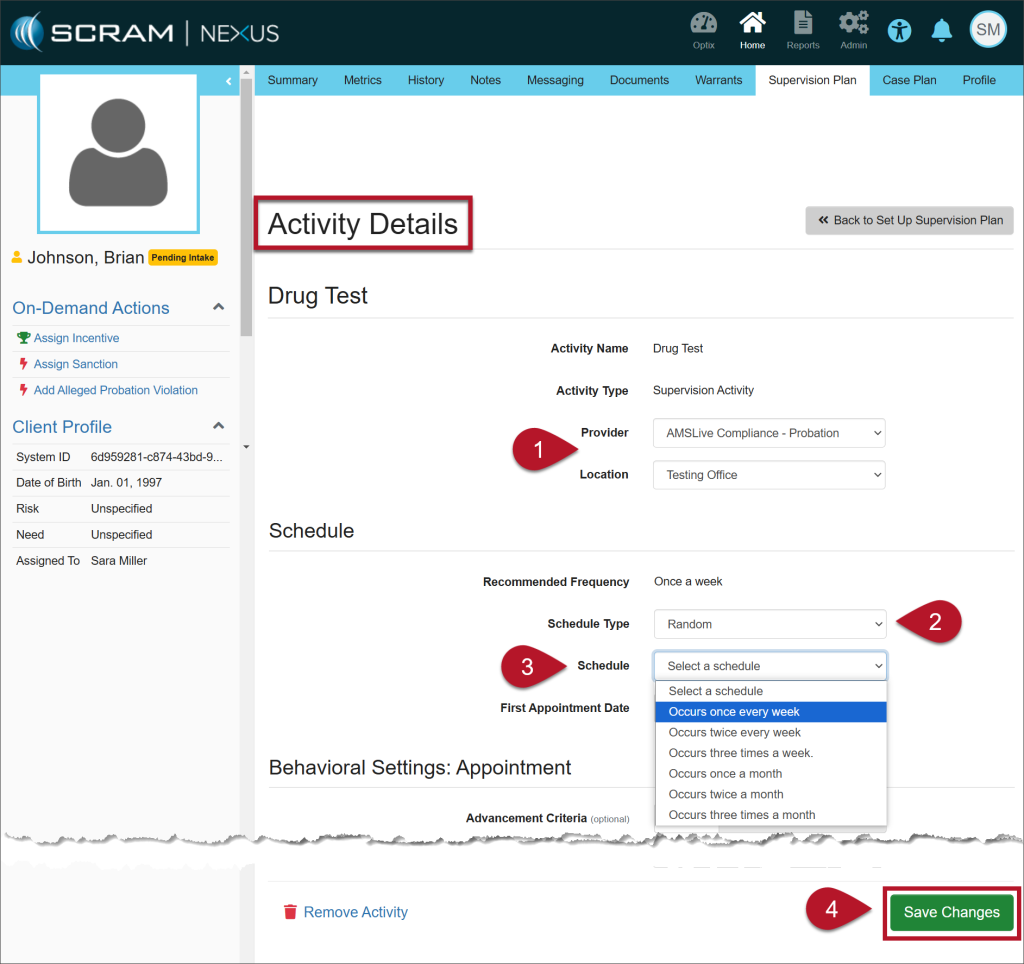
On the Activity Details page, enter the details for the Drug Test Activity:
- Select the Provider and the Location from the dropdown menus.
- On the Schedule Type dropdown menu, select the option of Random.
- Once selected, the Specific Time field is no longer editable.
- The Recommended Frequency is based on the model for the client, but you may choose from the other options in the Schedule dropdown.
- Select the Save Changes button.
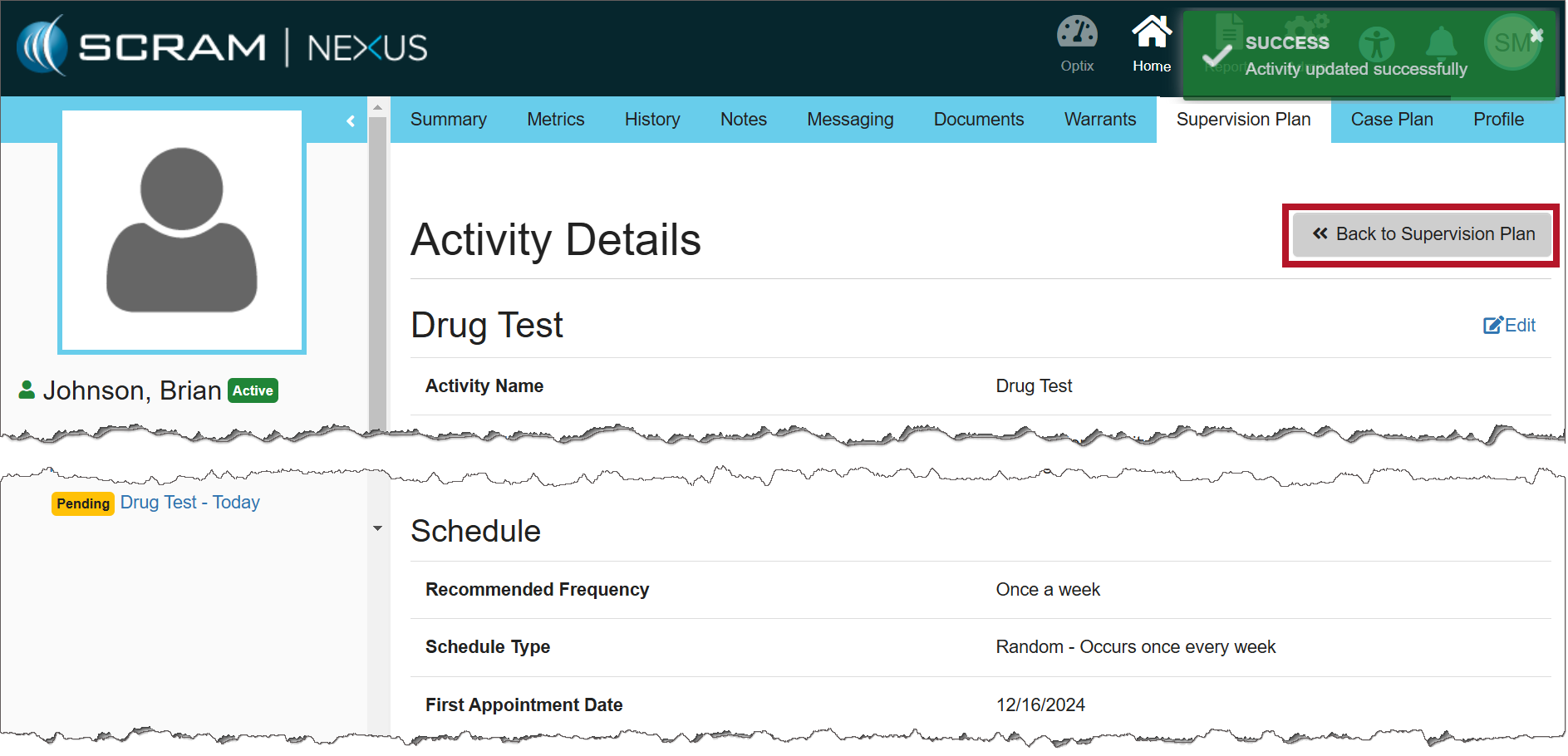
Once saved, a green success banner will display on the page. You may view the details for the Drug Test Activity in the Activity Details section.
To return to the Supervision Plan page, select the >>Back to Supervision Plan button.
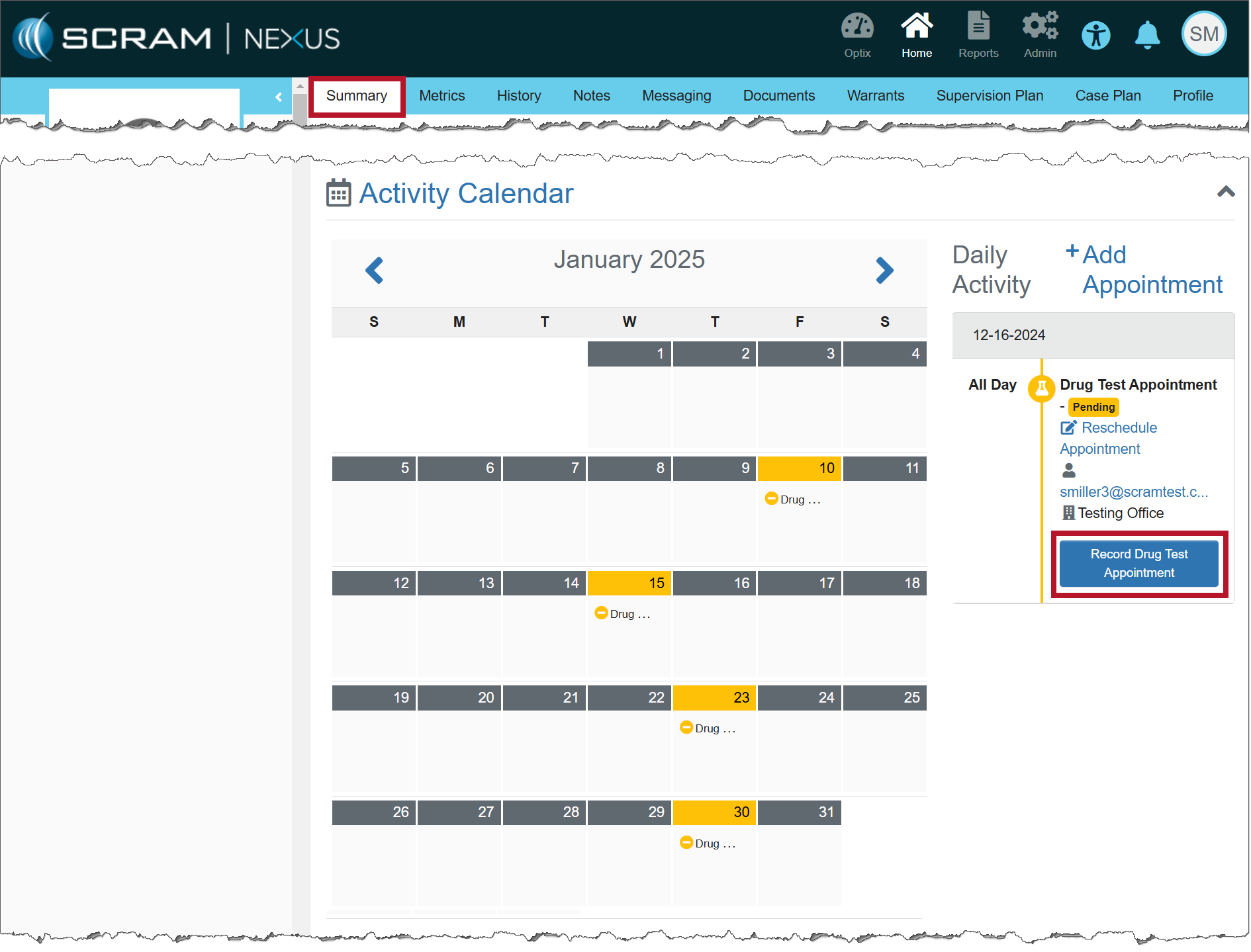
The calendar on the client’s Summary page will display the drug tests interspersed randomly based on the frequency entered.
| Important Notes:
|
Entering the Results of the Drug Test
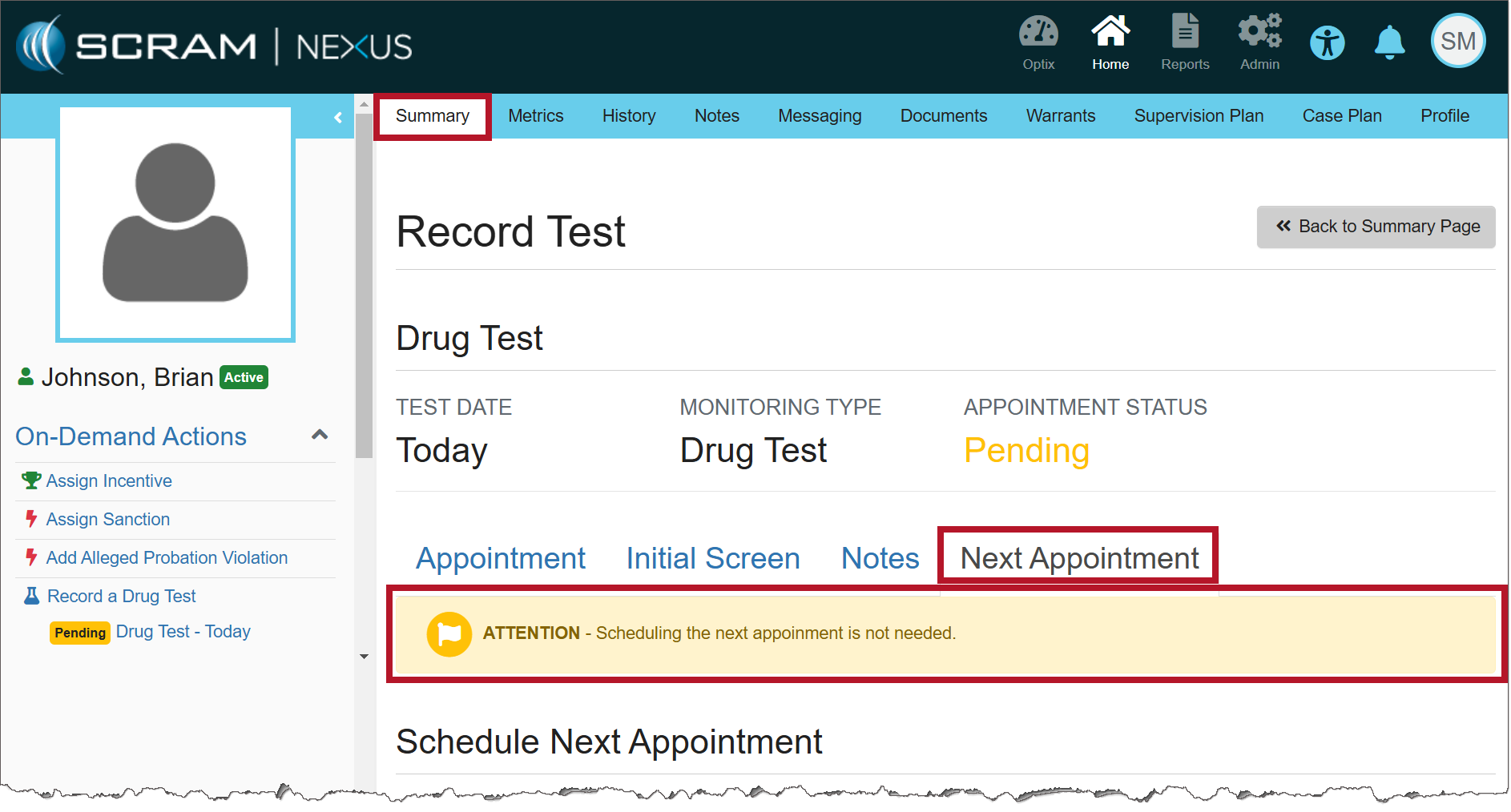
When recording the results of the Drug Test Appointment, there is no need to schedule the client’s next appointment because the random schedule has already been established.