SCRAM 24/7 Activity Fee Enhancement

SCRAM 24/7

SCRAM 24/7 Activity Fee Enhancement

On June 27, 2024, SCRAM Systems will release an enhancement that allows you to adjust and waive individual fees during the client Activity setup and on their Fee Amounts page.   

Tips
  • If you don’t see the enhancement in SCRAM 24/7, please clear your cache and cookies and refresh your browser window.
  • An administrator for your program manages the Activity’s fees and determines whether or not the fee may be adjusted or waived.

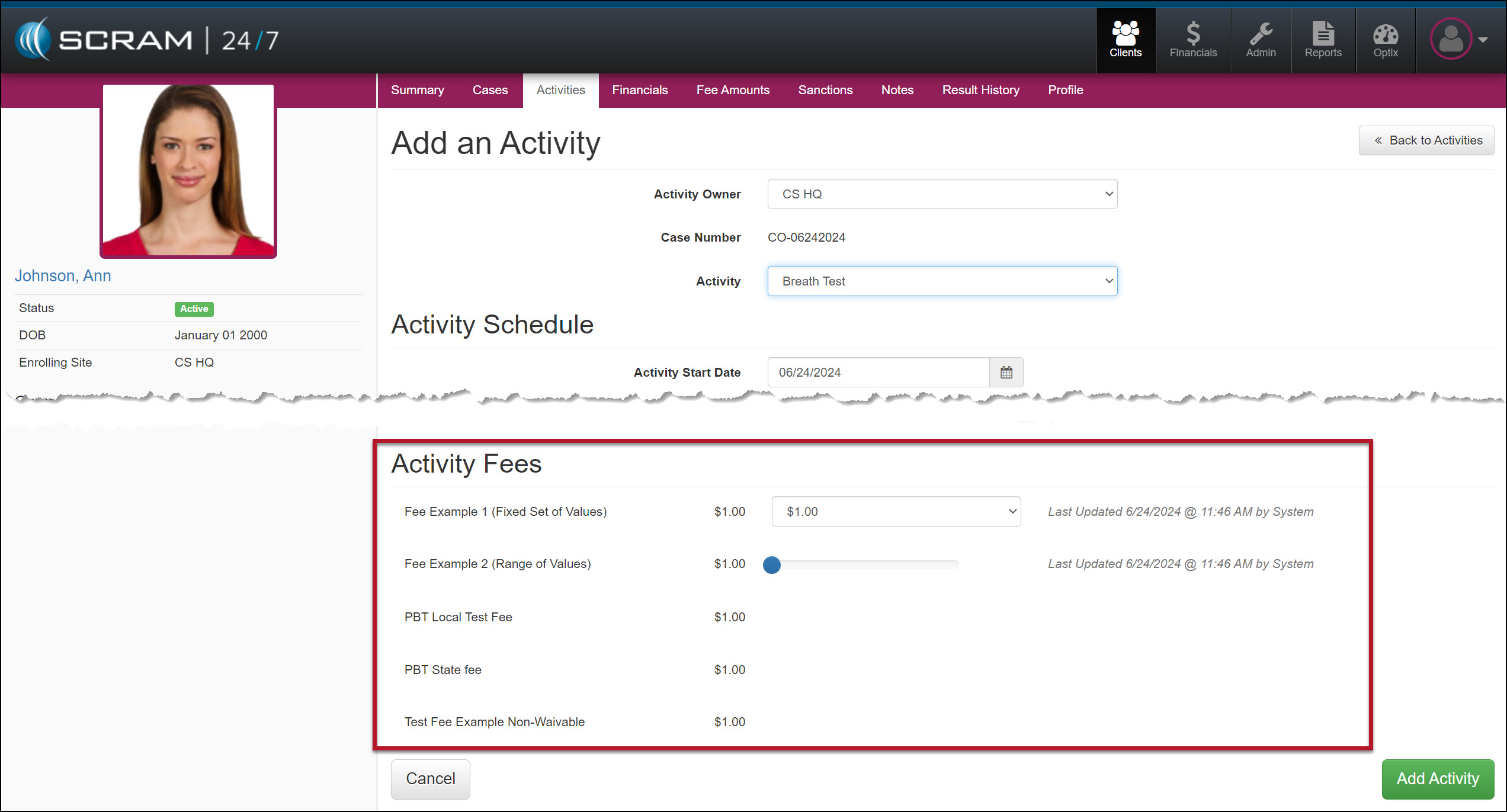
Current Add an Activity Page

Activity Fee Section – click to enlarge

Enhanced Add an Activity Page

The Activity Fee section has a new “Options” column that allows you to Edit or Waive Activity fees for the client during enrollment.
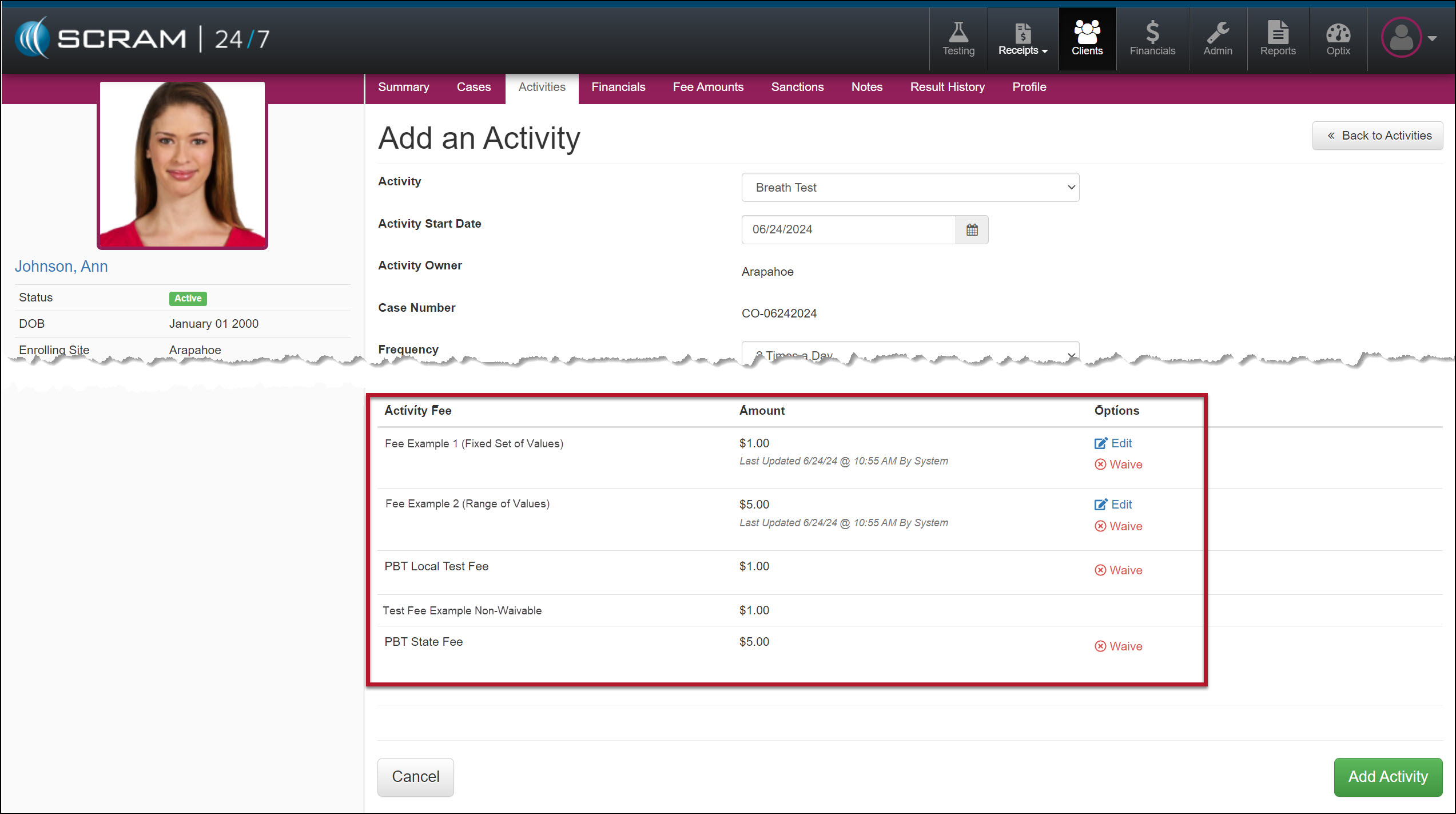
Edit and Waive Activity Fees – click to enlarge
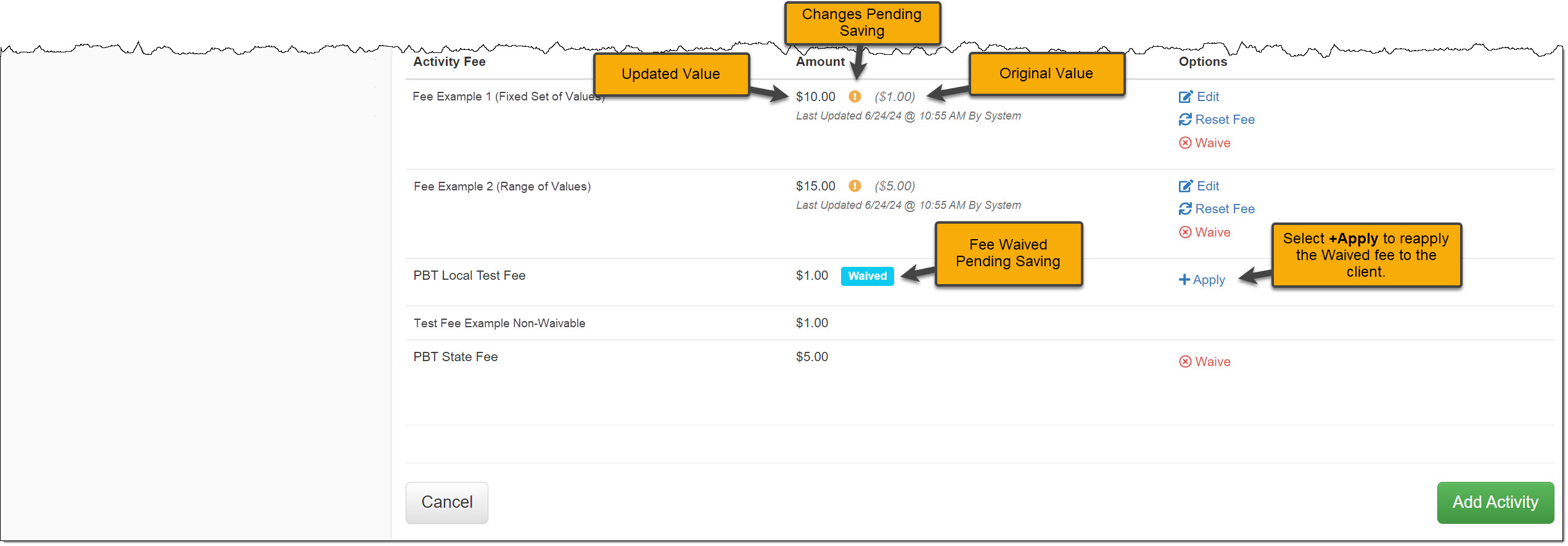
Activity Fees Updated Pending Adding the Activity – click to enlarge
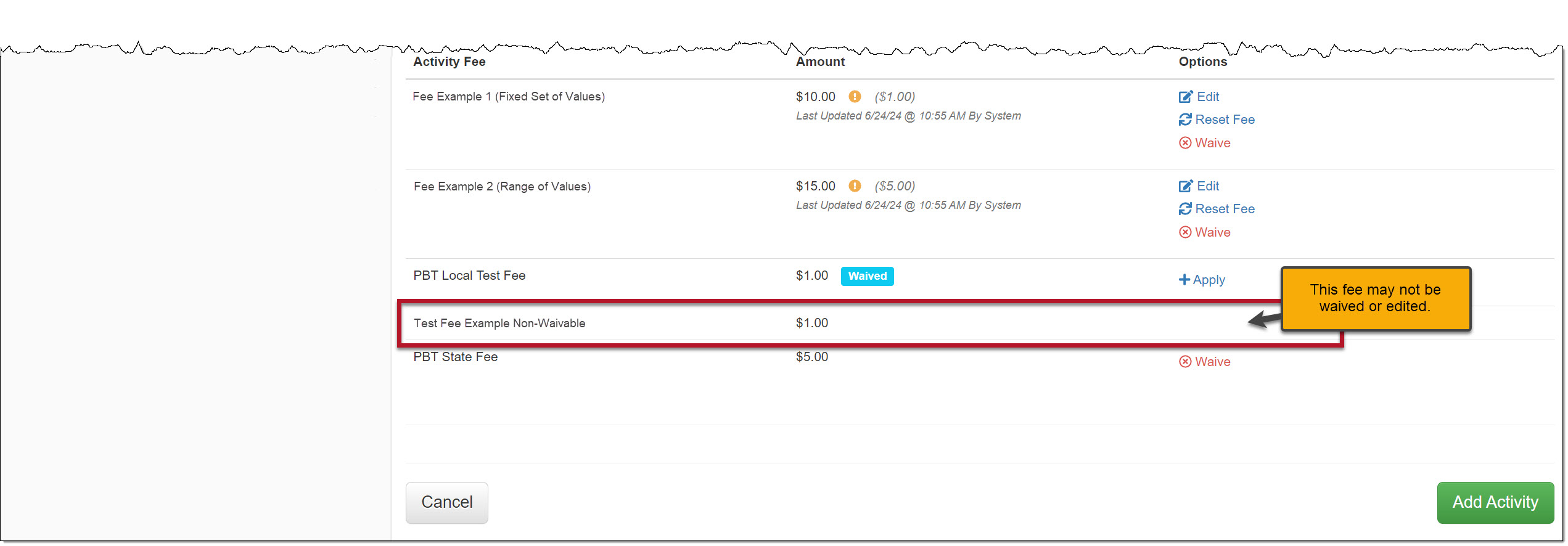
An Example of an Activity Fee that Cannot be Edited or Waived During Enrollment – click to enlarge

After adjusting any Activity Fee, select the Add Activity button to save the changes.
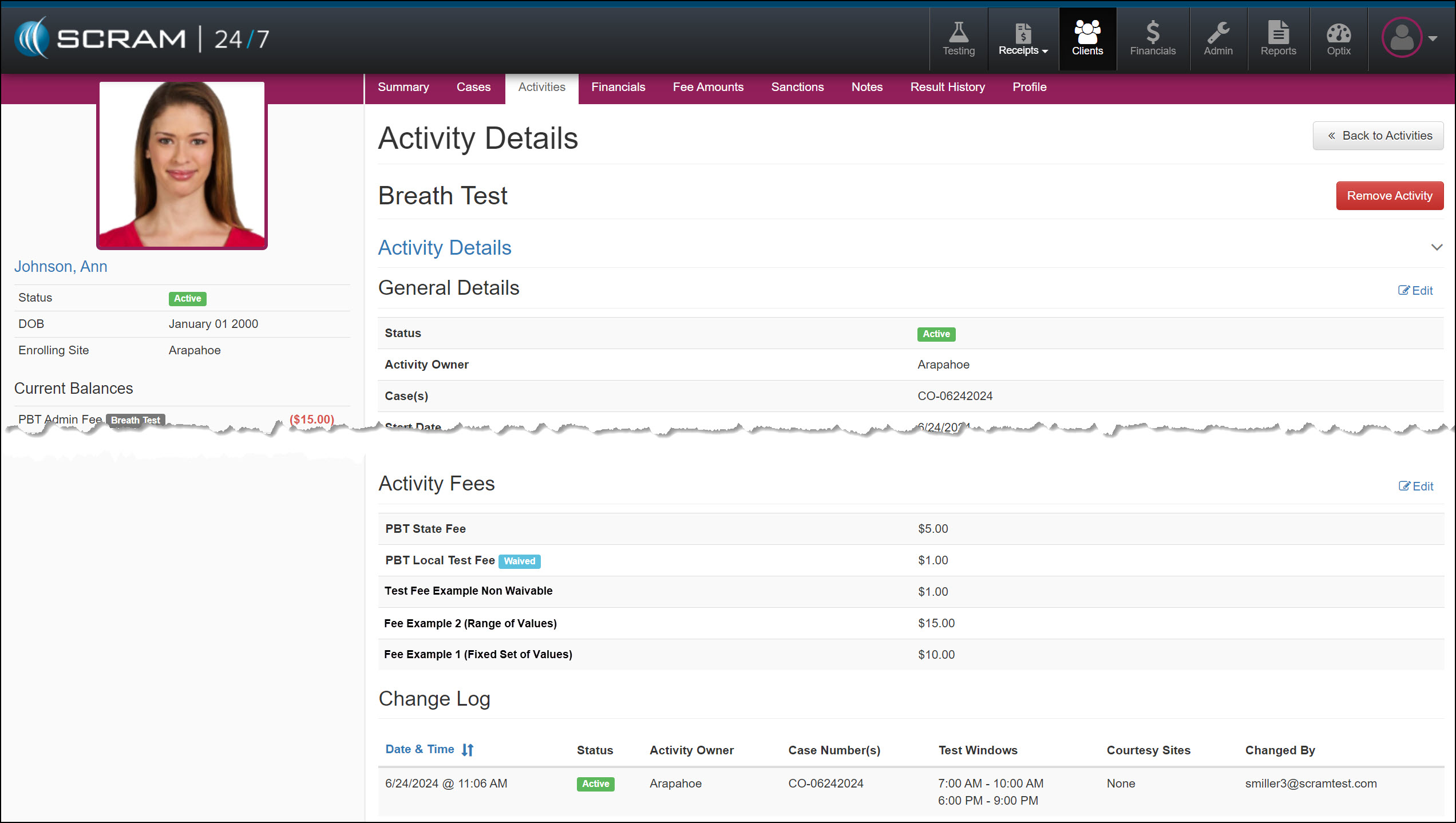
Saved Activity Details page – click to enlarge

During the monitoring program, you may also adjust the Activity fees from the client’s Fee Amounts page.
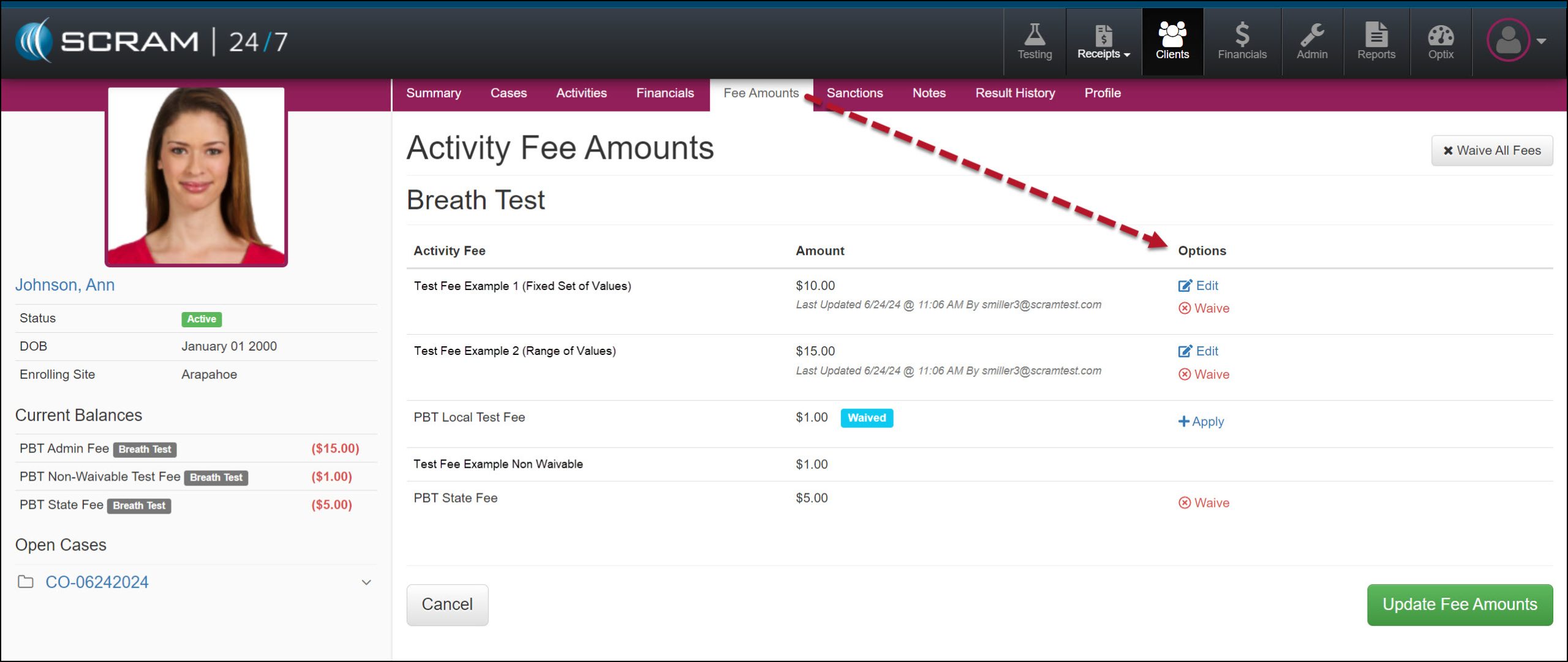
Fee Amounts page – click to enlarge