On July 16, 2025, SCRAM Systems® will release an enhancement for your Remote Breath Pro client Caseload. With this release, you may suspend your client’s monitoring and billing without using the Stop Monitoring process and unenrolling the device.
While a client is on your program, there may be a scenario where you need to suspend their monitoring temporarily. This enhancement allows you to set a suspension start and end date to temporarily stop monitoring and billing for a client for up to 30 days.
To suspend a client’s monitoring,
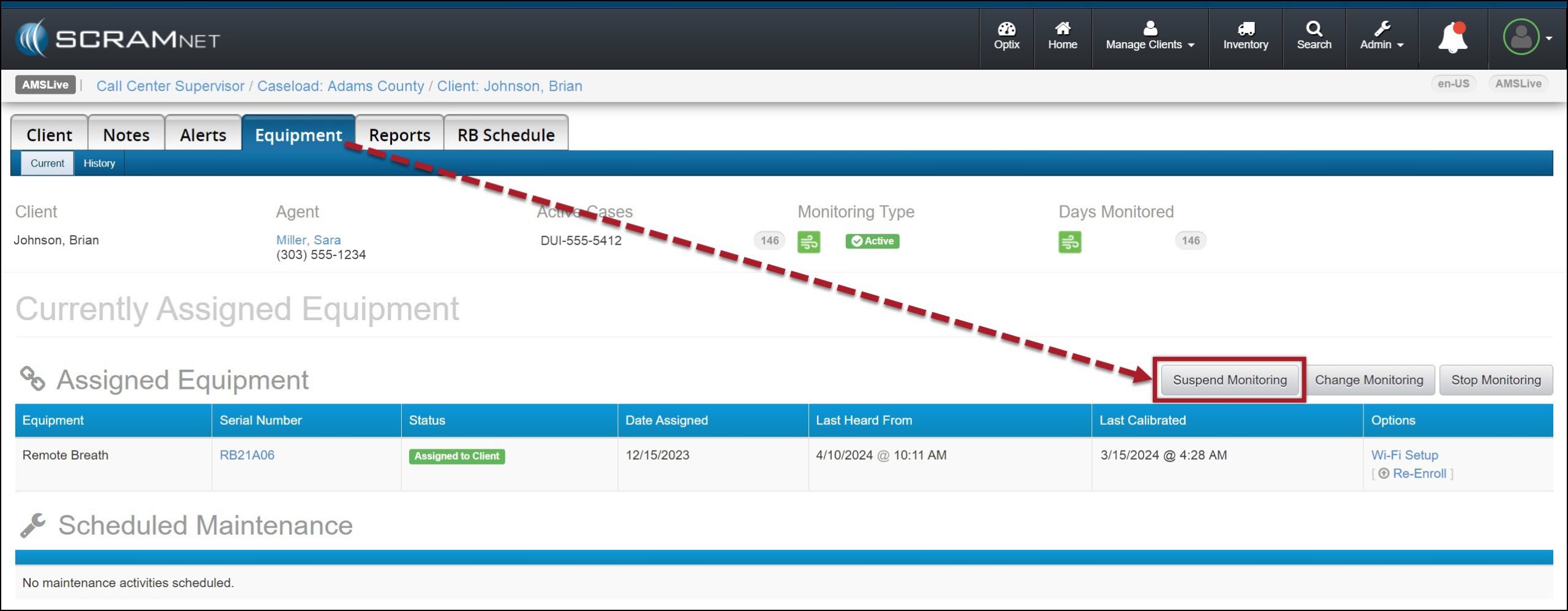
- Navigate to the client’s Equipment page and select the Suspend Monitoring button.
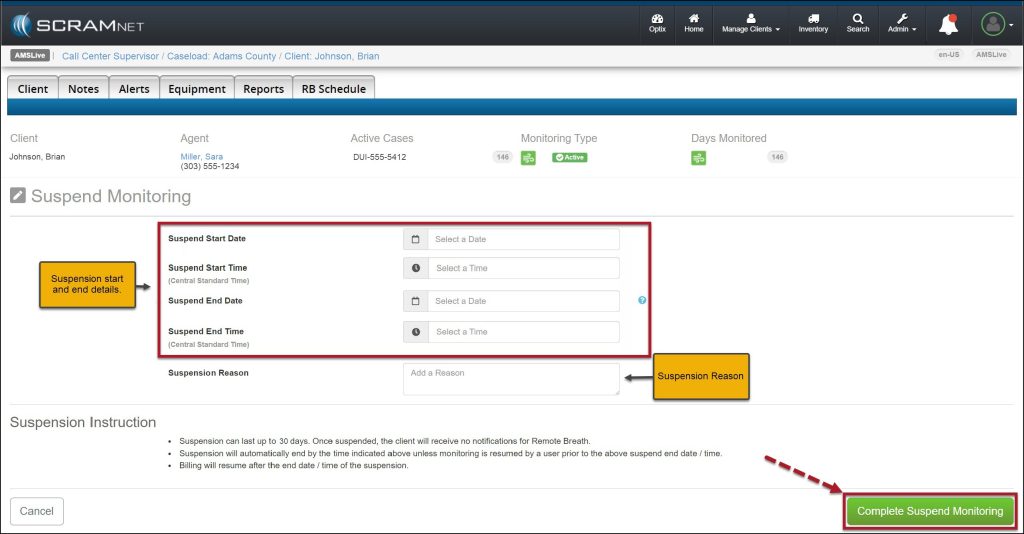
- On the Suspend Monitoring page, enter the start and end date and time, and the Suspension Reason.
- When selecting the start date, you may enter the current date or schedule the suspension of monitoring for a future date.
- Select the Complete Suspend Monitoring button.
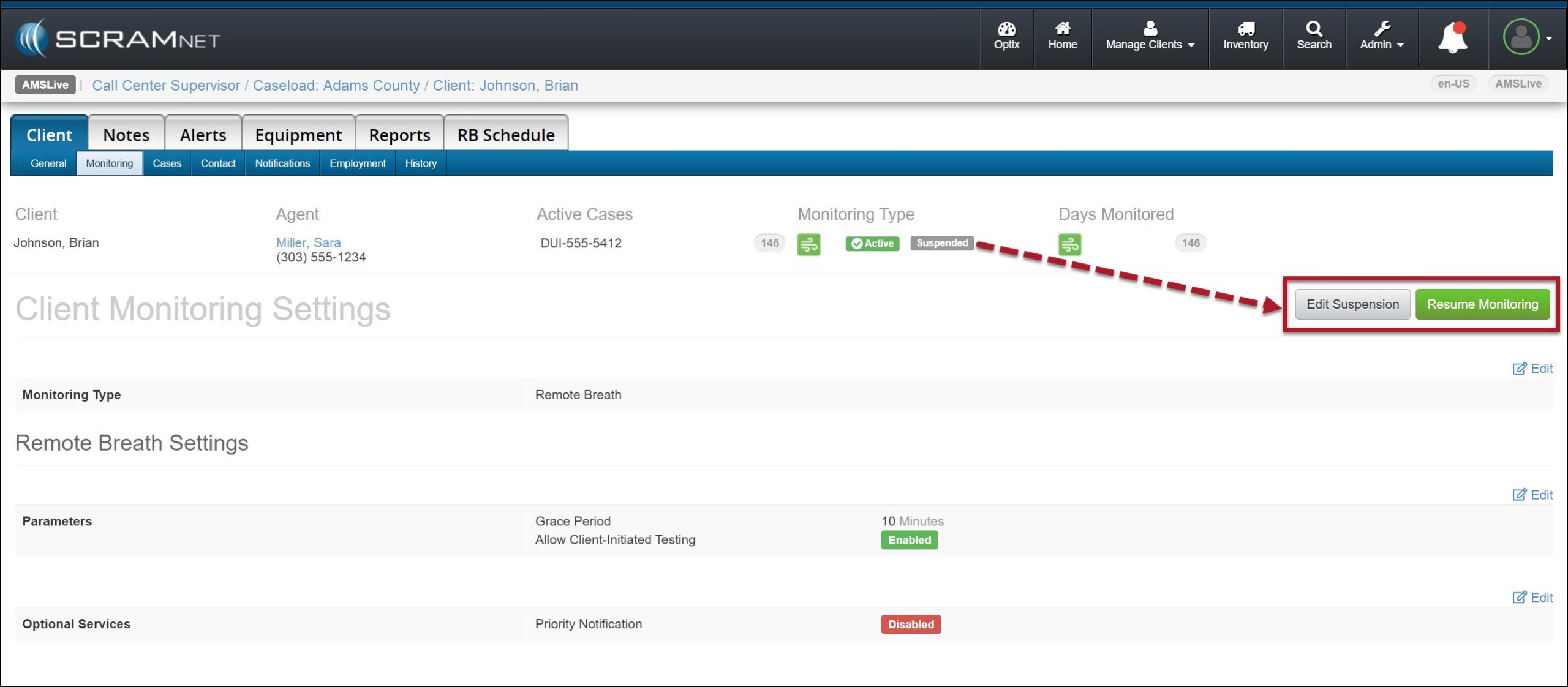
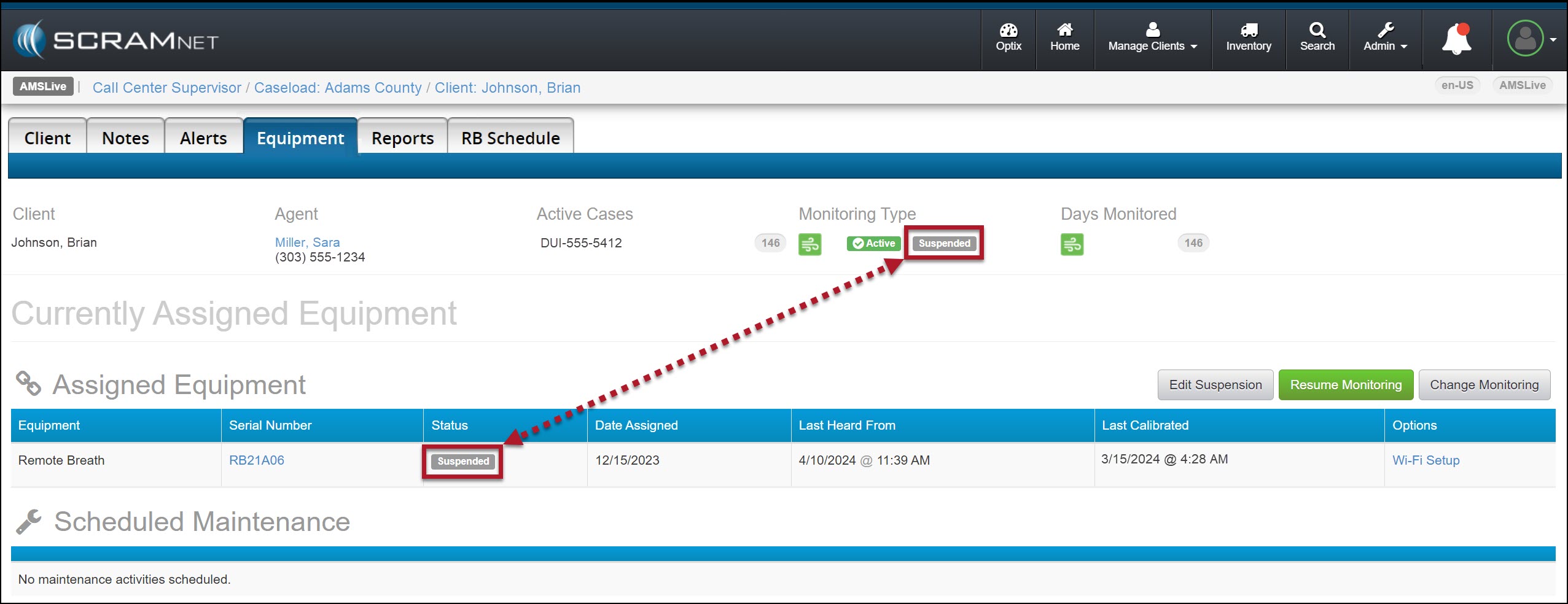
Once the suspension period has begun, the Monitoring Type banner and the Status column will display a status of “Suspended.”
 | During the suspension period:
|
Once the suspension period has ended, monitoring and billing will resume, “On Demand” and “Client-Initiated” tests are available, and the status will reflect active monitoring.
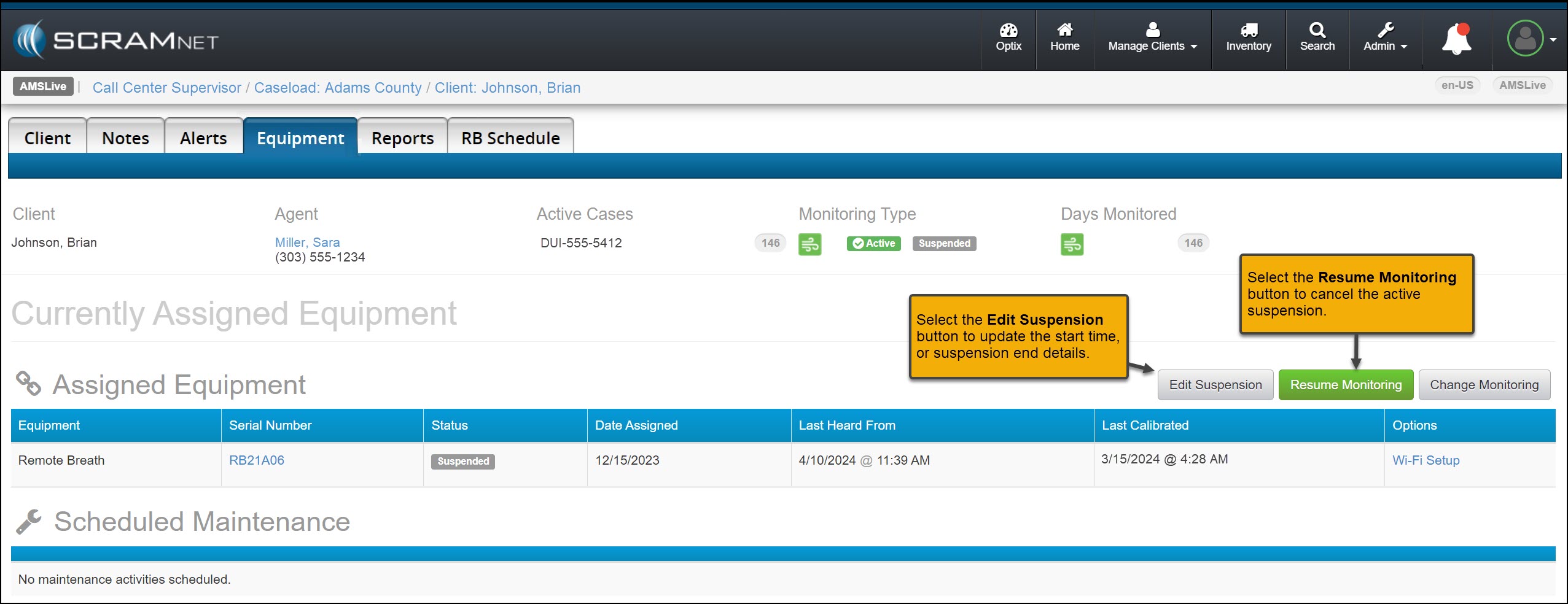
You may select the Resume Monitoring button to end the current suspension or the Edit Suspension button to update the suspension details.
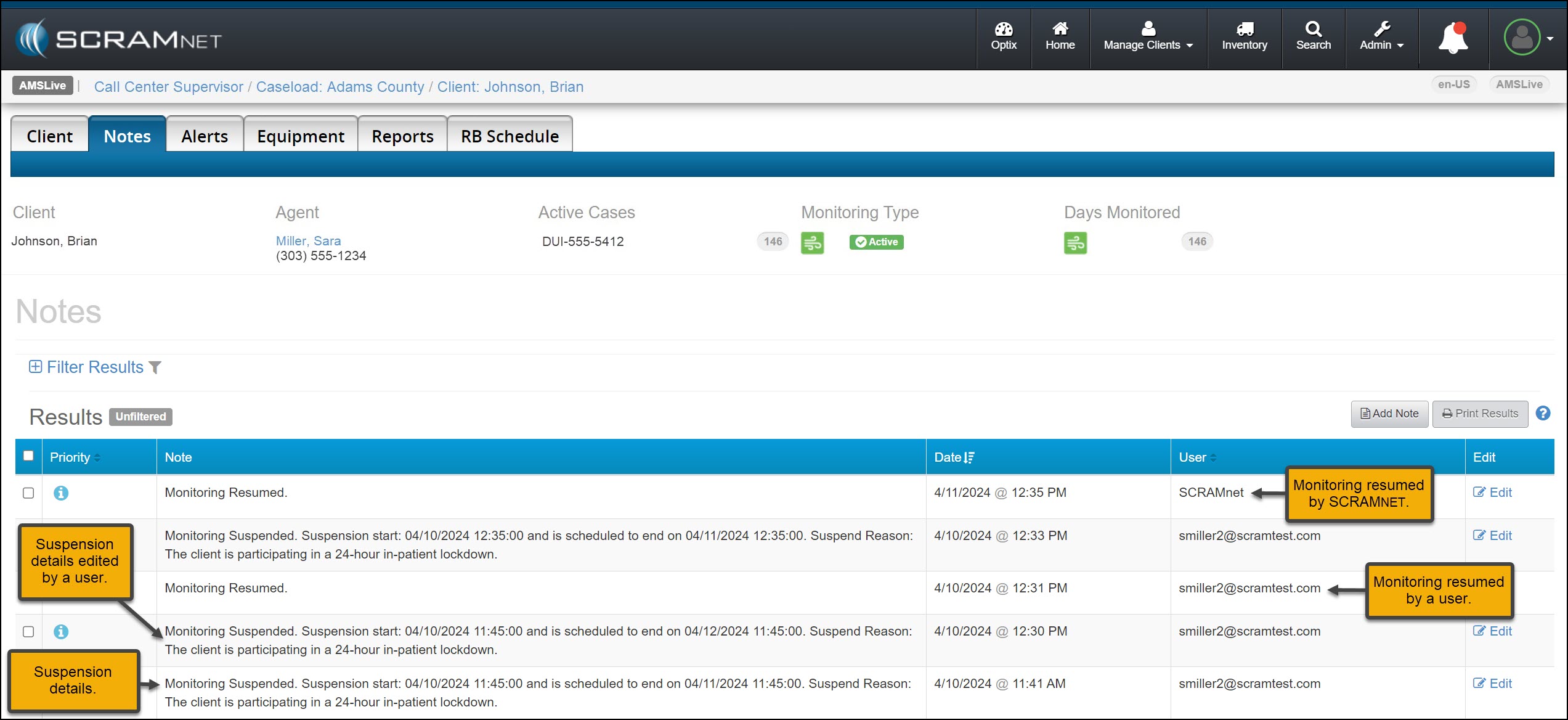
A history of the suspension details may be viewed on the client’s Notes page.
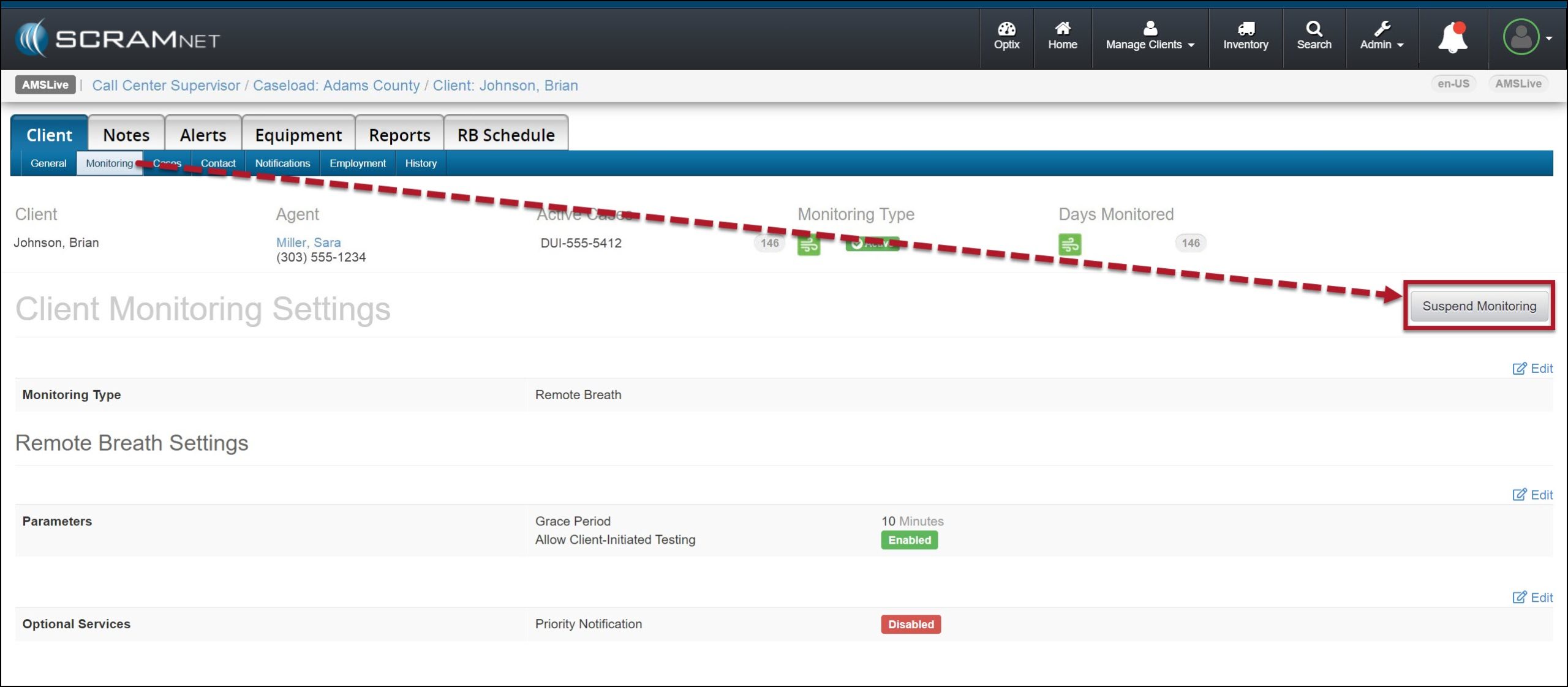
You may also suspend a client’s monitoring or edit and resume monitoring from their Monitoring sub-tab.