On December 19, 2023, SCRAM Systems® will release an enhancement to the SCRAM 24/7 Mass Payment and Mass Update Receipts options. This enhancement will allow you to print a single receipt or all client payment receipts from the new Receipts dropdown menu.
Print Receipts During Mass Payment
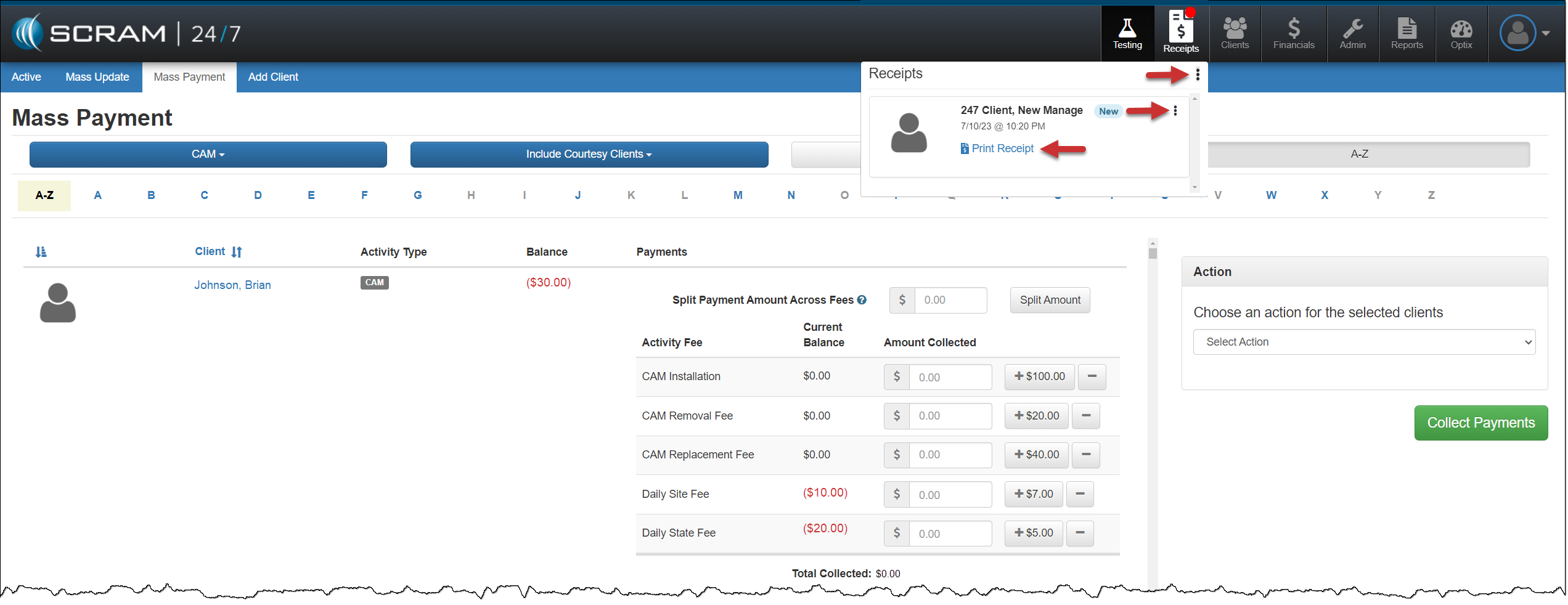
When you select the Collect Payments & Print Receipt option during Mass Payment processing, you may access the receipts by selecting the Receipts button.
On the Receipts dropdown:
- Select the Receipts dropdown ellipsis to print or clear all receipts from the dropdown.
- Select the Print Receipt hyperlink under each client’s name to print receipts one at a time.
- Select the ellipsis next to the client’s name to clear the receipt from the dropdown.
A transaction record may be viewed in the “Transaction History” section of the individual client’s Financials tab.
Mass Update
A new filter on the Mass Update page allows you to include or exclude client payment and receipt options for the clients displayed.
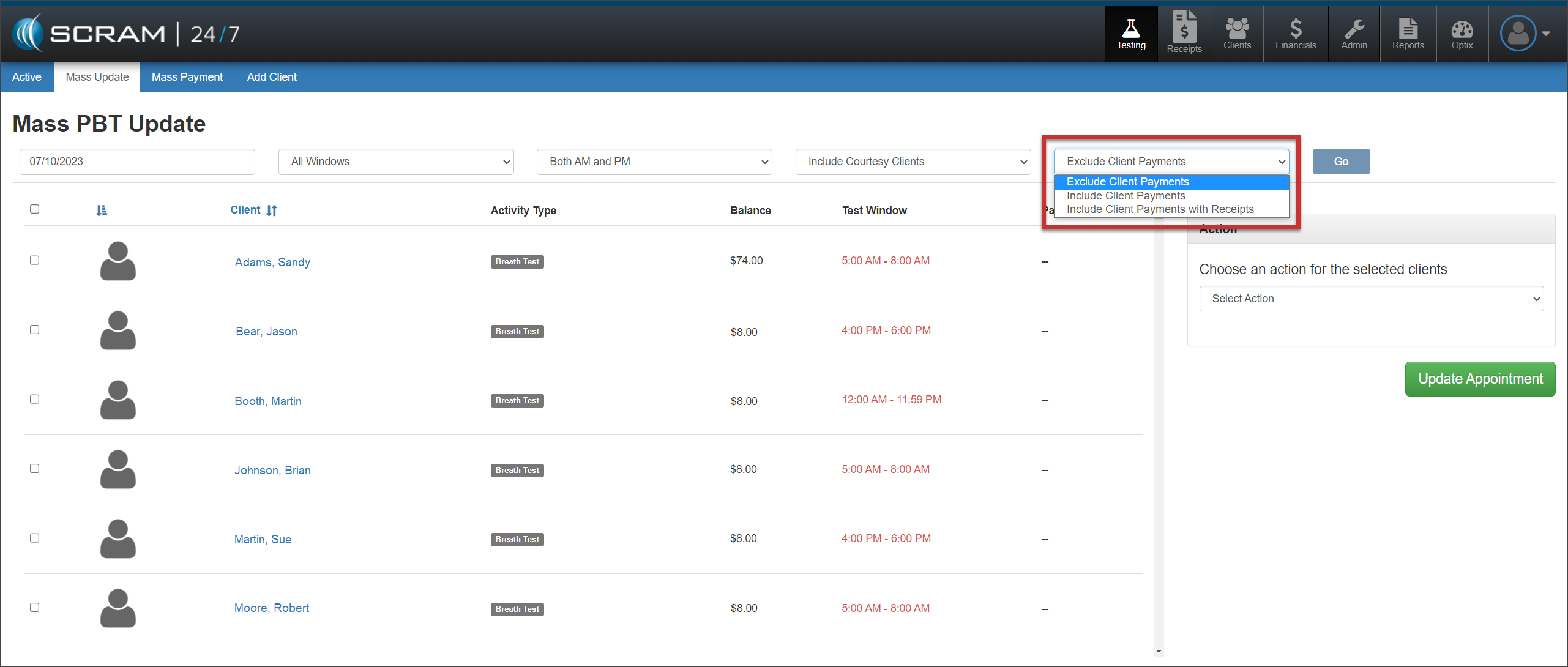
When Include Client Payments or Include Client Payments with Receipts is chosen, select each client for which you wish to record appointment attendance, and then enter the payment for the activity fee (if collected).
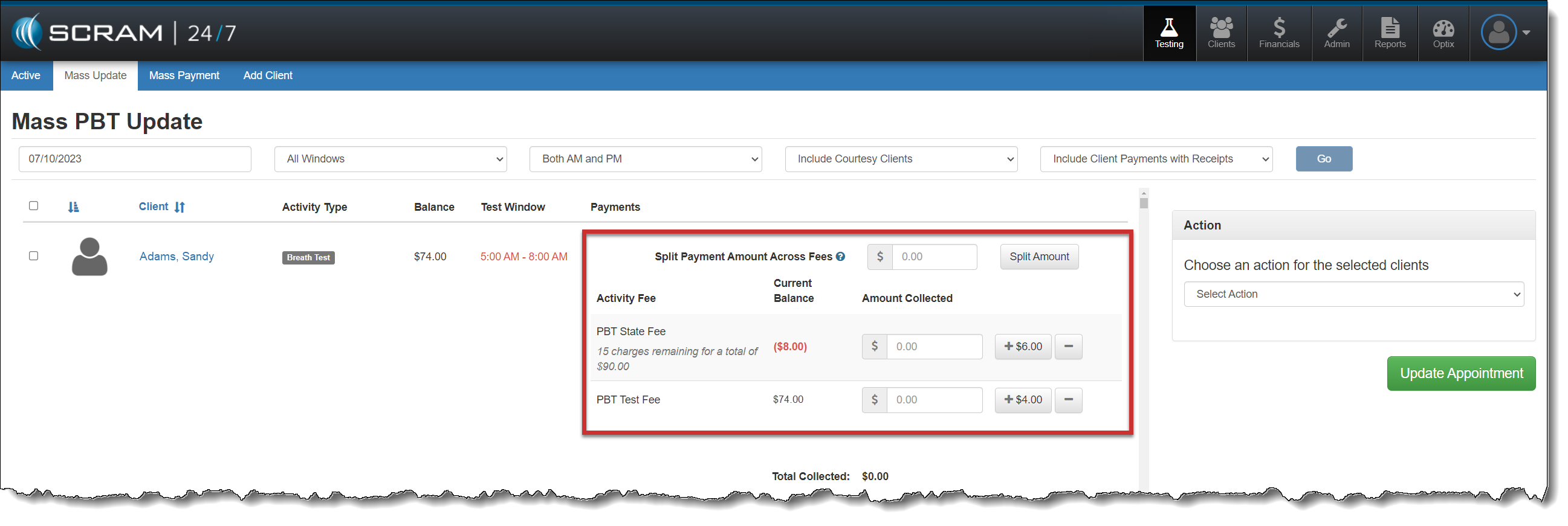
After recording the payments for each selected client, choose the appropriate action of either Passed or Excused for the mass update.
Once the page reloads, if the option of Include client Payments with Receipts was selected, the client receipts are available from the Receipt button.
 |
Some tips regarding these enhancements:
|