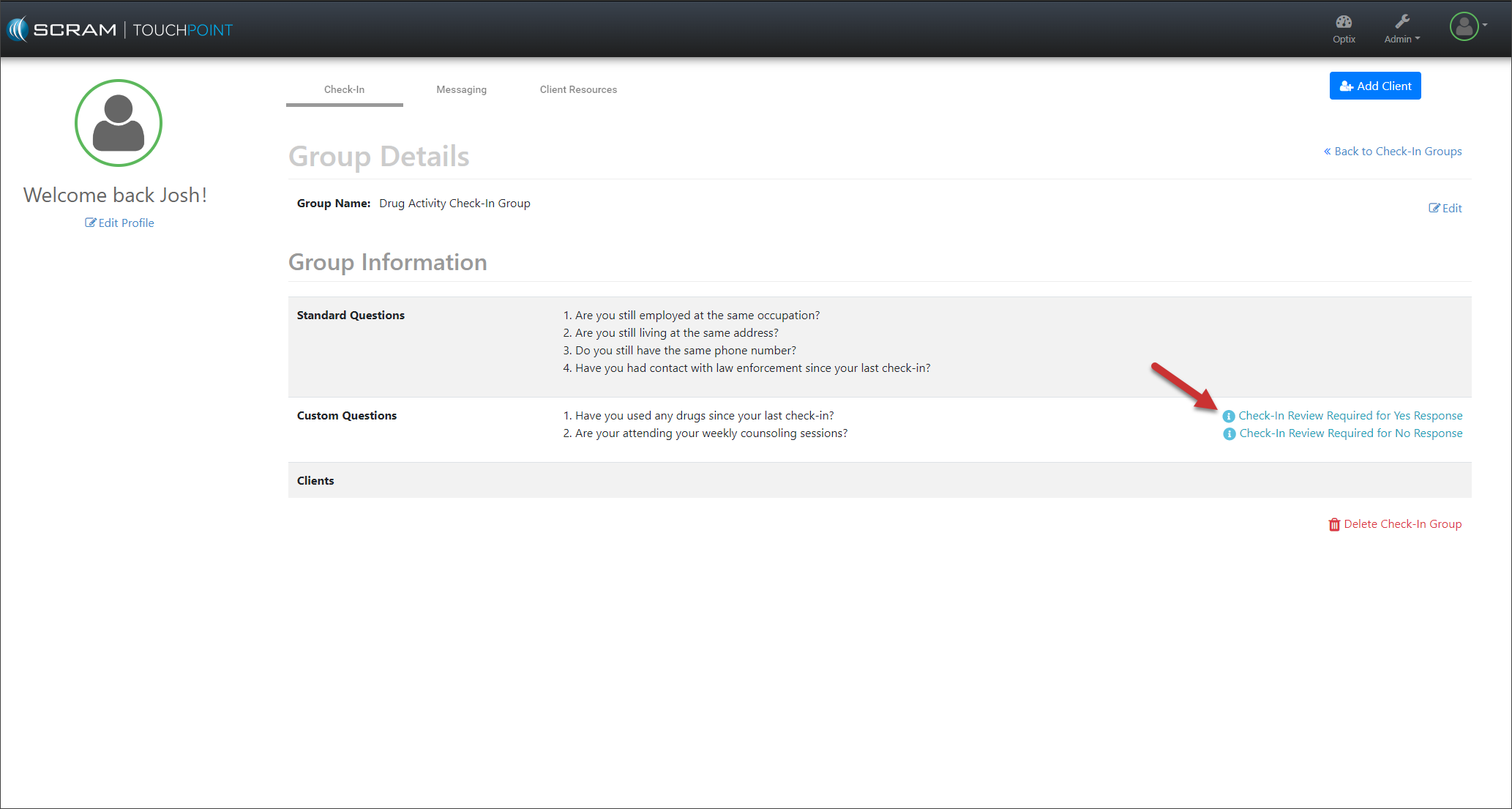
Tomorrow, May 11, 2023, SCRAM Systems will release a new workflow when creating custom questions for your SCRAM TouchPoint Client Check-In caseloads. With this enhancement, you may select whether a “Yes” or “No” answer will require additional information from the client and a review of the information by the supervising authority.
To configure your SCRAM TouchPoint Check-in Group’s custom question:
- Access the Manage TouchPoint Check-In page from SCRAM Optix.
- Select a current Group Name or the +Add a New Group hyperlink.
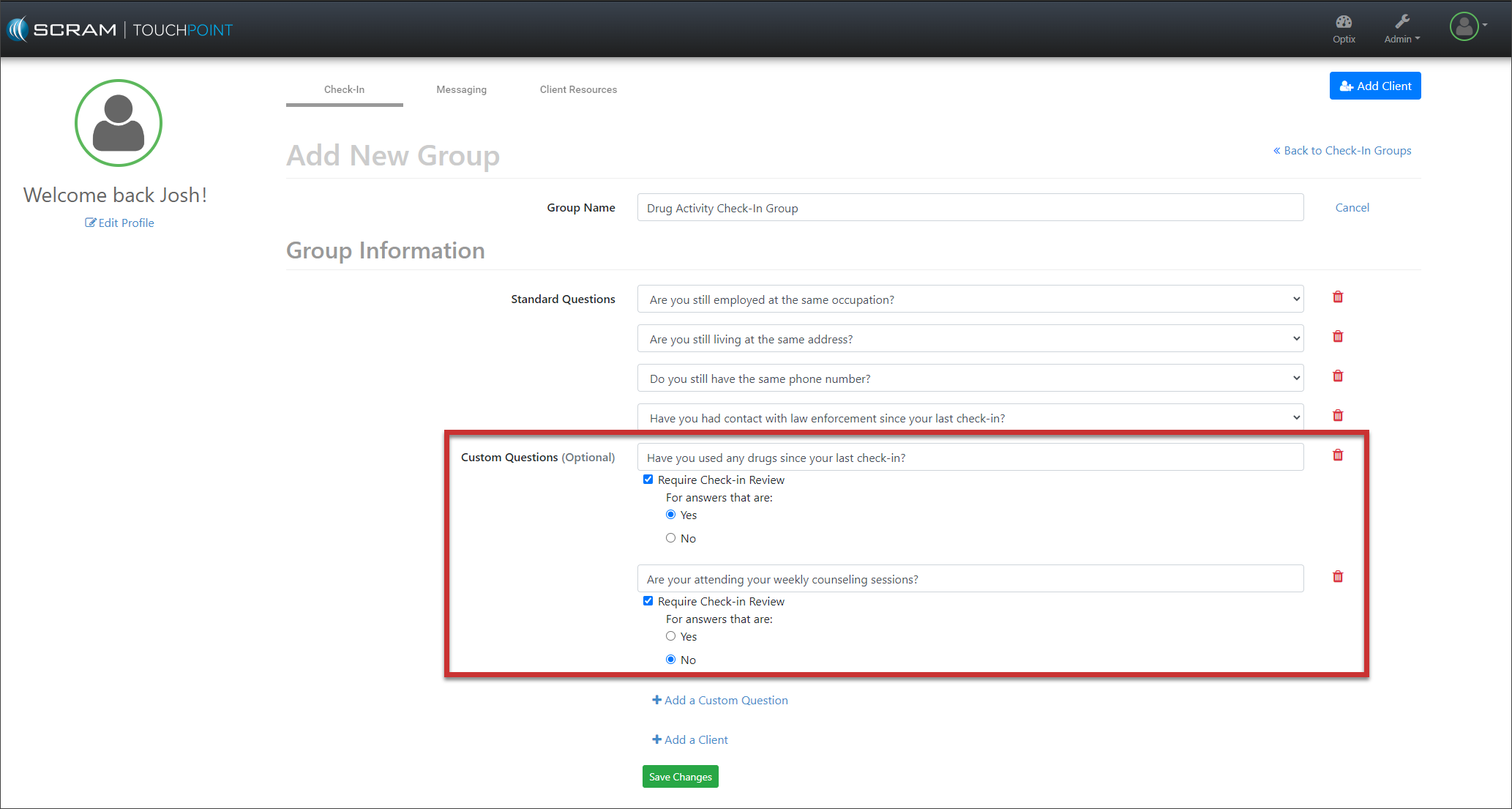
- Select the +Add a Custom Question hyperlink.
- Enter your custom question.
- Select the Require Check-In Review checkbox.
- Select the radio button next to either the Yes or No answer for the question. Depending on your selection, the “Yes” or “No” answer will require additional information from the client and a review of the information by the supervising authority.
- Add as many custom questions as required by selecting the +Add a Custom Question hyperlink.
- Select the +Add a Client hyperlink to add clients to this Check-In Group.
- Select the Save Changes button.