Starting this afternoon, February 15, 2023, SCRAM Systems will release two enhancements to SCRAM 24/7.
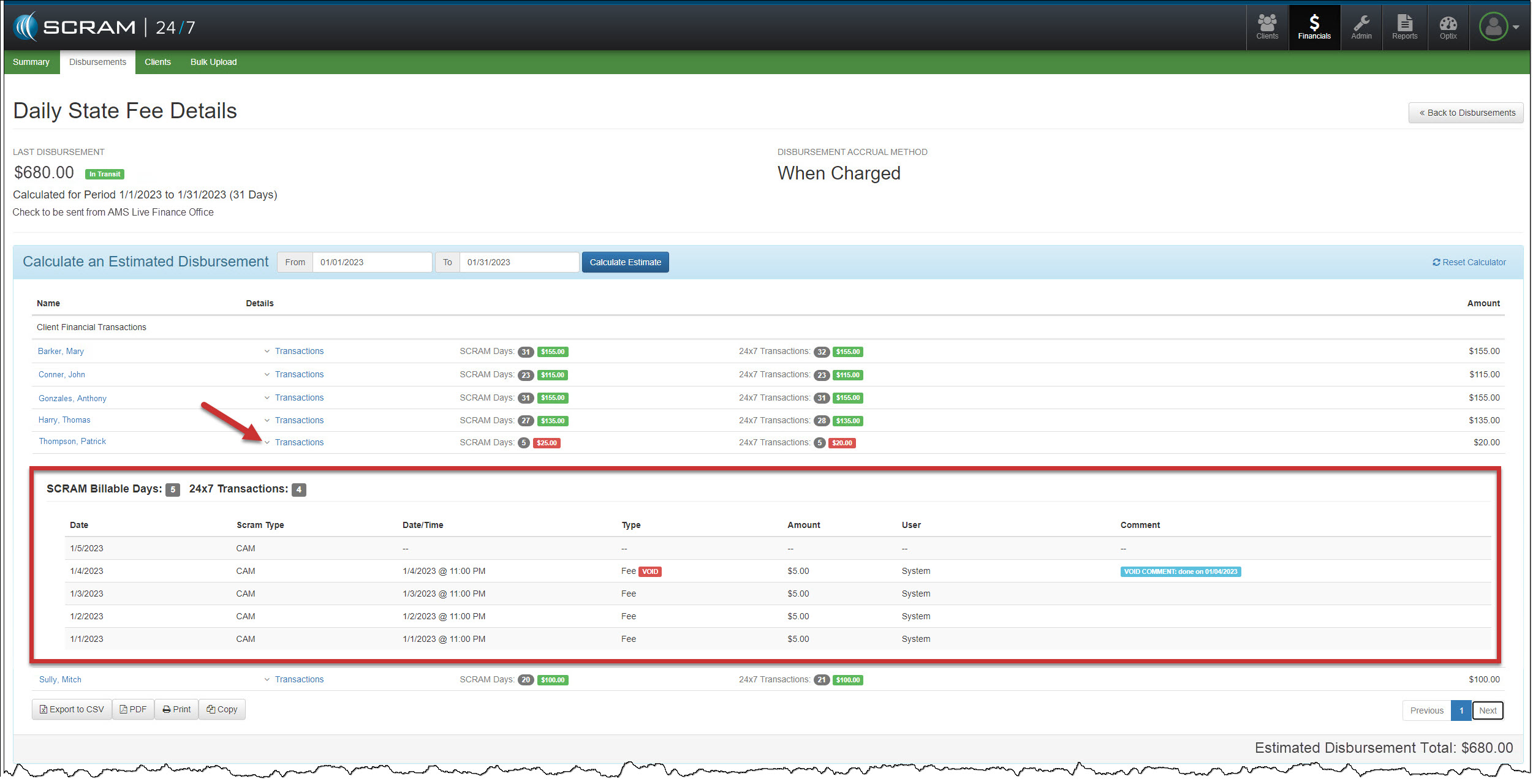
- Prior to this enhancement, when a disbursement discrepancy arose, you had to search through client transactions to pinpoint where the SCRAM Monitoring days and the SCRAM 24/7 collected fees may be off. With this update, you can quickly identify any discrepancy between the number of SCRAM Days billed for the client and the amount of money collected during the selected disbursement period.
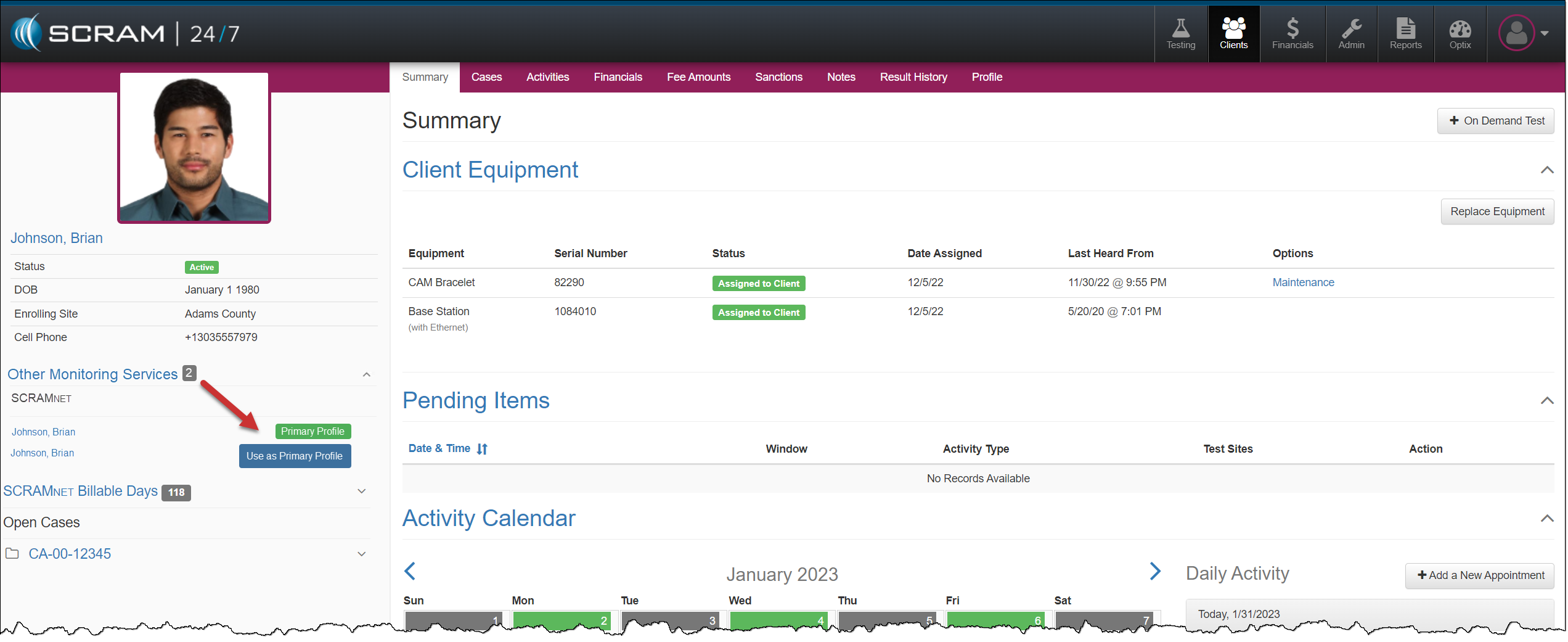
- When a SCRAM 24/7 client profile is linked to the wrong SCRAMNET client profile, you can update it to the correct primary profile from the client’s sidebar in SCRAM 24/7.
Disbursement Enhancement
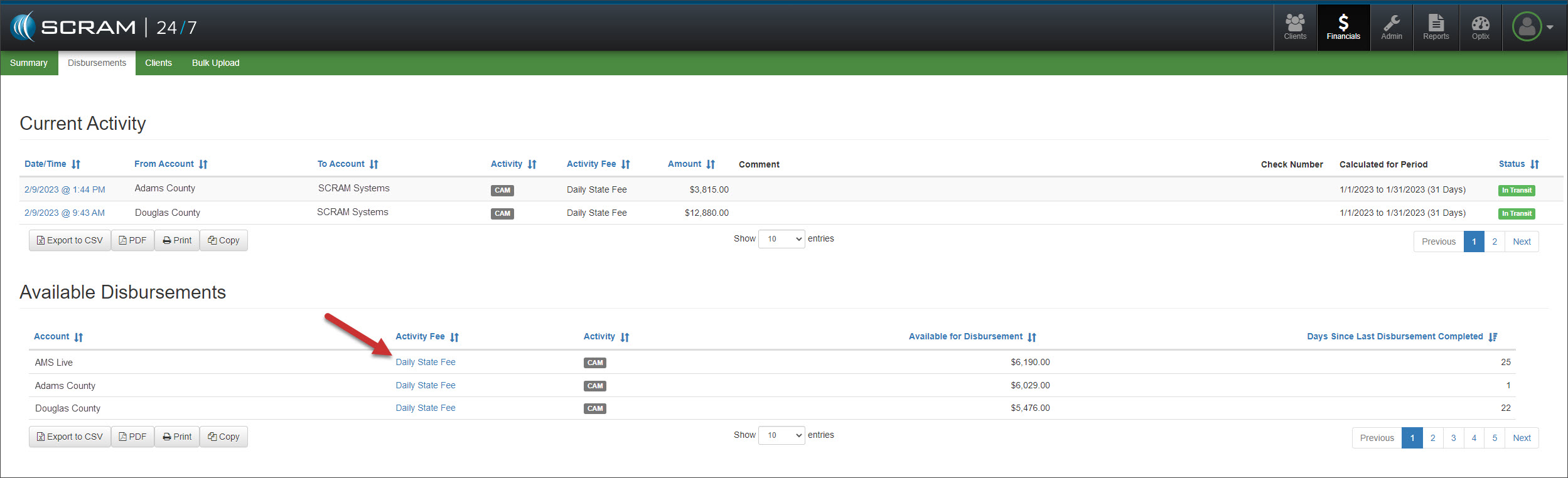
On the Disbursement page, select the Activity Fee hyperlink in the Available Disbursements section for the account you would like to view.
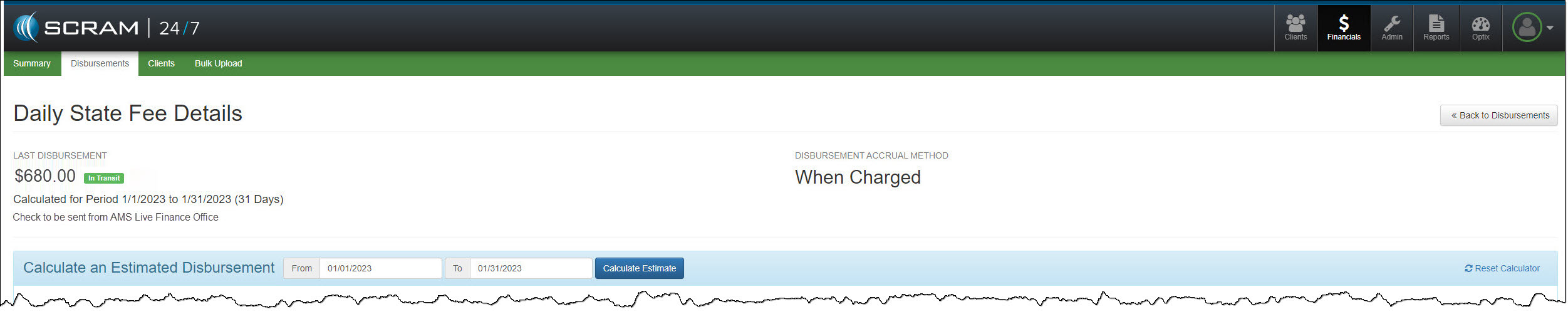
Select the disbursement timeframe and then select the Calculate Estimate button.
In the Client Financial Transactions section, view the SCRAM Days billed to the client and the 24/7 Transactions total fees collected for each client on your program during the reporting period. All amounts in red indicate a discrepancy.
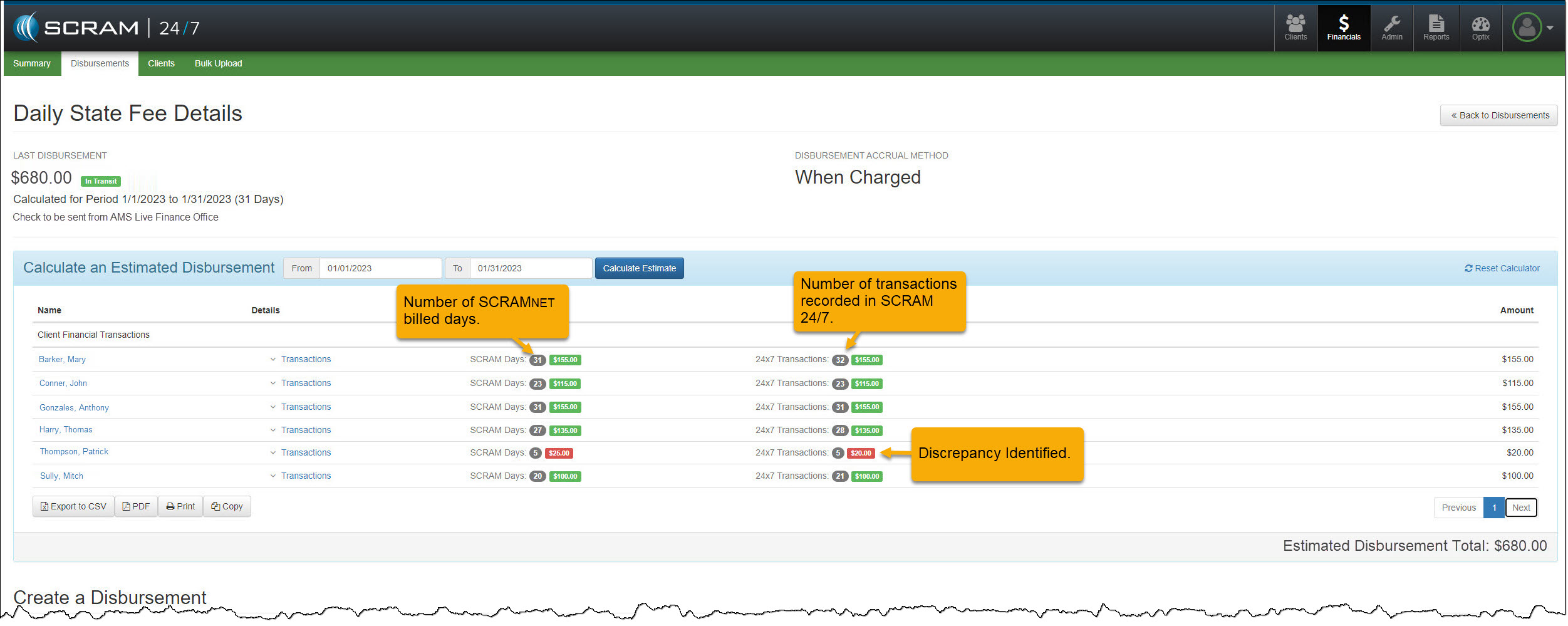
To view the transaction history for the client, open the Transactions section.
Client Profile Enhancement
Sometimes, when the client has multiple SCRAMNET profiles, the client’s SCRAM 24/7 profile can become linked to the wrong SCRAMNET profile. With this enhancement, you can update which SCRAMNET profile will be the client’s primary 24/7 profile.
On the client’s sidebar in SCRAM 24/7, expand the options located under Other Monitoring Services. Then, select the blue Use as Primary Profile button to change the current Primary profile.