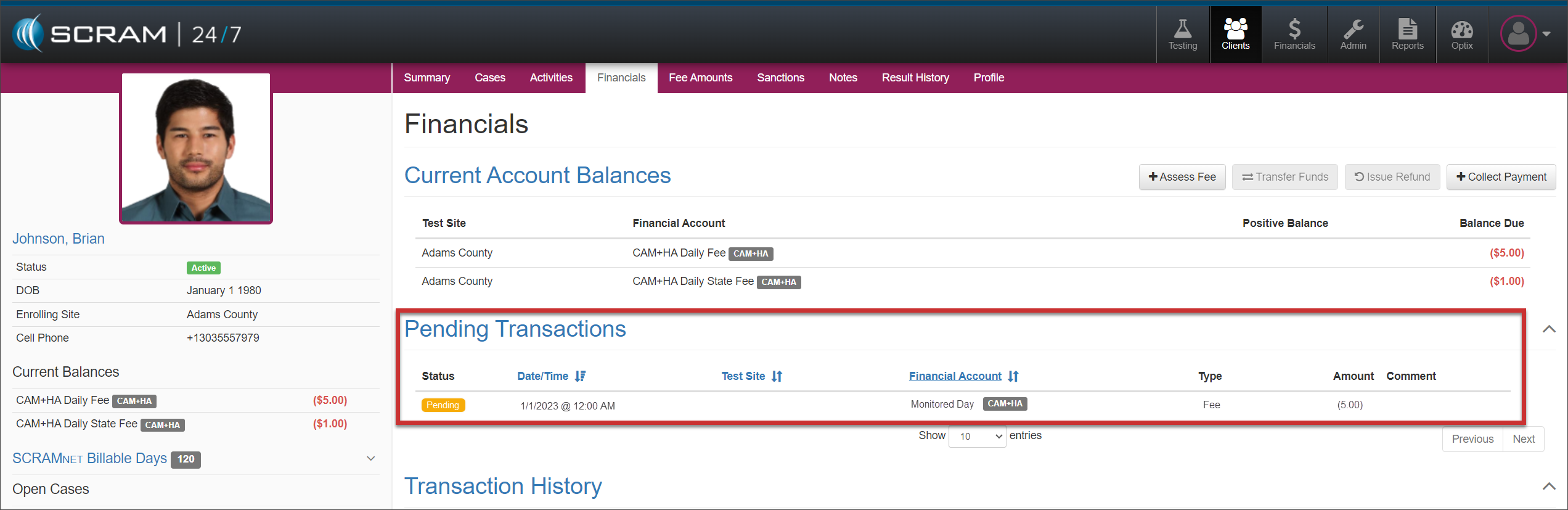
Starting this afternoon, February 1, 2023, SCRAM Systems is releasing an enhancement to SCRAM 24/7, which allows you to sync up the billable days recorded in SCRAMNET to SCRAM 24/7.
To better assist you in identifying SCRAMNET billable days and fees not synced in SCRAM 24/7:
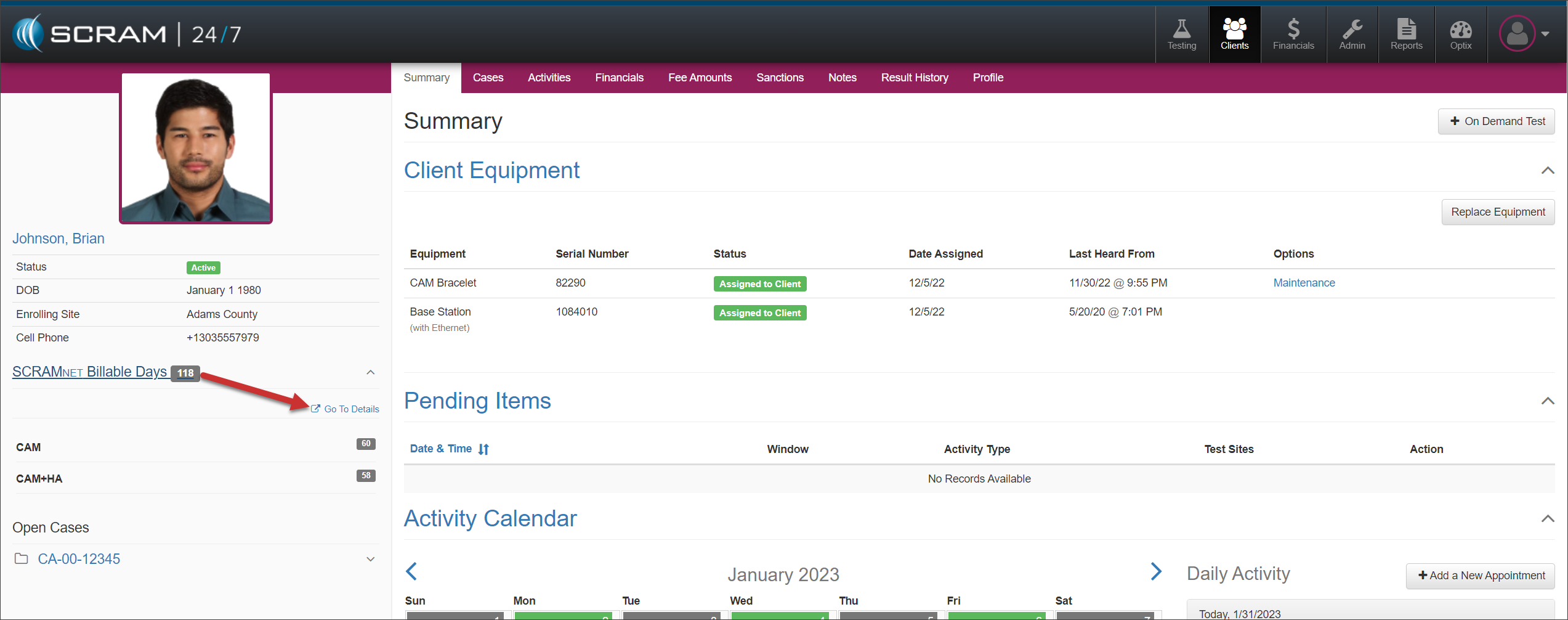
- Locate the new SCRAMNET Billable Days section in the client’s sidebar
- Select the Go to Details hyperlink.
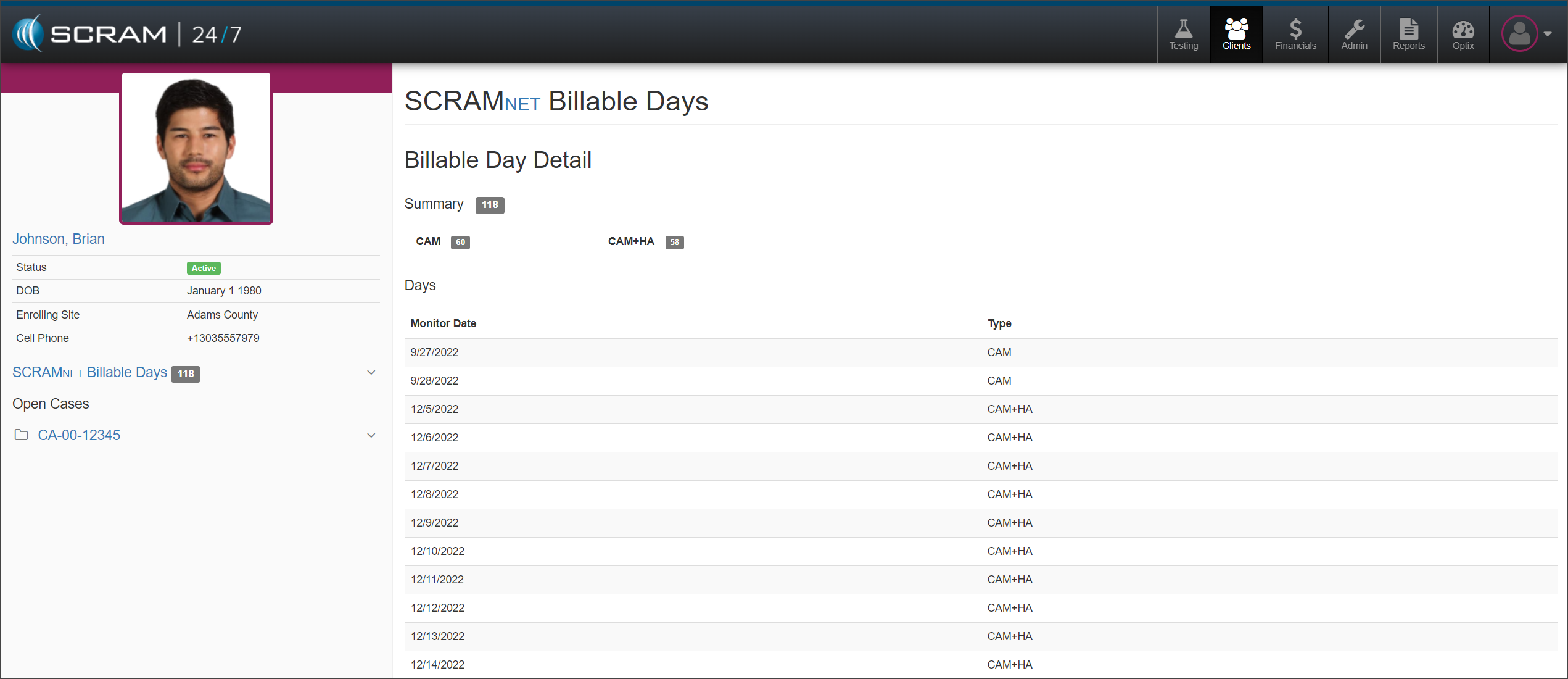
The SCRAMNET Billable Days screen will provide a summary of the total number of billable days recorded in SCRAMNET and a breakdown of the specific monitoring date and monitoring type. You can then compare this information to the Transaction History for the particular EM Activity Daily site Fee + Daily State Fee date range.
Once you have identified a potential gap in activity fees:
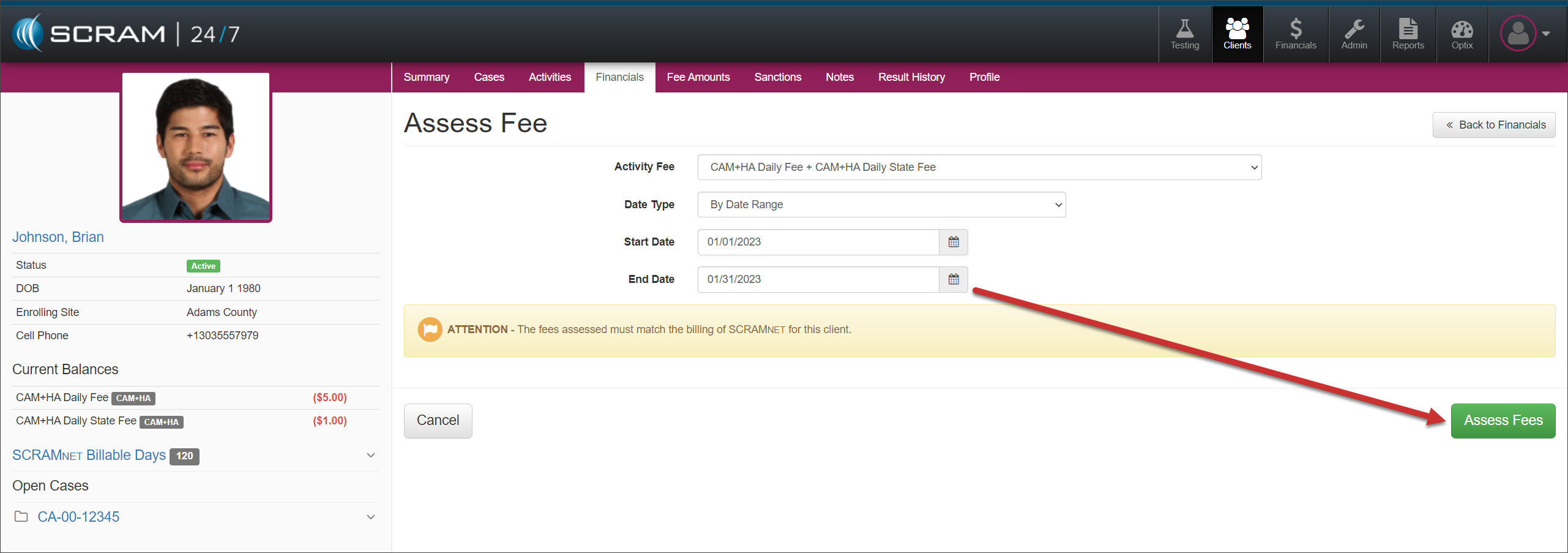
- Select the client’s Financials tab.
- Select the +Assess Fee button.
- Select the appropriate Activity Fee from the dropdown menu. In this example, CAM+HA Daily Fee + CAM+HA Daily State Fee is selected.
- Set the Date Type to By Date Range and enter the potential date range for the missing activity fees.
- Select the Assess Fees button.
All SCRAMNET billable days not synced in SCRAM 24/7 during the date range will display in the Pending Transactions section.