On, November 2, 2022, SCRAM Systems® will release an enhancement to the Client Test Check-In Activity. With this update, you will be able to update the Check in Code entered in the Client Test Check In Registration Information section. This unique validation code is used by the client to access the secure phone system for testing requirements each day. Client’s typically use their cellphone number as their check-in code; so the ability to edit this code is helpful when the client’s cellphone number changes.
To edit the Check-in Code:
- Navigate to the client’s Activity tab in SCRAM 24/7.
- Select the Client Test Check-In activity.
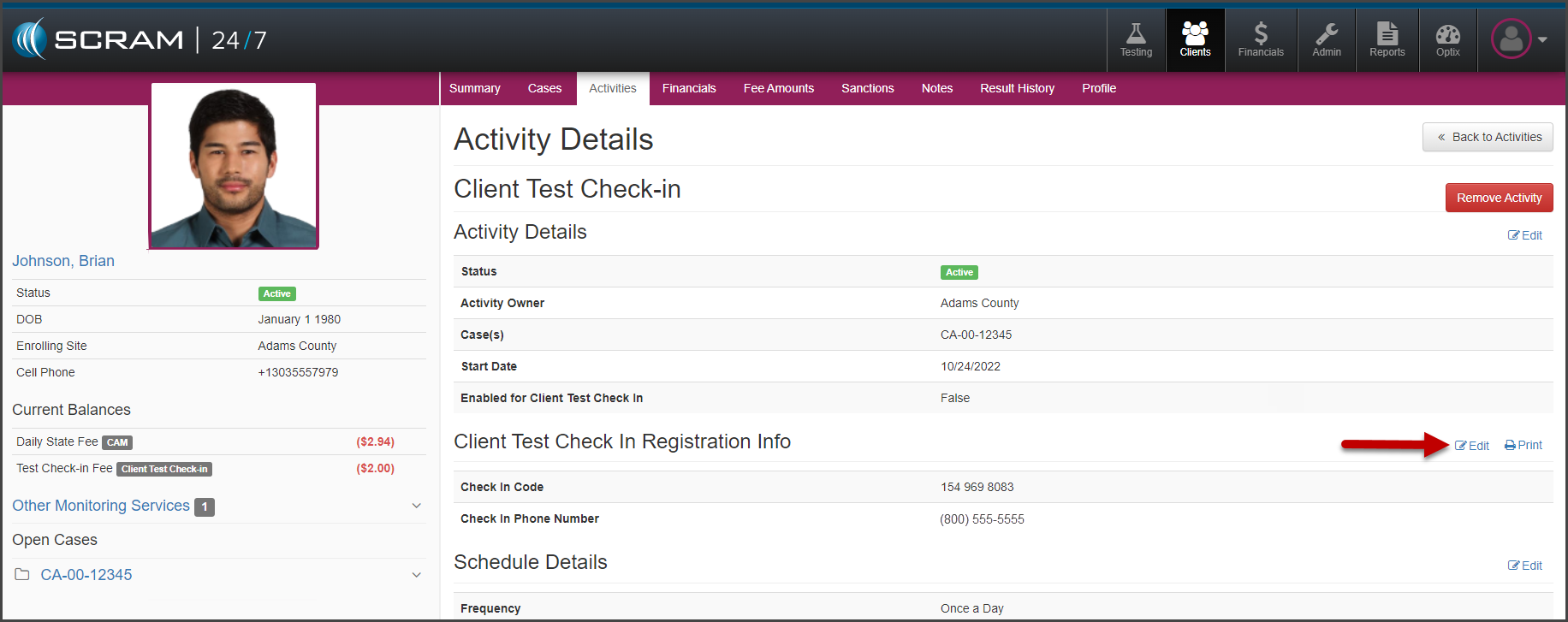
- Select the Edit hyperlink next to the Client Test Check In Registration Info section.
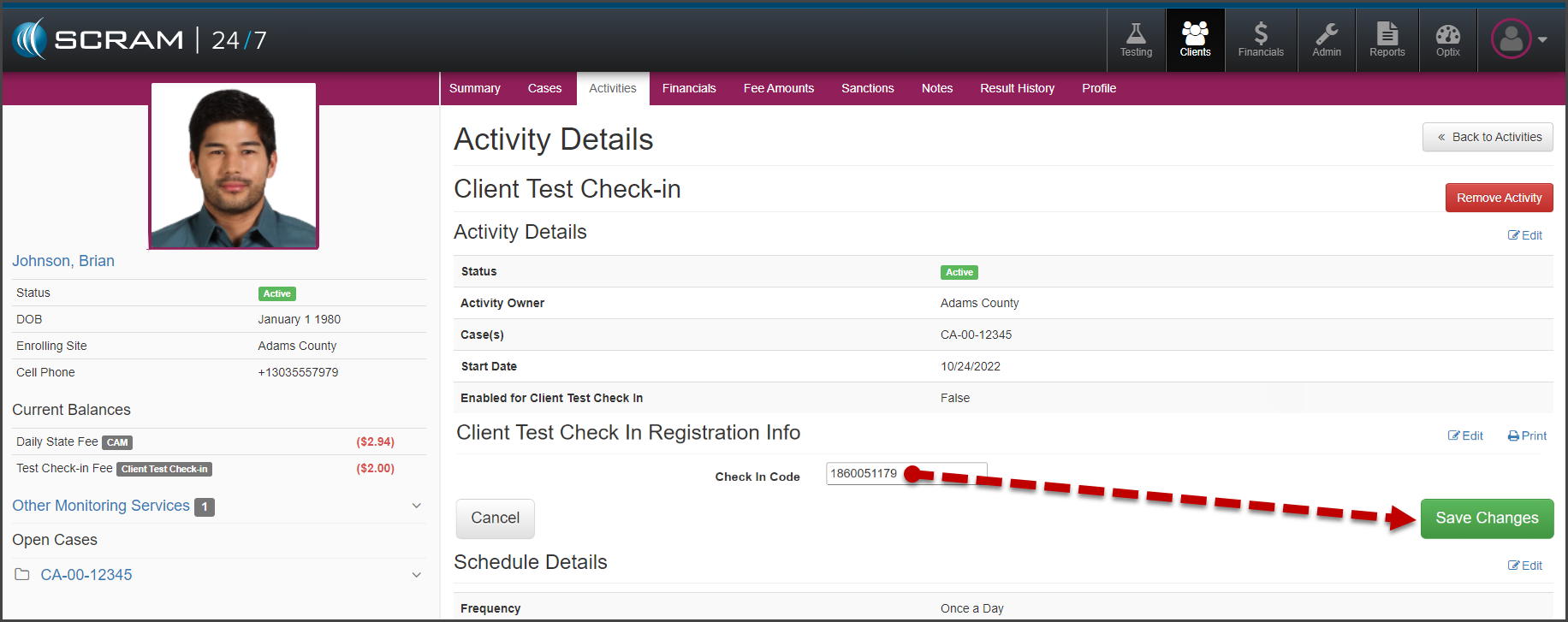
- Enter in the new “Check In Code.”
- Select the Save Changes button.
If needed, you may print a new copy of the SCRAM 24×7 Client Test Check-in Information sheet by selecting the Print hyperlink.