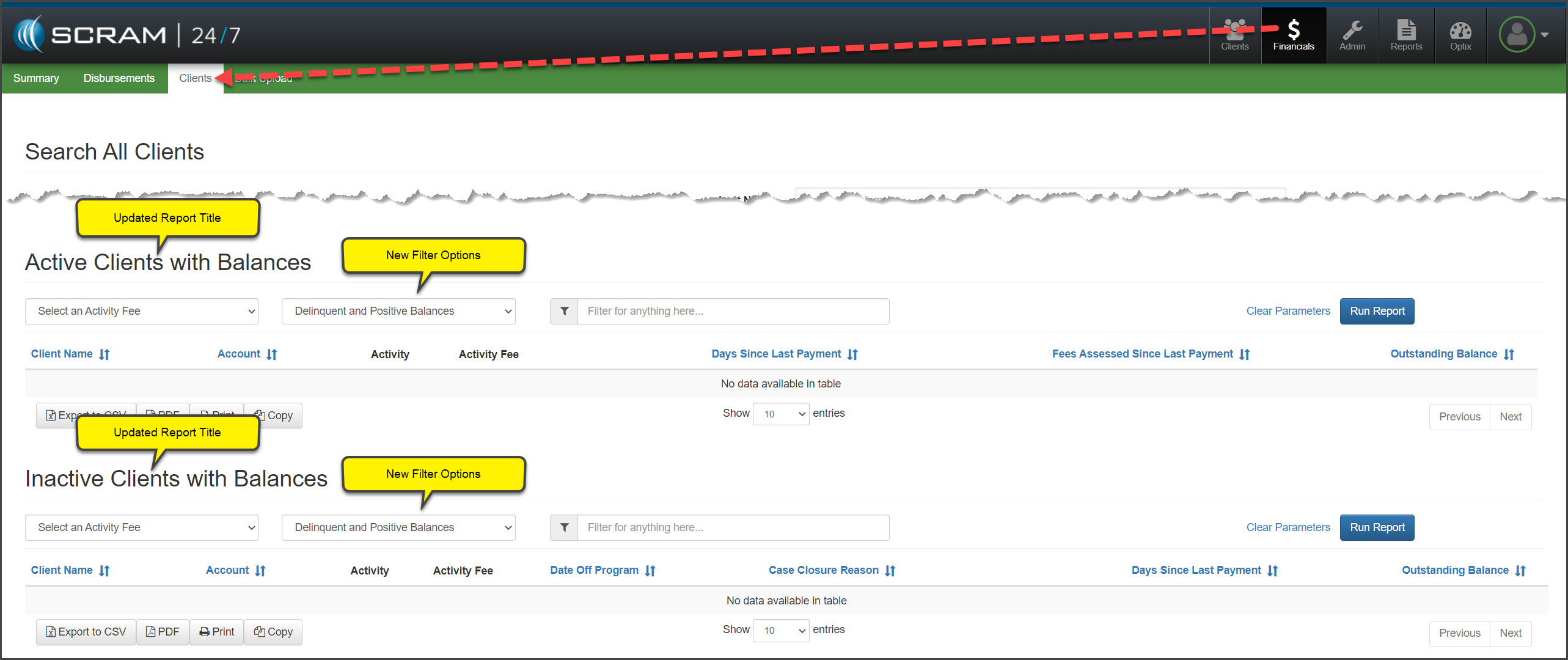
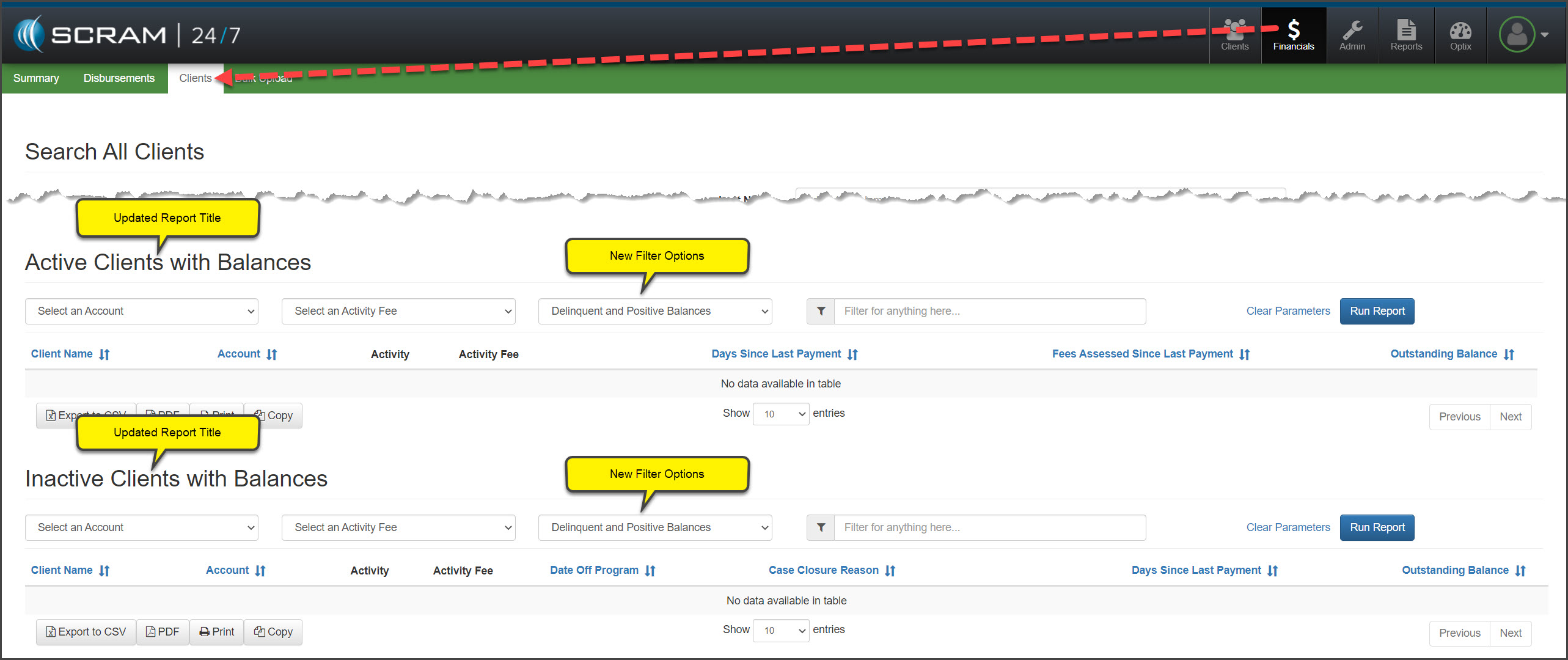
Today, May 4, 2022, SCRAM Systems® will update the Active Clients with Delinquent Balances and Inactive Clients with Delinquent Balances report for your caseload. With this update, you will be able to view both delinquent and positive client account balances. In addition, a user with Base Account permissions will be able to select a specific account for the report.
Select the Balance Option
On the Clients report page, you will notice the report headings have been updated to reflect “Active Clients with Balances” and “Inactive Client with Balances.”
Administrative User
Base Account User
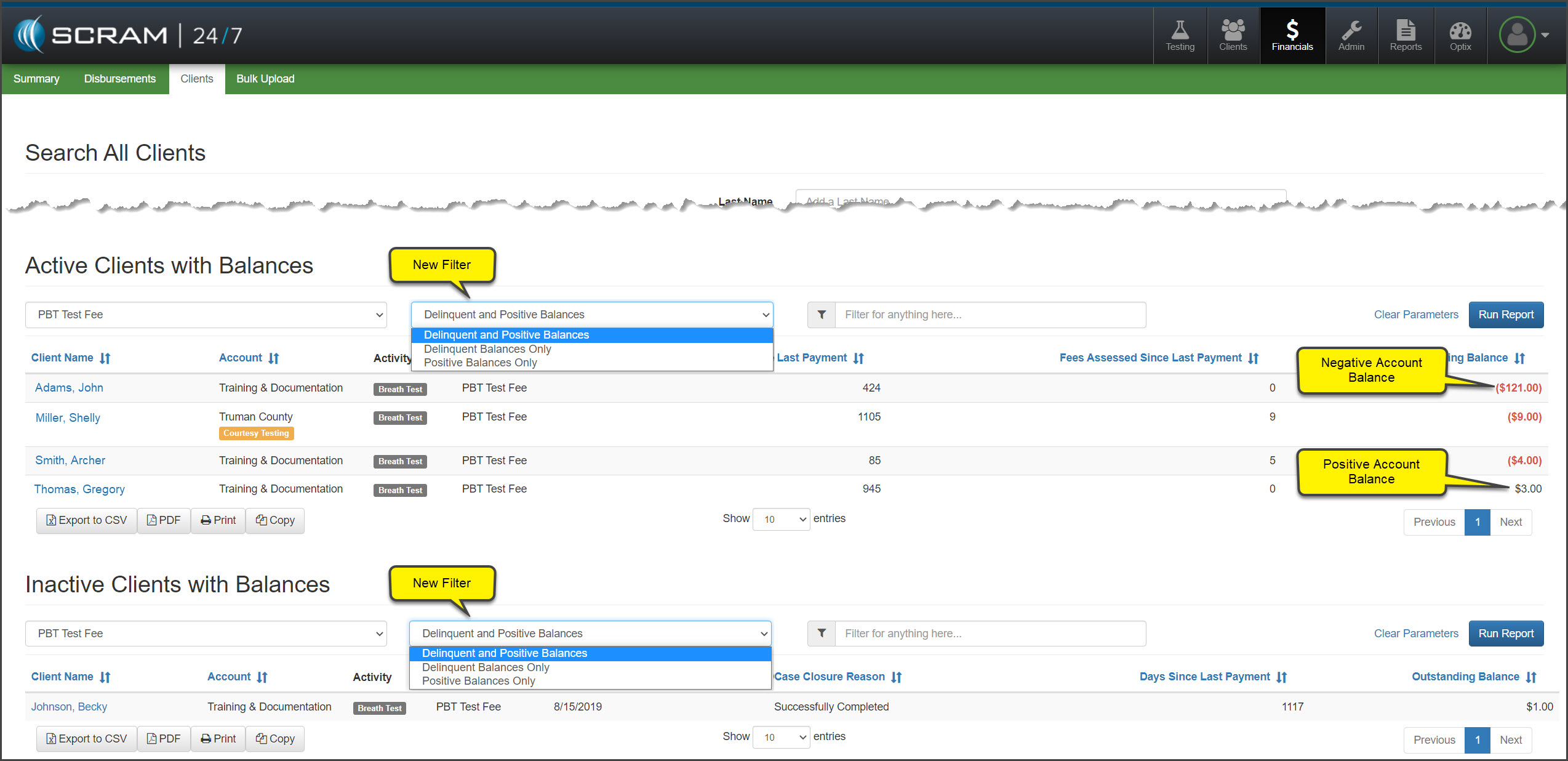
To run a report:
- Select the Activity Fee from the menu options.
- Leave the default setting of Delinquent and Positive Balances selected, or select another option from the menu.
- “Delinquent Balances” are displayed in red.
- “Positive Balances” are displayed in black.
- After making your selection, click the Run Report button.
 | If a client’s financials are current, meaning they do not have a delinquent or positive balance, their name will not display on the report. |