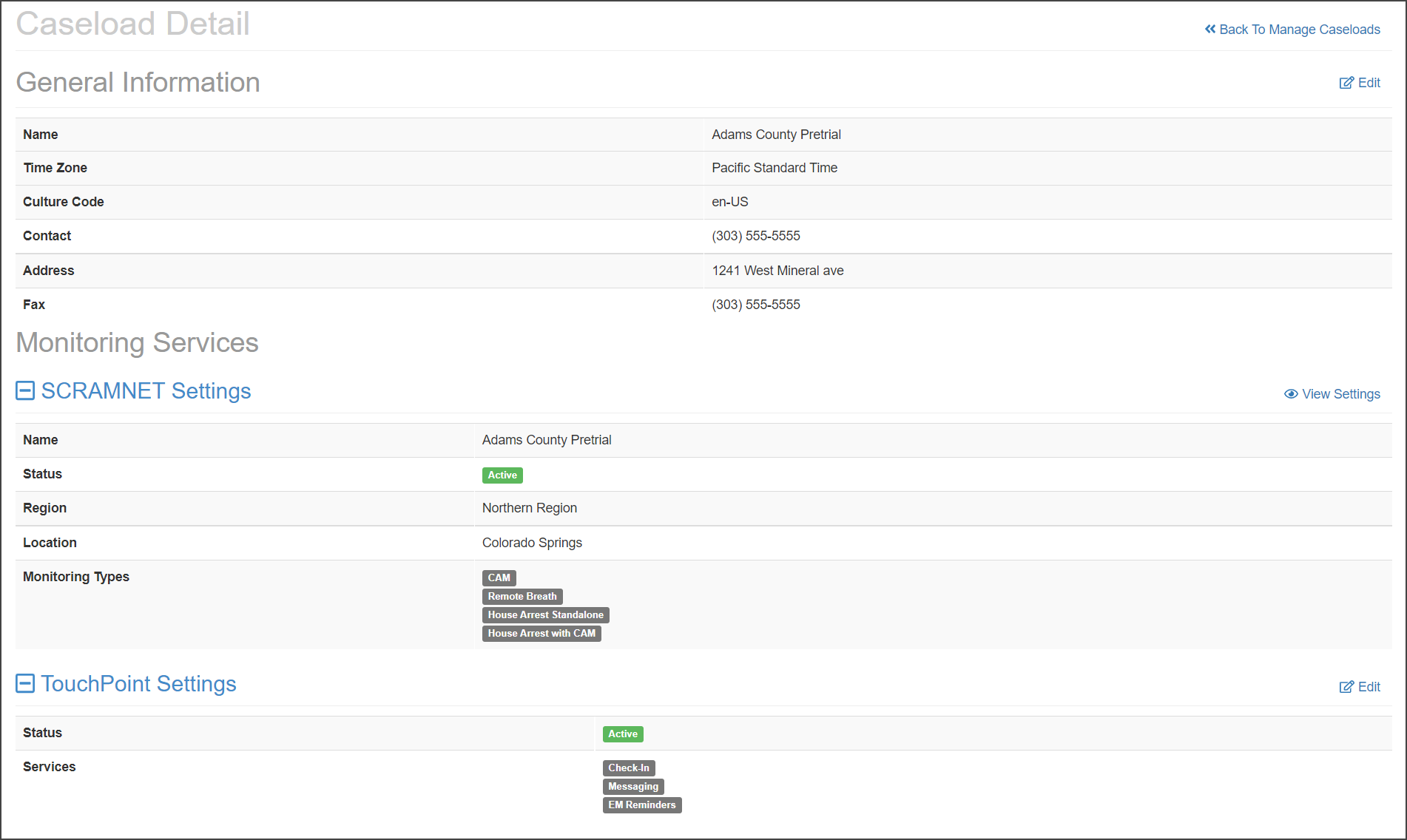
On August 19, 2021, SCRAM Systems® will be releasing a new software enhancement to SCRAM TouchPoint Manage Caseload page.
On the Manage Caseload page you now can:
- View and edit current TouchPoint and SCRAMNET caseloads within the Manage Caseload page.
- Add a new caseload with the monitoring services of TouchPoint, SCRAMNET, or both services.
Add a New Caseload
On the Manage Caseload page:
- Click the +Add a New Caseload button.
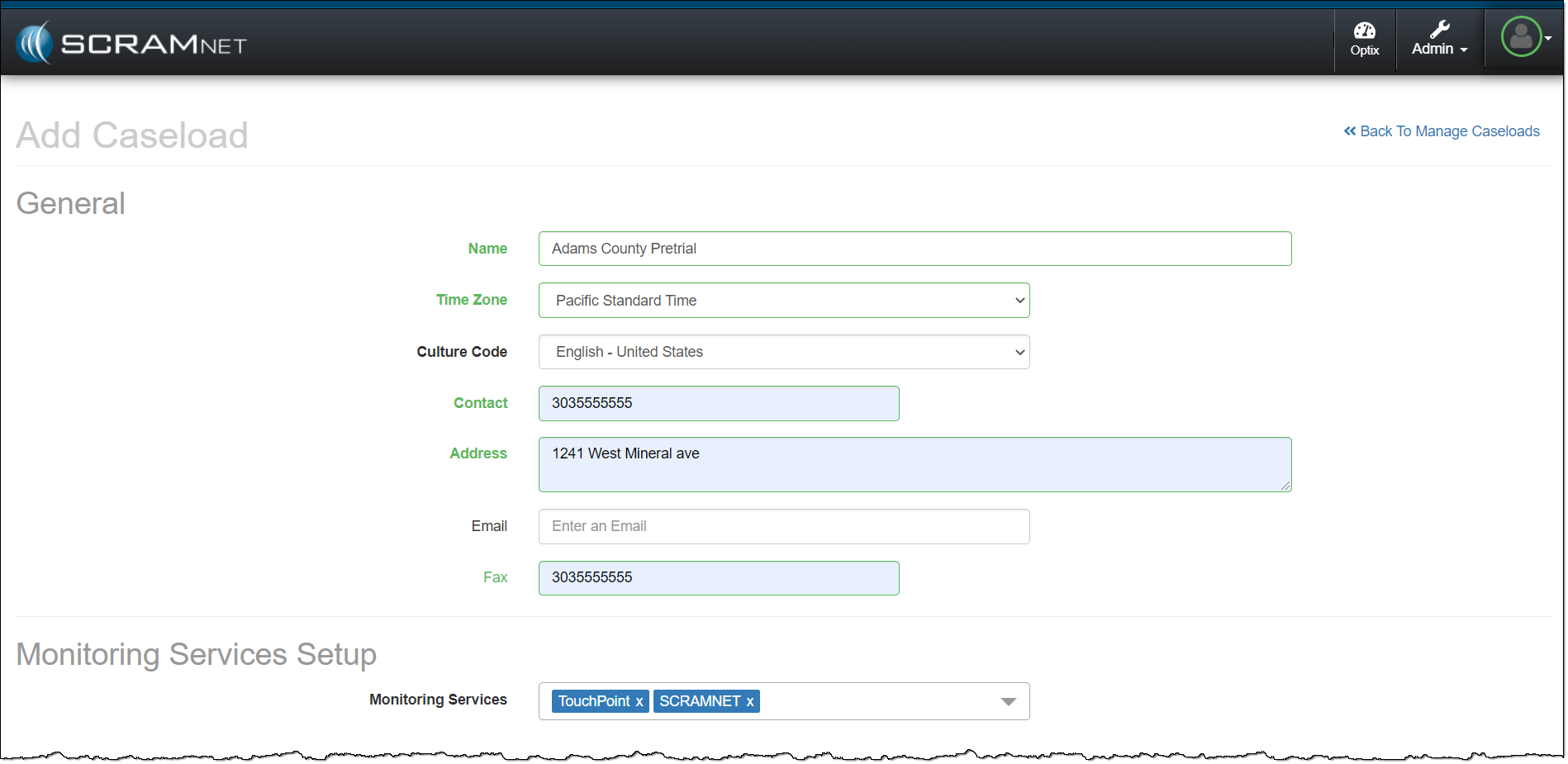
- Enter in the General information for the caseload. All fields with headings in bold print are required fields.
- Under the Monitoring Services Setup section, select all the Monitoring Services required for the new caseload from the drop-down menu.
- Note: The monitoring services available from the drop-down menu will reflect the current access level and permissions for that user.
- Customize the monitoring services, settings, and monitoring parameters.
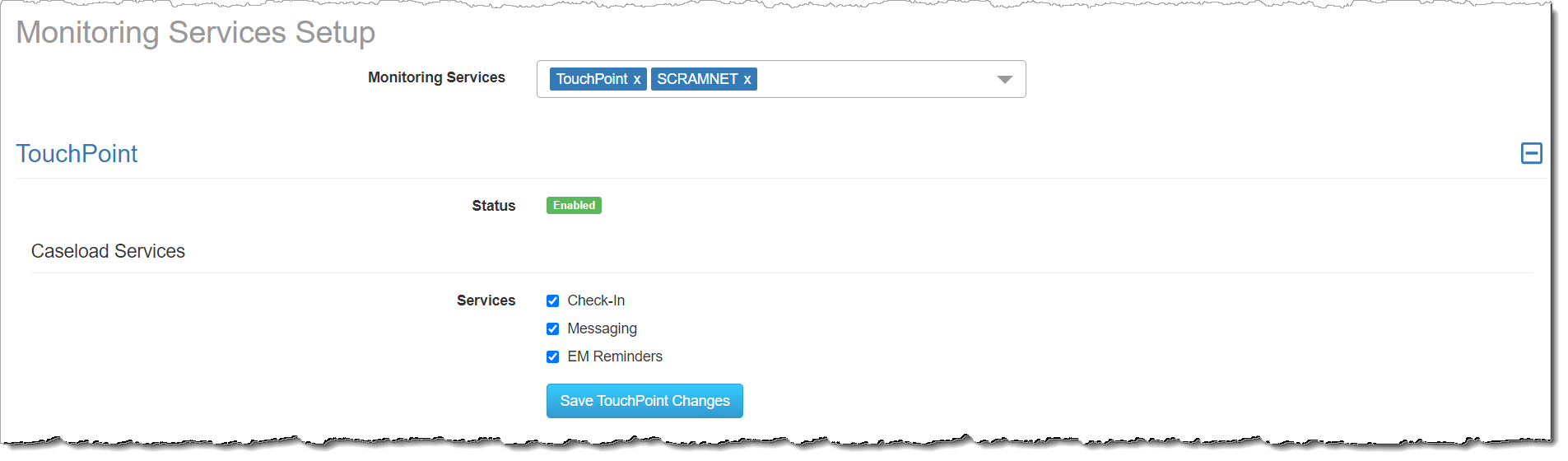
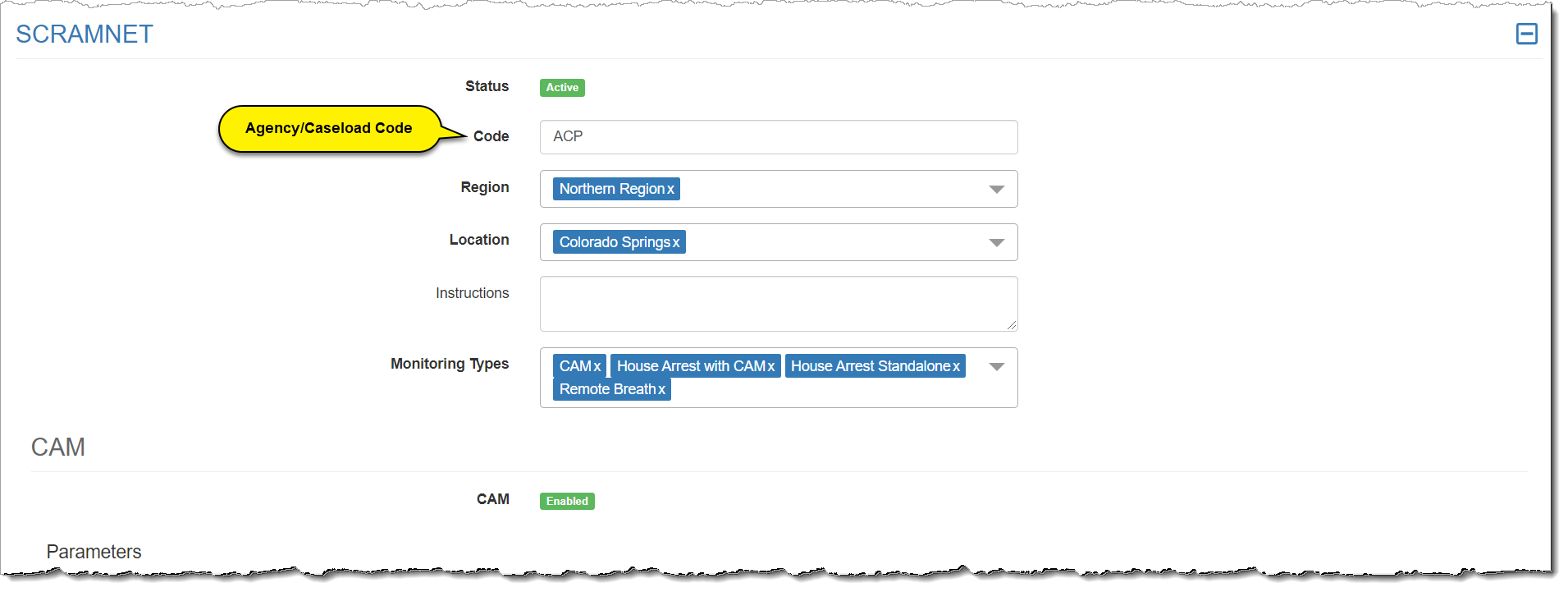
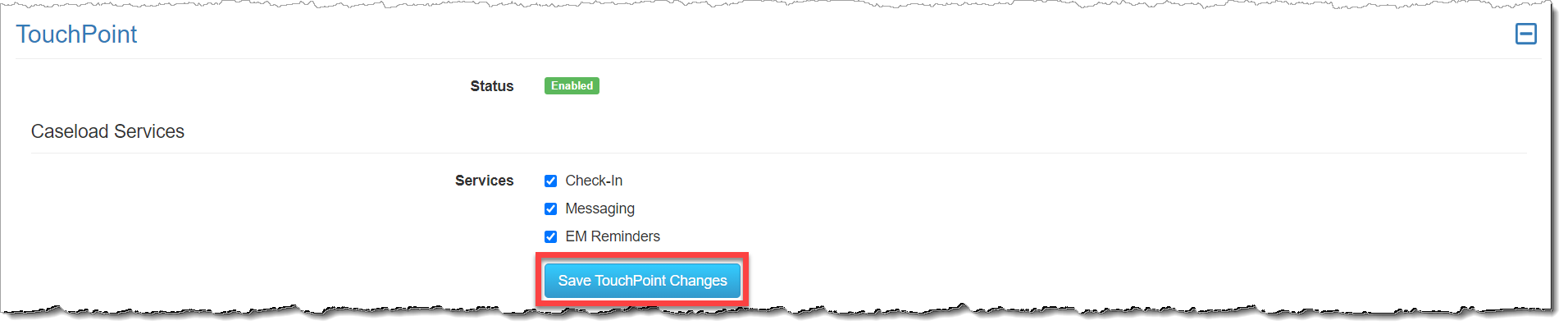
- Once all customizations are selected, click the Save TouchPoint Changes, and/or Save SCRAMNET Changes button.
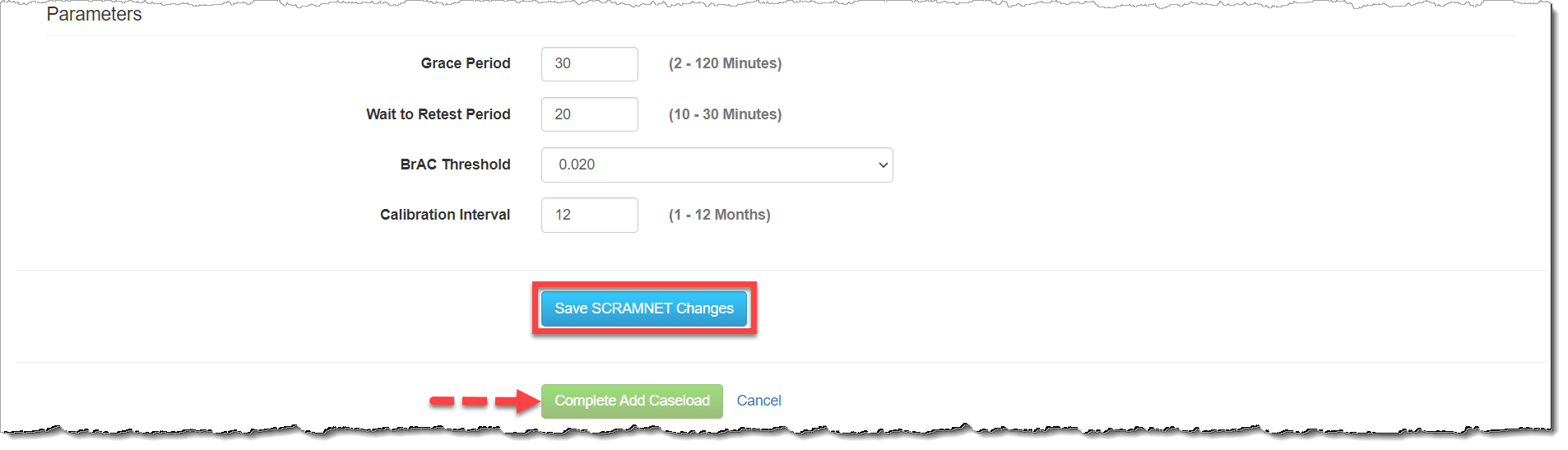
- The last step is to click the Complete Add Caseload button.