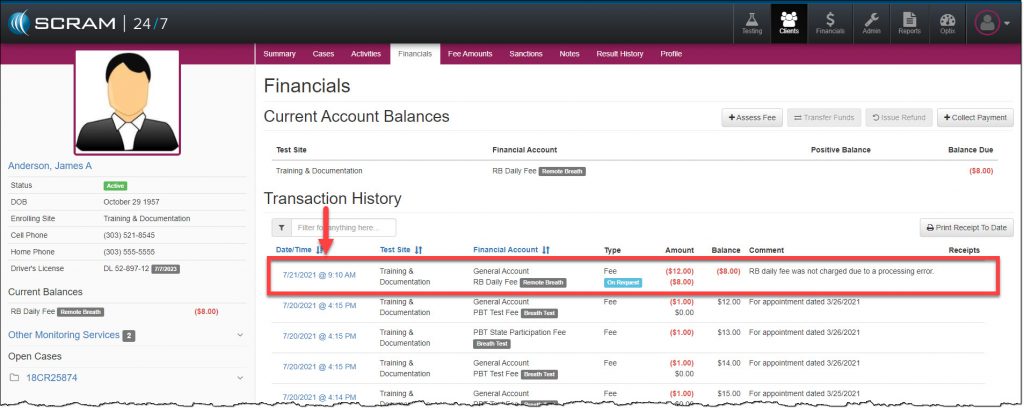
Today July 21, 2021, SCRAM Systems will be releasing a new enhancement to your client’s Financials page in SCRAM 24/7.
On the client’s Financials page, a new feature allows you to assess multiple fees to the client with one action.
To get started, click the +Assess Fee button.
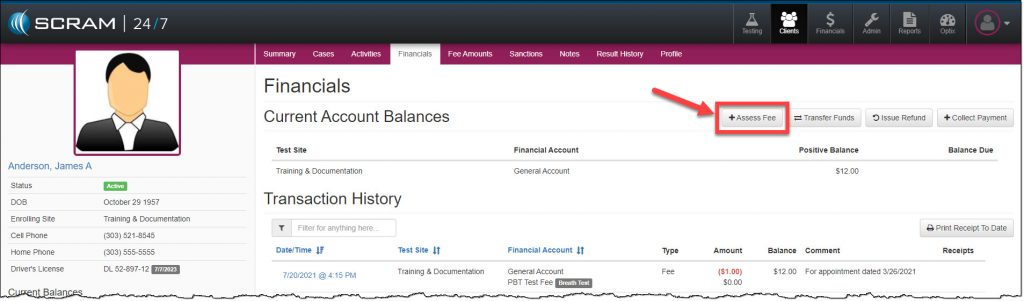
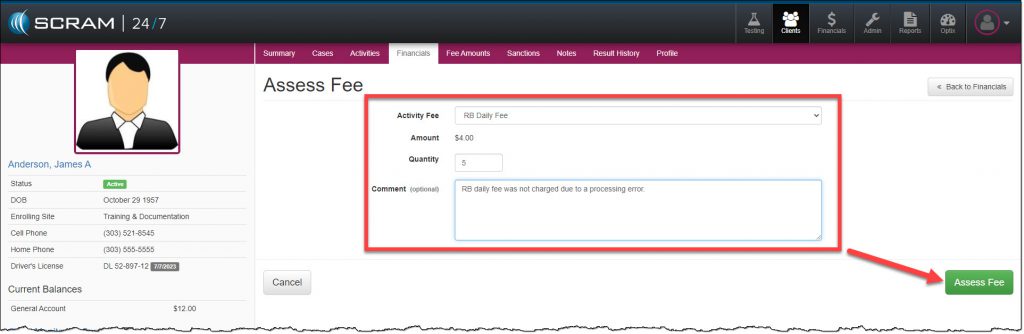
On the Assess Fee page:
- Select the Activity Fee to be applied to the client from the drop-down menu. Once the Activity Fee is selected, the Amount field will display the dollar amount associated to that fee.
- Enter in the Quantity. Enter the quantity of 1-999.
- Add a Comment. As a best practice, always record the reason for adding a fee to a client.
- Click the Assess Fee button to save the information.
The assessed fee is now displayed under the client’s Transaction History section as an On Request fee.