This release includes the following enhancements:
- Displaying Past Pending Appointments on the Client Side Profile
- Redesign of the Client History Page
- Remove Magnitude Recommendation with On-Demand Incentives
- Additional Filtering Options on the Workload Page
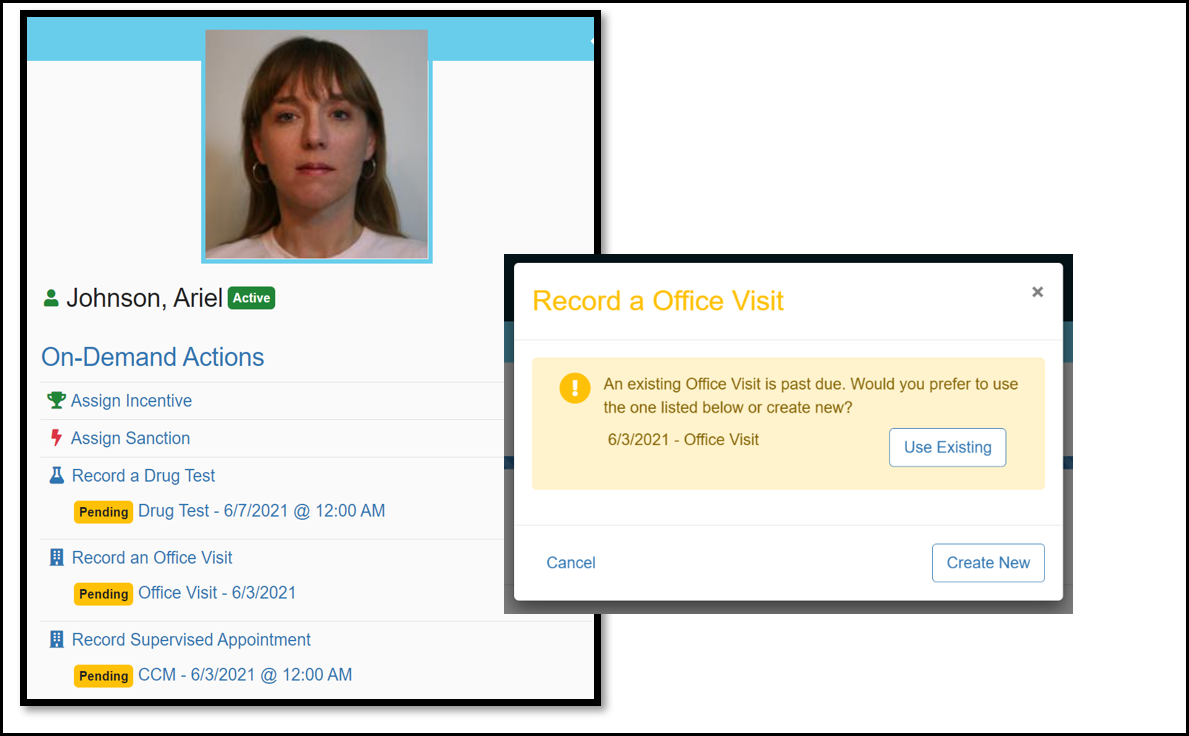
Client: Displaying Past Pending Appointments on the Client Side Profile
In past versions of Nexus, an officer had a difficult time knowing if the client had a previously scheduled pending appointment and would often record an On-Demand appointment causing the pending appointment to go unrecorded. With this change, an officer will now have visibility into already scheduled past appointments and In Progress appointments. This improvement will help prevent duplicate appointments from being created and will make managing of appointments cleaner and easier. If the officer initiates an On-Demand appointment, the system will ask if they want to use the already scheduled appointment.
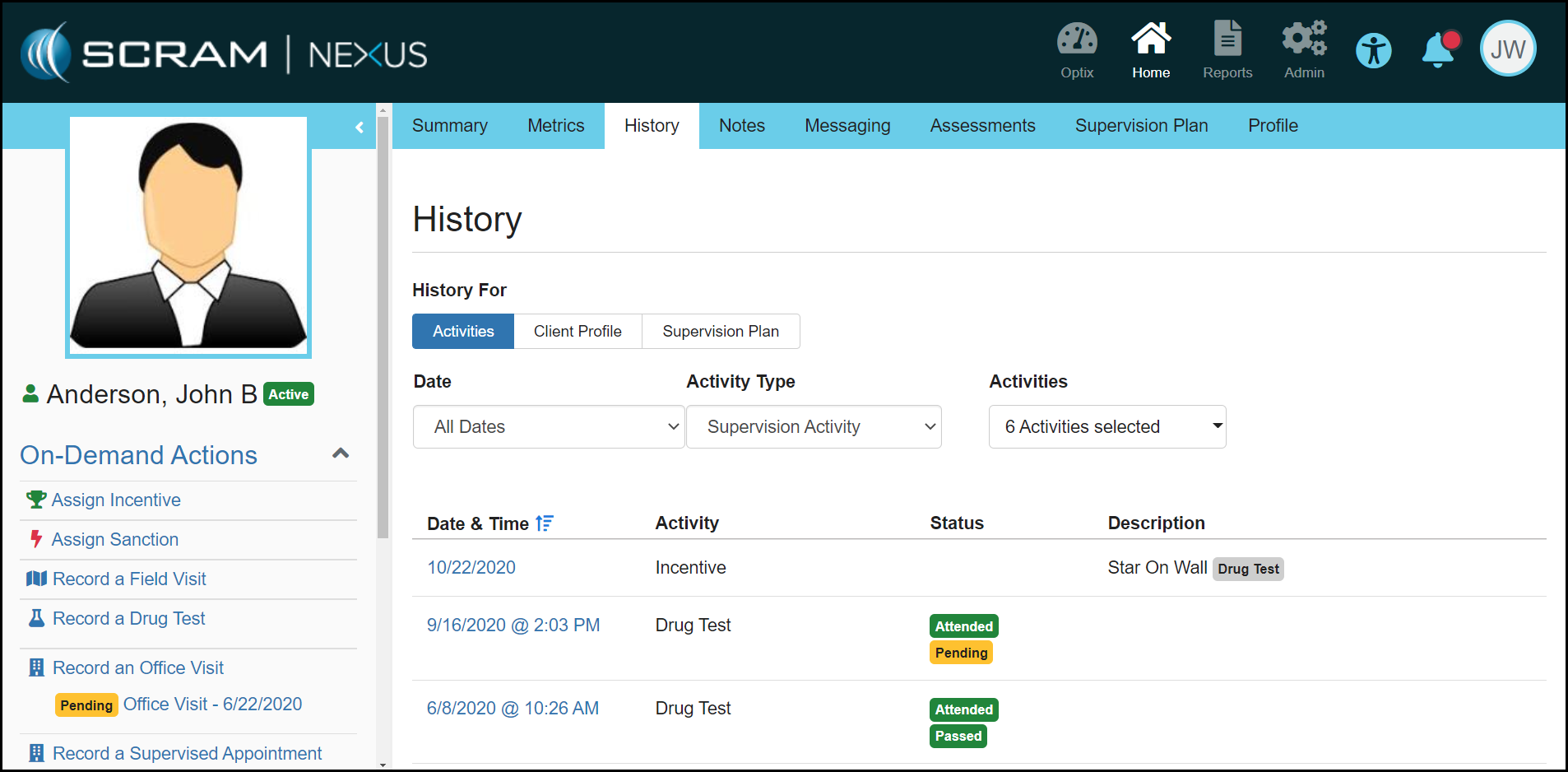
Client: Redesign of the Client History Page
The client History page has been redesigned to make it easier for an officer to get a holistic view of the clients Activities and Client Profile and Supervision Plan changes. As shown below, the officer can now filter by a Date, Activity Type and all Activities.
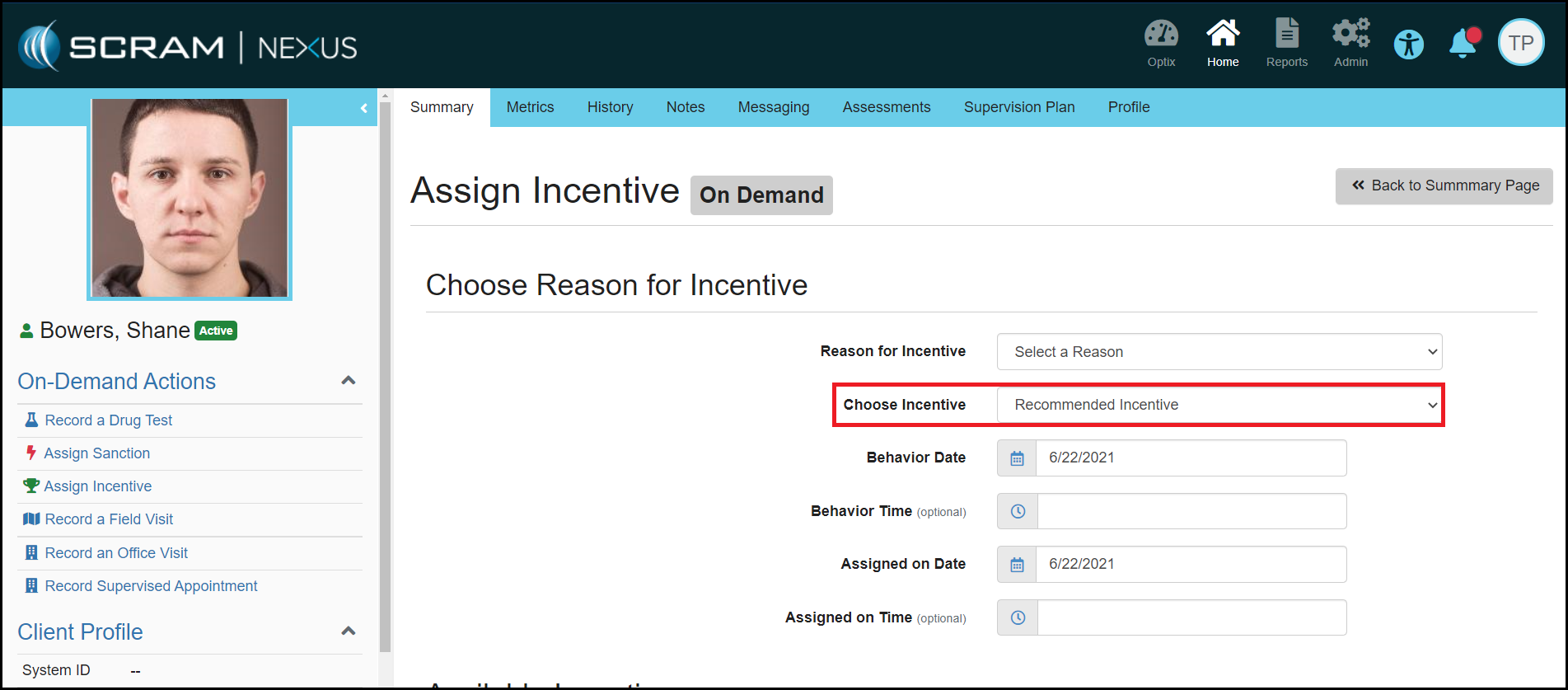
Officer: Remove Magnitude Recommendation with On-Demand Incentives
Nexus will no longer recommend a magnitude for On-Demand Incentives. Since On-Demand Incentives do not have an expectancy associated with them, the level of incentive should not be recommended. Instead, the officer can select which level of incentive they would like to assign.
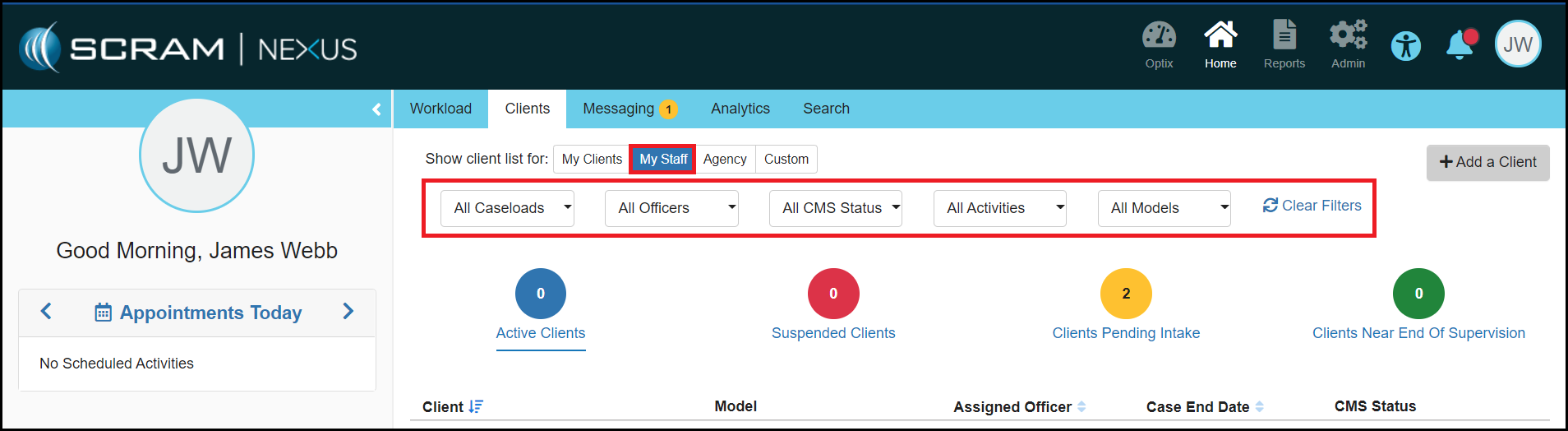
Officer: Additional Filtering Options on Workload Page
SCRAM Systems has added additional filter options to the Officer Workload page. These additional options will appear for officers when they are on the ‘My Clients’, ‘My Staff’, ‘My Caseloads’ and ‘Agency’ views. The additional filtering options include:
- Caseloads
- Activities
- Actions
- Models
Feedback:
As always, please contact SCRAM Systems Customer Services with any recommendations for system improvements.