This release includes the following enhancements:
- Share Custom Court Case Fields with Nexus
- Enable EM Reminders and Document Management in Nexus
- Select a Reason for Reassigning a Model
Client: Share Custom Court Case Fields with Nexus
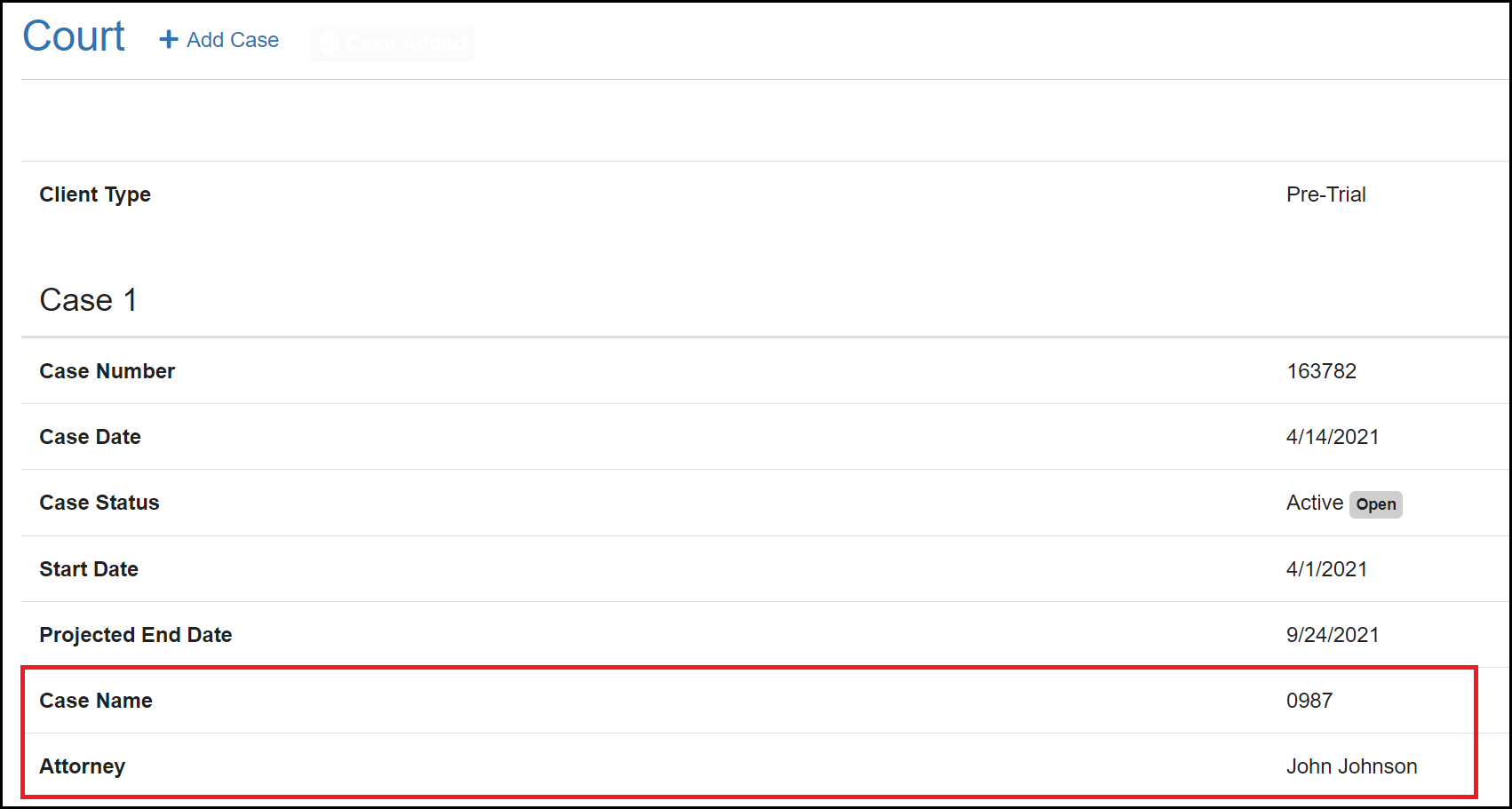
Custom court information can now be sent to Nexus through Nexus Sync and will be displayed under each court case in the Client Profile. For this sync to work properly, an Administrator must first create the Custom Court Fields in the Admin Settings.
Client: Enable EM Reminders and Document Management in Nexus
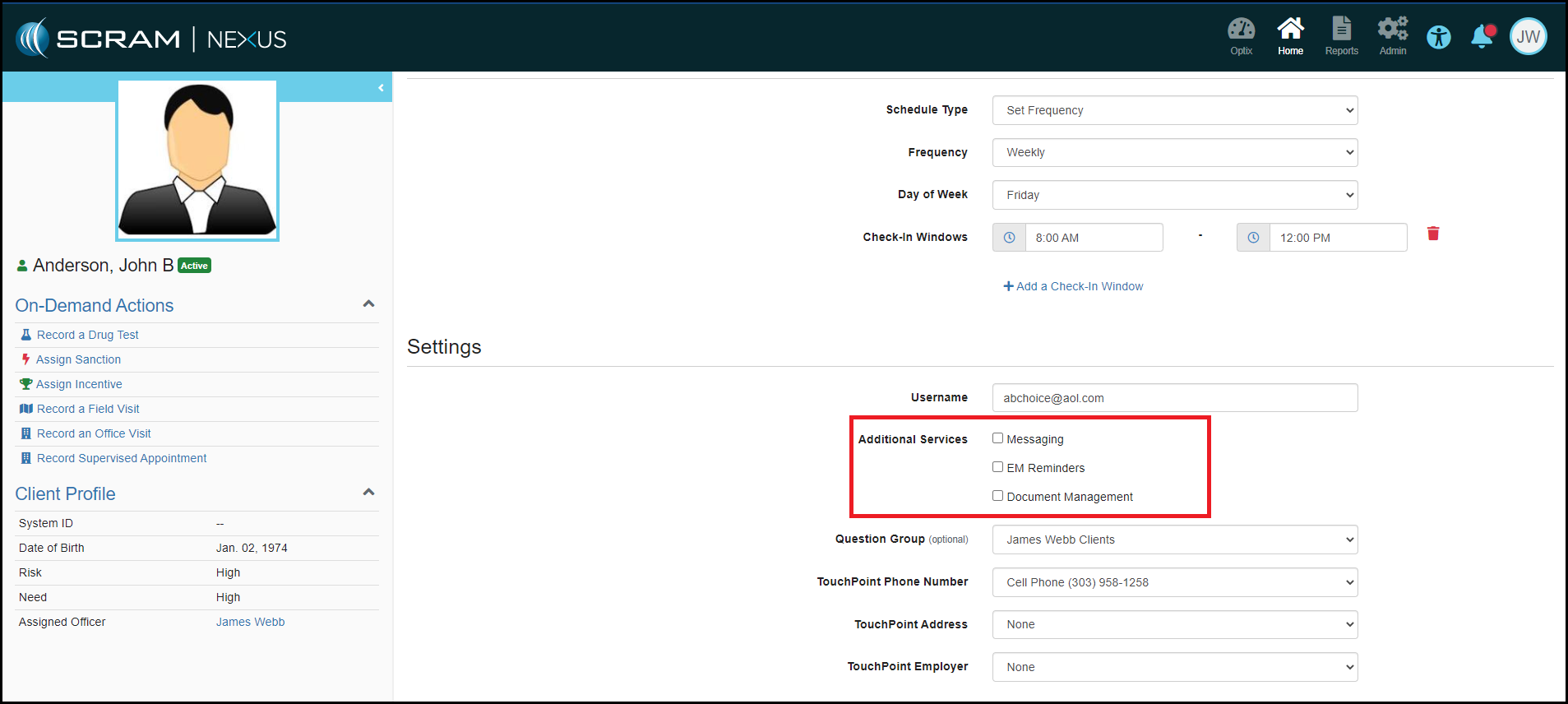
With this enhancement, you can now enable a client for TouchPoint EM Reminders and Document Management by editing the TouchPoint Activity Details, either when assigning the TouchPoint activity, or after the activity has been assigned. This allows you to manage TouchPoint settings from within Nexus and no longer requires you to navigate to the Client’s Optix profile to enable or disable services.
Client: Select Reason for Reassigning a Model
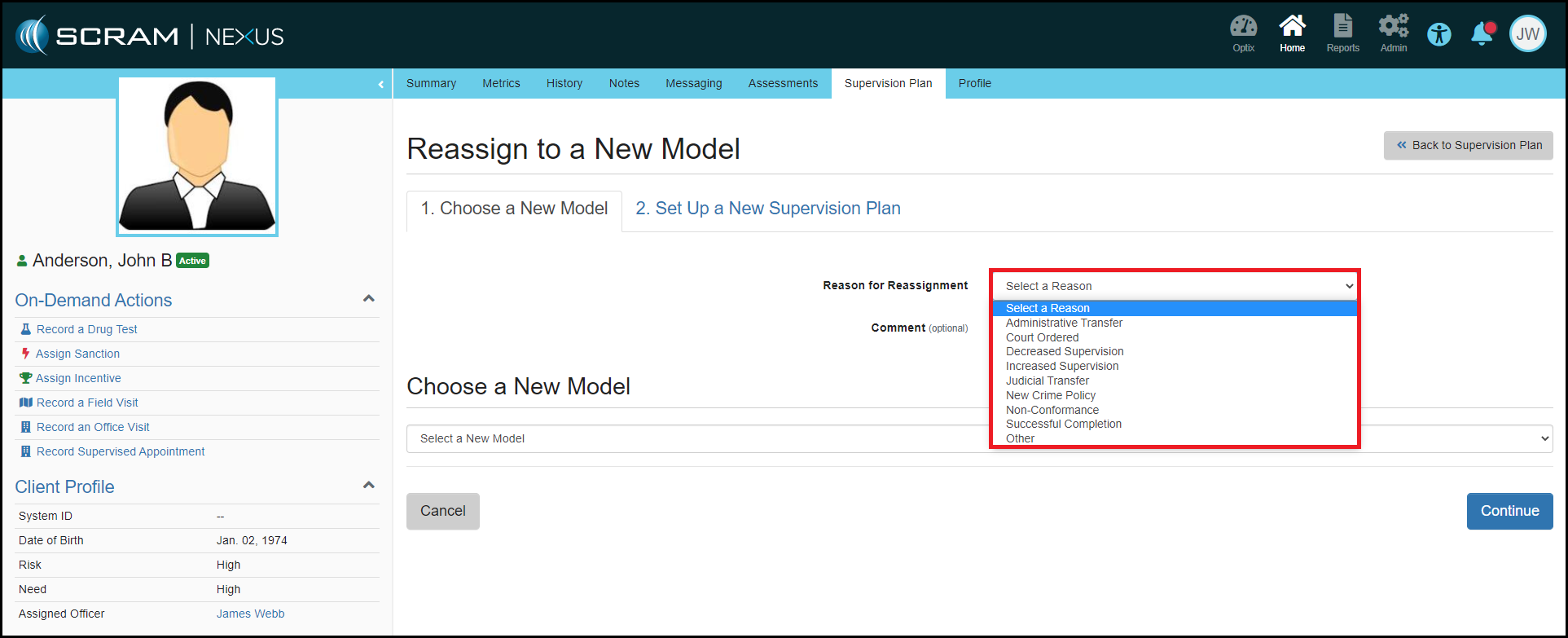
To enhance the analytics that Nexus provides, selecting a Reason for Reassignment has been added to the Reassignment process. This field will provide visibility into why Officers are changing a client’s model and will help ensure better client outcomes.
Feedback:
As always, please contact SCRAM Systems Customer Services with any recommendations for system improvements.