An enhancement that was deployed on March 3, 2021, caused a change to how the Client List renders in SCRAM 24/7.
Prior to this deployment, you were able to use the alphabet bar at the top of the client list to filter down to the first letter of the client’s last name for your entire client list. Now, the alphabet filter is limited to the clients that are displayed on the page. The list is set to display 10 clients by default; this makes page-loading and displaying quicker and more efficient.
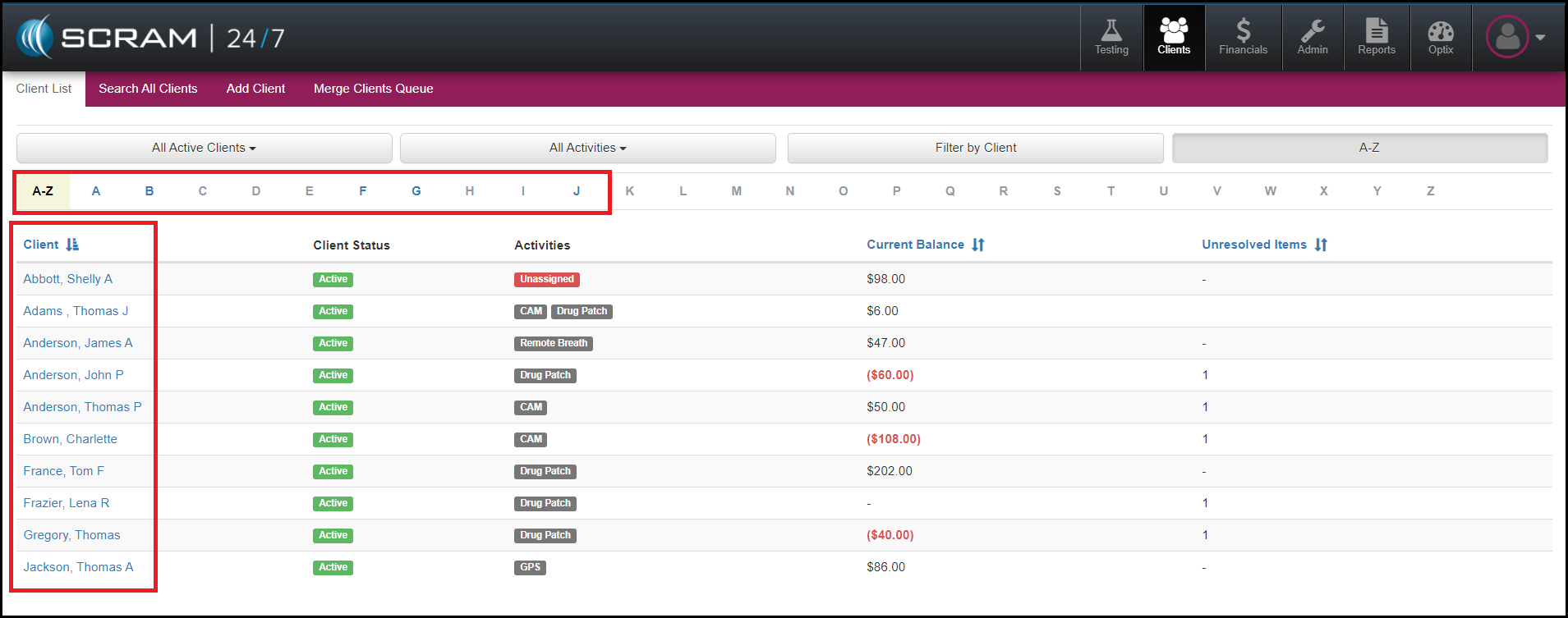
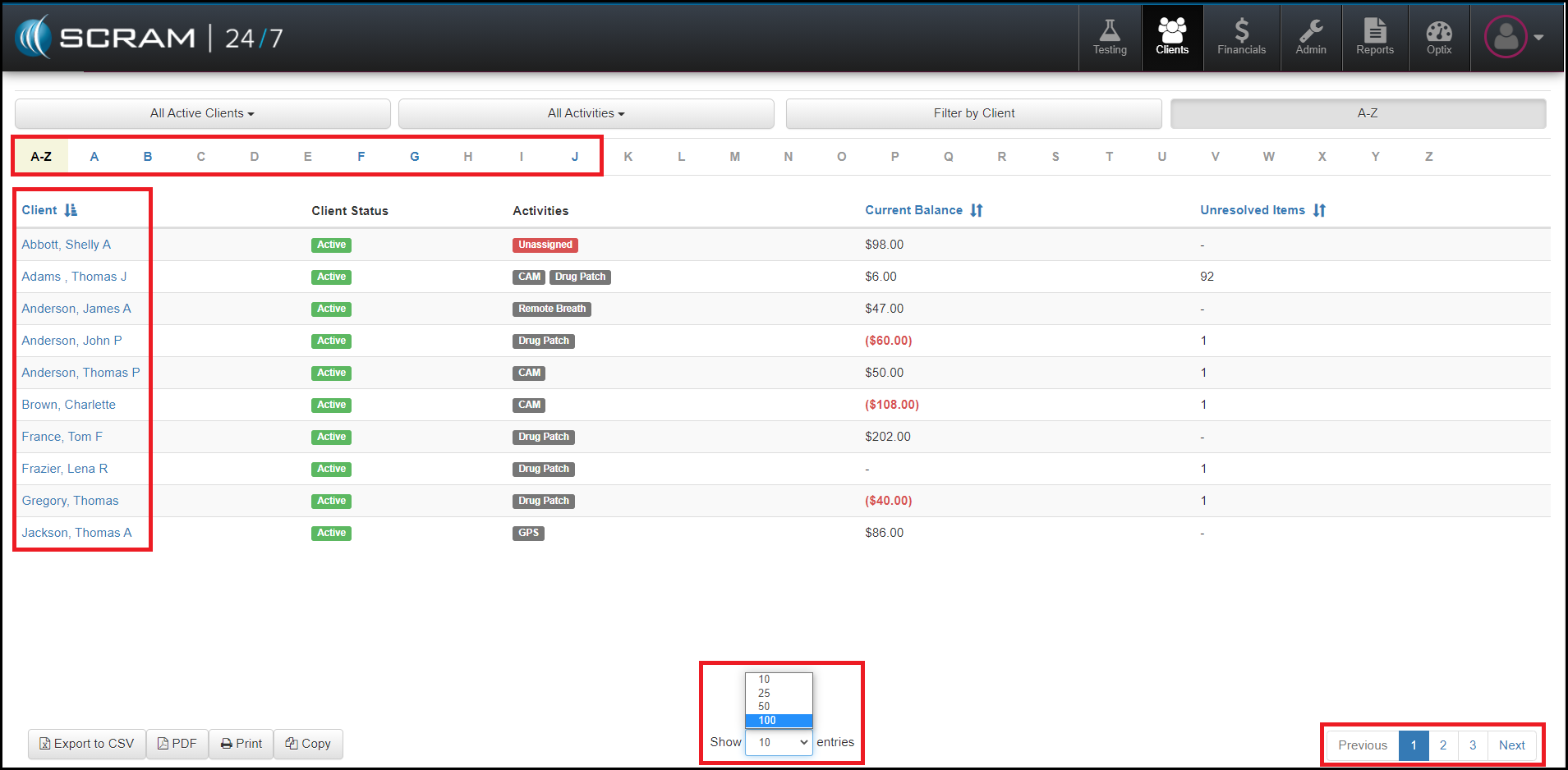
To have the client list populate more client names, increase the number of entries this list shows to 100. This action will populate the first 100 names for your agency. If your agency has more than 100 clients, use the page breaks at the bottom right to advance your search. Once your list display is set to 100 entries, this setting will persist until it is manually changed to another option.
Our development team plans to update to this feature to allow for more than 100 entries per page. Once complete, we will post another message with the details. Until then, if you have any questions or concerns, please contact Customer Service at (303) 785-7879.