This release includes the following enhancements:
- Enhanced Search Criteria
- Configurable Client Characteristics
- Enabling TouchPoint Messaging from the Check-In Activity
- Additional Activity Overview Details
Officer: Enhanced Search Criteria
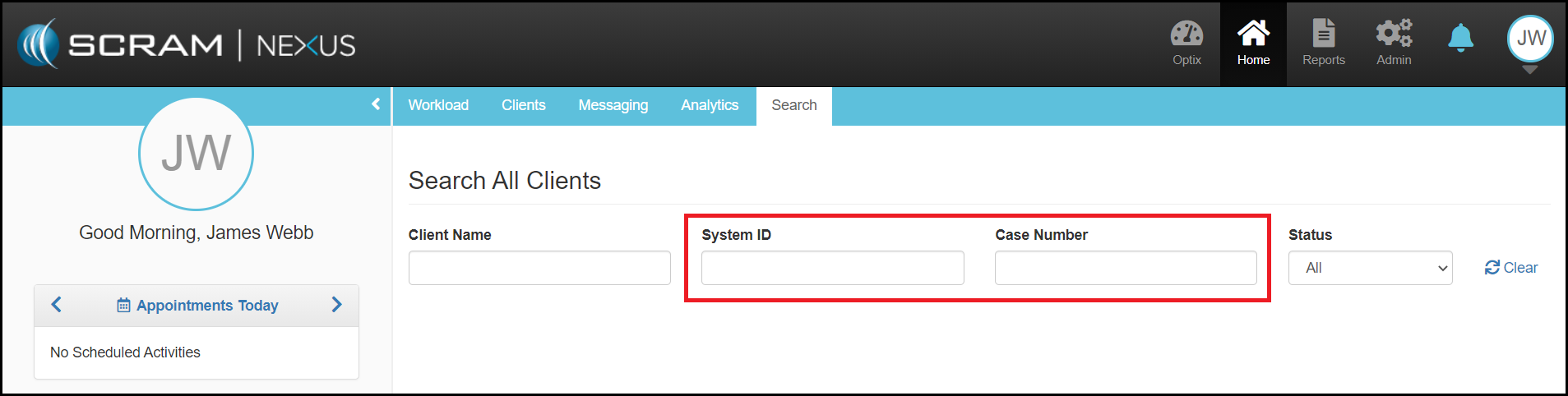
SCRAM Nexus® users now have the option of searching for a client using the System ID and/or the client’s Case Number. As you enter information into the search fields, Nexus will start returning information immediately. With this enhancement, you will no longer need exact matches to populate information. For example, if searching for “John Smith”, search results would include possible alternative spellings or potential misspellings (i.e. “Smyth” or “Simth”) to provide a comprehensive search.
Client: Configurable Characteristics
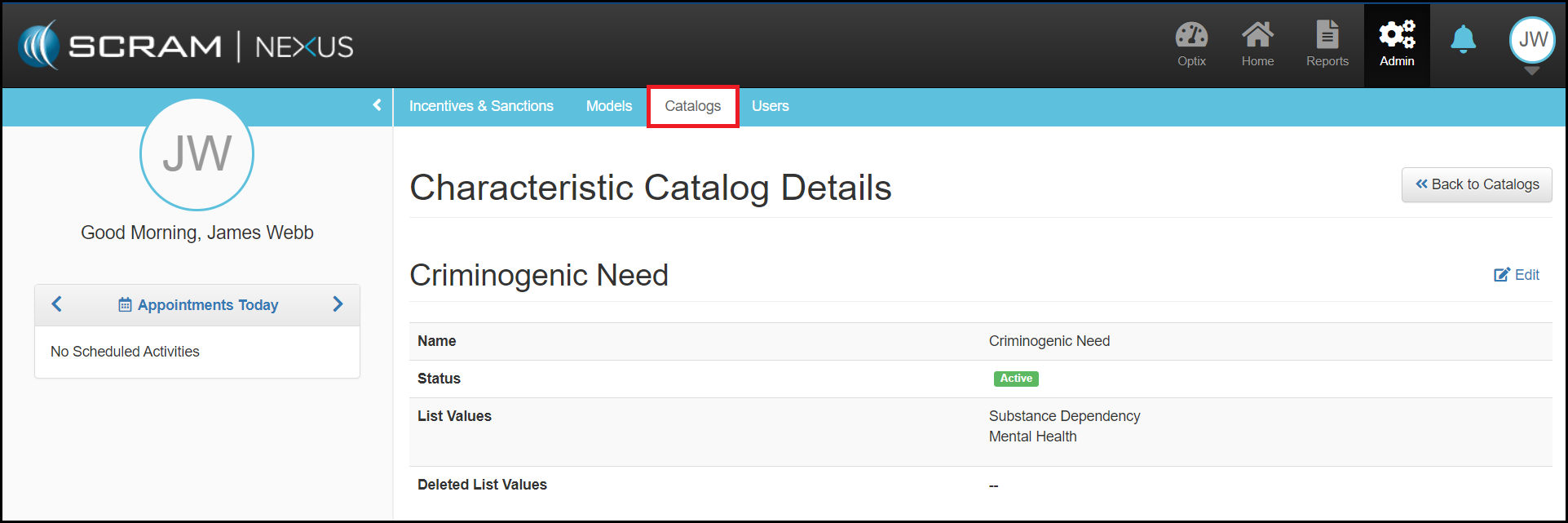
An Administrator in Nexus can add and manage client characteristics that are critical to their organization. For example, if the organization would like to see what the top criminogenic need is of the client, the Administrator can add that as a new characteristic of “Criminogenic Need” with list values of “Substance Dependency”, “Mental Health”, etc. Once the characteristic is added, the officer can view the characteristic in the client profile and select the appropriate value for that client.
Client: Enable Messaging from TouchPoint Check-In
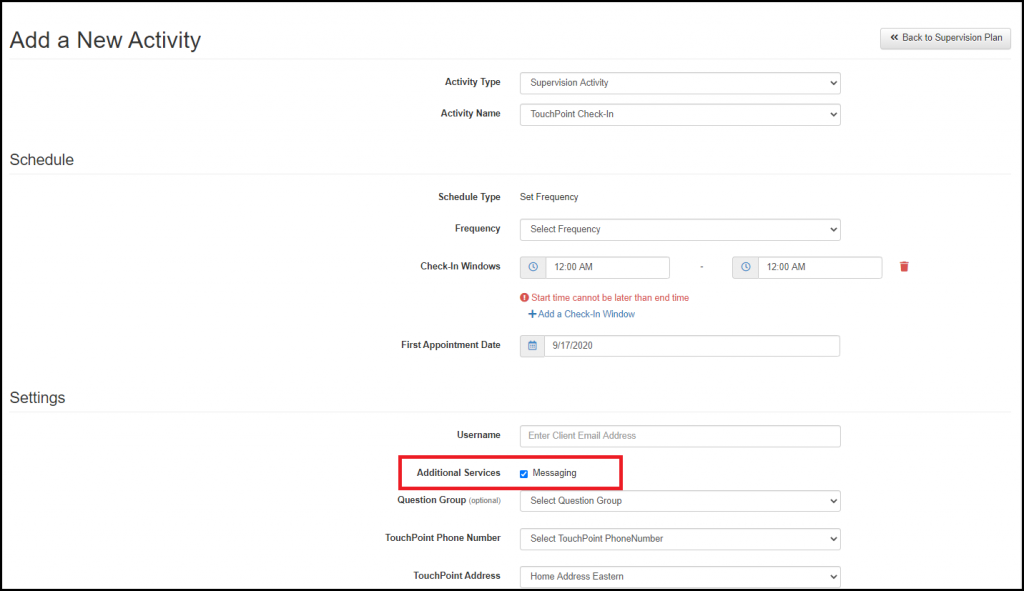
When a client is required to check-in using TouchPoint, TouchPoint messaging is often needed as well. You can now easily enable or disable TouchPoint Messaging from the TouchPoint Check-In Activity. Messaging will be enabled by default, but you can disable it if needed.
Client: Activity Overview Details
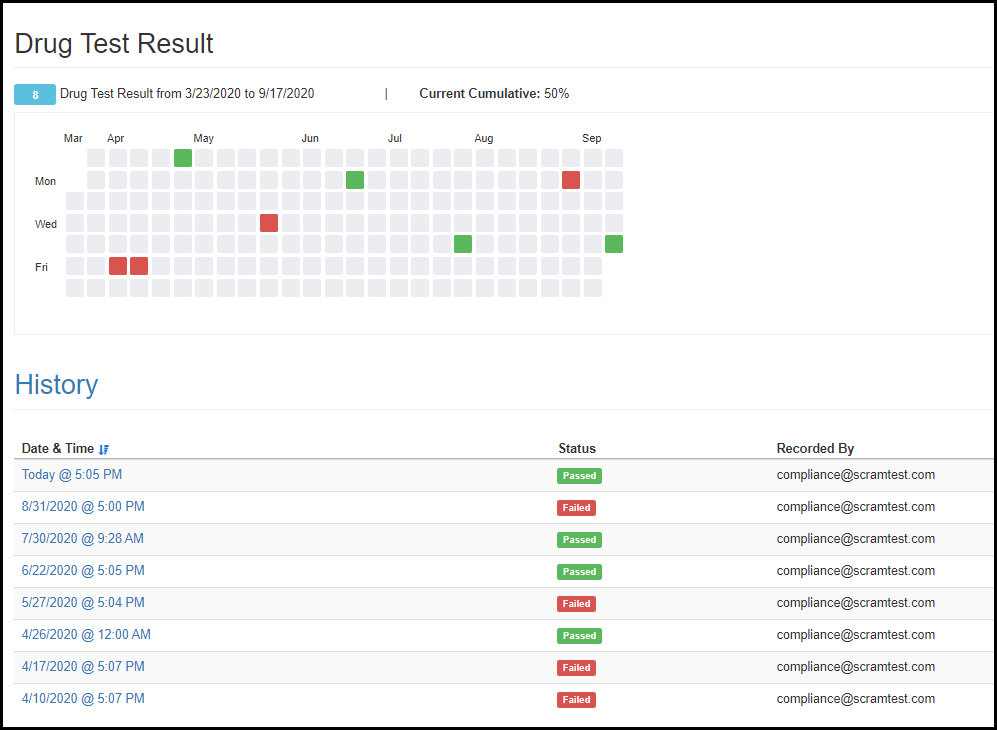
You can now view all the details that go into the individual client metrics by clicking on the activity name within the Client Metrics tab. This section will show trends through calendar and list views.
Feedback
As always, please feel free to contact SCRAM Systems Customer Services at (303) 785-7879 with any recommendations for system improvements.