A Daily Summary report is available for SCRAM House Arrest or Remote Breath monitoring programs. This Caseload level report is emailed every 24 hours and contains the House Arrest or Remote Breath schedule and events generated for each client.
Caseload Setup
Setup Delivery Method:
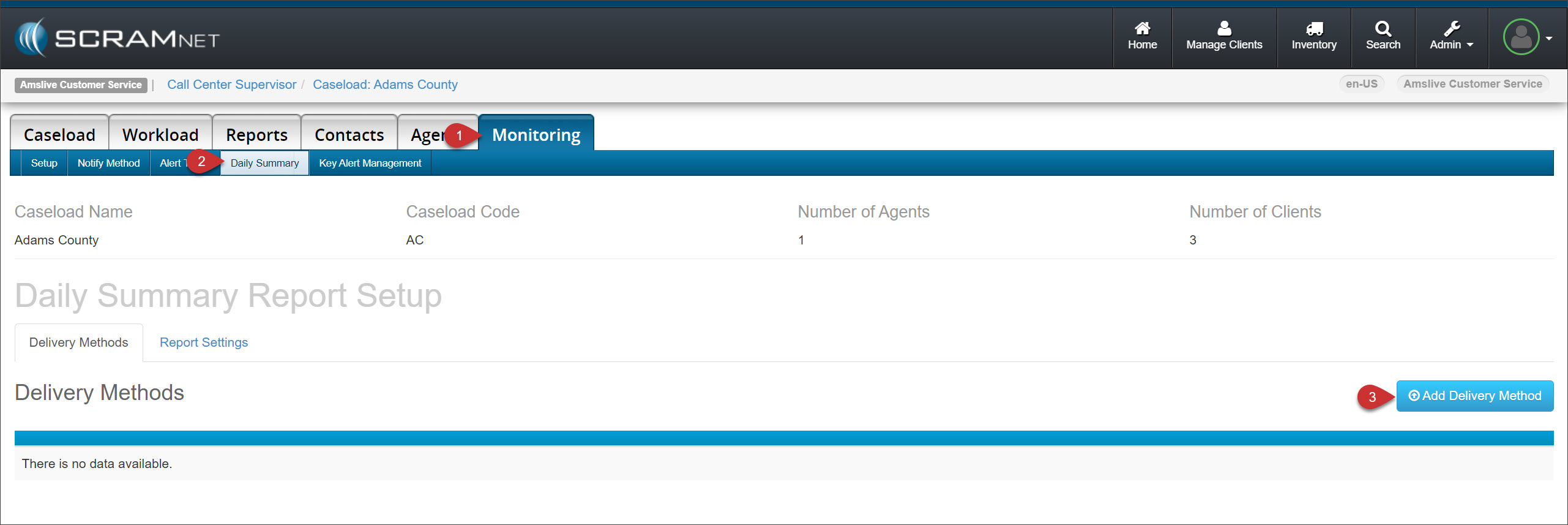
- Navigate to the Monitoring tab for the Caseload.
- Select the Daily Summary sub-tab.
- Select the Add Delivery Method button.
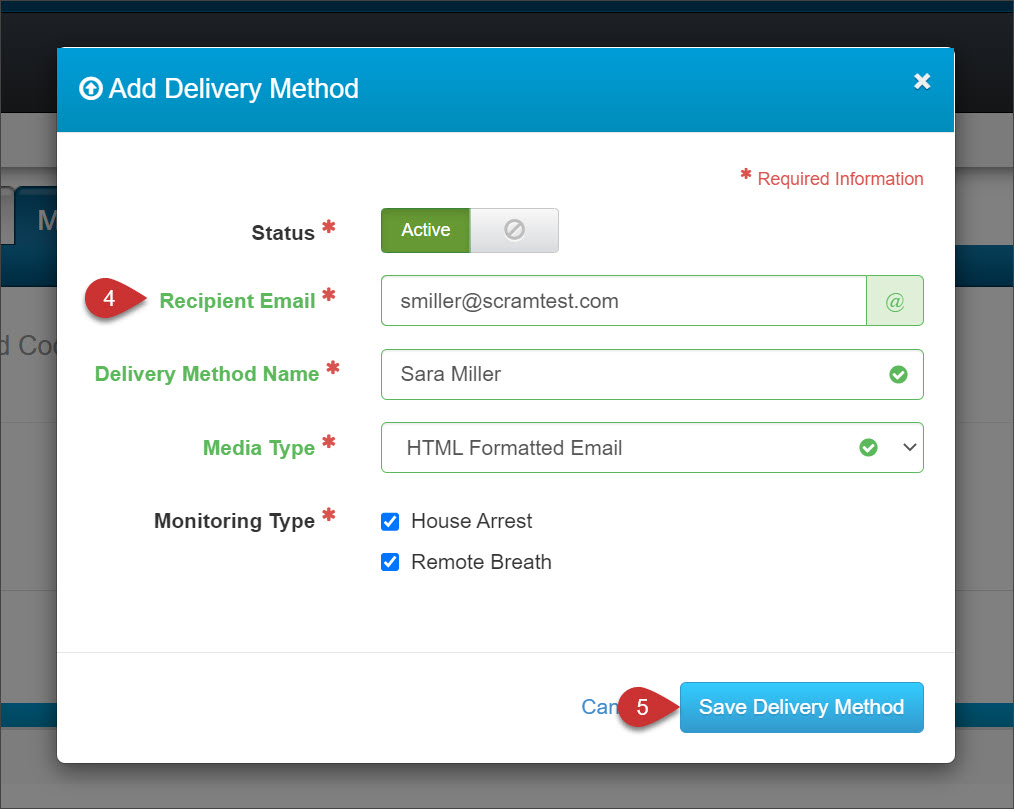
- On the Add Delivery Method pop-up, enter the required information.
- Select the Save Delivery Method button.
Validate Delivery Method:
SCRAMNET will send a validation code to the email entered on the Add Delivery Method pop-up.
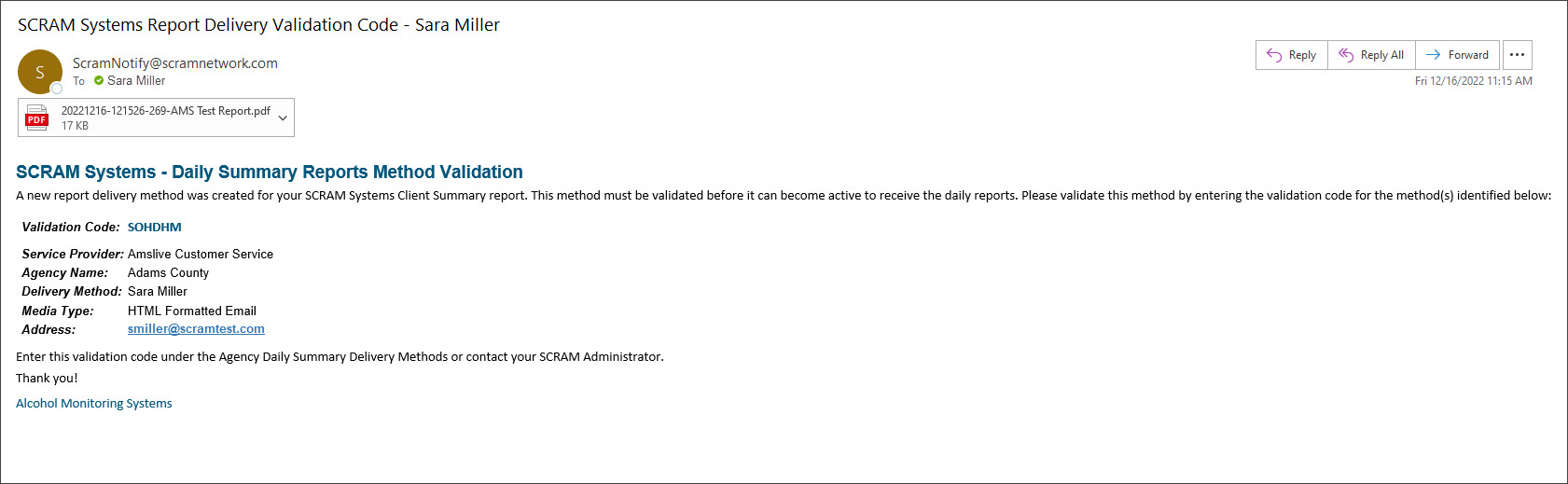
Once the email is received:
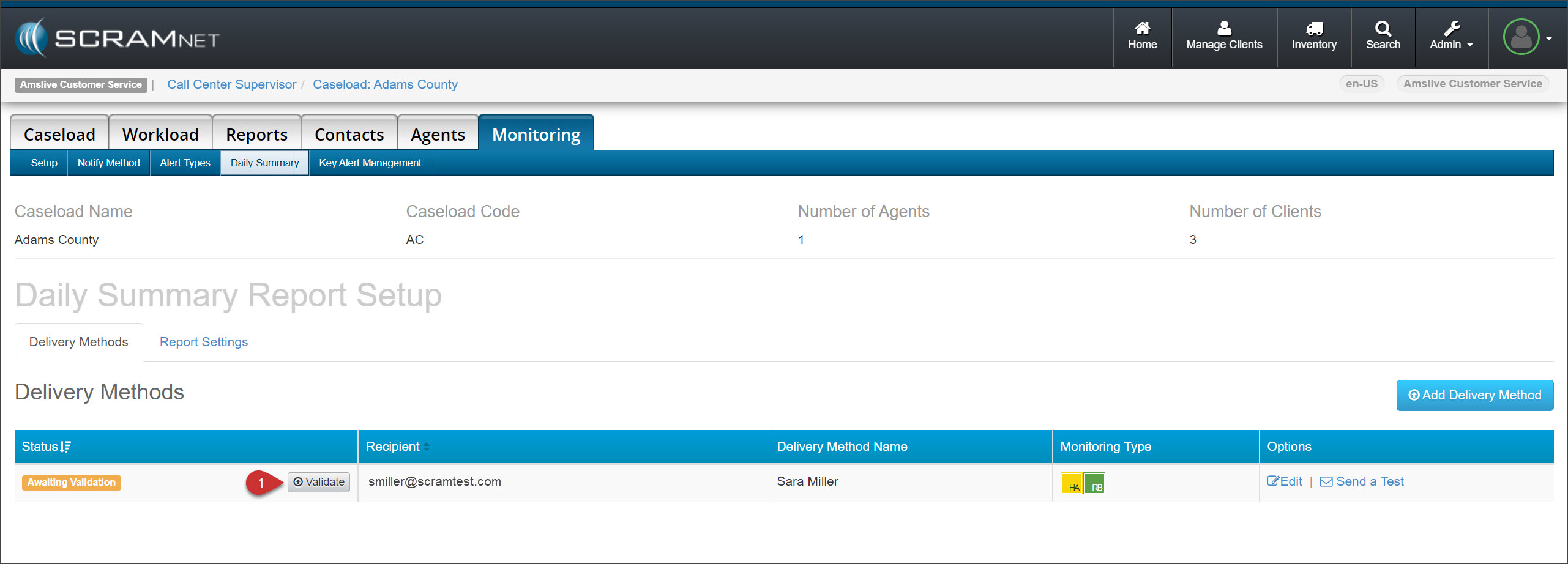
- On the Daily Summary sub-tab, select the Validate button.
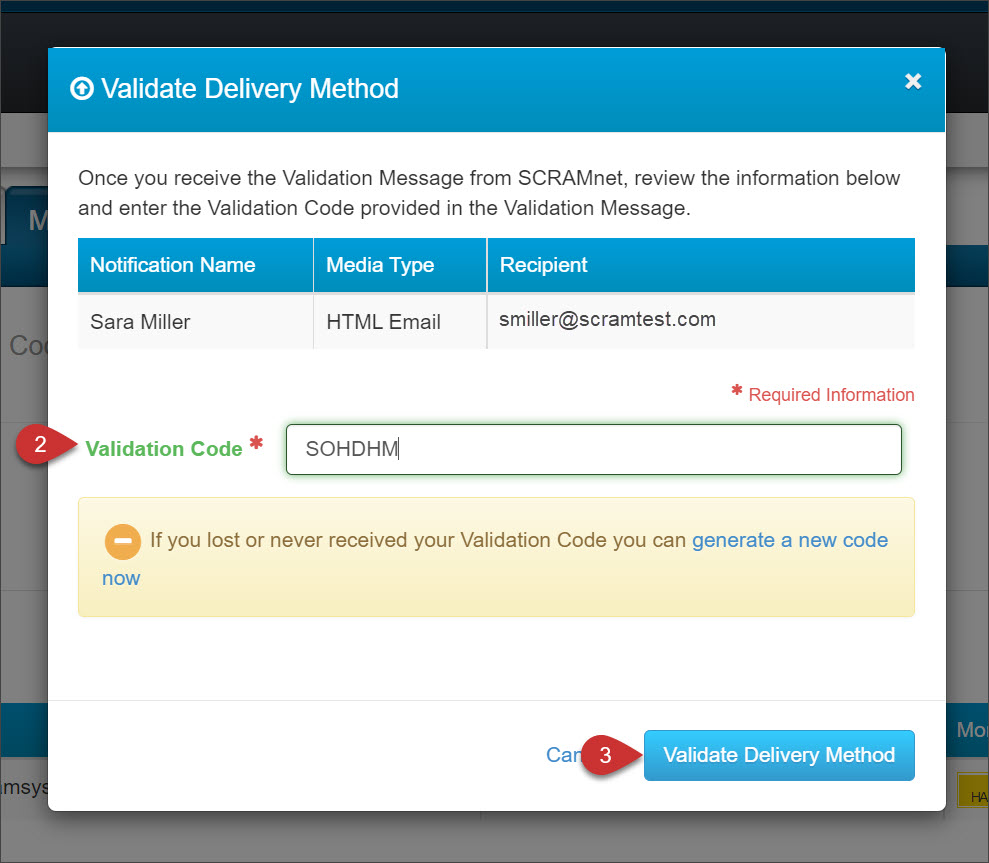
- Enter the Validation Code on the Validate Delivery Method pop-up.
- Select the Validate Delivery Method button.
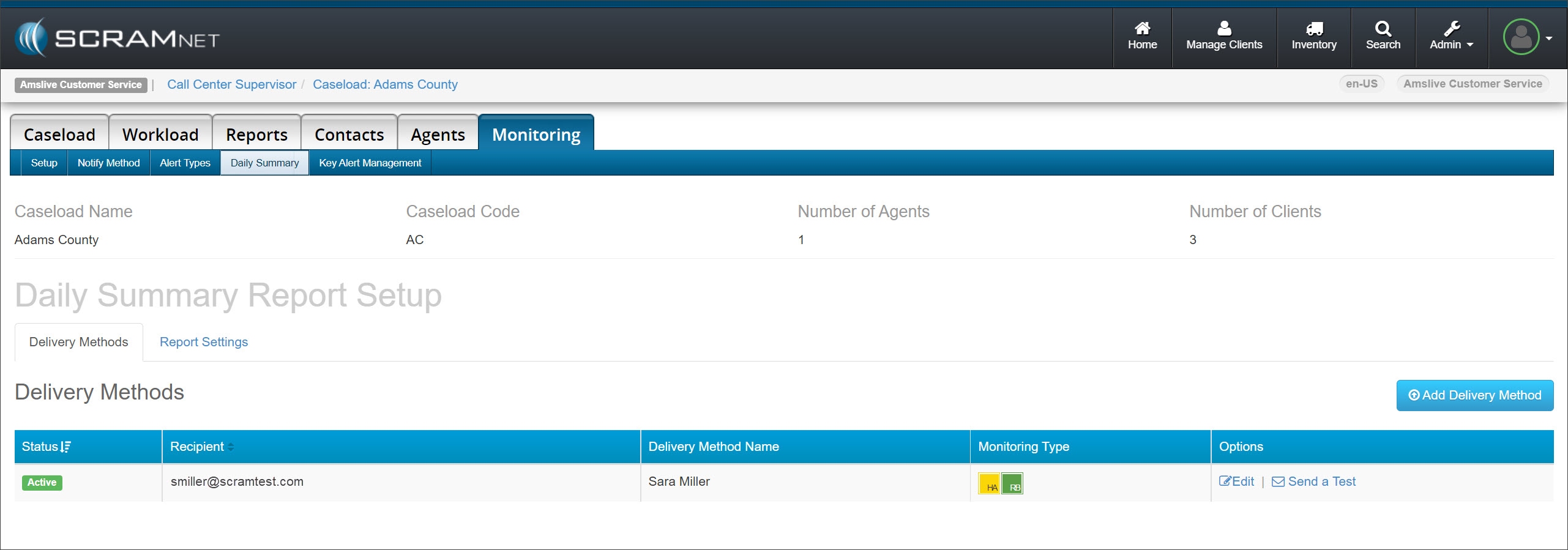
Once validated, the recipient will receive the Daily Summary email.
Customize the Daily Summary Report Settings
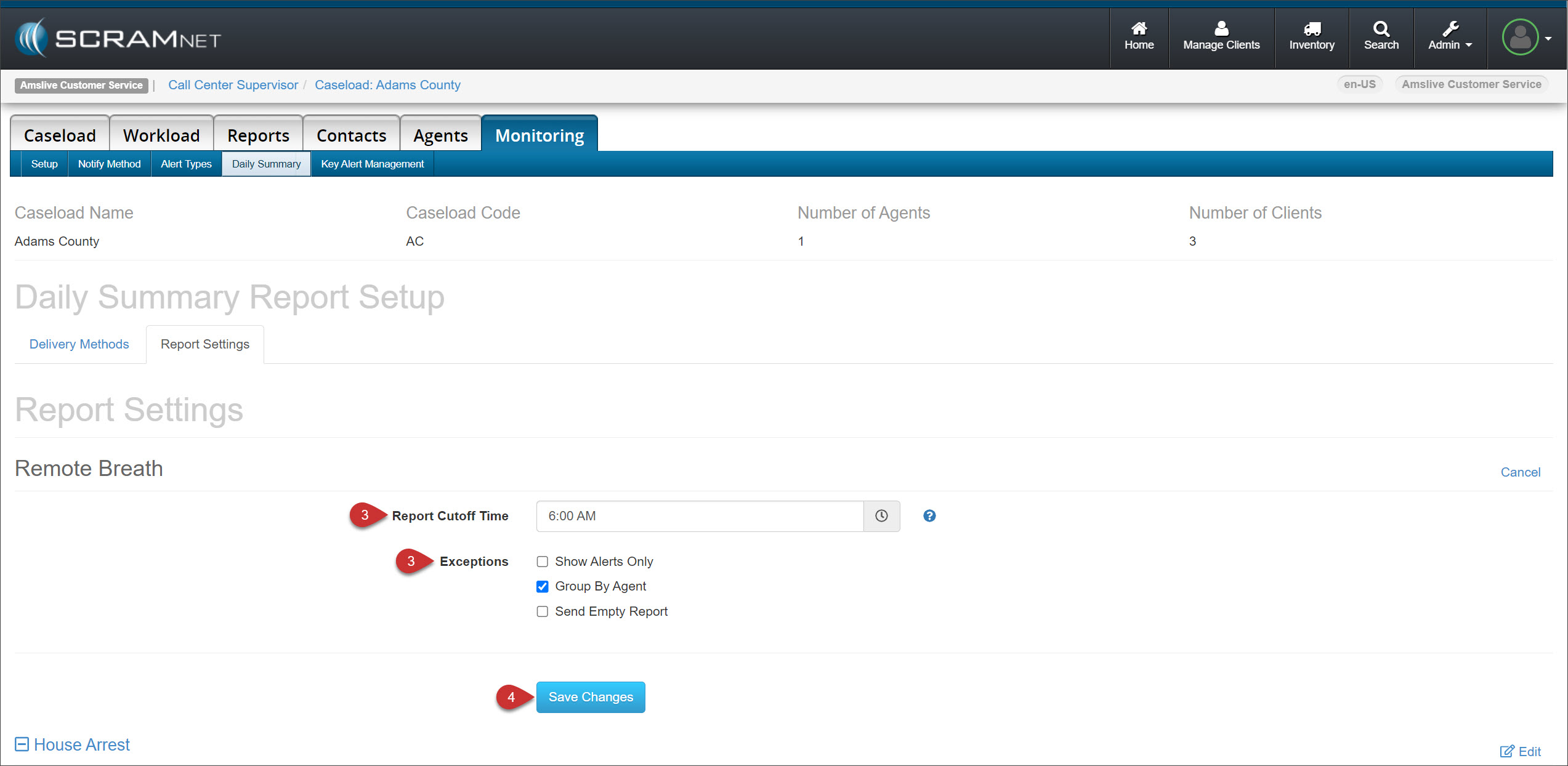
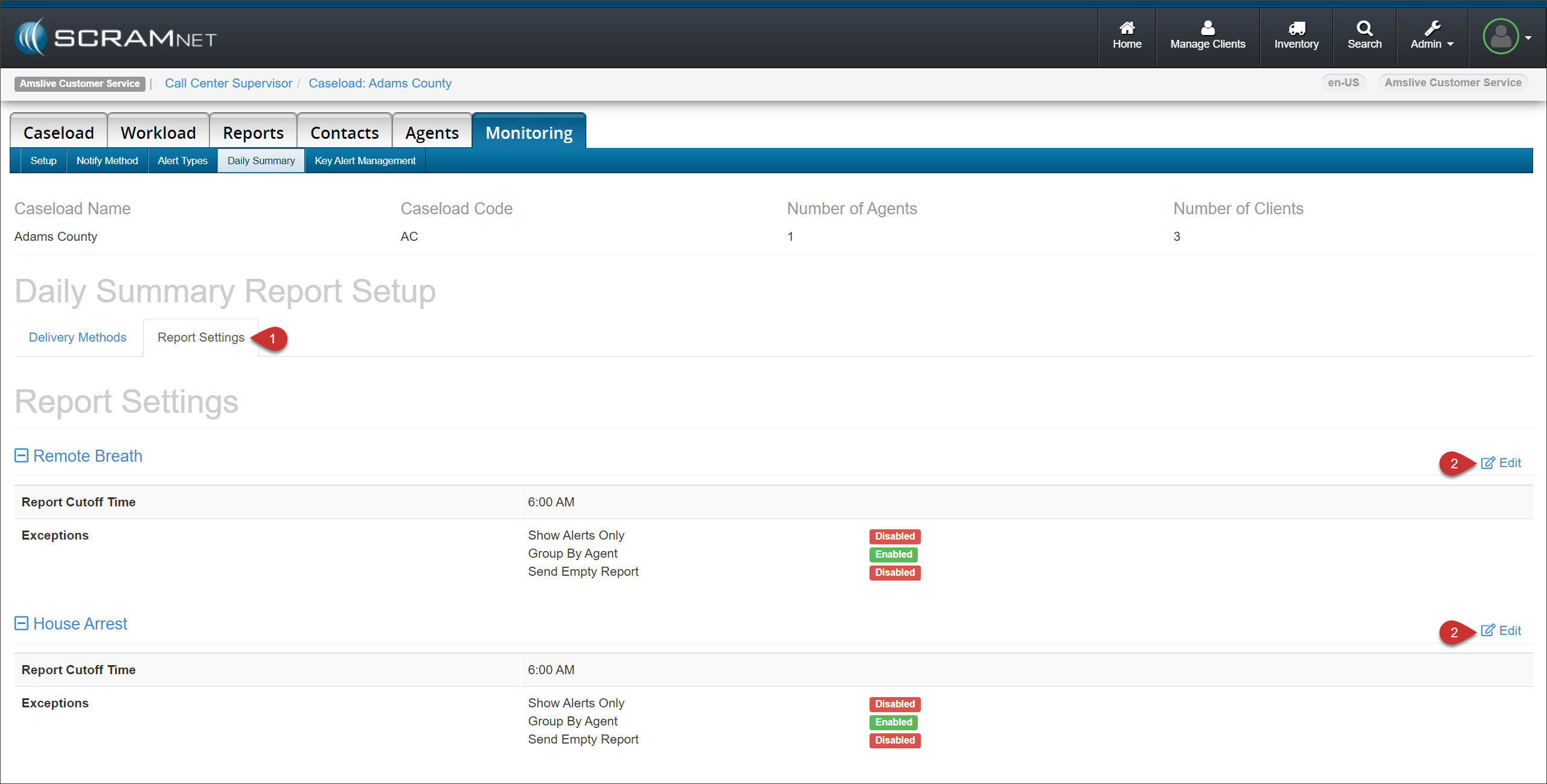
To edit the report cutoff time and select the appropriate exceptions:
- Select the Report Settings tab.
- For either the Remote Breath or House Arrest options, select the Edit hyperlink.
- Make the appropriate edits and selections.
- Select the Save Changes button.